

What Does BrowserAct Social Media Username Finder Do?
Use BrowserAct Social Media Username Finder to check one username across GitHub, Instagram, Facebook, Pinterest, Telegram, Medium, and Substack. The Bot constructs canonical public profile URLs, verifies visible profile identity signals, and returns confirmed profiles together with per-platform check status without requiring a social platform login. Run it in BrowserAct or invoke the same published template through its API Tab.
Key Features of Social Media Username Finder
- Check one username across GitHub, Instagram, Facebook, Pinterest, Telegram, Medium, and Substack.
- Construct canonical public profile URLs across the supported platform registry.
- Separate confirmed, missing, and ambiguous platform checks.
- Return profile URLs, display names, usernames, and validation evidence.
- Reuse the same published Bot through Run Task or the API Tab.
What Data Can I Extract?
| Field | Description |
|---|---|
capability | Stable capability identifier. |
available | Whether at least one confirmed public profile was found. |
request_metadata.username | Normalized username used for the run. |
data.profiles[].platform_name | Public social platform name. |
data.profiles[].platform_id | Stable platform identifier. |
data.profiles[].profile_url | Confirmed canonical public profile URL. |
data.profiles[].display_name | Visible display name when available. |
data.profiles[].username | Username confirmed on the public profile. |
data.profiles[].validation_status | Confirmation state for the profile. |
data.profiles[].validation_evidence | Short public evidence summary for the match. |
data.checked_platforms | Status record for each checked platform. |
How to Use Social Media Username Finder
Quick Start Guide
- Open Run Task from this template page.
- Enter a username or keep the populated default.
- Run the Bot and review confirmed profiles plus platform check statuses.
- Use the API Tab when the same result is needed in an application or automation.
Input Parameters
| Parameter | Configuration |
|---|---|
username | String; required; default openai. Enter one username with or without a leading @; do not enter a full profile URL. |
Example Output
The table shows one representative real result. Long text is shortened only in this documentation preview.
| Field | Result |
|---|---|
capability | social_media_username_finder |
available | true |
request_metadata.username | openai |
data.profiles[0].platform_name | GitHub |
data.profiles[0].profile_url | https://github.com/openai |
data.profiles[0].display_name | OpenAI |
data.profiles[0].username | openai |
data.profiles[0].validation_status | confirmed |
How Does It Work?
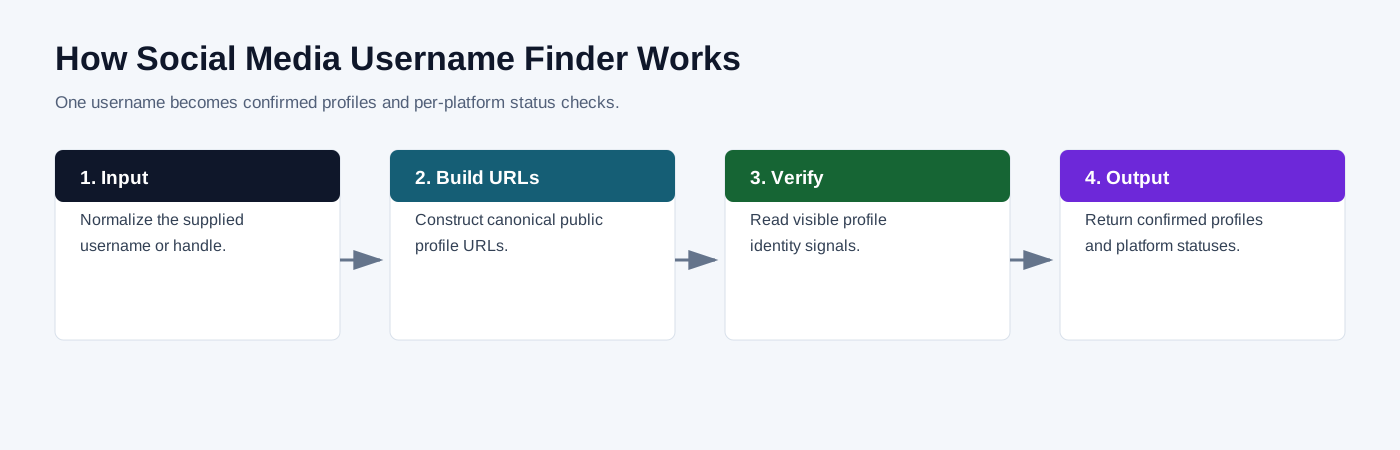
- Normalize the supplied username.
- Construct canonical profile URLs for the supported platform registry.
- Open public profile pages and read visible identity signals.
- Separate confirmed, missing, and ambiguous checks.
- Return confirmed profiles and per-platform status records.
How to Build a New Scraper Bot with Agent Built
Step 1: Describe the data you need
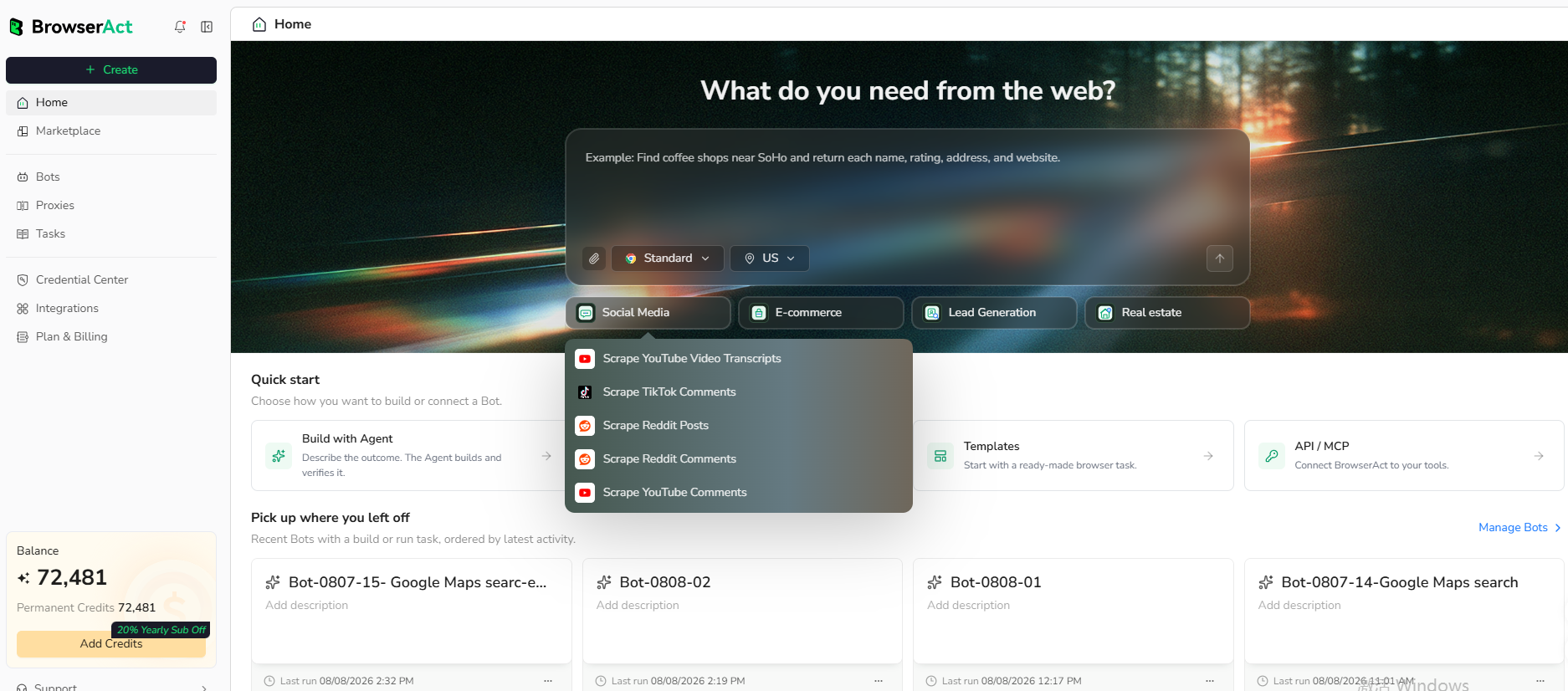
Open BrowserAct and start Agent Built from the Home prompt box or from Create > Build with Agent. Describe the public website, records, filters or search conditions, output fields, result limit, and reusable inputs you need.
Step 2: Let BrowserAct build and test the Bot
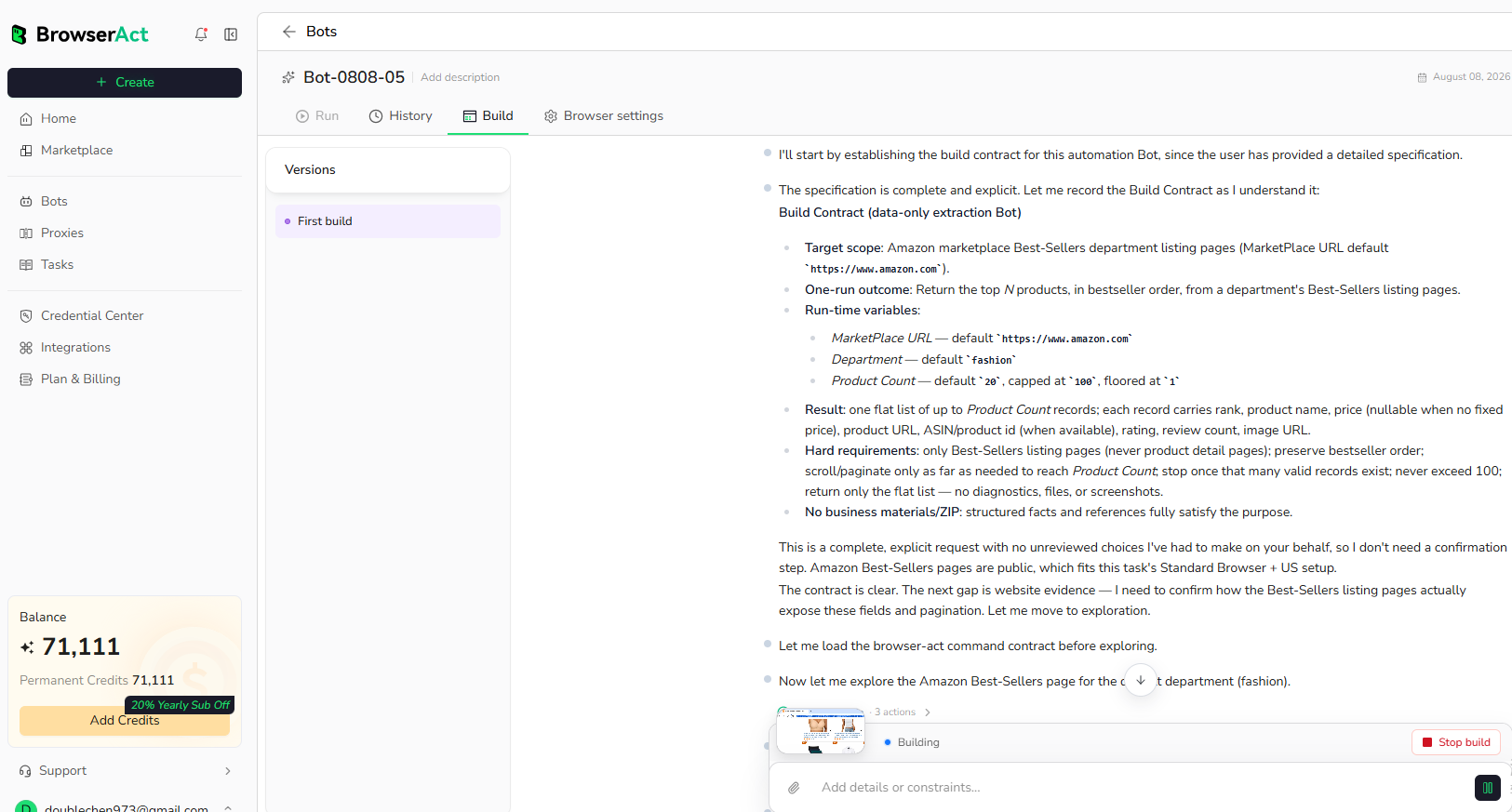
BrowserAct explores the live website, creates the navigation and extraction workflow, and tests the resulting Bot. Provide any requested clarification about the target page, conditions, fields, or expected output in the same build conversation.
Step 3: Run the Bot and review the result
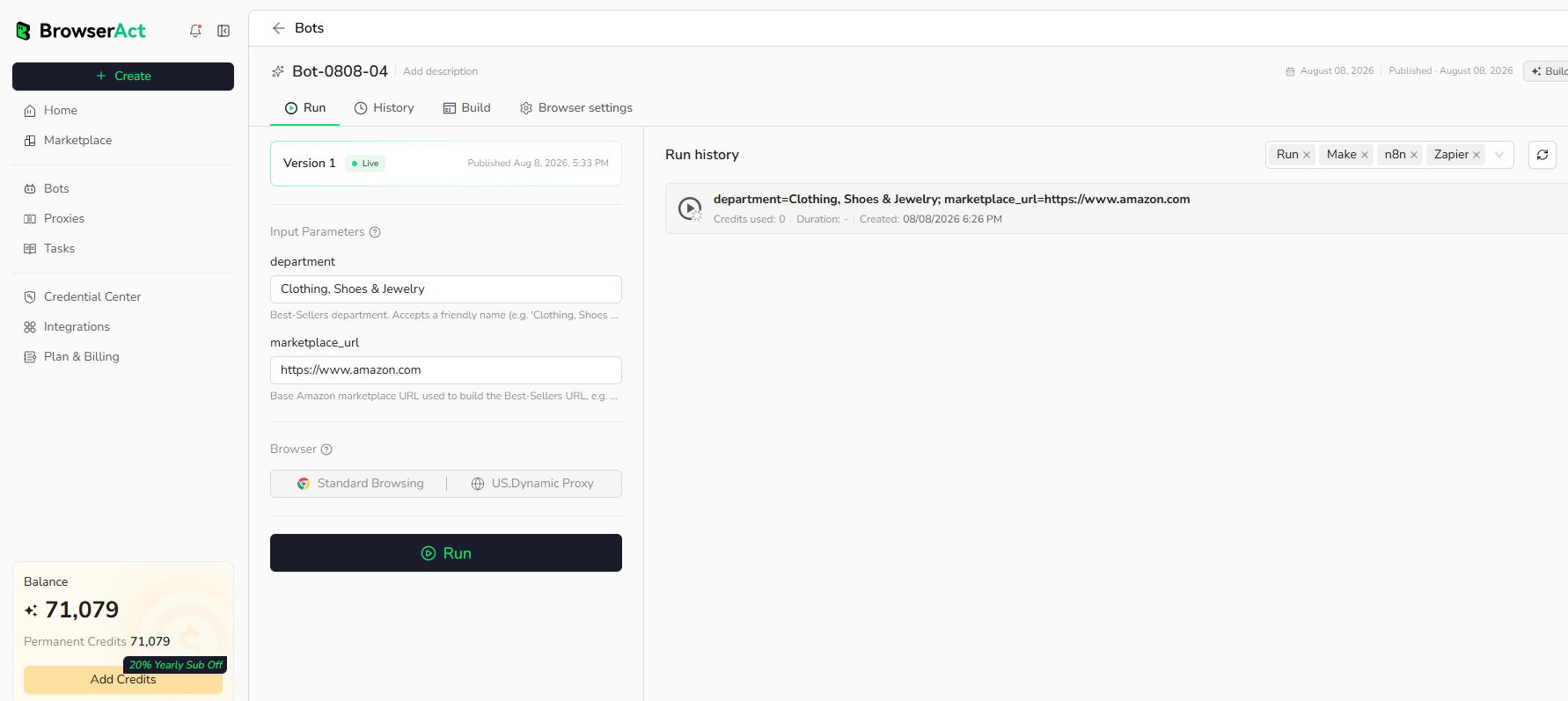
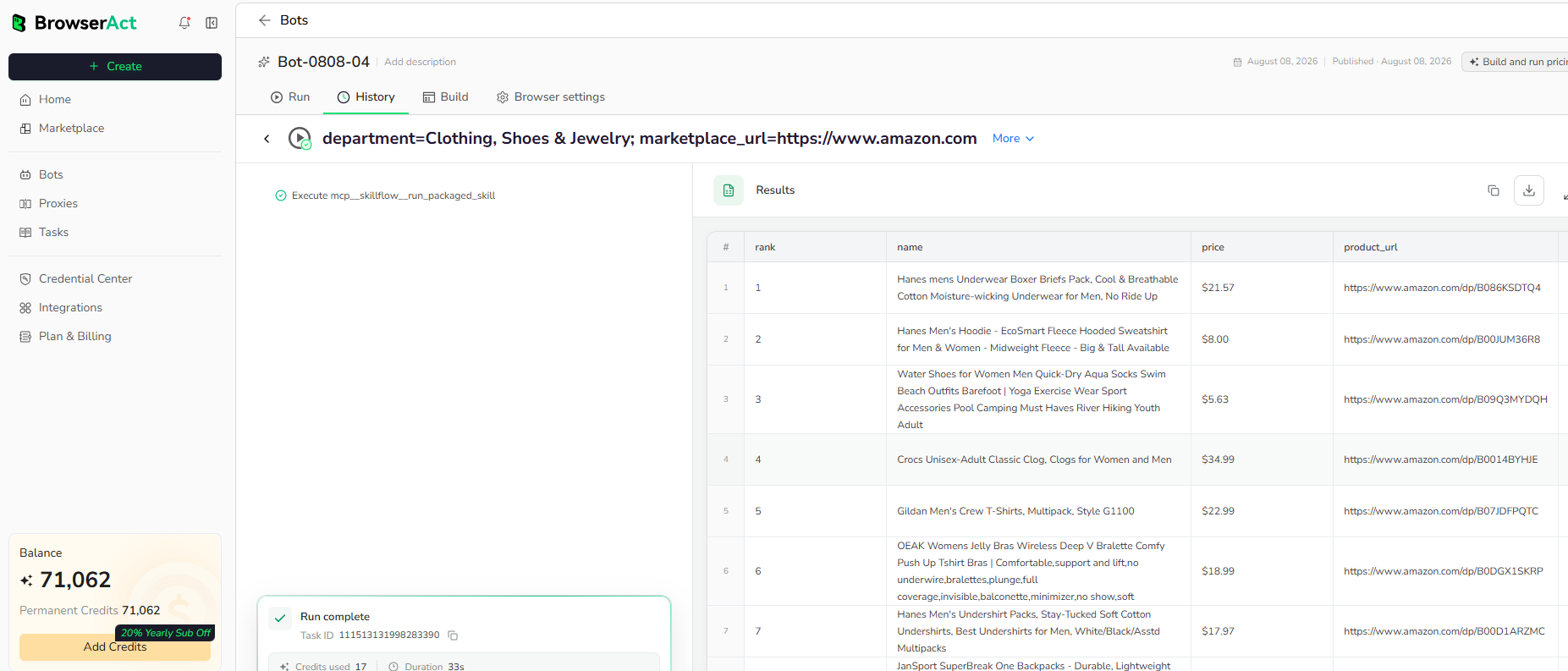
Run the completed Bot with its populated default inputs. Review the structured records, source URLs, missing optional values, and result count before reusing the Bot with other inputs or connecting it to another workflow.
Use Cases
- Username-based identity research.
- Brand handle audits.
- Creator profile discovery.
- CRM and enrichment workflows.
Why Use Social Media Username Finder?
- Replace repetitive checks across public social platforms.
- Keep confirmed matches and negative platform checks in one response.
- Reuse a consistent output contract for audits and enrichment.
Who Can Use Social Media Username Finder?
- Brand and social media teams.
- Creator research teams.
- Sales and marketing operations teams.
- Developers and automation builders.
How Many Results Can You Scrape?
One run evaluates one username across the supported public platform registry. The output contains the confirmed profiles found and a status record for each platform checked.
Automation and Export
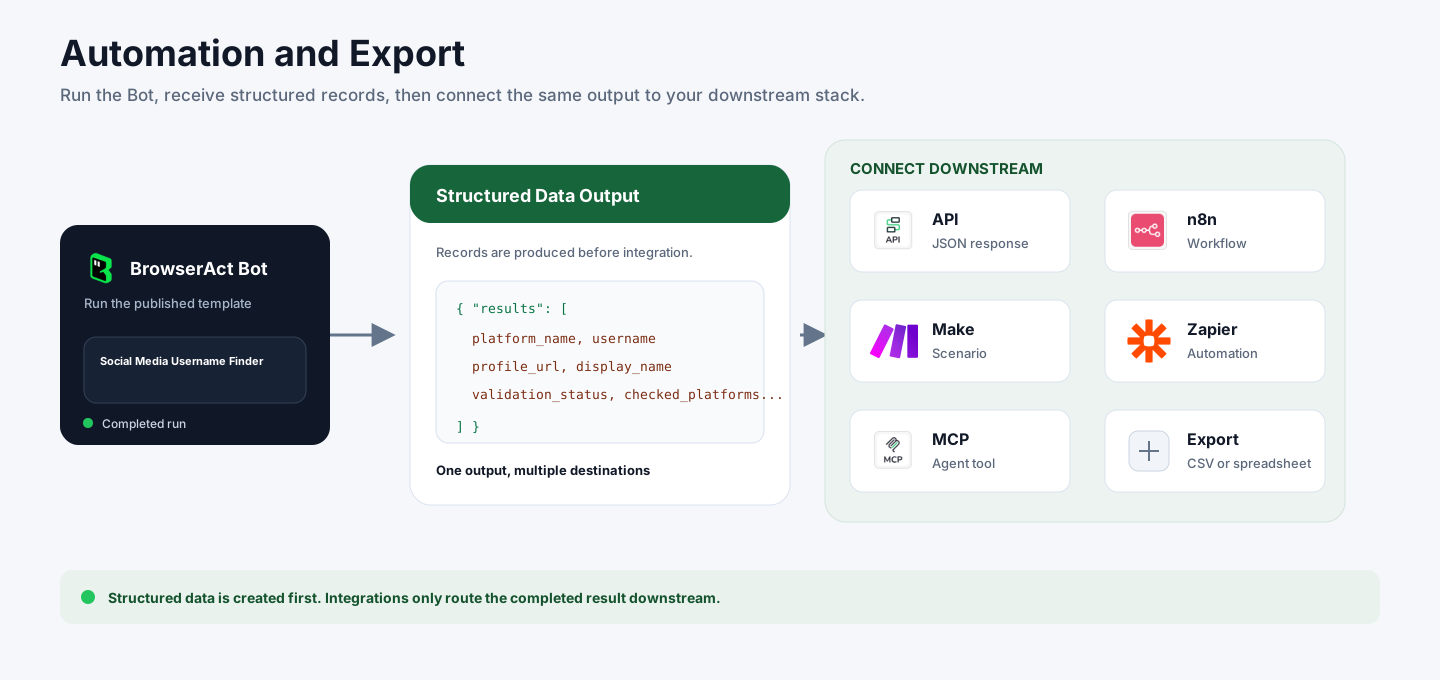
BrowserAct produces structured data first. Use the completed result through Run Task, the JSON API, n8n, Make, Zapier, MCP-based agents, or the supported manual export flow.
Need Help?
Cannot find the exact capability you need, or need help adapting this Bot to another workflow?
