
Reddit Posts and Comments Scraper
Reddit Posts and Comments Scraper is a BrowserAct Bot template for collecting structured records from public Reddit search results or subreddit listing pages.
Published by
Br
BrowserAct Team
September 10, 2026
Approx.Credits
17-45 Credits
Categories
BA
APIReddit
Template ID
113862507814193575

Brief
Reddit Posts and Comments Scraper is a BrowserAct Bot template for collecting structured records from public Reddit search results or subreddit listing pages. Configure a subreddit, search query, sort mode, comment collection option, and result count, then run the Bot to return post-level data with visible top comments when requested.
What Does BrowserAct Reddit Posts and Comments Scraper Do?
This template opens public Reddit pages, searches or browses the selected subreddit, scrolls the rendered result feed until enough unique posts are found, and opens post detail pages when comment extraction is enabled.
Key Features
- Extract public Reddit posts without requiring a Reddit login.
- Support subreddit-specific search and listing-style workflows.
- Capture post titles, URLs, subreddit, author, score, comment count, created date, post text, external link, rank, and source page URL.
- Optionally collect visible top comments from each post detail page.
- Scroll and deduplicate posts until the requested count is reached.
What Data Can I Extract from Reddit?
Field | Description |
|---|---|
| Reddit post title. |
| Public Reddit post URL. |
| Subreddit where the post appears. |
| Visible post author, when shown. |
| Visible score or vote count. |
| Visible number of comments. |
| Visible post date or relative time. |
| Post text or snippet available on the page. |
| Outbound link when the post includes one. |
| Result position returned by the Bot. |
| Search or listing page used for discovery. |
| Visible top comments collected from the detail page. |
How to Use Reddit Posts and Comments Scraper
- Click Run task.
- Enter a subreddit and search query.
- Choose the sort mode.
- Decide whether to include comments.
- Set the result count and run the Bot.
Input Parameters
Parameter | Required | Default | Description |
|---|---|---|---|
| Yes |
| Subreddit to search or browse. |
| Yes |
| Keyword phrase used in Reddit search. |
| Yes |
| Reddit search sort mode. |
| Yes |
| Whether to open post pages and collect visible top comments. |
| Yes |
| Maximum number of posts to return. |
Example Output
The table below uses records preserved from the validated Bot run. Up to the first 5 records are shown, and long values are shortened in this documentation preview.
rank | title | url | subreddit | author | score | comment_count | created_date | post_text | external_link | source_page_url | top_comments |
|---|---|---|---|---|---|---|---|---|---|---|---|
1 | Example Reddit discussion title | ChatGPT | example_user | 42 | 18 | 2 days ago | Visible post text or snippet | null | https://www.reddit.com/r/ChatGPT/search/?q=browser%20automation | [{"comment_author":"commenter","comment_text":"Visible top comment text","comment_score":"8","comment_created_date":"1 day ago"}] |
How Does it Work?
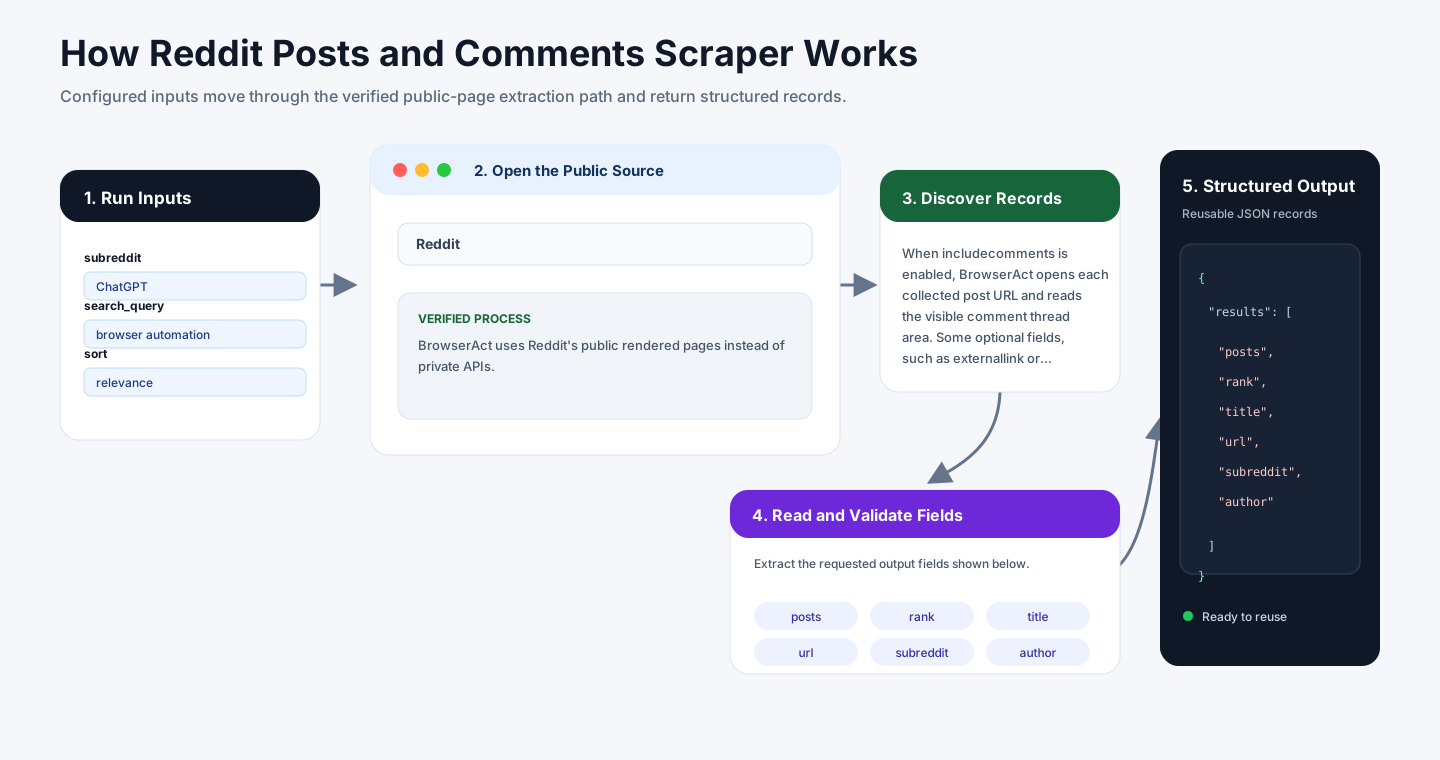
BrowserAct uses Reddit's public rendered pages instead of private APIs. It opens the selected subreddit search or listing page, waits for the feed to load, reads visible post cards, and scrolls until the requested count is reached or no more public posts are available.
When include_comments is enabled, BrowserAct opens each collected post URL and reads the visible comment thread area. Some optional fields, such as external_link or author, may be empty when Reddit does not display them on the page.
How to Build a New Scraper Bot with Agent Built
Step 1: Describe the Data You Need
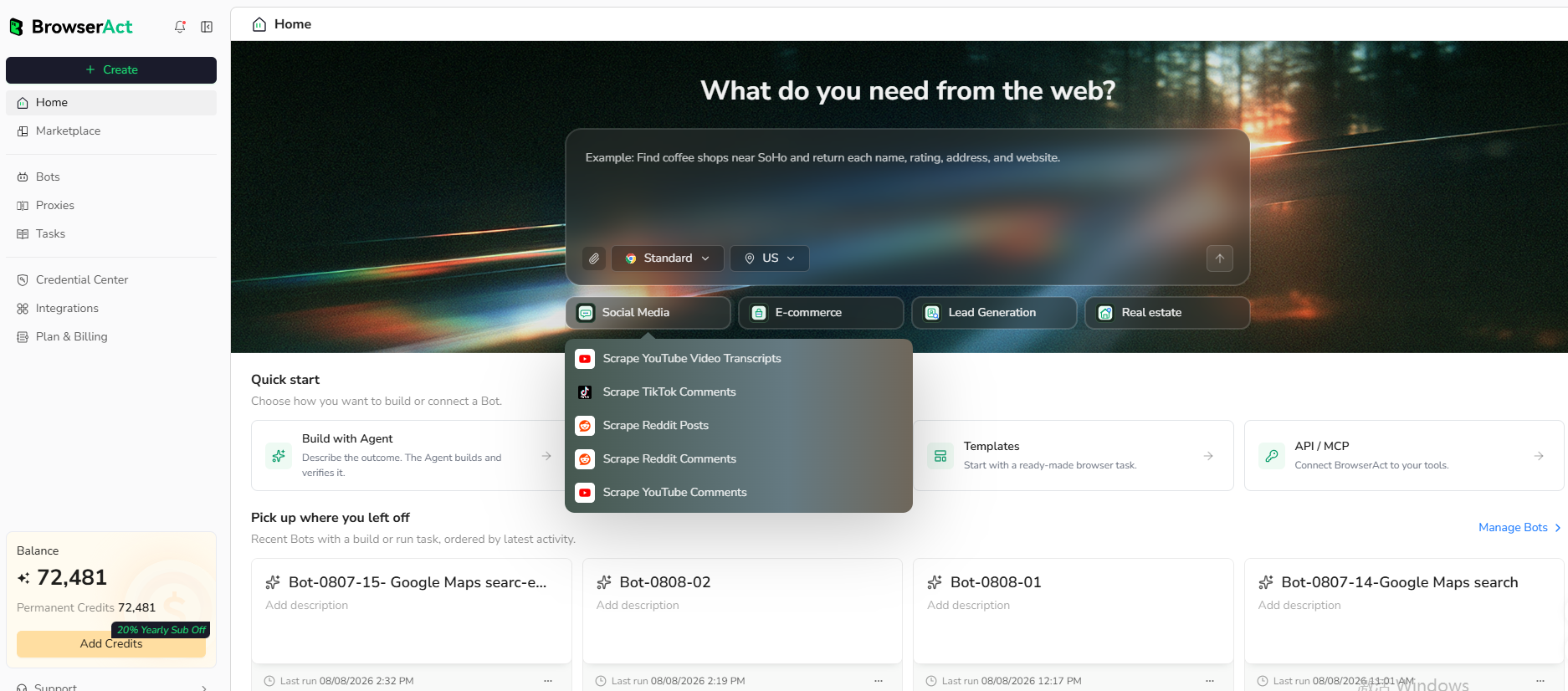
Open BrowserAct and start Agent Built from the Home prompt box or from Create -> Build with Agent. Paste a clear request that includes the website, the records to collect, the filters or search conditions, the fields to return, the result limit, and the inputs you want to reuse later.
Step 2: Let BrowserAct Build and Test the Bot
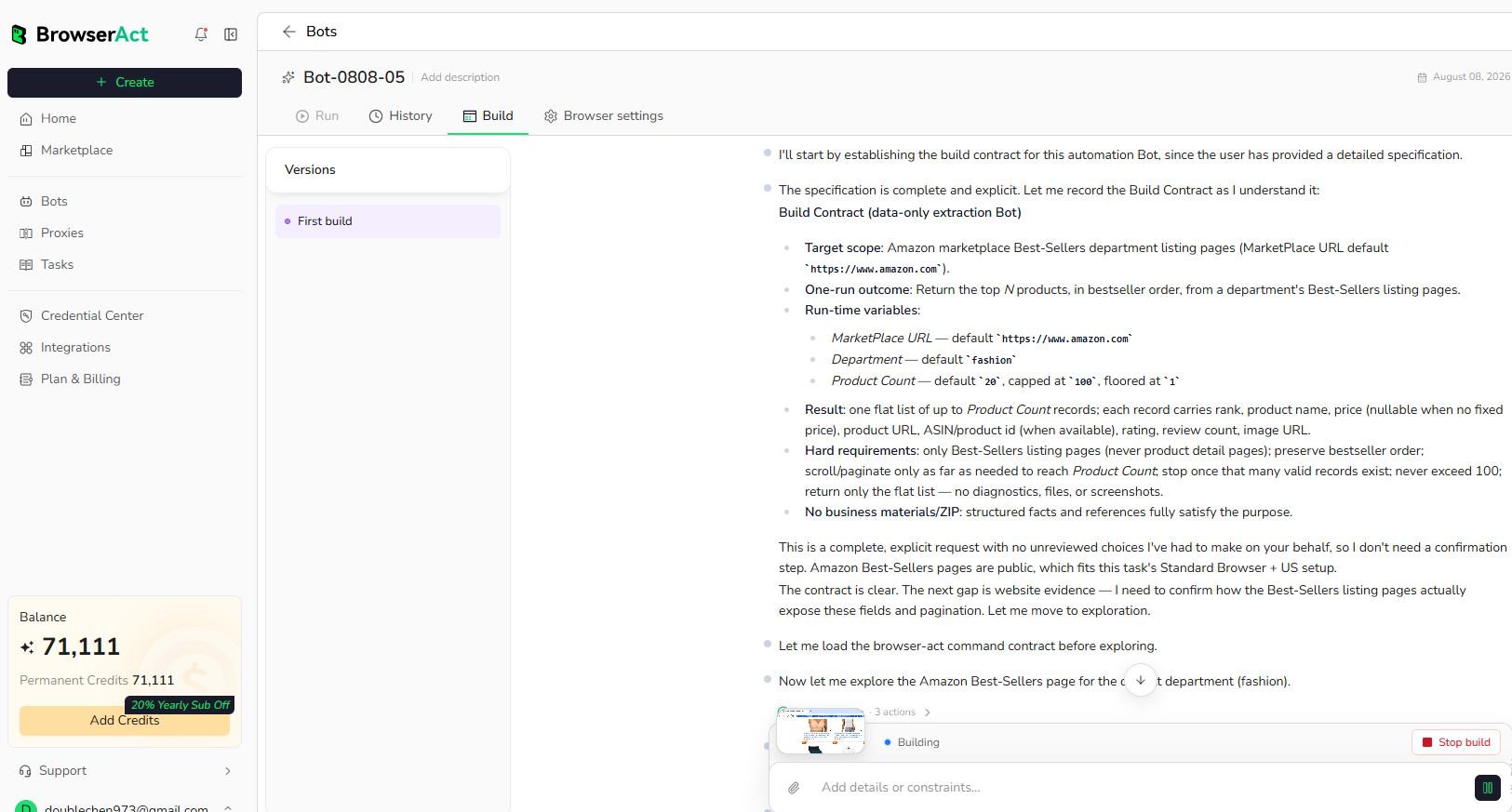
BrowserAct explores the live website, works out the navigation and extraction path, and validates the result. If BrowserAct asks for clarification, reply in the same build conversation with the missing URL, condition, field, example, or expected output.
Step 3: Run the Bot and Review the Result
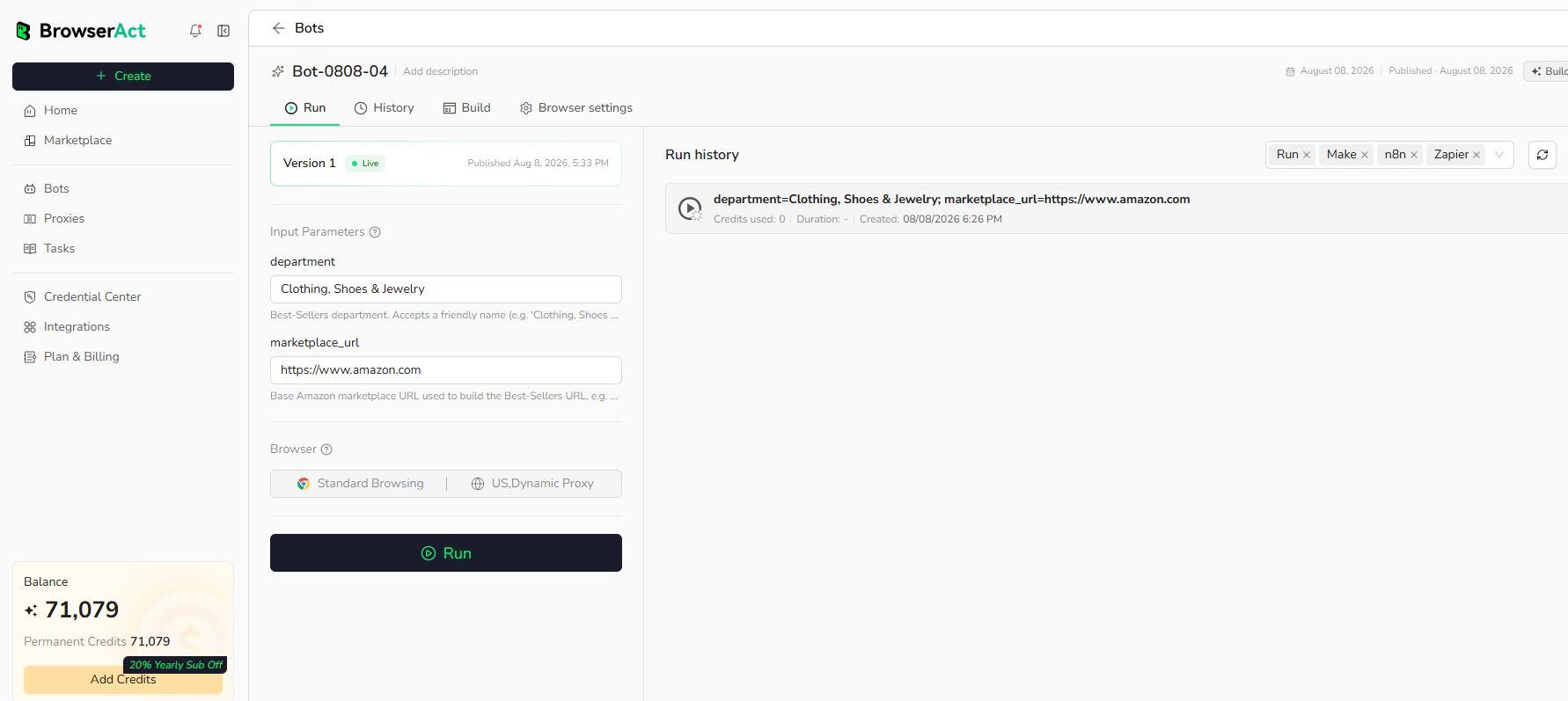
When the build is complete, run the Bot with the default inputs first. Review the structured records, source URLs, missing fields, and row count before reusing the Bot with new inputs or connecting it to another workflow.
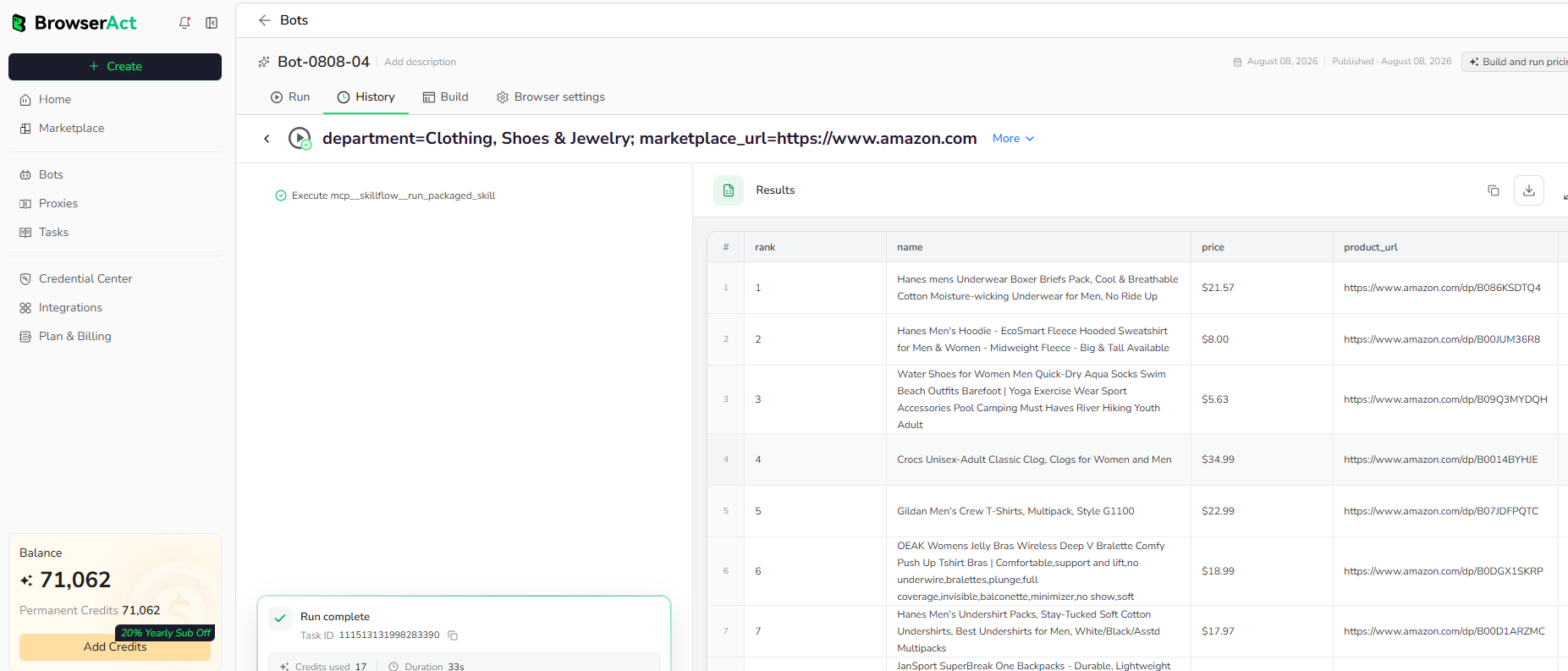
Why Scrape Reddit Posts and Comments?
Reddit discussions help teams monitor community sentiment, discover user language, research product feedback, track topic demand, and gather public conversation signals for analysis.
Who Can Use This Template?
- Marketers researching public community discussions.
- Product teams reviewing user problems and feature requests.
- Analysts tracking keyword trends across subreddits.
- Content teams sourcing topic ideas from public threads.
- Automation builders sending Reddit data into databases, sheets, dashboards, or agents.
How Many Results Can You Scrape?
Use count to control how many posts BrowserAct returns. Comment extraction adds detail-page visits, so lower counts are better when you need comments from every post.
Automation and Export
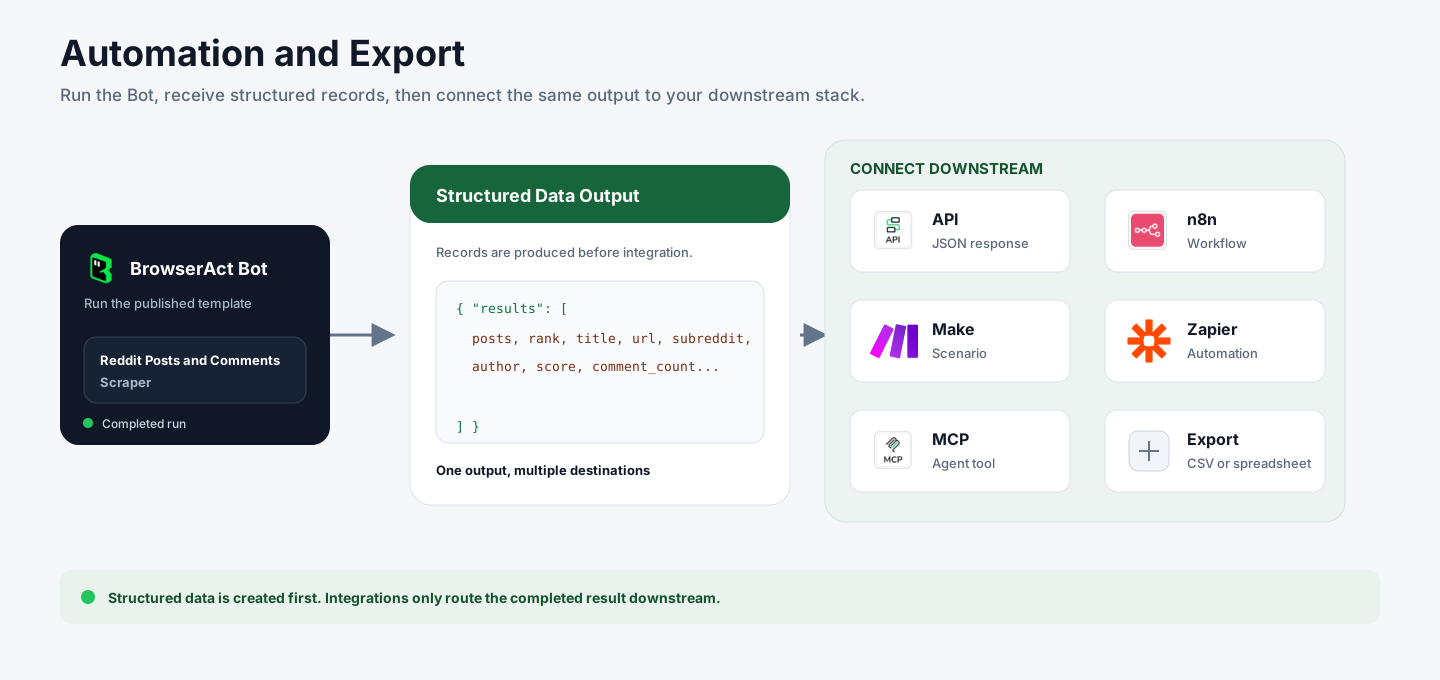
BrowserAct returns structured Reddit records first. You can then use the output through API JSON responses, n8n workflows, Make scenarios, Zapier automations, MCP-based agent workflows configured from the Bot's Integrations tab, or manual CSV review.
Need Help?
Contact us at
Discord: Discord Community
E-mail: service@browseract.com
 What can we do for you