

PulsePoint Incident Feed Scraper collects structured public emergency incident records from a selected agency feed. Choose an agency and incident type from verified dropdowns, decide whether to include recent closed incidents, and receive active and recent records without entering agency IDs or URLs. The Bot only reads public incident feeds and does not require login.
What Does BrowserAct PulsePoint Incident Feed Scraper Do?
The Bot resolves the selected public agency internally, opens its PulsePoint feed, reads active incidents followed by recent incidents when enabled, applies the incident-type filter, removes duplicates, and returns one structured row per incident.
Key Features
- Agency dropdown backed by PulsePoint's public agency directory snapshot.
- Incident-type dropdown using PulsePoint's public call-type list.
- Toggle for active-only or active-plus-recent records.
- Public addresses, reported times, units, coordinates, and status.
- Stable agency source URL on every row.
- No emergency-service interaction or form submission.
What Data Can I Extract from PulsePoint?
| Field | Description |
|---|---|
incident_id |
PulsePoint incident identifier. |
incident_type |
Public incident call type. |
address |
Publicly displayed incident address or privacy marker. |
city |
City parsed from the public address when available. |
time_reported |
Source-reported incident time. |
status |
Active or closed status. |
units_responding |
Publicly listed responding units. |
latitude |
Source-provided latitude, never inferred. |
longitude |
Source-provided longitude, never inferred. |
agency_name |
Public agency name. |
source_url |
Public PulsePoint agency-feed URL. |
scraped_at |
Extraction timestamp. |
How to Use PulsePoint Incident Feed Scraper
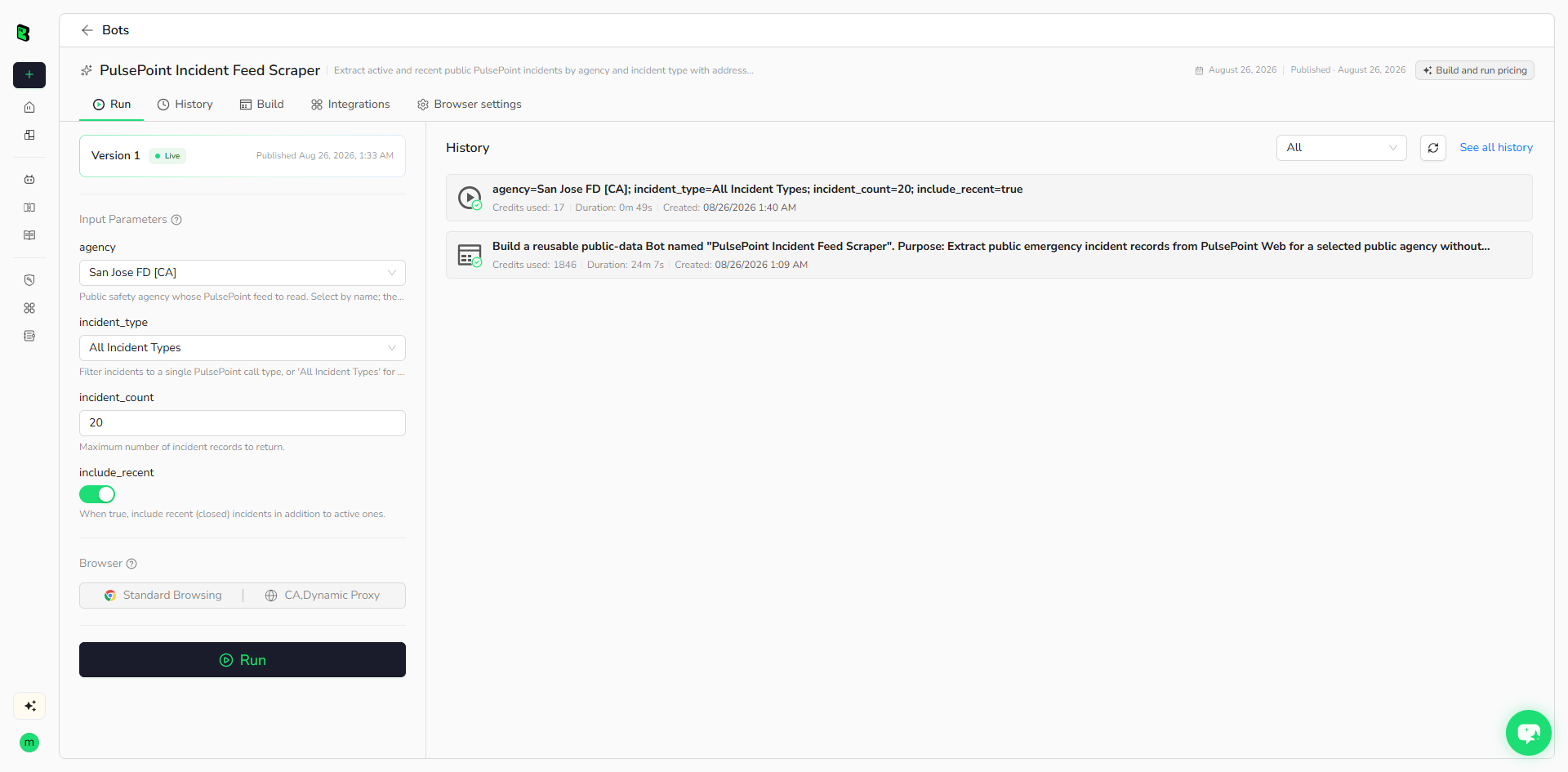
- Click Run task.
- Select a public agency and incident type.
- Choose whether to include recent closed incidents.
- Set the incident count and run the Bot.
- Review, export, or automate the structured records.
Input Parameters
| Parameter | Type | Required | Default | Description |
|---|---|---|---|---|
agency |
Dropdown | Yes | San Jose FD [CA] |
Public agency name; the stable ID is internal. |
incident_type |
Dropdown | Yes | All Incident Types |
One public call type or all types. |
include_recent |
Boolean | Yes | true |
Include recent closed incidents after active incidents. |
incident_count |
Integer, 1-100 | Yes | 20 |
Maximum incident records to return. |
Example Output
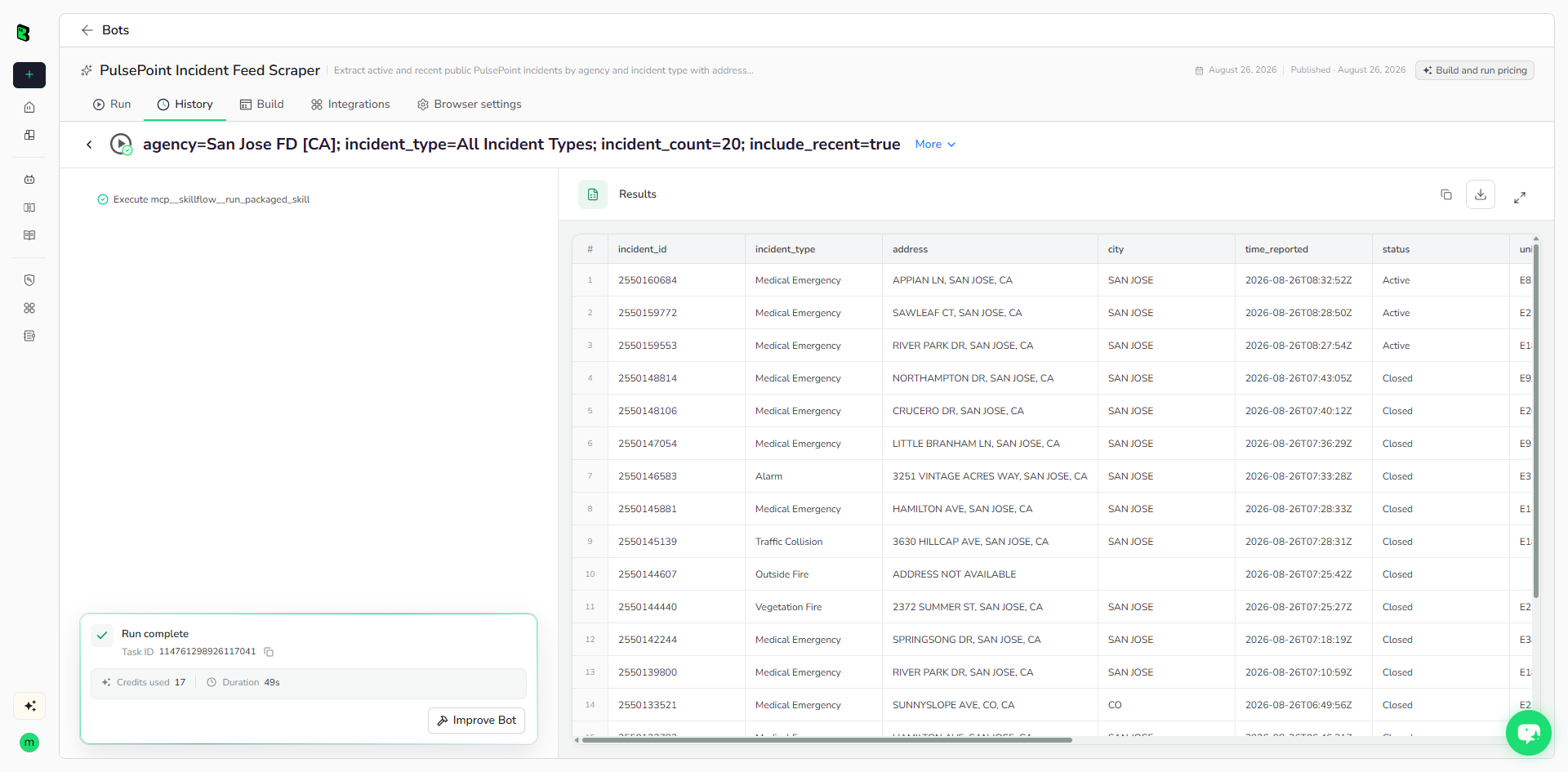
The table below shows up to the first 5 records from the validated run. Long values are shortened in this preview for readability; the completed task keeps the full structured output.
| incident_id | incident_type | address | city | time_reported | status | units_responding | latitude | longitude | agency_name | source_url | scraped_at |
|---|---|---|---|---|---|---|---|---|---|---|---|
| 2550160684 | Medical Emergency | APPIAN LN, SAN JOSE, CA | SAN JOSE | 2026-08-26T08:32:52Z | Active | E8 | 37.3385580000 | -121.8602450000 | San Jose Fire Department | https://web.pulsepoint.org/?agencies=43070 | 2026-08-26T08:41:21Z |
| 2550159772 | Medical Emergency | SAWLEAF CT, SAN JOSE, CA | SAN JOSE | 2026-08-26T08:28:50Z | Active | E23 | 37.3876740000 | -121.8782100000 | San Jose Fire Department | https://web.pulsepoint.org/?agencies=43070 | 2026-08-26T08:41:21Z |
| 2550159553 | Medical Emergency | RIVER PARK DR, SAN JOSE, CA | SAN JOSE | 2026-08-26T08:27:54Z | Active | E18 | 37.2825230000 | -121.8161200000 | San Jose Fire Department | https://web.pulsepoint.org/?agencies=43070 | 2026-08-26T08:41:21Z |
| 2550148814 | Medical Emergency | NORTHAMPTON DR, SAN JOSE, CA | SAN JOSE | 2026-08-26T07:43:05Z | Closed | E9, T9 | 37.2830150000 | -121.9193710000 | San Jose Fire Department | https://web.pulsepoint.org/?agencies=43070 | 2026-08-26T08:41:21Z |
| 2550148106 | Medical Emergency | CRUCERO DR, SAN JOSE, CA | SAN JOSE | 2026-08-26T07:40:12Z | Closed | E26, RM26 | 37.3295530000 | -121.8431200000 | San Jose Fire Department | https://web.pulsepoint.org/?agencies=43070 | 2026-08-26T08:41:21Z |
How Does it Work?
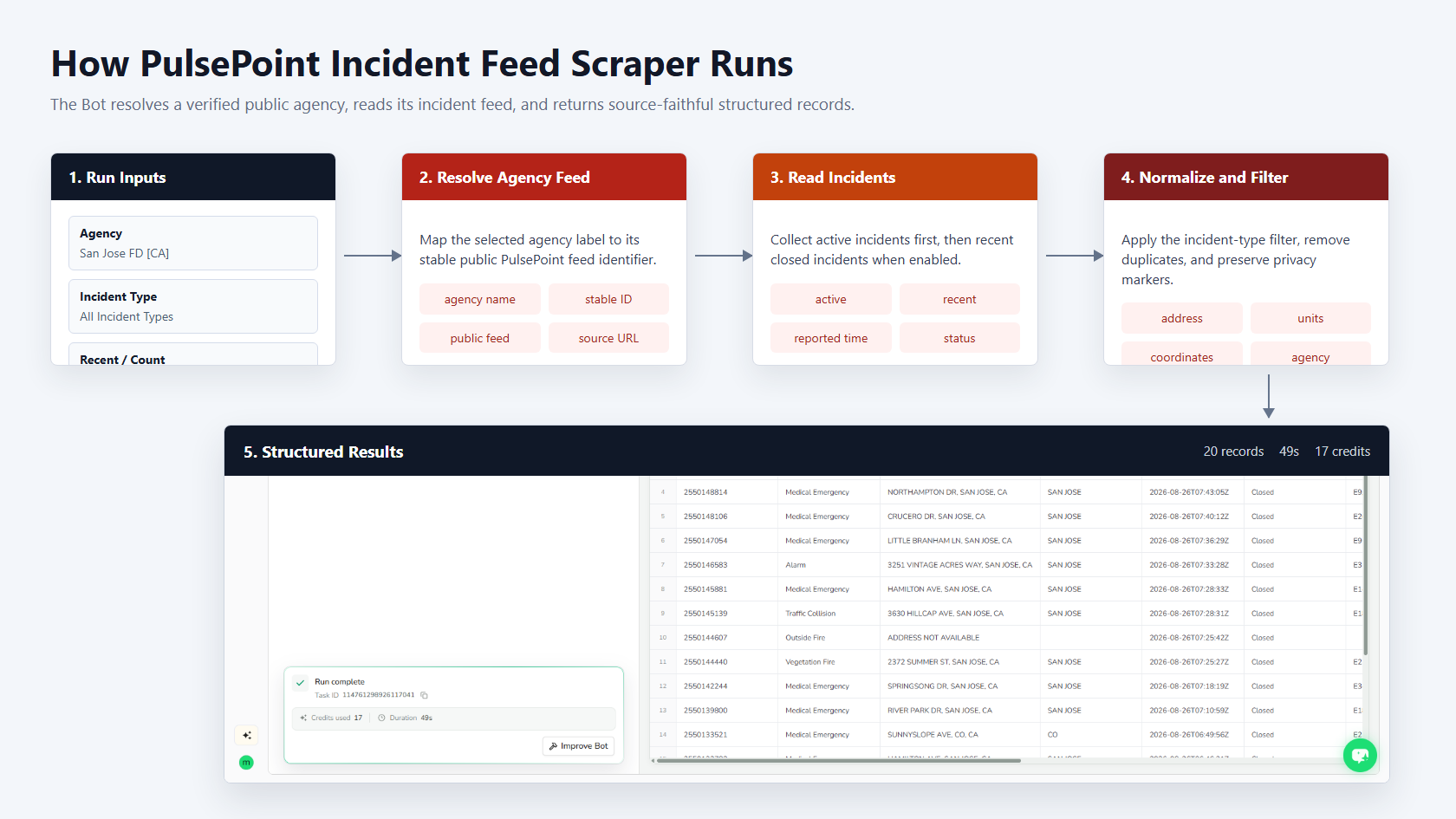
The Bot maps the selected agency name to its stable public identifier, reads the agency's public feed, normalizes active and recent incident groups, applies the selected call-type filter, and returns source-faithful records.
How to Build a New Scraper Bot with Agent Built
Step 1: Describe the data you need
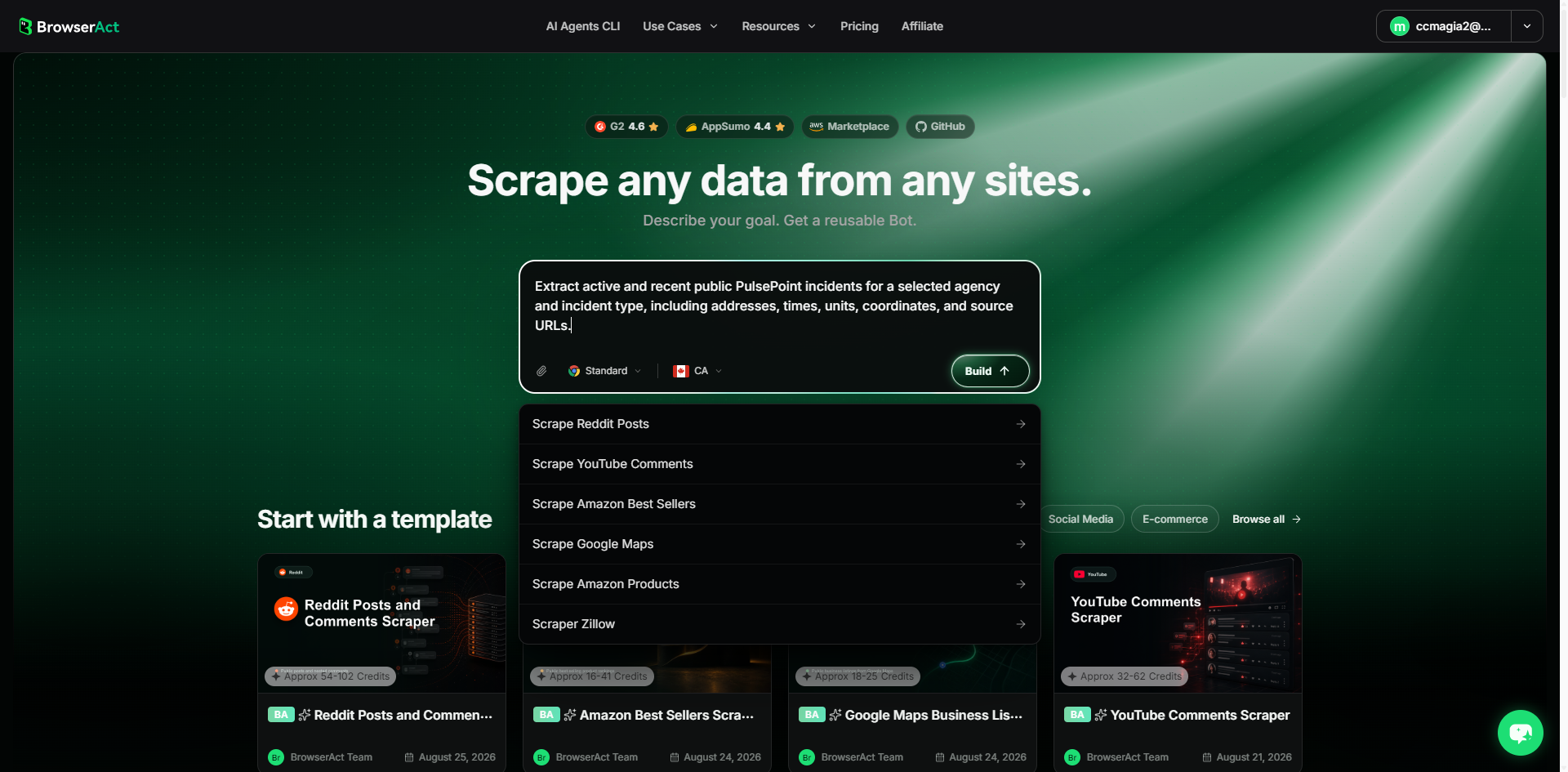
Open BrowserAct and start Agent Built from the Home prompt box or Create -> Build with Agent. Describe the public source, reusable inputs, record limit, and exact output fields.
Step 2: Let BrowserAct build and test the Bot
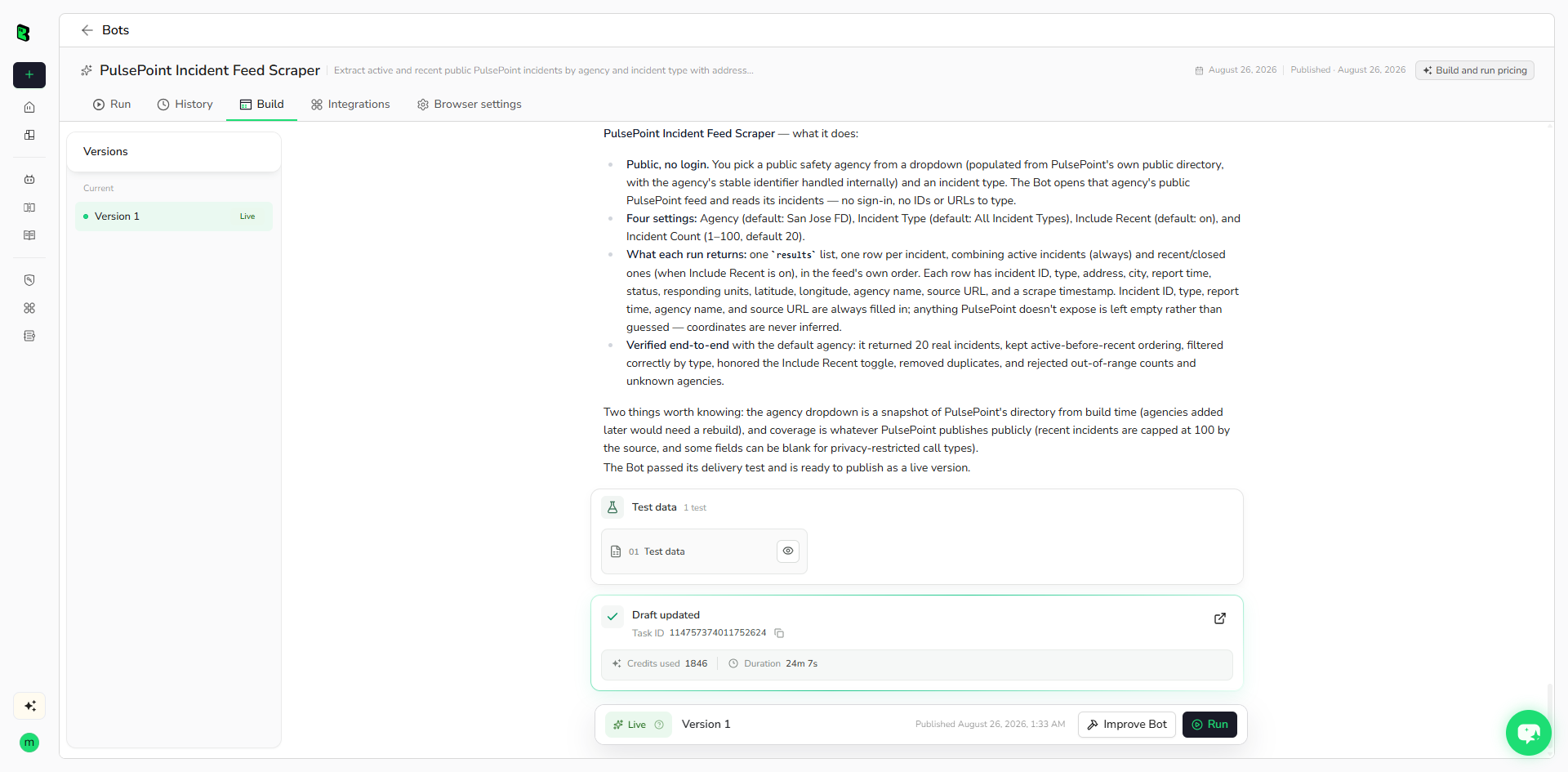
BrowserAct explores the public feed, maps source fields, creates reusable controls, and validates representative active and recent records.
Step 3: Run the Bot and review the result
Run the live Bot with default inputs and review required fields, privacy-limited optional fields, source URLs, row count, and ordering.
Why Use PulsePoint Incident Feed Scraper?
It turns public agency incident feeds into structured records suitable for monitoring, analysis, dashboards, and downstream automation while preserving source privacy limitations.
Who Can Use It?
- Public safety researchers
- Local news and alerting teams
- Emergency-response analysts
- Civic data projects
- Mapping and operations teams
How Many Results Can You Scrape?
Each run supports 1 to 100 incidents. Availability depends on the selected agency's live and recent public feed.
Automation and Export
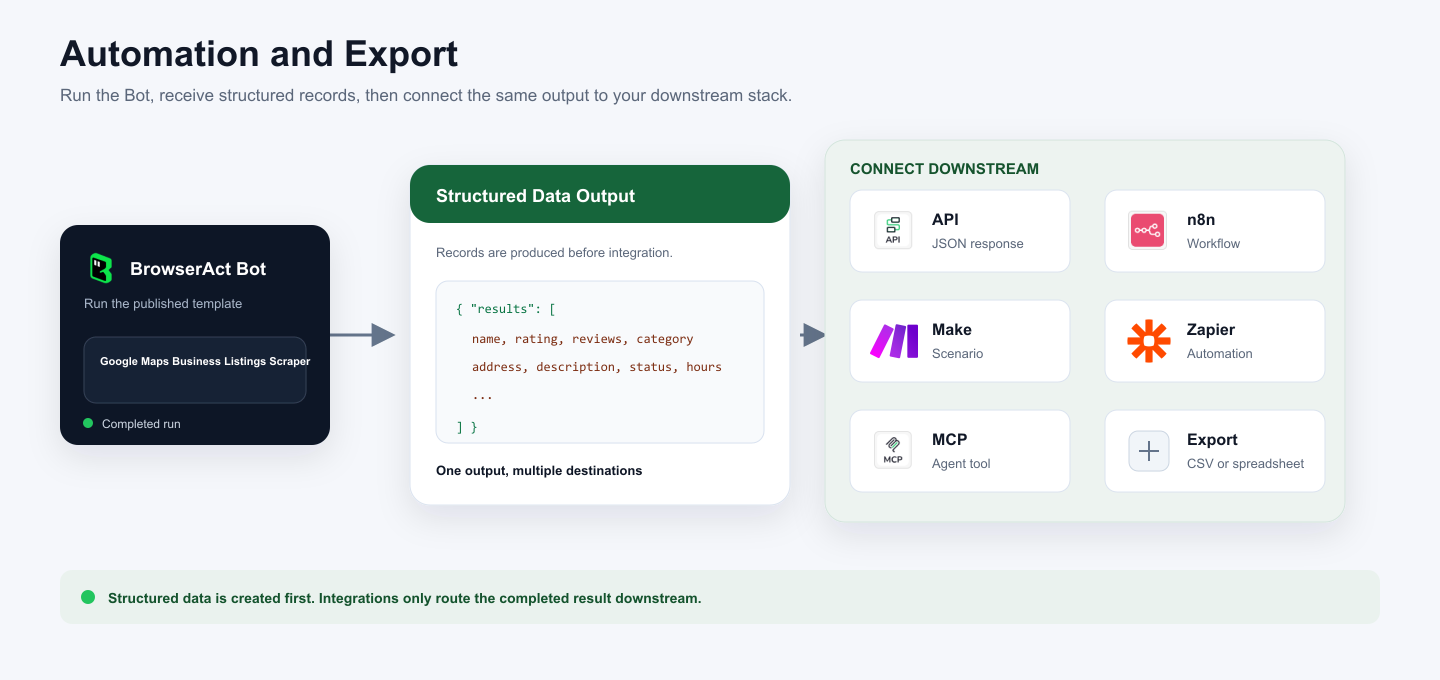
BrowserAct returns structured data first. Connect it to an API, n8n, Make, Zapier, an MCP agent workflow, or a manual spreadsheet export.
Need Help?
Agency coverage and incident fields can change. If a source-visible field becomes unavailable, use Improve Bot and rerun a representative agency before publishing changes.
