

Product Hunt Today Products Scraper is a BrowserAct Bot template for collecting structured records from Product Hunt's public daily launch leaderboard. Set the date and result count, then run the Bot to return ranked launch data for market research, startup discovery, competitive tracking, newsletter research, or downstream automation.
What Does BrowserAct Product Hunt Today Products Scraper Do?
This template opens the public Product Hunt daily leaderboard for today or yesterday, reads the ranked launch cards, scrolls when more products are needed, and returns one structured record per product. It does not use search as the default path and does not open every product detail page, keeping the default run lightweight.
Key Features
- Extract today's or yesterday's Product Hunt launch leaderboard.
- Capture rank, product name, tagline, Product Hunt URL, topics, upvotes, comments, launch date, thumbnail URL, and source page URL.
- Configure date, sort, and result count.
- Use Product Hunt's native daily popularity order.
- Scroll the public leaderboard until the requested count is reached or the day's products run out.
- Leave website URL and maker names empty when Product Hunt listing cards do not expose them.
What Data Can I Extract from Product Hunt?
| Field | Description |
|---|---|
rank |
Product's position on the daily leaderboard. |
name |
Product name shown on the launch card. |
tagline |
Product tagline from the card. |
product_url |
Public Product Hunt product page URL. |
topics |
Visible Product Hunt topics or categories. |
upvotes |
Visible upvote count from the vote button. |
comments |
Visible comment count from the launch card. |
launch_date |
Date represented by the leaderboard page. |
thumbnail_url |
Product logo or thumbnail URL. |
source_page_url |
Daily leaderboard URL used for the result. |
website_url |
Empty unless visible on the listing card. |
maker_names |
Empty unless visible on the listing card. |
How to Use Product Hunt Today Products Scraper
- Click Run task.
- Choose
todayoryesterday. - Keep
sortaspopular. - Set how many products to collect.
- Run the Bot and review the structured launch records.
Input Parameters
| Parameter | Required | Default | Description |
|---|---|---|---|
date |
Yes | today |
Launch day to read. Supports today and yesterday. |
sort |
Yes | popular |
Product Hunt's public daily leaderboard order. |
count |
Yes | 10 |
Maximum number of launch products to return. |
Example Output
The table below uses records preserved from the validated Bot run. Up to the first 5 records are shown, and long values are shortened in this documentation preview.
| rank | name | tagline | product_url | topics | upvotes | comments | launch_date | thumbnail_url | source_page_url | website_url | maker_names |
|---|---|---|---|---|---|---|---|---|---|---|---|
| 1 | Astute | Automate your B2B brand going viral, with new media creators | https://www.producthunt.com/products/astute-2 | Social Media, Marketing, Artificial Intelligence | 259 | 76 | 2026-08-19 | https://ph-files.imgix.net/d472f0a2-bcd4-42b5-bbc6-d8d86e68b7d7.jpeg | https://www.producthunt.com/leaderboard/daily/2026/8/19 | null | null |
How Does it Work?
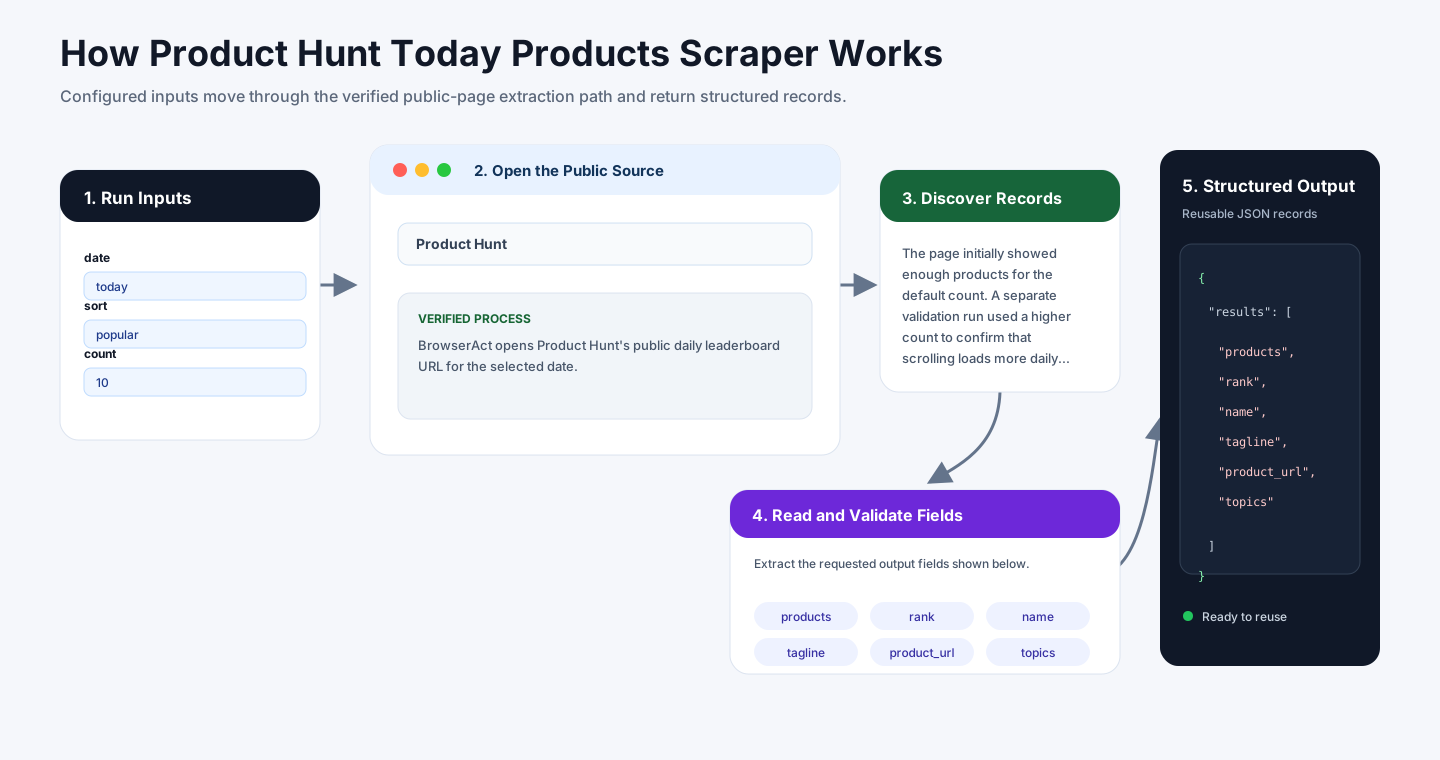
BrowserAct opens Product Hunt's public daily leaderboard URL for the selected date. The Bot uses the /leaderboard/daily/YYYY/M/D page, reads ranked product cards directly, and maps the two visible card counters to comments and upvotes by checking the vote button.
The page initially showed enough products for the default count. A separate validation run used a higher count to confirm that scrolling loads more daily products and that the Bot keeps unique Product Hunt product URLs in rank order. Website URLs and maker names are returned empty because the daily cards do not display those fields.
How to Build a New Scraper Bot with Agent Built
Step 1: Describe the Data You Need
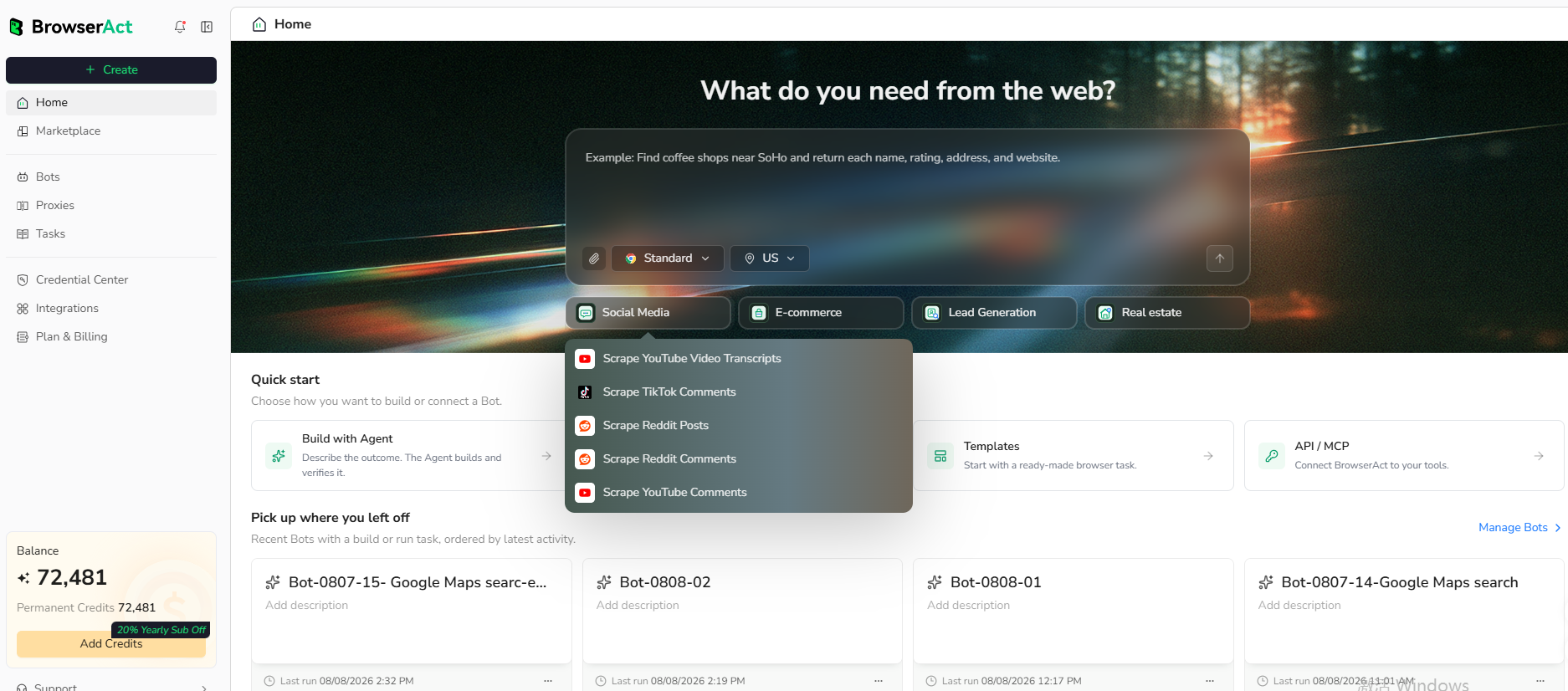
Open BrowserAct and start Agent Built from the Home prompt box or from Create -> Build with Agent. Paste a clear request that includes the website, the records to collect, the filters or search conditions, the fields to return, the result limit, and the inputs you want to reuse later.
Step 2: Let BrowserAct Build and Test the Bot
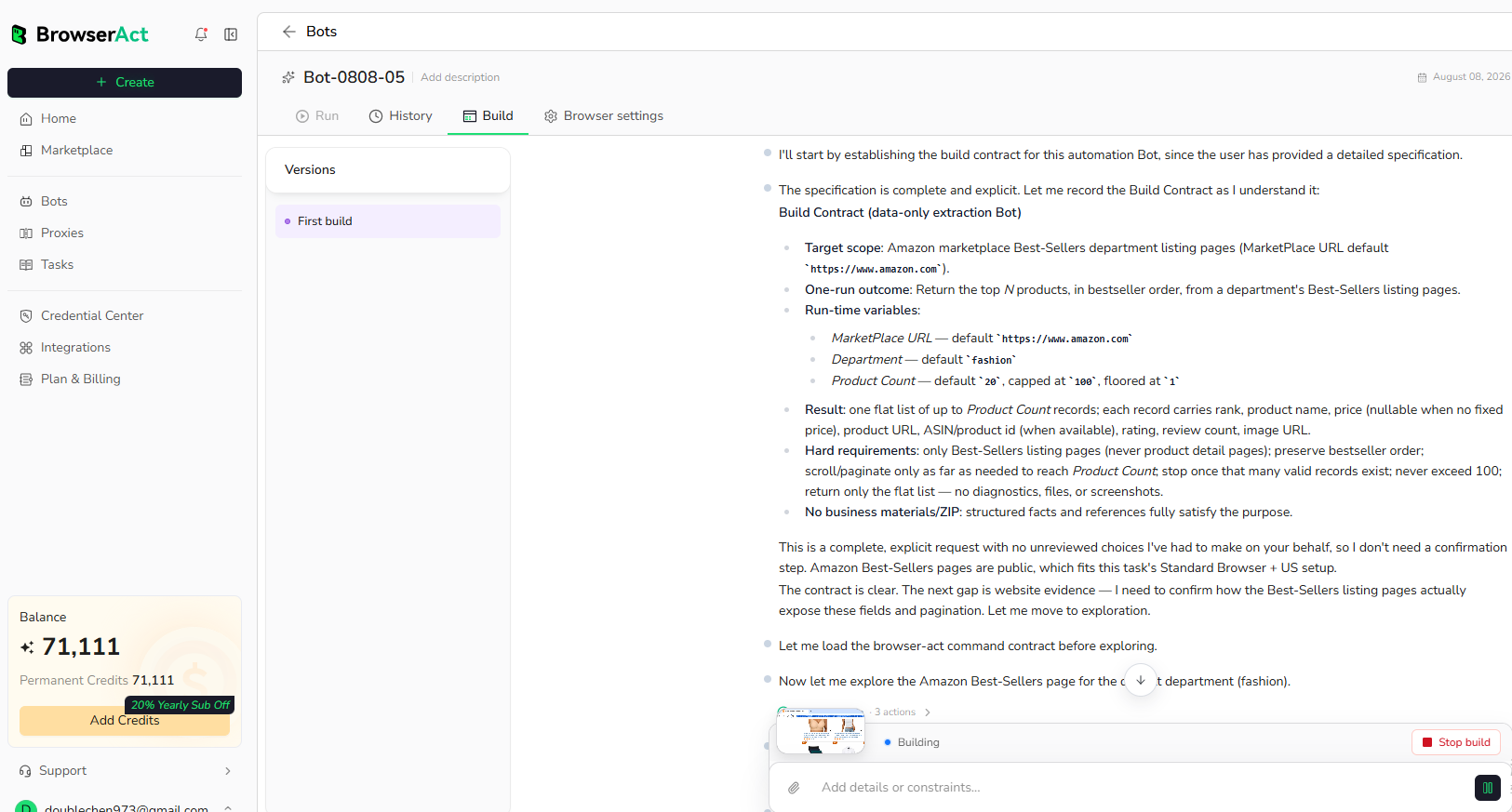
BrowserAct explores the live website, works out the navigation and extraction path, and validates the result. If BrowserAct asks for clarification, reply in the same build conversation with the missing URL, condition, field, example, or expected output.
Step 3: Run the Bot and Review the Result
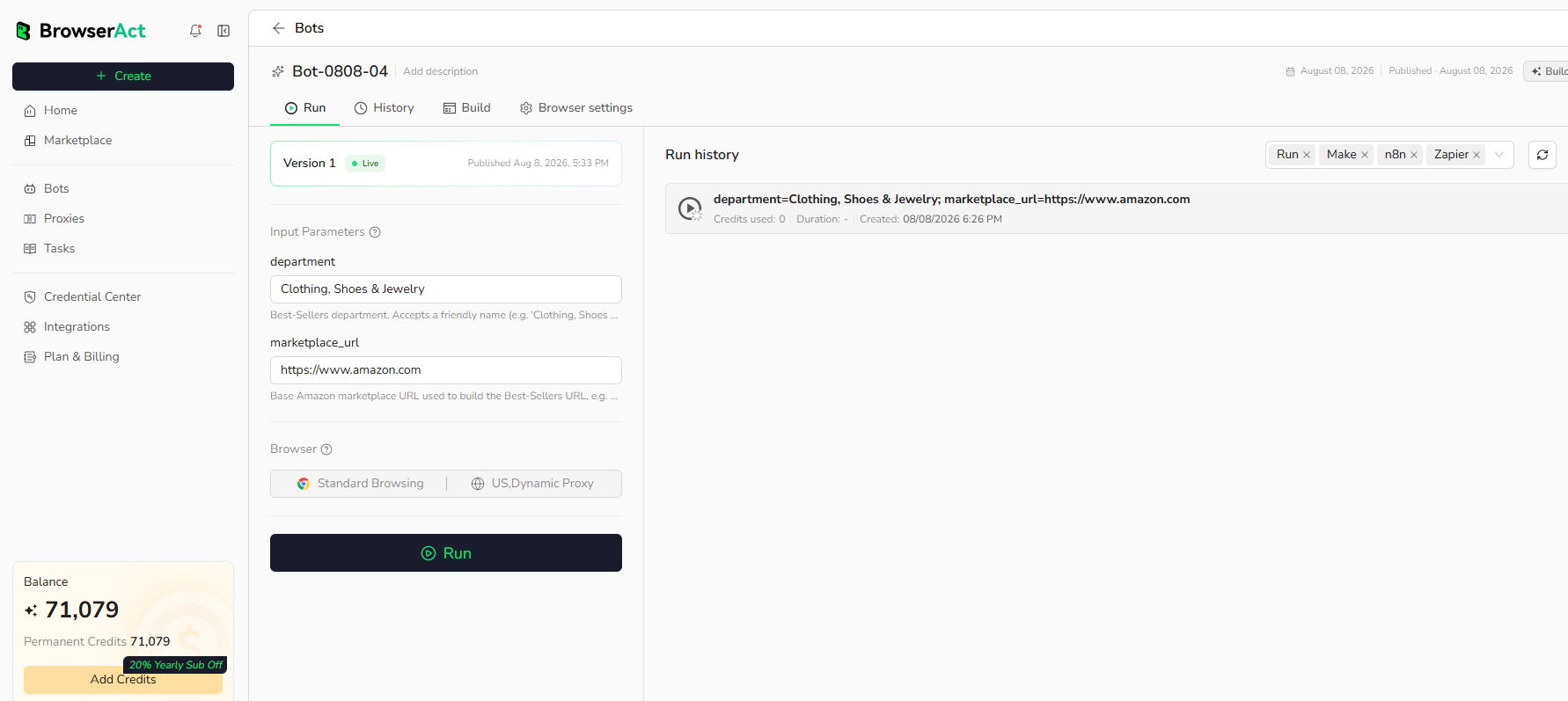
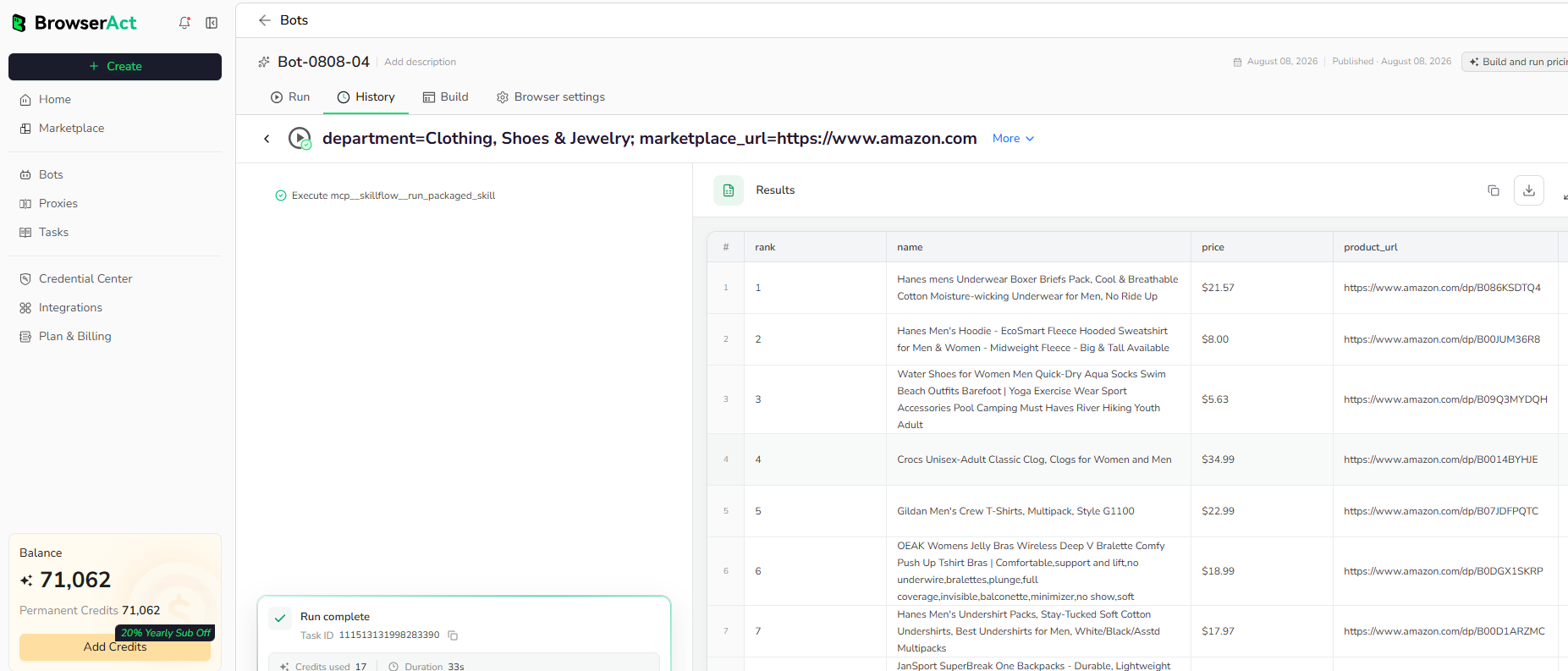
When the build is complete, run the Bot with the default inputs first. Review the structured records, source URLs, missing fields, and row count before reusing the Bot with new inputs or connecting it to another workflow.
Why Scrape Product Hunt Daily Launches?
Product Hunt launch data helps teams monitor new products, discover startups, track category momentum, source newsletter ideas, enrich market maps, and watch how competitors position new releases.
Who Can Use This Template?
- Startup analysts tracking daily launches.
- Product marketers watching category trends.
- Newsletter writers collecting launch candidates.
- Investors and scouts monitoring new products.
- Automation builders sending launch data into sheets, databases, dashboards, or agents.
How Many Results Can You Scrape?
Use count to control the number of products returned. Product Hunt's daily leaderboard usually exposes a limited daily set; if fewer products are available than requested, BrowserAct returns the available records.
Automation and Export
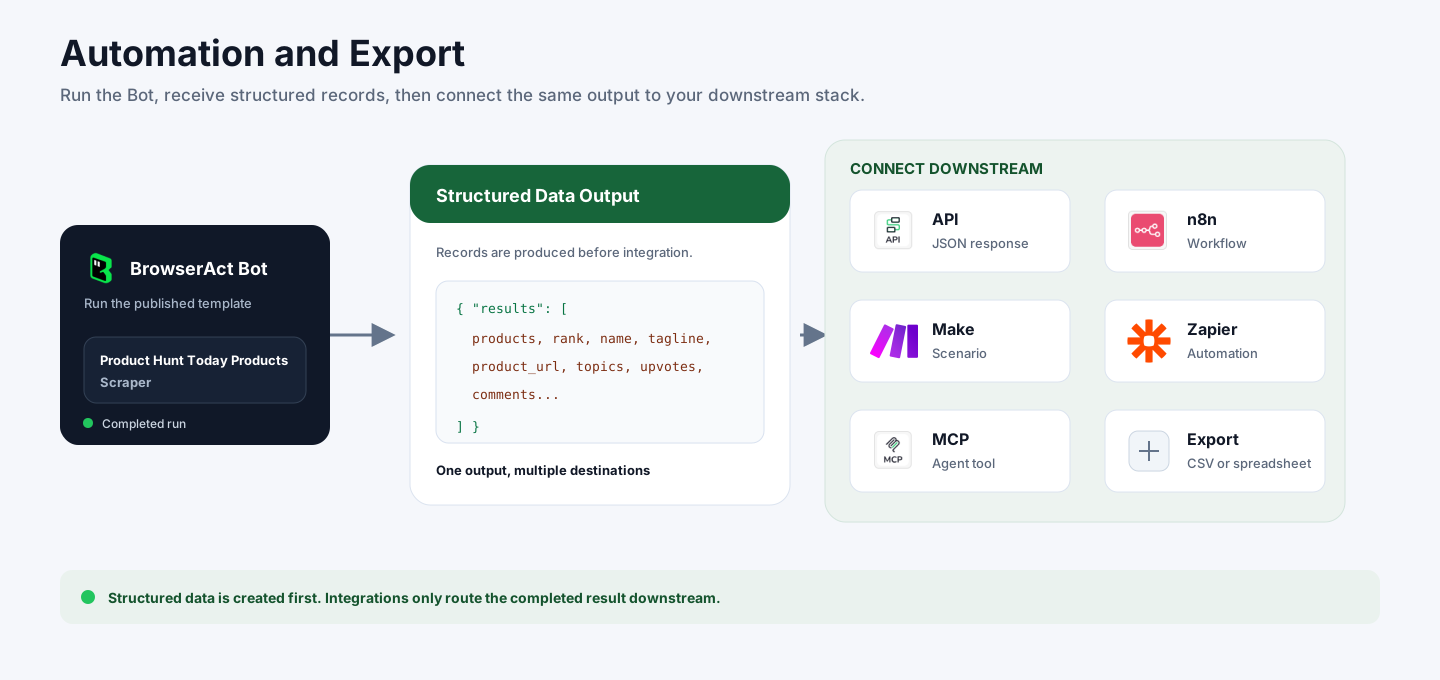
BrowserAct returns structured launch data first. You can then use the output through API JSON responses, n8n workflows, Make scenarios, Zapier automations, MCP-based agent workflows configured from the Bot's Integrations tab, or manual CSV review.
Need Help?
Contact us at
Discord: Discord Community
E-mail: service@browseract.com
