

OpenAlex Authors Search Scraper is a BrowserAct Bot template for collecting structured public author records from OpenAlex. Configure a base URL, keyword, and result count, then run the Bot to return ranked researcher and organization-like author metadata for academic discovery, expert mapping, citation analysis, catalog enrichment, or automation workflows.
What Does BrowserAct OpenAlex Authors Search Scraper Do?
This template opens OpenAlex's public authors search API, parses author records, and returns one structured record per author.
Key Features
- Extract public OpenAlex author search results without requiring a login.
- Capture author ID, profile URL, display name, ORCID, works count, cited-by count, institution, country, summary stats, topics, concepts, update date, and keyword.
- Configure base URL, keyword, and count.
- Automatically page through results when the requested count exceeds one API page.
- Handle optional institution and ORCID fields cleanly.
What Data Can I Extract from OpenAlex?
| Field | Description |
|---|---|
rank |
Search result position assigned by the Bot. |
author_id |
OpenAlex author ID. |
author_url |
Public OpenAlex author profile URL. |
display_name |
Author or entity display name. |
orcid |
ORCID when available. |
works_count |
Number of works associated with the author. |
cited_by_count |
Total cited-by count. |
last_known_institution_name |
Last known institution display name. |
last_known_institution_country_code |
Institution country code when available. |
two_year_mean_citedness |
OpenAlex two-year mean citedness value. |
h_index |
OpenAlex h-index. |
i10_index |
OpenAlex i10-index. |
topics |
Topic names as a semicolon-separated string. |
concepts |
Concept names as a semicolon-separated string. |
updated_date |
OpenAlex updated date. |
search_keyword |
Keyword used for the run. |
How to Use OpenAlex Authors Search Scraper
- Click Run task.
- Enter the OpenAlex API base URL.
- Enter a researcher name, institution, field, method, or topic keyword.
- Set how many author records to collect.
- Run the Bot and review the structured author results.
- Reuse the Bot with another keyword or connect the output to your workflow.
Input Parameters
| Parameter | Required | Default | Description |
|---|---|---|---|
base_url |
Yes | https://api.openalex.org |
OpenAlex API base URL without a trailing slash. |
keyword |
Yes | machine learning |
Search phrase matched against OpenAlex authors. |
count |
Yes | 20 |
Maximum number of author records to collect. |
Example Output
The table below uses records preserved from the validated Bot run. Up to the first 5 records are shown, and long values are shortened in this documentation preview.
| rank | author_id | author_url | display_name | orcid | works_count | cited_by_count | last_known_institution_name | last_known_institution_country_code | two_year_mean_citedness | h_index | i10_index | topics | concepts | updated_date | search_keyword |
|---|---|---|---|---|---|---|---|---|---|---|---|---|---|---|---|
| 1 | A5141714478 | https://openalex.org/A5141714478 | Dagstuhl Seminar 16172 Machine Learning for Dynamic Software Analysis 2016 Dagstuhl | null | 1 | 16 | null | null | 0 | 1 | 1 | Software Testing and Debugging Techniques | Artificial intelligence; Machine learning | 2026-07-23T12:17:21 | machine learning |
How Does it Work?
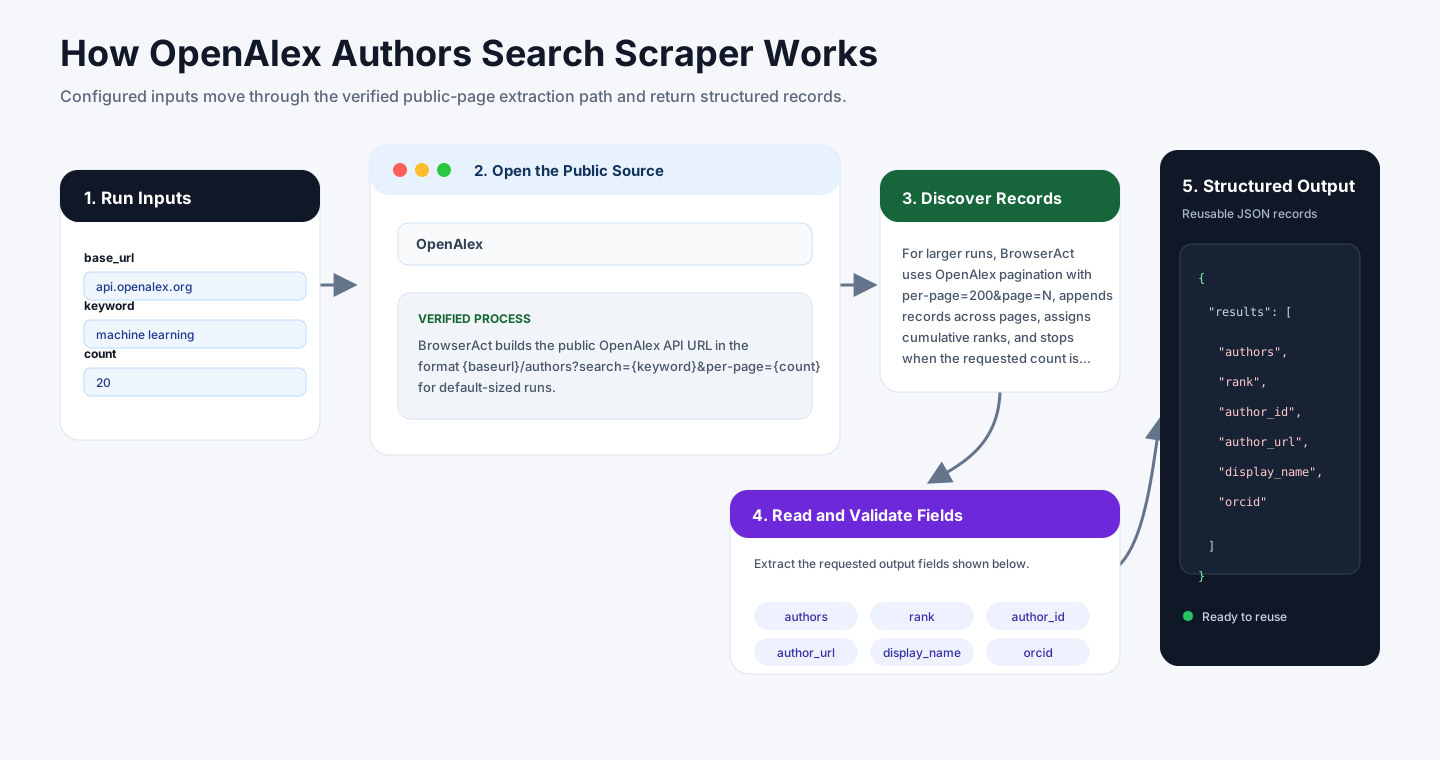
BrowserAct builds the public OpenAlex API URL in the format {base_url}/authors?search={keyword}&per-page={count} for default-sized runs. OpenAlex returns JSON with author records and metadata.
For larger runs, BrowserAct uses OpenAlex pagination with per-page=200&page=N, appends records across pages, assigns cumulative ranks, and stops when the requested count is reached or OpenAlex has no more results.
How to Build a New Scraper Bot with Agent Built
Step 1: Describe the Data You Need
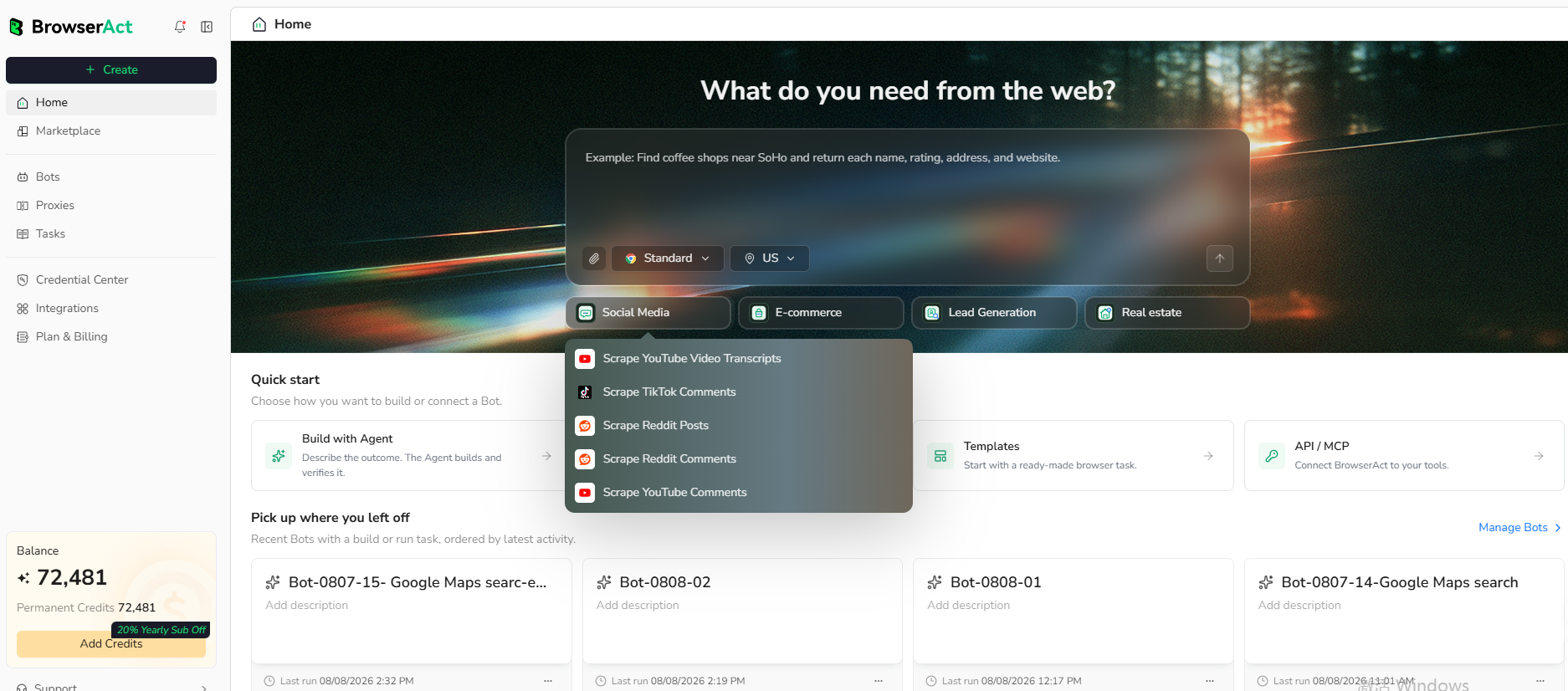
Open BrowserAct and start Agent Built from the Home prompt box or from Create -> Build with Agent. Paste a clear request that includes the website, the records to collect, the filters or search conditions, the fields to return, the result limit, and the inputs you want to reuse later.
Step 2: Let BrowserAct Build and Test the Bot
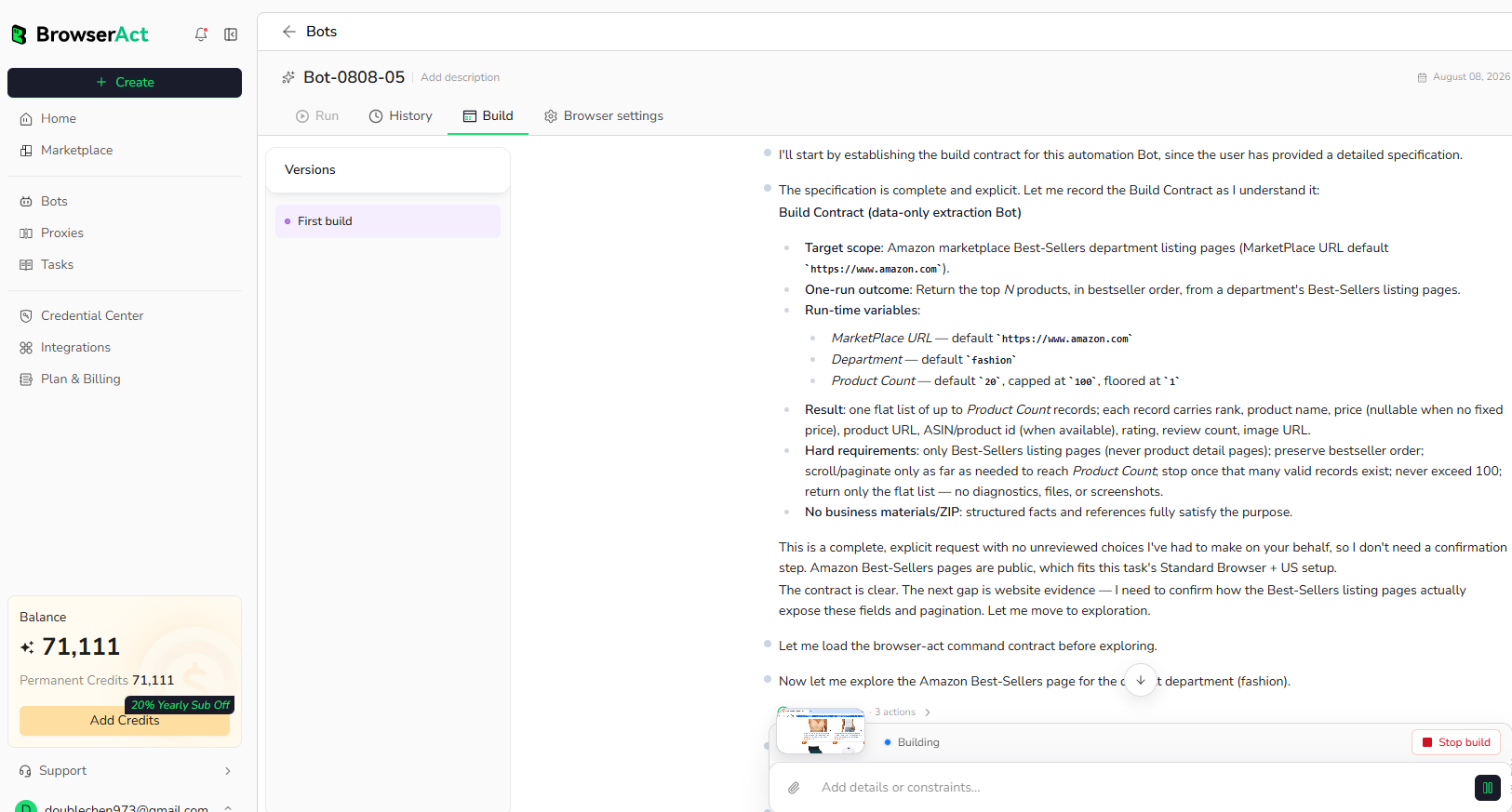
BrowserAct explores the live website, works out the navigation and extraction path, and validates the result. If BrowserAct asks for clarification, reply in the same build conversation with the missing URL, condition, field, example, or expected output.
Step 3: Run the Bot and Review the Result
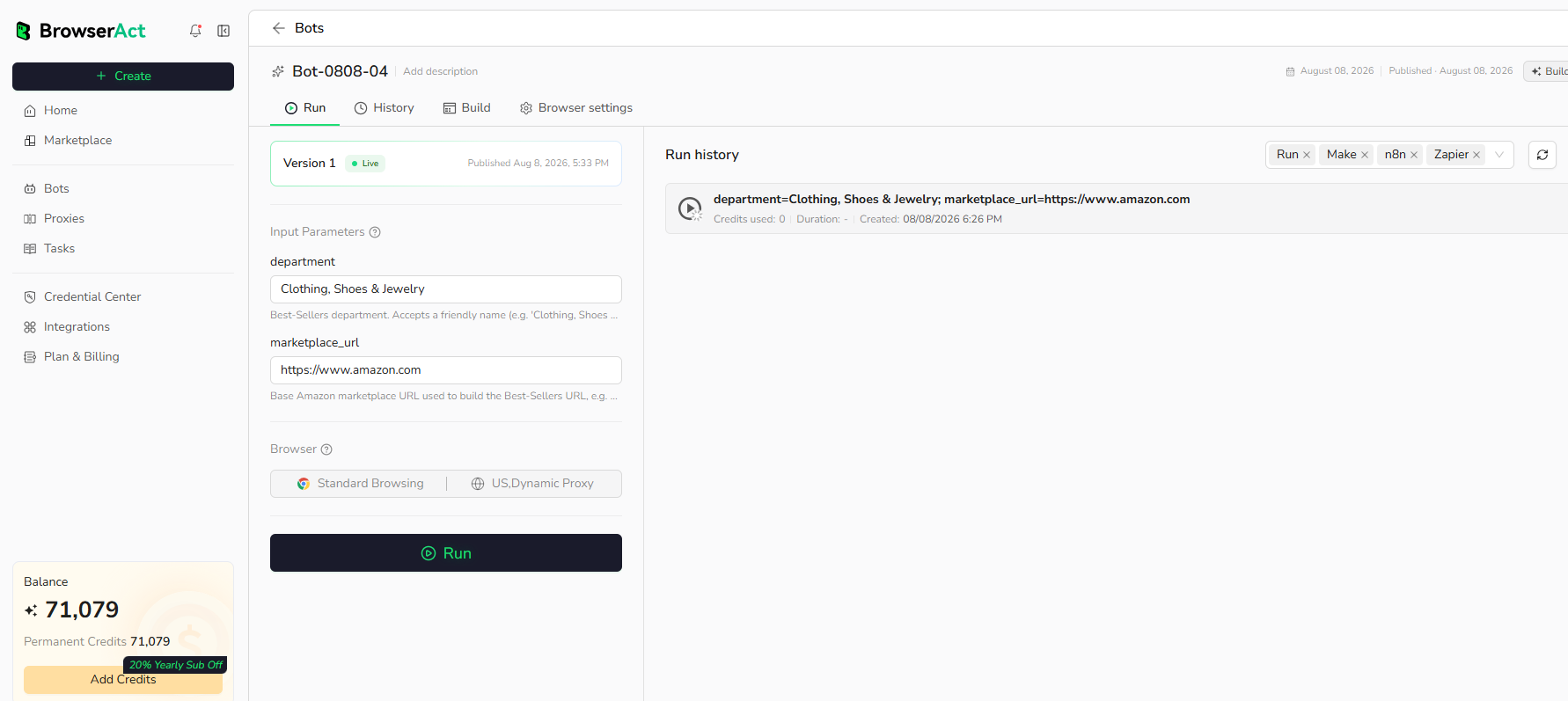
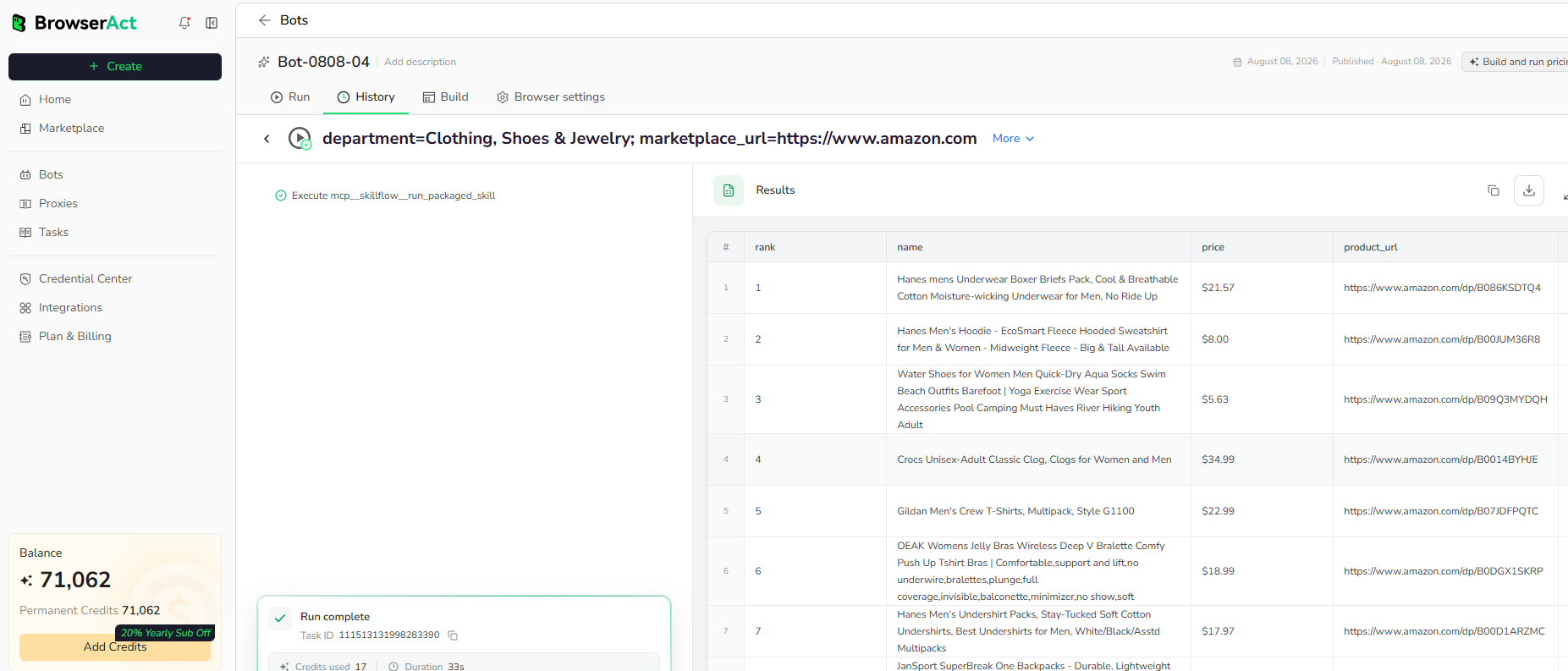
When the build is complete, run the Bot with the default inputs first. Review the structured records, source URLs, missing fields, and row count before reusing the Bot with new inputs or connecting it to another workflow.
Why Scrape OpenAlex Author Results?
OpenAlex author data helps teams discover researchers, map experts around a topic, compare citation signals, monitor academic communities, enrich author catalogs, and route public researcher metadata into dashboards, alerts, or agent workflows.
Who Can Use This Template?
- Researchers discovering authors in a topic area.
- Universities and libraries enriching academic profiles.
- Data teams building researcher metadata pipelines.
- Product teams mapping expert networks.
- Automation builders routing author metadata into spreadsheets, databases, alerts, or agents.
How Many Results Can You Scrape?
Use count to control the number of author records returned. OpenAlex serves up to 200 records per page, and the Bot pages through public results for larger requests up to the public paging limit verified during build.
Automation and Export
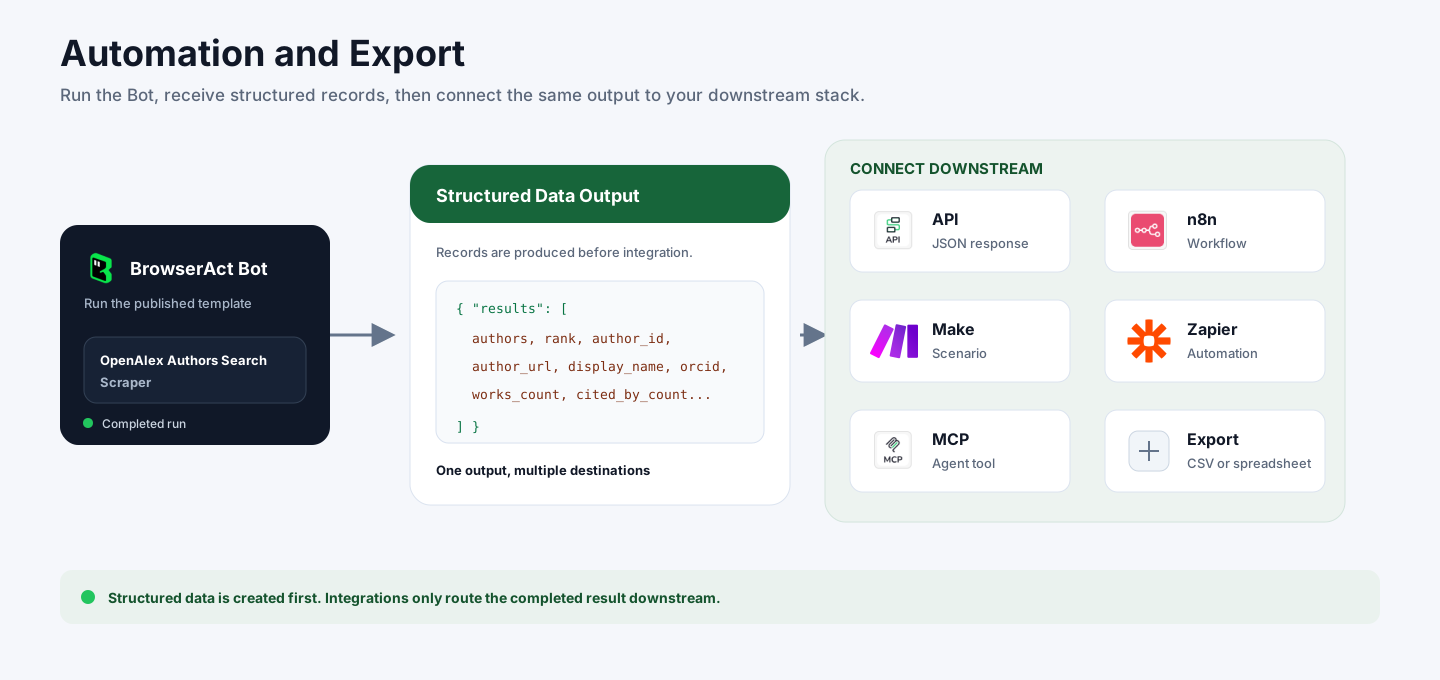
BrowserAct returns structured OpenAlex author records first. You can then use the output through API JSON responses, n8n workflows, Make scenarios, Zapier automations, MCP-based agent workflows configured from the Bot's Integrations tab, or manual CSV review.
Need Help?
Contact us at
Discord: Discord Community
E-mail: service@browseract.com
