

Maven Central Artifact Search Scraper is a BrowserAct Bot template for collecting structured public Java artifact records from Maven Central. Configure a Maven Central base URL, keyword, and result count, then run the Bot to return artifact coordinates, versions, repository metadata, timestamps, file extensions, and artifact page URLs for dependency research, package discovery, or automation workflows.
What Does BrowserAct Maven Central Artifact Search Scraper Do?
This template opens Maven Central's public search JSON endpoint, parses artifact records from the response, derives artifact page URLs, and returns one structured record per package artifact.
Key Features
- Extract public Maven Central artifact search results without requiring a login.
- Capture group ID, artifact ID, latest version, coordinates, packaging, repository ID, version count, timestamp, file extensions, and artifact URL.
- Configure base URL, keyword, and count.
- Use the public
search.maven.orgJSON endpoint for stable structured output. - Enforce Maven Central's practical one-request result limit.
What Data Can I Extract from Maven Central?
| Field | Description |
|---|---|
rank |
Search result position assigned by the Bot. |
groupId |
Maven group ID. |
artifactId |
Maven artifact ID. |
latestVersion |
Latest version returned by Maven Central. |
coordinates |
Combined Maven coordinates in group:artifact:version format. |
packaging |
Packaging type, such as jar or pom. |
repositoryId |
Repository ID returned by Maven Central. |
versionCount |
Number of indexed versions. |
latestVersionTimestamp |
Latest version timestamp converted to ISO format. |
fileExtensions |
Available classifiers or file extensions. |
artifactPageUrl |
Derived Maven Central artifact page URL. |
searchKeyword |
Keyword used for the run. |
How to Use Maven Central Artifact Search Scraper
- Click Run task.
- Enter the Maven Central base URL.
- Enter a package, framework, library, group, or artifact keyword.
- Set how many artifact records to collect.
- Run the Bot and review the structured Maven artifact results.
- Reuse the Bot with another keyword or connect the output to your workflow.
Input Parameters
| Parameter | Required | Default | Description |
|---|---|---|---|
base_url |
Yes | https://search.maven.org |
Maven Central search service base URL. |
keyword |
Yes | spring boot |
Search keyword matched against Maven Central artifacts. |
count |
Yes | 20 |
Maximum number of artifact records to return in one run. |
Example Output
The table below uses records preserved from the validated Bot run. Up to the first 5 records are shown, and long values are shortened in this documentation preview.
| rank | groupId | artifactId | latestVersion | coordinates | packaging | repositoryId | versionCount | latestVersionTimestamp | fileExtensions | artifactPageUrl | searchKeyword |
|---|---|---|---|---|---|---|---|---|---|---|---|
| 1 | com.github.spring-boot-ext | spring | 2.1.4 | com.github.spring-boot-ext:spring:2.1.4 | jar | central | 1 | 2019-10-23T06:51:03Z | -sources.jar,-javadoc.jar,.jar,.pom | https://search.maven.org/artifact/com.github.spring-boot-ext/spring/2.1.4/jar | spring boot |
How Does it Work?
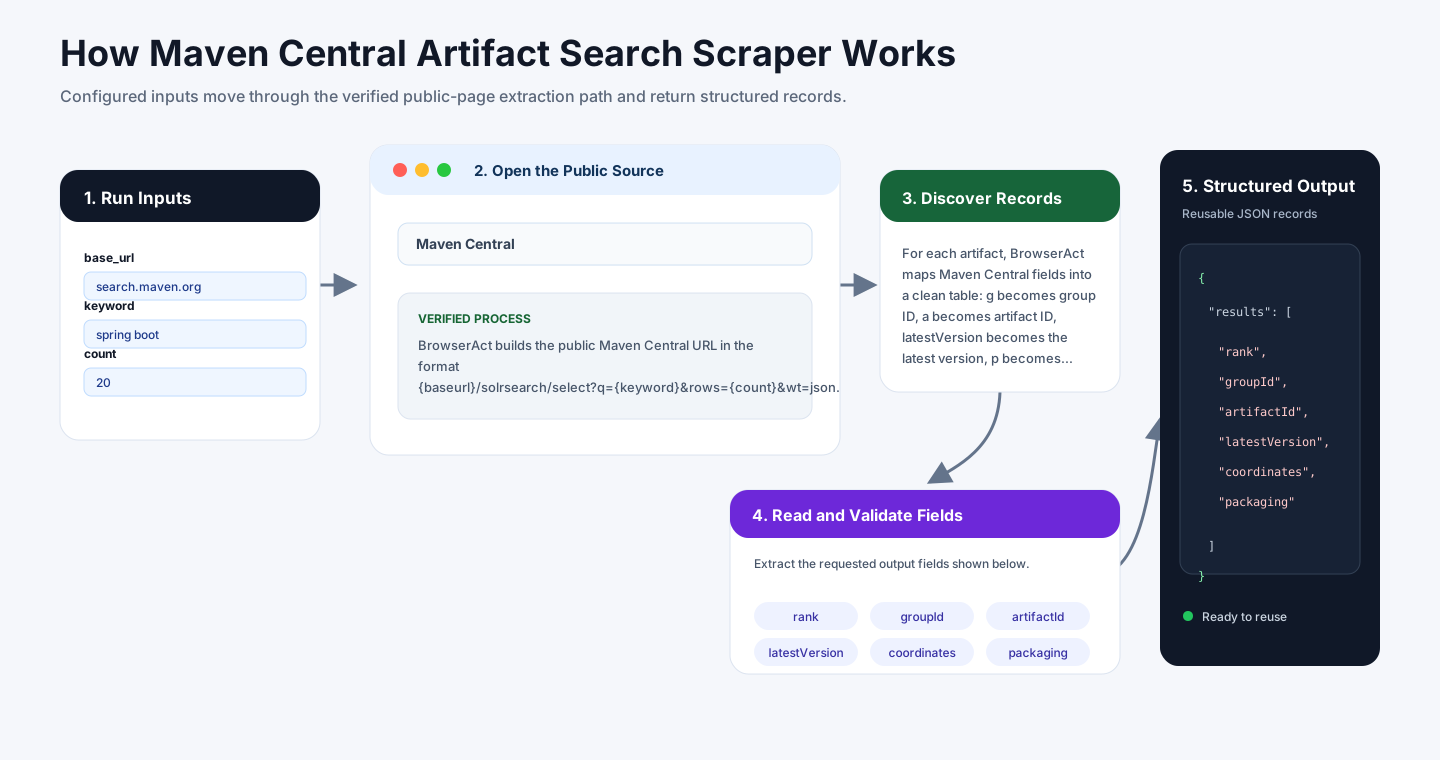
BrowserAct builds the public Maven Central URL in the format {base_url}/solrsearch/select?q={keyword}&rows={count}&wt=json. The response contains a response.docs array, where each object is one artifact record.
For each artifact, BrowserAct maps Maven Central fields into a clean table: g becomes group ID, a becomes artifact ID, latestVersion becomes the latest version, p becomes packaging, repositoryId and versionCount are copied from the response, and the timestamp is converted into an ISO date. BrowserAct derives the artifact page URL from the group ID, artifact ID, latest version, and packaging.
How to Build a New Scraper Bot with Agent Built
Step 1: Describe the Data You Need
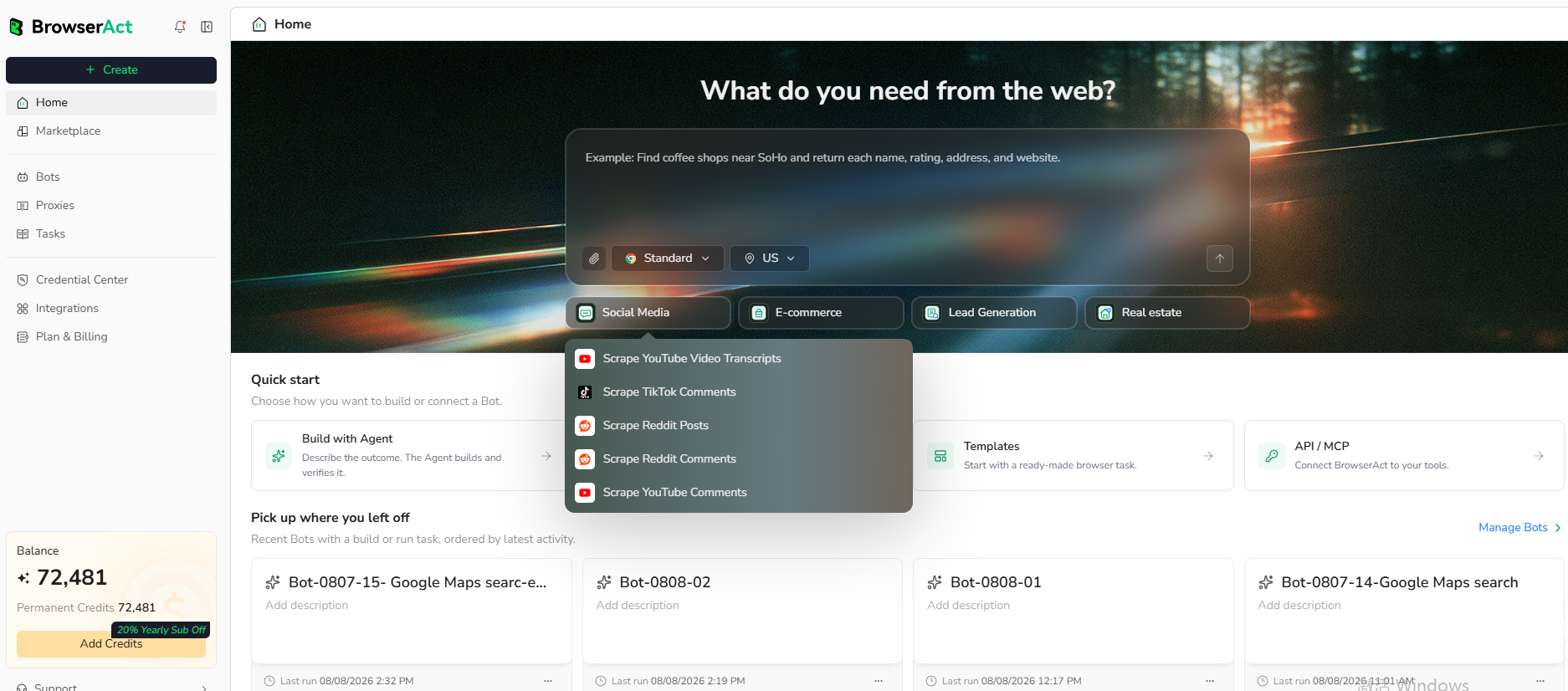
Open BrowserAct and start Agent Built from the Home prompt box or from Create -> Build with Agent. Paste a clear request that includes the website, the records to collect, the filters or search conditions, the fields to return, the result limit, and the inputs you want to reuse later.
Step 2: Let BrowserAct Build and Test the Bot
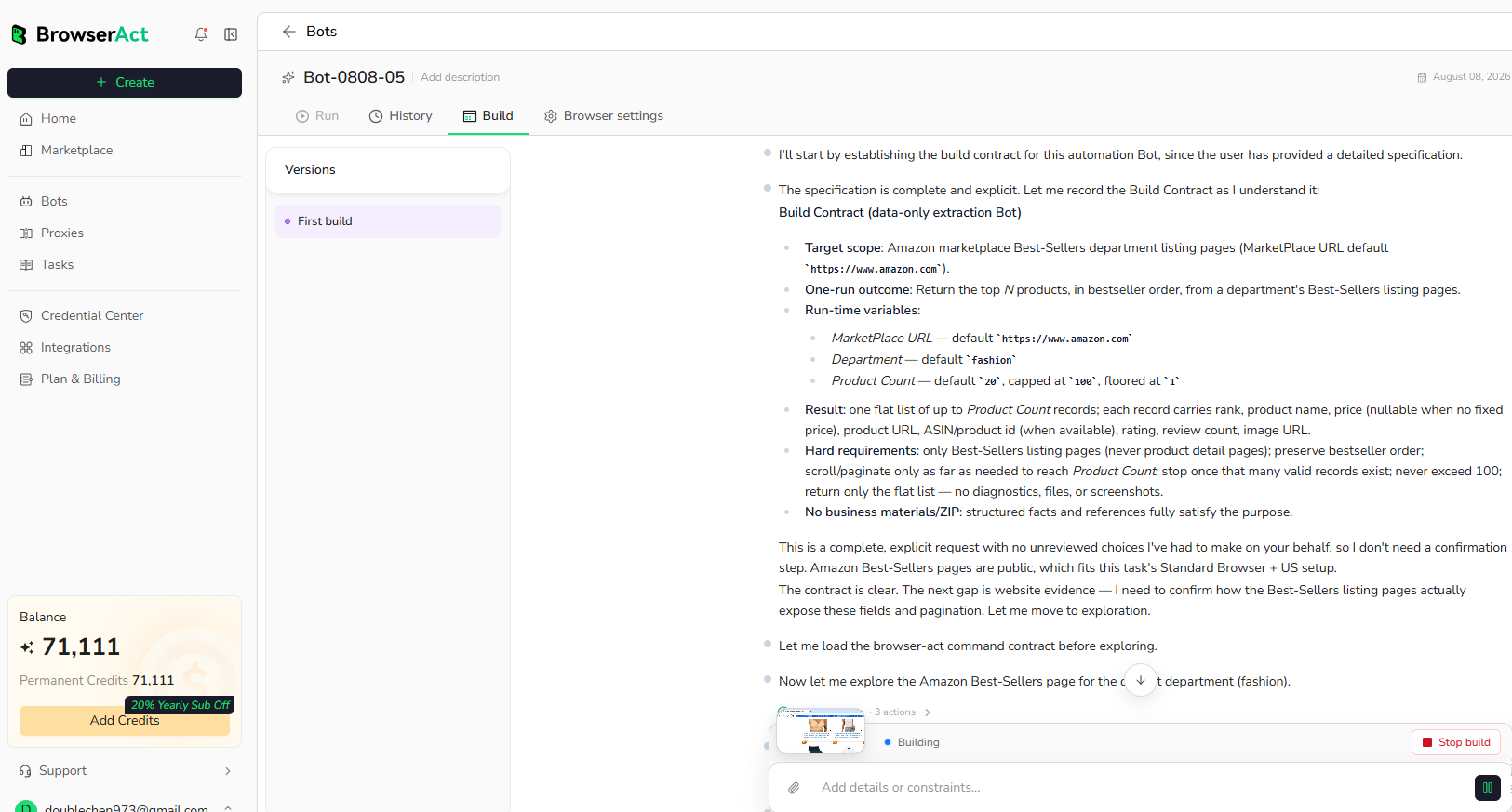
BrowserAct explores the live website, works out the navigation and extraction path, and validates the result. If BrowserAct asks for clarification, reply in the same build conversation with the missing URL, condition, field, example, or expected output.
Step 3: Run the Bot and Review the Result
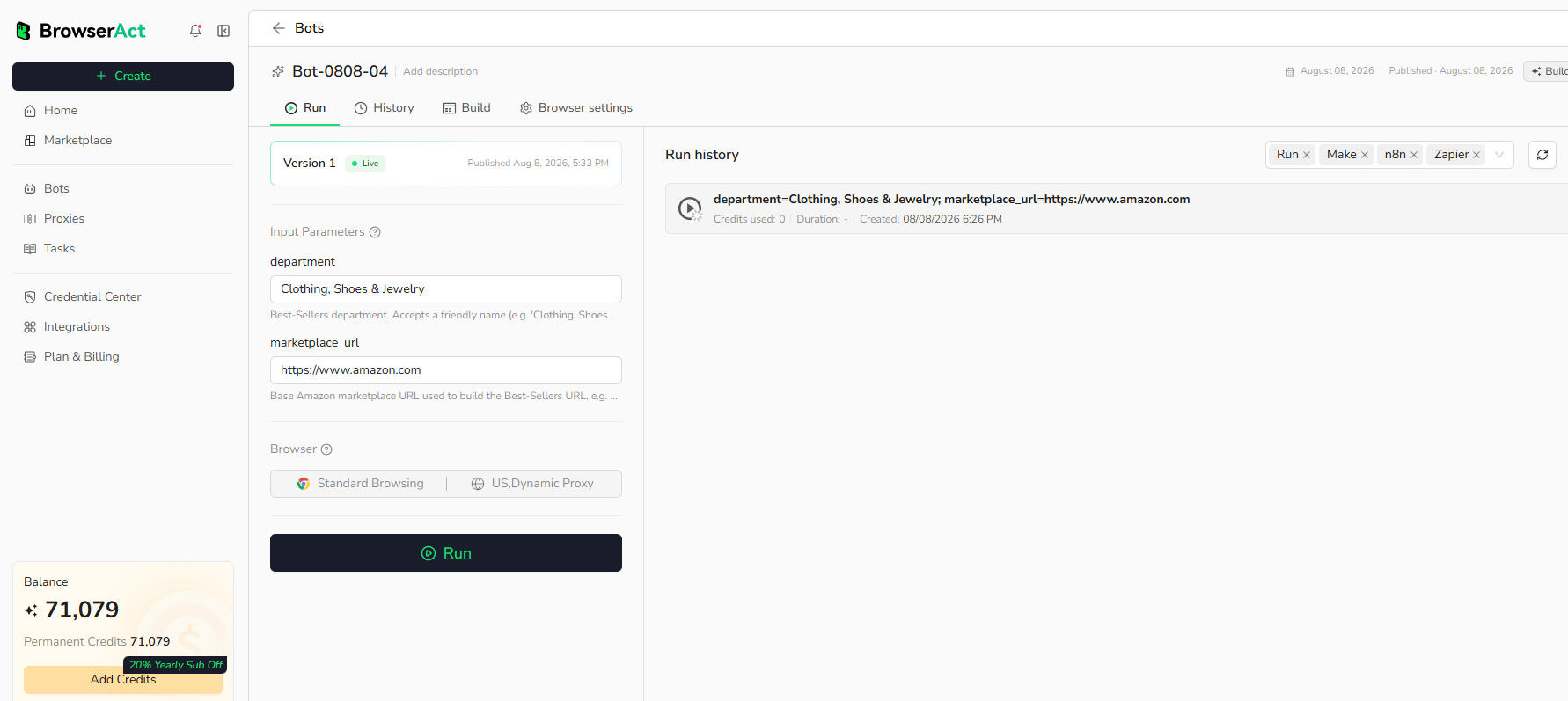
When the build is complete, run the Bot with the default inputs first. Review the structured records, source URLs, missing fields, and row count before reusing the Bot with new inputs or connecting it to another workflow.
Why Scrape Maven Central Artifact Results?
Maven Central artifact data helps developers and platform teams discover Java libraries, compare package versions, monitor dependency ecosystems, enrich software inventories, and route package metadata into dashboards, alerts, or agent workflows.
Who Can Use This Template?
- Java developers researching public dependencies.
- Platform engineering teams enriching dependency inventories.
- DevRel teams monitoring Java ecosystem packages.
- Security and compliance teams reviewing public artifact metadata.
- Automation builders routing package data into spreadsheets, databases, alerts, or agents.
How Many Results Can You Scrape?
Use count to control the number of artifact records returned. Maven Central's public search endpoint reliably supports up to 200 records in one request for this template.
Automation and Export
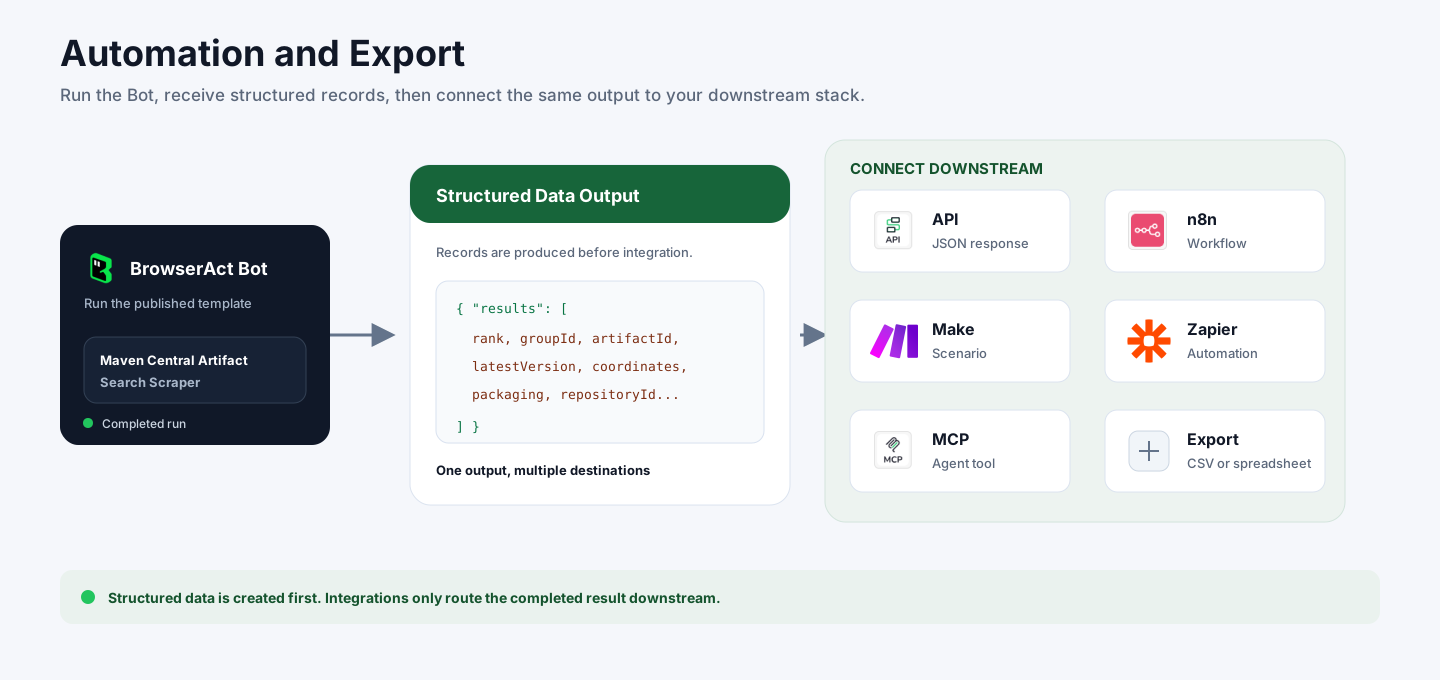
BrowserAct returns structured Maven artifact records first. You can then use the output through API JSON responses, n8n workflows, Make scenarios, Zapier automations, MCP-based agent workflows configured from the Bot's Integrations tab, or manual CSV review.
Need Help?
Contact us at
Discord: Discord Community
E-mail: service@browseract.com
