

The Malaysia Hospital Doctor Directory Scraper collects public doctor profile data from supported Malaysian private hospital networks. Select a verified hospital-network, hospital, and specialty combination, choose a result count, and receive structured doctor records without logging in or entering directory URLs.
What Does BrowserAct Malaysia Hospital Doctor Directory Scraper Do?
The Bot maps the selected directory combination to the appropriate official public hospital directory, reads matching doctor listings in source order, opens public profile pages when needed, and returns one structured record per doctor.
Key Features
- Uses verified site-supported directory combinations instead of free-text hospital or specialty inputs.
- Supports Gleneagles Hospitals Malaysia, KPJ Healthcare, and Pantai Hospitals.
- Keeps all hospital directory origins internal to the Bot.
- Extracts official profile URLs, profile images, qualifications, languages, and clinic locations.
- Preserves directory order and removes duplicate profile URLs.
- Works with public pages and does not book appointments or submit forms.
What Data Can I Extract from Malaysian Hospital Directories?
| Field | Description |
|---|---|
doctor_name |
Doctor's public display name. |
specialty |
Selected or listed specialty. |
sub_specialty |
Publicly listed subspecialty, when available. |
hospital |
Hospital associated with the profile. |
location |
Public clinic, suite, floor, or hospital location. |
languages |
Publicly listed spoken languages. |
qualifications |
Public qualifications and credentials. |
profile_image_url |
Public doctor profile image URL. |
profile_url |
Canonical official doctor profile URL. |
hospital_network |
Source hospital network. |
scraped_at |
Extraction timestamp. |
How to Use Malaysia Hospital Doctor Directory Scraper
- Click Run task.
- Choose a verified directory combination from the dropdown.
- Set the number of doctors to return.
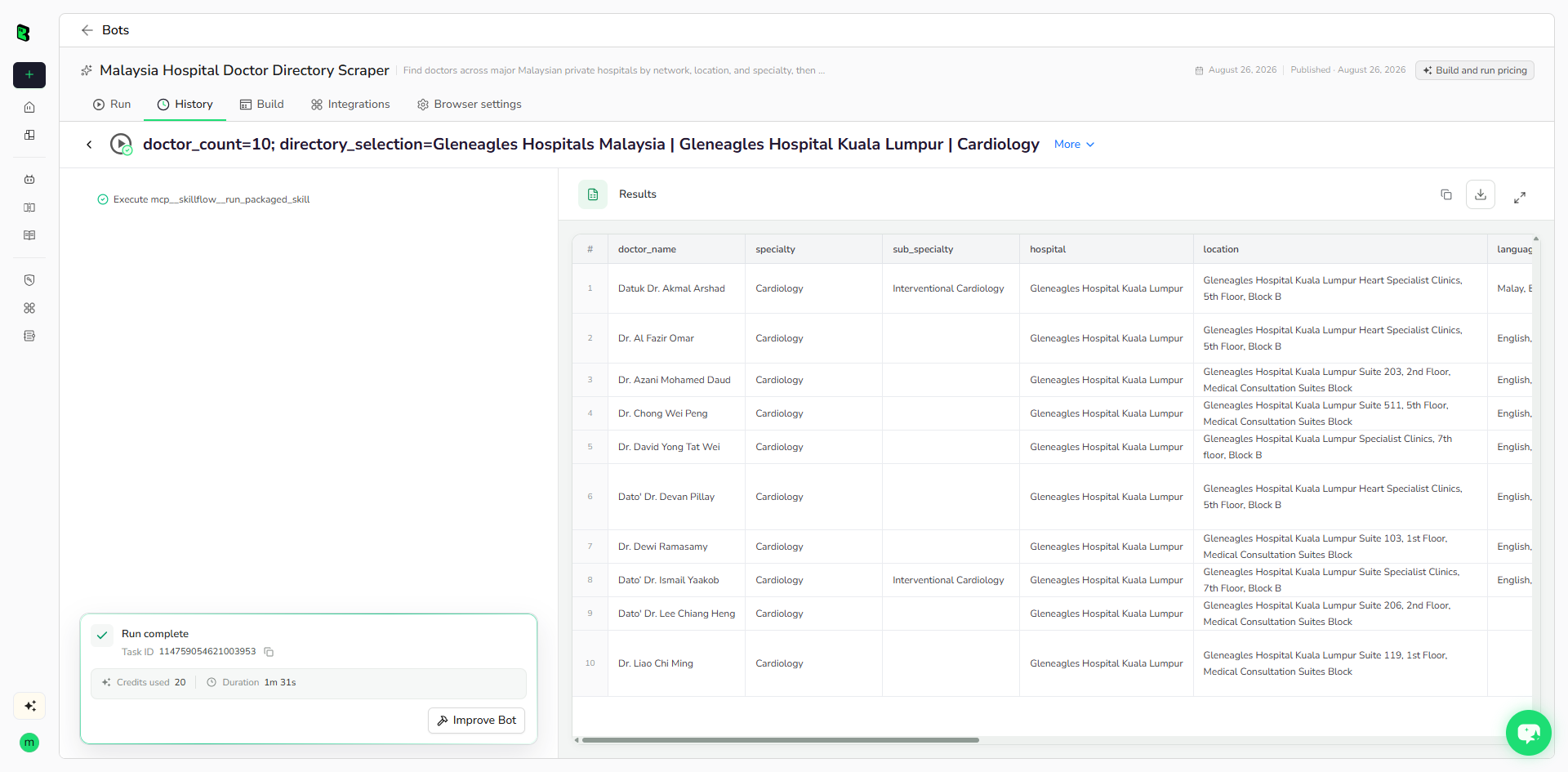
- Run the Bot and review the structured result table.
- Export the data or connect it to a downstream workflow.
Input Parameters
| Parameter | Type | Required | Default | Description |
|---|---|---|---|---|
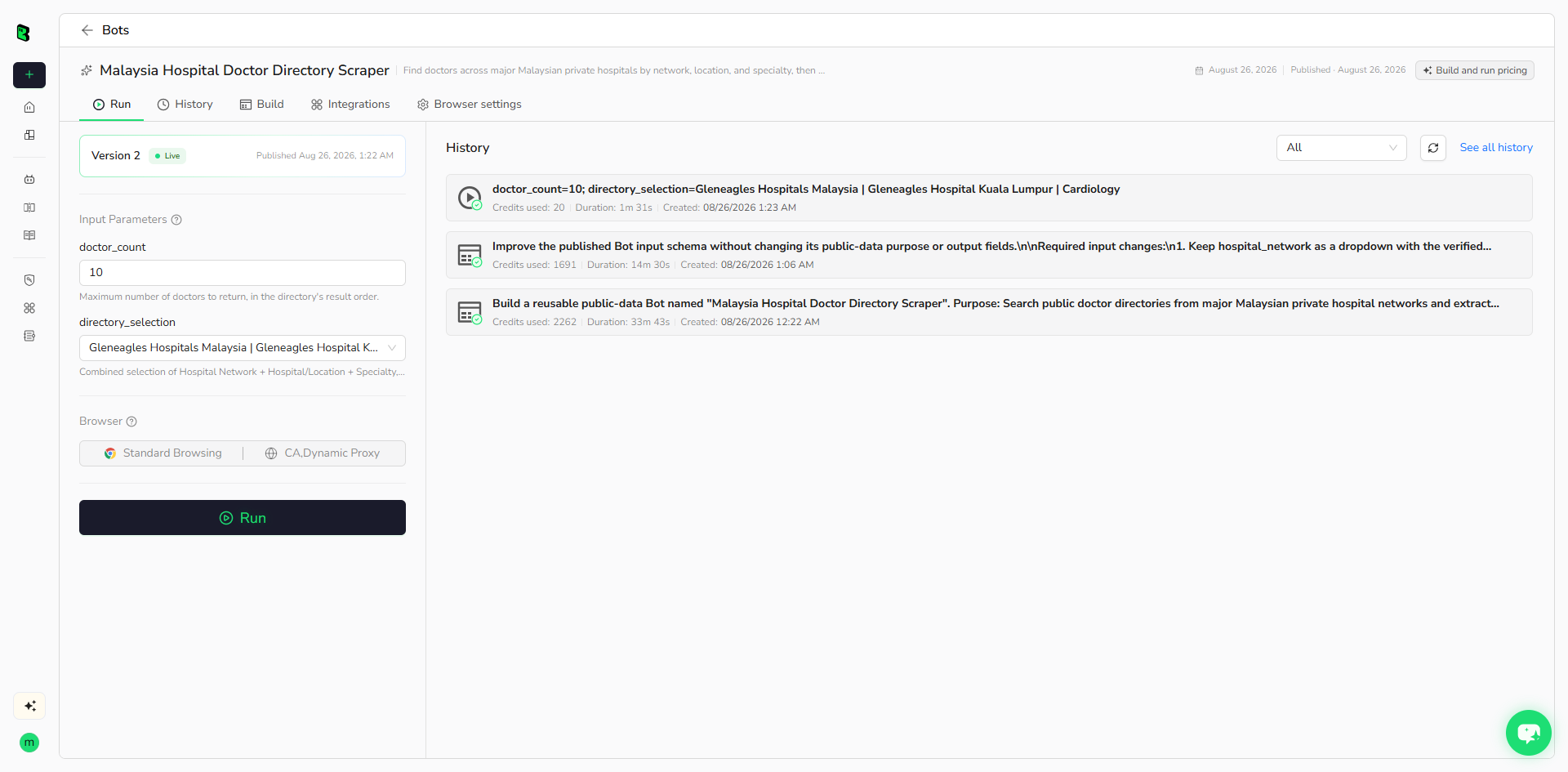
directory_selection |
Dropdown | Yes | `Gleneagles Hospitals Malaysia | Gleneagles Hospital Kuala Lumpur |
doctor_count |
Integer, 1-50 | Yes | 10 |
Maximum number of doctor records to return. |
Example Output
The table below shows up to the first 5 records from the validated run. Long values are shortened in this preview for readability; the completed task keeps the full structured output.
| doctor_name | specialty | sub_specialty | hospital | location | languages | qualifications | profile_image_url | profile_url | hospital_network | scraped_at |
|---|---|---|---|---|---|---|---|---|---|---|
| Datuk Dr. Akmal Arshad | Cardiology | Interventional Cardiology | Gleneagles Hospital Kuala Lumpur | Gleneagles Hospital Kuala Lumpur Heart Specialist Clinics, 5th Floor, Block B | Malay, English | D.M.S.MMBChB (Honours) University of Leicester (UK)MRCP (UK)Cardiac MR Fellowship, Royal Brompton (London)FSCMR (UK)Cardiac CT, British Society of Cardiovascular Imaging (UK) | https://gleneagles.com.my/images/default-source/doctor-image/datuk-dr-akmal-arshad.jpeg?sfvrsn=56e7851f_17 | https://gleneagles.com.my/kuala-lumpur/doctors/akmal-arshad | Gleneagles Hospitals Malaysia | 2026-08-26T08:23:19Z |
| Dr. Al Fazir Omar | Cardiology | null | Gleneagles Hospital Kuala Lumpur | Gleneagles Hospital Kuala Lumpur Heart Specialist Clinics, 5th Floor, Block B | English, Malay | MB.ChB (Manchester, UK), MRCP (London), FNHAM (MAL), FAsCC (ASEAN), FSCAI (USA), Interventional Cardiology Research Fellow (Washington DC, USA) | https://gleneagles.com.my/images/default-source/doctor-image/dr-al-fazir-omar.png?sfvrsn=113dfa7a_17 | https://gleneagles.com.my/kuala-lumpur/doctors/al-fazir-omar | Gleneagles Hospitals Malaysia | 2026-08-26T08:23:19Z |
| Dr. Azani Mohamed Daud | Cardiology | null | Gleneagles Hospital Kuala Lumpur | Gleneagles Hospital Kuala Lumpur Suite 203, 2nd Floor, Medical Consultation Suites Block | English, Malay | MBBS (Newcastle), MRCP (UK) | https://gleneagles.com.my/images/default-source/doctor-image/dr-azani-mohamed-daud.png?sfvrsn=e77335b8_15 | https://gleneagles.com.my/kuala-lumpur/doctors/azani-mohamed-daud | Gleneagles Hospitals Malaysia | 2026-08-26T08:23:19Z |
| Dr. Chong Wei Peng | Cardiology | null | Gleneagles Hospital Kuala Lumpur | Gleneagles Hospital Kuala Lumpur Suite 511, 5th Floor, Medical Consultation Suites Block | English, Mandarin, Malay | MBBS;MRCP(UK);FNHAM;FSCAI | https://gleneagles.com.my/images/default-source/doctor-image/dr-chong-wei-peng.webp?sfvrsn=4e6eedb3_9 | https://gleneagles.com.my/kuala-lumpur/doctors/chong-wei-peng | Gleneagles Hospitals Malaysia | 2026-08-26T08:23:19Z |
| Dr. David Yong Tat Wei | Cardiology | null | Gleneagles Hospital Kuala Lumpur | Gleneagles Hospital Kuala Lumpur Specialist Clinics, 7th floor, Block B | English, Mandarin, Cantonese, Malay | MBBS (IMU), MRCP (UK), Fellowship in Cardiology (IJN) | https://gleneagles.com.my/images/default-source/doctor-image/dr-david-yong-tat-wei-(2).webp?sfvrsn=dff2e742_9 | https://gleneagles.com.my/kuala-lumpur/doctors/david-yong-tat-wei | Gleneagles Hospitals Malaysia | 2026-08-26T08:23:19Z |
How Does it Work?
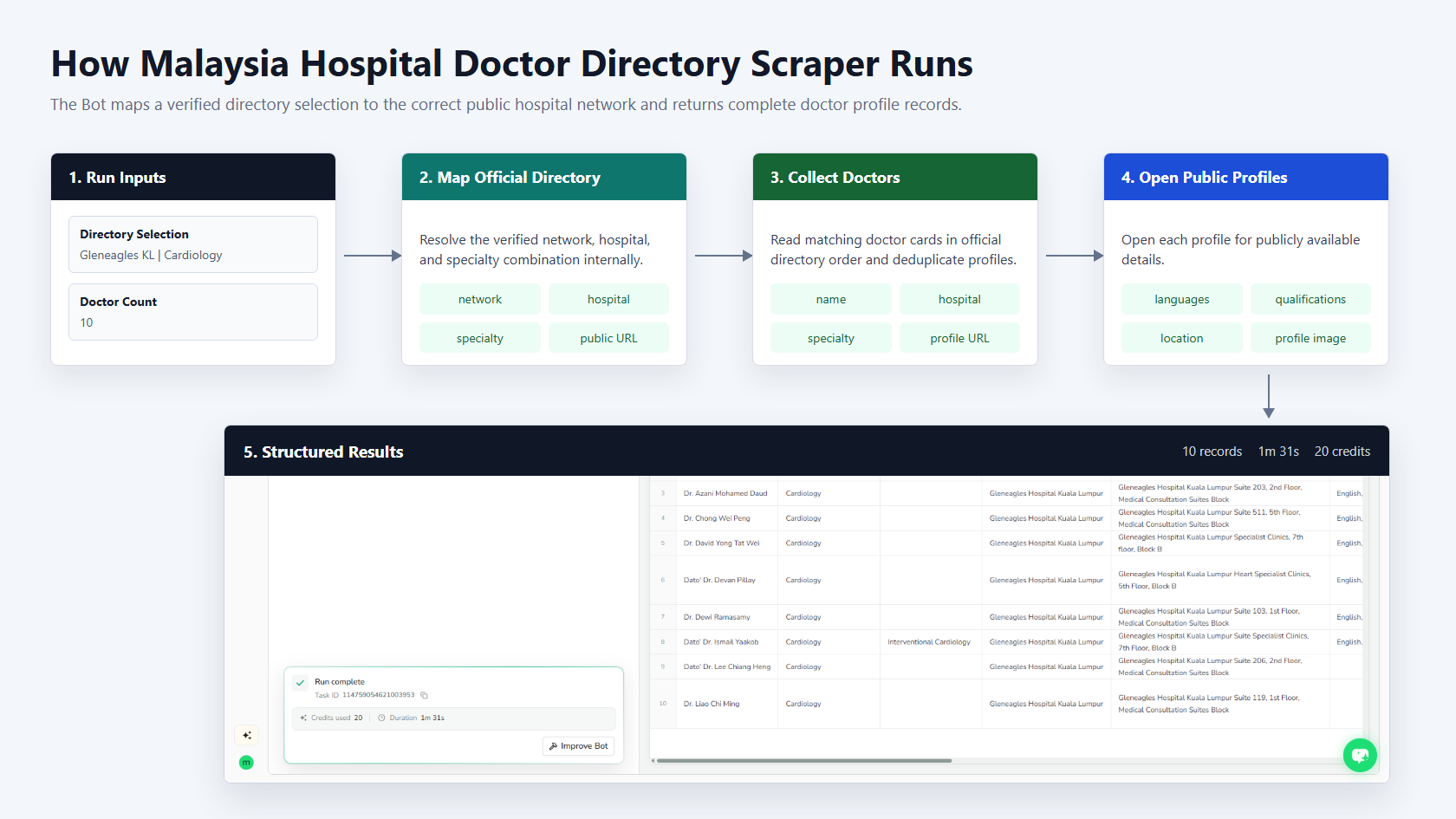
The Bot receives a verified combined directory selection, maps it to the correct public hospital directory, loads matching doctors, opens public profiles for complete details, and returns normalized records with official URLs.
How to Build a New Scraper Bot with Agent Built
Step 1: Describe the data you need
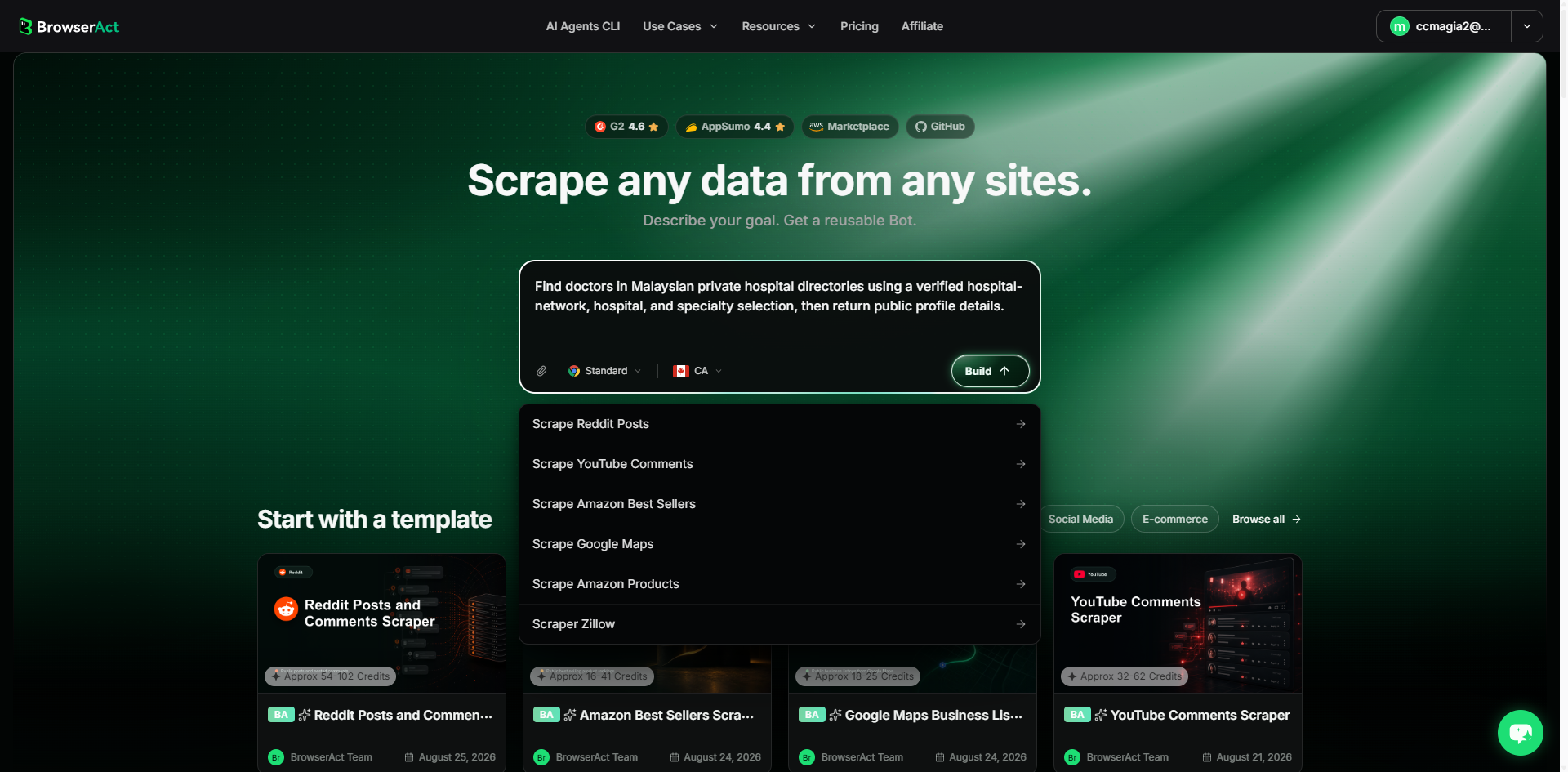
Open BrowserAct and start Agent Built from the Home prompt box or Create -> Build with Agent. Describe the public website, reusable inputs, record limit, filters, and exact output fields.
Step 2: Let BrowserAct build and test the Bot
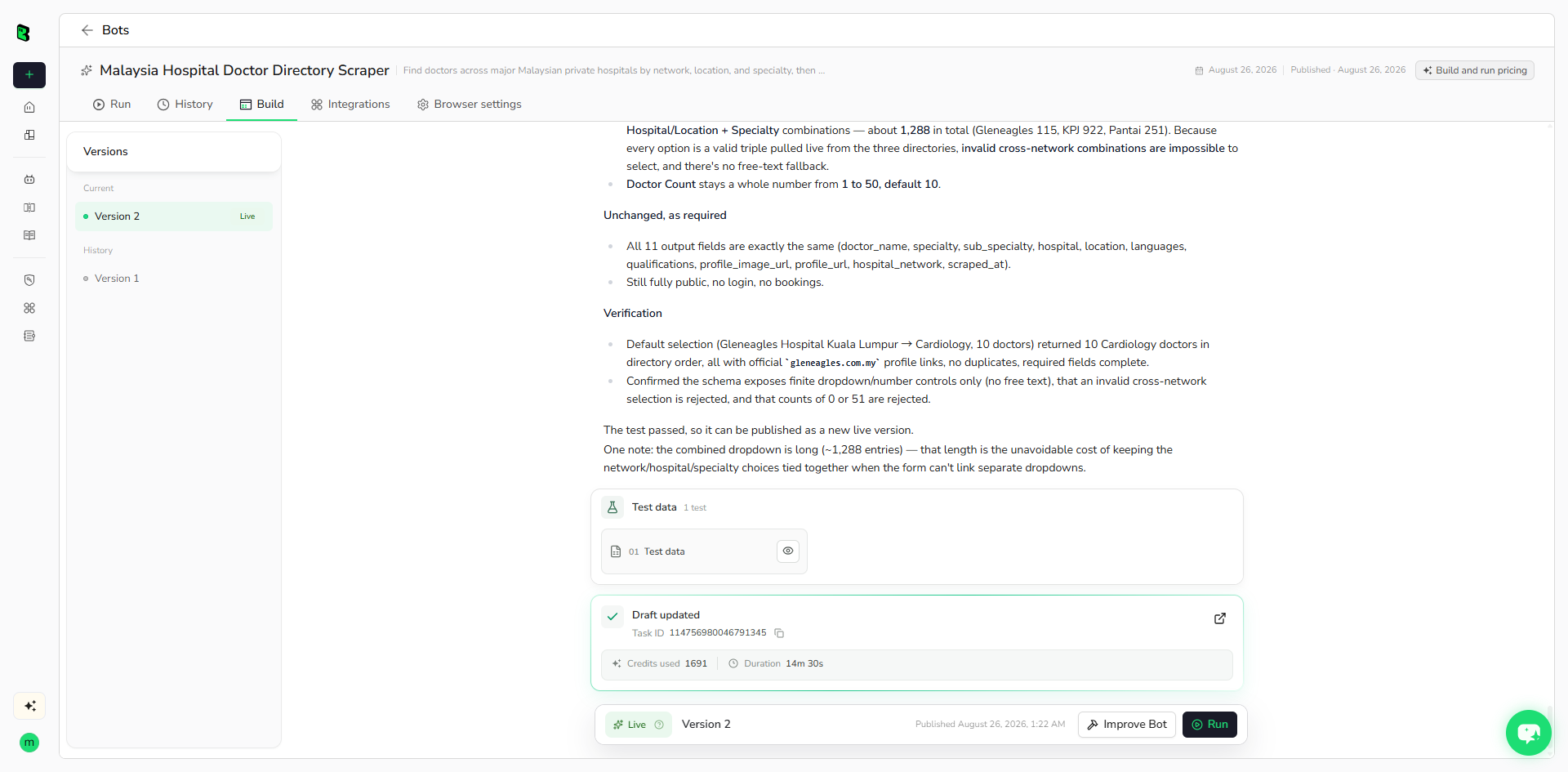
BrowserAct explores the live public website, determines the navigation and extraction path, creates reusable inputs, and validates representative records. Reply in the same build conversation if Agent Built requests a missing constraint.
Step 3: Run the Bot and review the result
Run the published Bot with its default inputs. Review field completeness, official profile URLs, row count, and optional nulls before reusing or publishing the template.
Why Use Malaysia Hospital Doctor Directory Scraper?
It converts public doctor directories into reusable structured data while preventing invalid network, hospital, and specialty combinations. This reduces manual directory browsing and keeps every returned profile traceable to an official source URL.
Who Can Use It?
- Healthcare directory and referral teams
- Hospital market researchers
- Medical travel and patient-support services
- Provider network analysts
- Public healthcare data projects
How Many Results Can You Scrape?
Each run supports 1 to 50 doctor records. Actual availability depends on the selected hospital and specialty directory.
Automation and Export
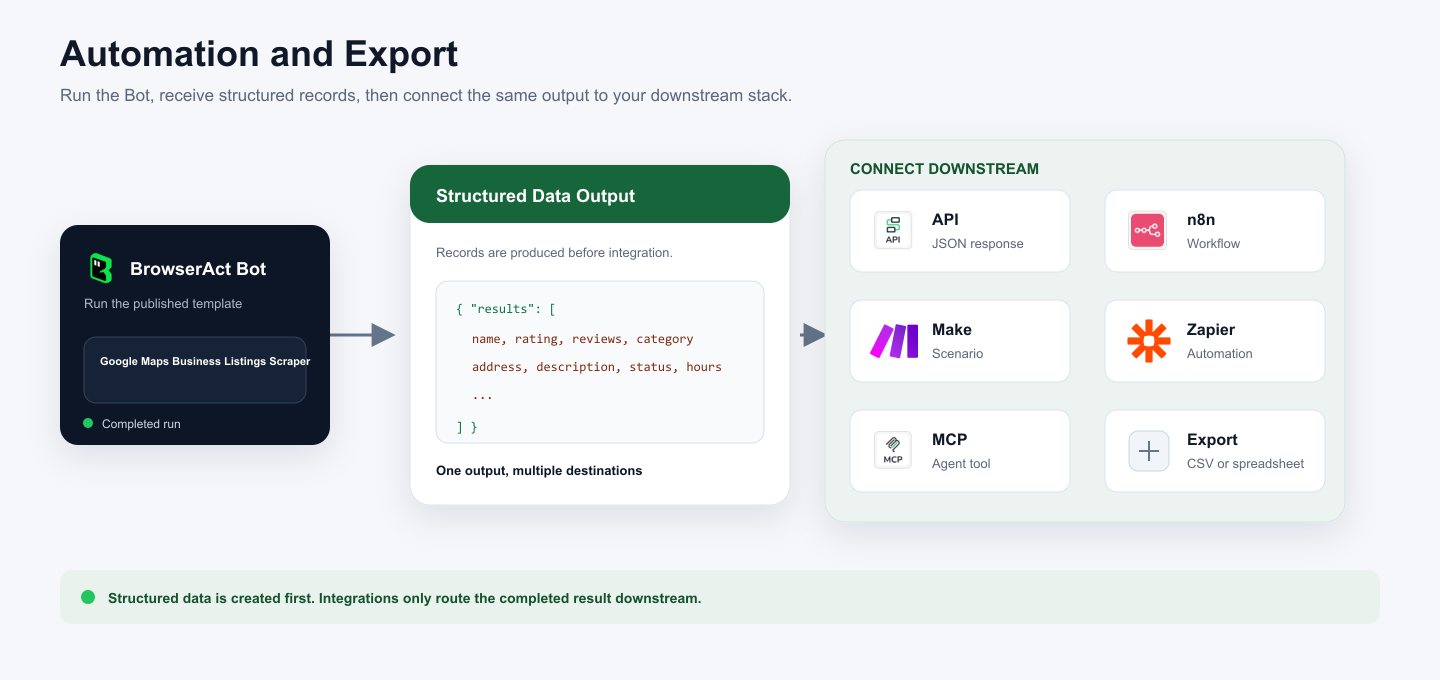
BrowserAct produces structured data first. You can then connect the result to an API, n8n workflow, Make scenario, Zapier automation, MCP agent workflow, or manual spreadsheet export.
Need Help?
Review the Bot's Run inputs and result table first. If a public directory changes its structure or a visible field is missing, use Improve Bot and rerun a representative selection.
