

Copy to Your Account and Set Up LinkedIn Login Before Use
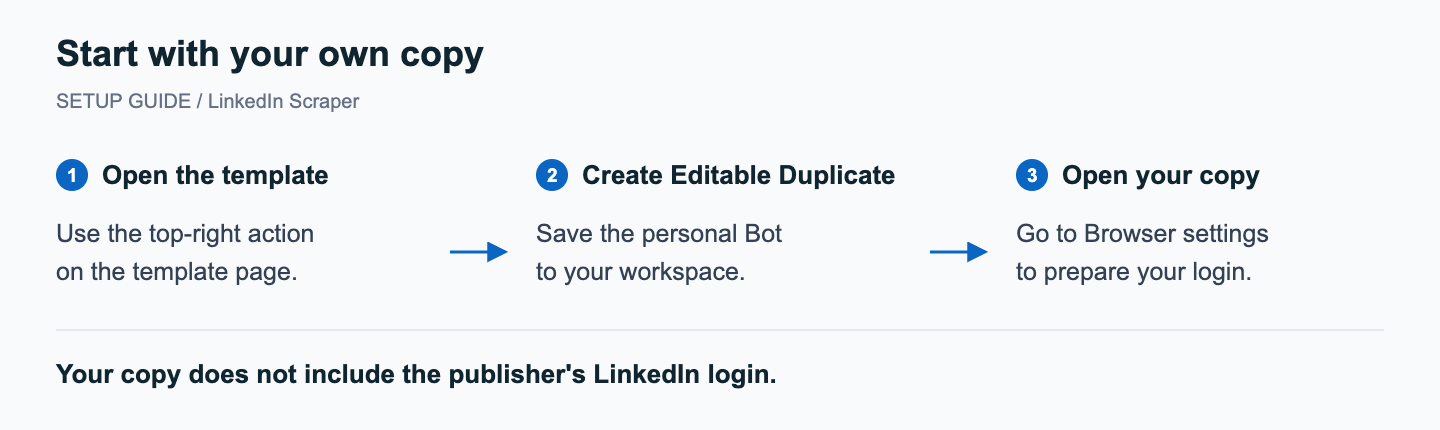
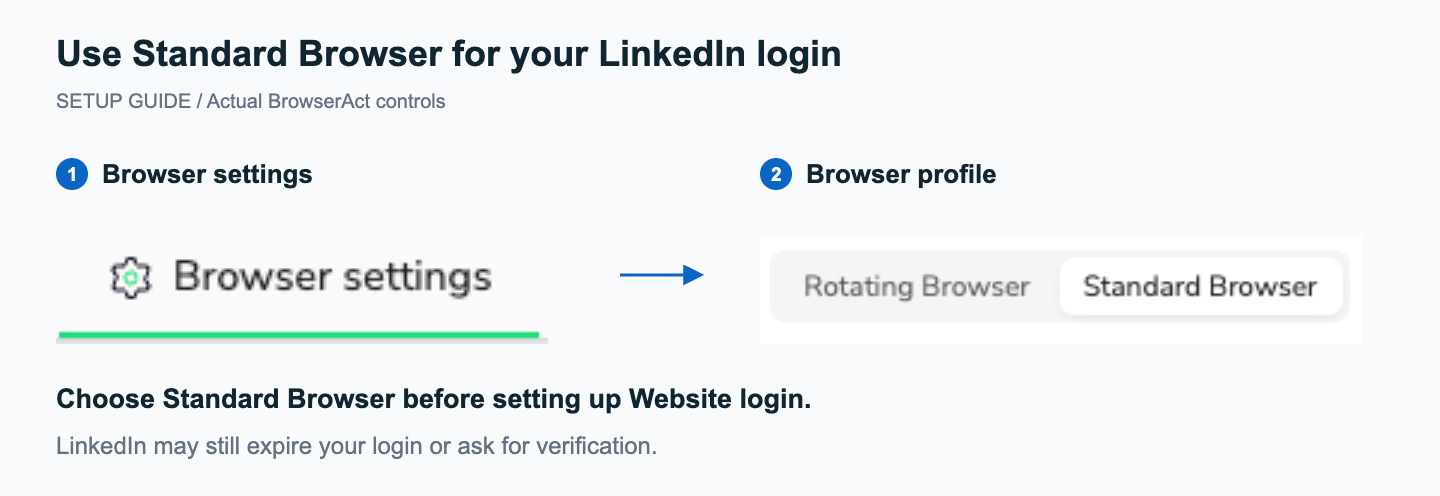
This template requires your own LinkedIn login and cannot be run directly from the marketplace. Select Create Editable Duplicate, open your copy's Browser settings, choose Standard Browser, and set up Website login before running. Your personal copy does not include the publisher's LinkedIn session or credentials.
What Does BrowserAct LinkedIn Scraper Do?
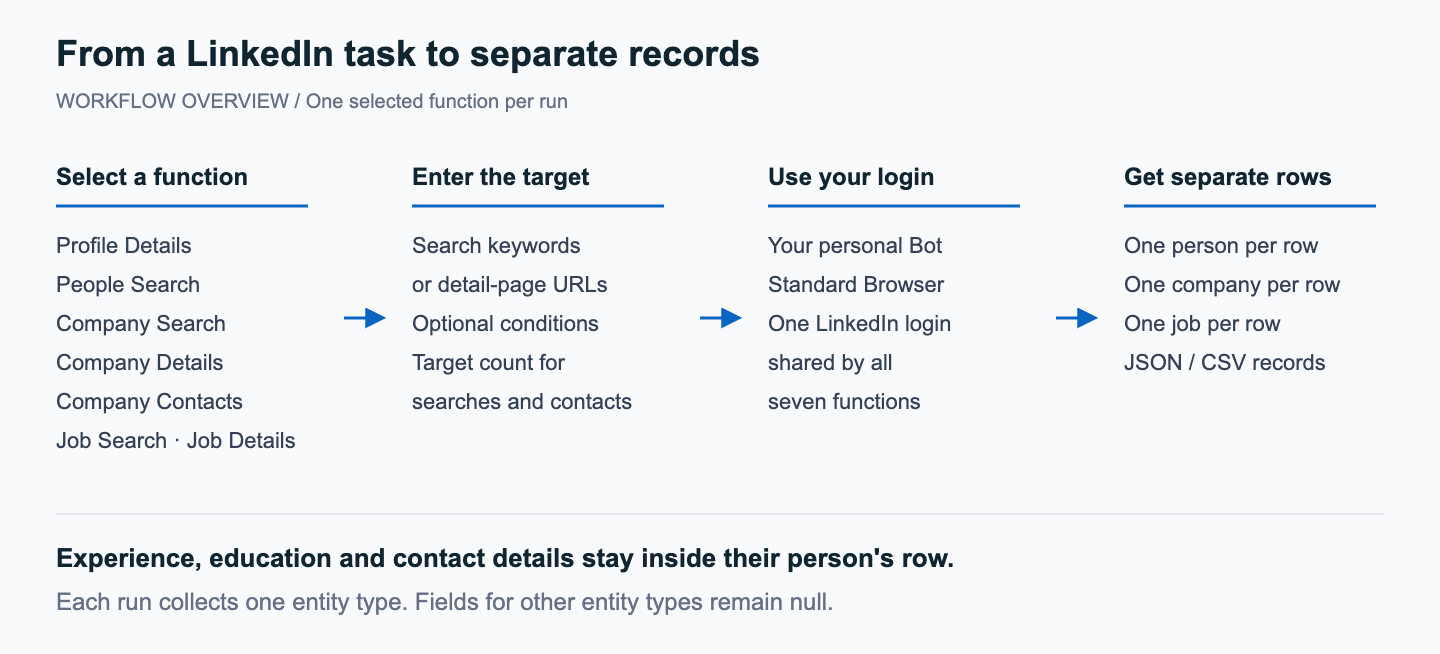
Collect professional profiles, companies, current employees and jobs in one reusable Bot. Choose one of seven functions for each run, using the LinkedIn login configured on your personal copy. The results keep each person, company or job in a separate row for recruiting research, account mapping and job tracking.
Key Features of LinkedIn Scraper
- Extract profile details from a list of known personal-profile URLs, including visible experience and education.
- Find people by name, role or skill keywords, with optional location and current-company conditions.
- Discover companies by name, industry or business keywords, then collect details from known company URLs.
- Find current employees at a company and narrow them by role and location.
- Search job listings and collect descriptions, qualification text and visible compensation.
- Extract job details from known links, including the employer's LinkedIn page and application entry.
- Keep experience, education and contact details with their owner, while each distinct business entity occupies its own row.
Choose a LinkedIn Function
| Function | Input |
|---|---|
| profile_details | One or more personal-profile URLs |
| people_search | People keywords; optional location or current company |
| company_search | Company or industry keywords; optional location |
| company_details | One or more company-page URLs |
| company_contacts | Company; optional contact title and location |
| job_search | Job or skill keywords; optional location or hiring company |
| job_details | One or more job URLs |
What Data Can I Extract from LinkedIn?
The selected function determines which fields are populated. Person, company and job records share the same field list; fields that do not apply to that entity are null. Experience, education and multiple contact details remain within the corresponding person's row.
| Record Type | Typical Data |
|---|---|
| People | Names, headlines, current roles, visible experience, education and contact details. |
| Companies | Company names, websites, industries, sizes and headquarters. |
| Jobs | Job titles, employers, locations, descriptions, qualifications and application links. |
How to Use LinkedIn Scraper
1. Create Your Personal Copy
Select Create Editable Duplicate at the top right of the template page. Save the copy to your own workspace and open that Bot.
2. Switch to Standard Browser
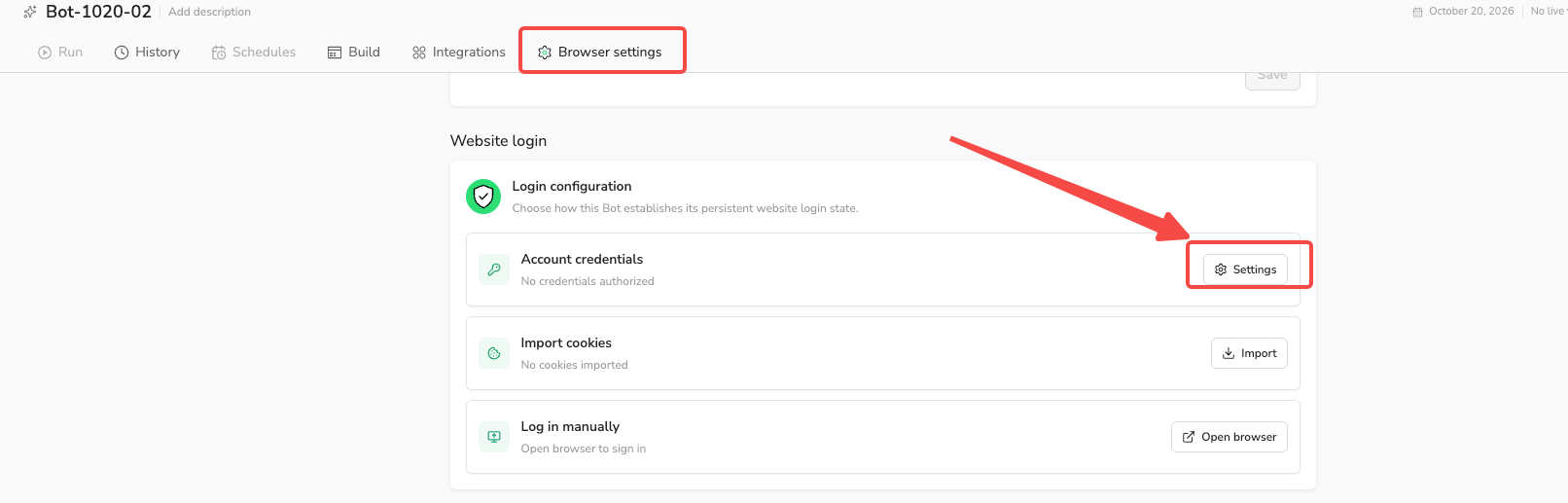
Open Browser settings on your copy. Under Browser profile, select Standard Browser before signing in so successful login updates can be saved for future runs. LinkedIn may still expire a session or request verification.
3. Set Up Website Login
In Browser settings > Website login, choose one of three methods: Account credentials, Import cookies, or Log in manually. Follow the Website Login guide to set up the method you prefer.
4. Choose a Function and Run
Publish your personal copy if prompted, then open Run and select operation. Enter the keywords or URLs required by that function. Search and company-contact functions also accept target_count. Start the task and review the returned records.
5. Renew Login When Needed
If a run fails because login is required, update Website login on the same personal Bot and start a new run. Follow the Website Login guide for the available methods.
Example Input: Job Details
For this example, select job_details and enter a LinkedIn job URL. Only the inputs for this function are shown here; see Input & Output for the complete parameter reference.
| Parameter | Example Value |
|---|---|
| operation | job_details |
| job_urls | https://www.linkedin.com/jobs/view/4482650057/ |
Example Output: Job Details
Below is one job record, showing the fields relevant to this example. Long text is shortened for readability. Each job has its own result row; the complete output structure is listed in Input & Output.
| Field | Result |
|---|---|
| linkedin_url | https://www.linkedin.com/jobs/view/4482650057/ |
| job_title | Controls Software & Standards Lead |
| hiring_company | Henshaw, Inc |
| company_url | https://www.linkedin.com/company/henshaw |
| job_location | Armada, MI |
| work_mode | On-site |
| job_type | Full-time |
| posted_date | 2026-10-24 |
| salary | null |
| job_description | Controls Software & Standards LeadHenshaw | Armada, MI | Full-TimeHenshaw is seeking a Controls Software & Standards Lead Programmer to lead controls software development, strengthen programming standards, and improve the engineering tools used to deliver automation projects. Thi ... |
| requirements | Required Qualifications Significant hands-on experience programming and commissioning industrial automation systems. Strong proficiency with Allen-Bradley ControlLogix and CompactLogix PLCs and Studio 5000 Logix Designer. Demonstrated experience commissioning and troubleshooting ... |
| apply_url | mailto:jpoppe@henshawusa.com |
| status | complete |
How Does It Work?
- Use the LinkedIn access configured on your personal Bot.
- Read the supplied detail URLs or search LinkedIn using the selected function and conditions.
- Collect the fields visible to your account and keep related information with the correct person, company or job.
- Return separate entity records and preserve usable rows if part of a batch cannot be completed.
How to Build a New Scraper Bot with Agent Built
- Describe the LinkedIn records and fields you need in BrowserAct, including the account access required for the task.
- Let BrowserAct build and test the Bot; complete your own login when requested.
- Run the completed Bot and review its structured results before connecting it to your tools.
Why Use LinkedIn Scraper?
Keep profile, company and job research in one Bot instead of maintaining separate login setups for every function. Collect records for your own comparisons and follow-up work; evaluation and outreach decisions remain with your team.
Who Can Use LinkedIn Scraper?
- Recruiting teams organizing candidate profiles and tracking relevant jobs.
- Sales and partnership teams mapping companies and current employees.
- Researchers compiling company information or comparing public job requirements.
- Agent builders using their own authenticated Bot as a reusable data tool.
How Many Results Can You Scrape?
For search and company-contact functions, target_count defaults to 20 and represents the quantity you want, not a fixed maximum. You can request 50 or another positive integer. The final quantity depends on matching records and the access available to your account. The Bot explains a shortfall rather than adding unrelated or invented records.
Detail functions process the supplied profile, company or job URLs. Repeated canonical URLs are deduplicated. Each resulting entity remains a separate record; an individual's experience or education does not become a separate person row.
Automation and Export
Download JSON or CSV to use the records in your own research tools. For applications, use the API options available on your published personal Bot; BrowserAct's integration guides cover connections to n8n, Make and Zapier. Your personal Bot must have its own working LinkedIn login.
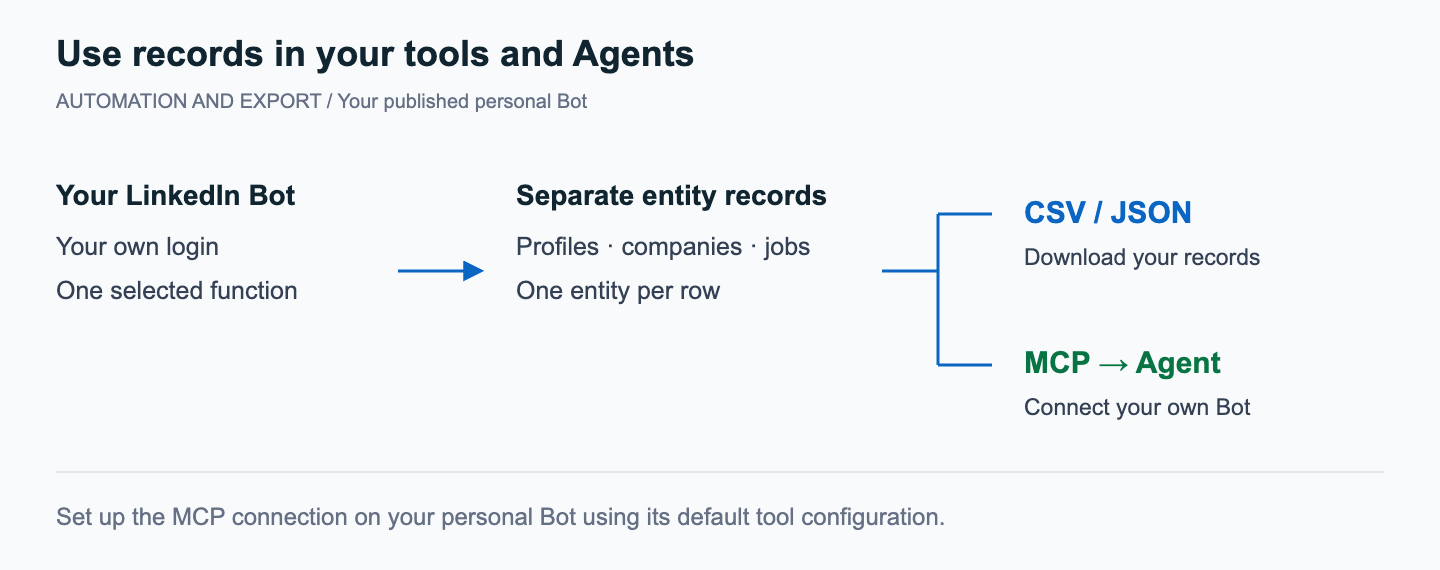
Connect Your Personal Bot to an Agent with MCP
After signing in and publishing your personal copy, open Integrations > MCP Server, expose your Bot, and use Connect to Clients to connect your Agent. Keep the default generated tool configuration; use the server URL and matching key from your own MCP Server.
Need Help?
Contact BrowserAct support if you need help setting up your personal copy or choosing the right function. Describe the data you need and the issue you see, without sharing passwords, verification codes or API keys.
