

What Does BrowserAct LinkedIn Profile Scraper Do?
Turn LinkedIn profile URLs into a table of names, headlines, current roles, experience and education. Use the records to compare candidates, organize professional contacts and prepare for conversations.
Use Your Own LinkedIn Account
This template requires your own LinkedIn login. Click Run and complete the account setup in the Run dialog before starting.
Key Features of LinkedIn Profile Scraper
- Extract profile details from one personal-profile URL or a batch of URLs.
- Keep each person’s experience, education and visible Contact info together in one row.
- Read additional details shown in the Contact info popup, such as a listed website.
- Preserve input order and repeated URLs, with a status for every nonempty input.
What Data Can I Extract from LinkedIn?
Field | Meaning |
|---|---|
profile_url | Normalized LinkedIn personal-profile URL; null for an invalid input. |
full_name | Name displayed on the profile. |
headline | Profile headline as displayed. |
location | Location as displayed. |
current_position | Current position when explicitly shown. |
current_company | Current organization when explicitly shown. |
about | Visible About text. |
experience | Readable summary of visible roles, companies, and dates, within this person's row. |
education | Readable summary of visible schools, qualifications, and dates, within this person's row. |
contact_info | Additional visible Contact info, such as a listed website. One labeled detail per line within this person's row; null when none is shown. |
status | ok, partial, invalid_url, not_found, login_required, access_restricted, or failed. |
status_detail | Short explanation for a non-ok status; otherwise null. |
How to Use LinkedIn Profile Scraper
1. Open Run
Open the Run page and click Run.
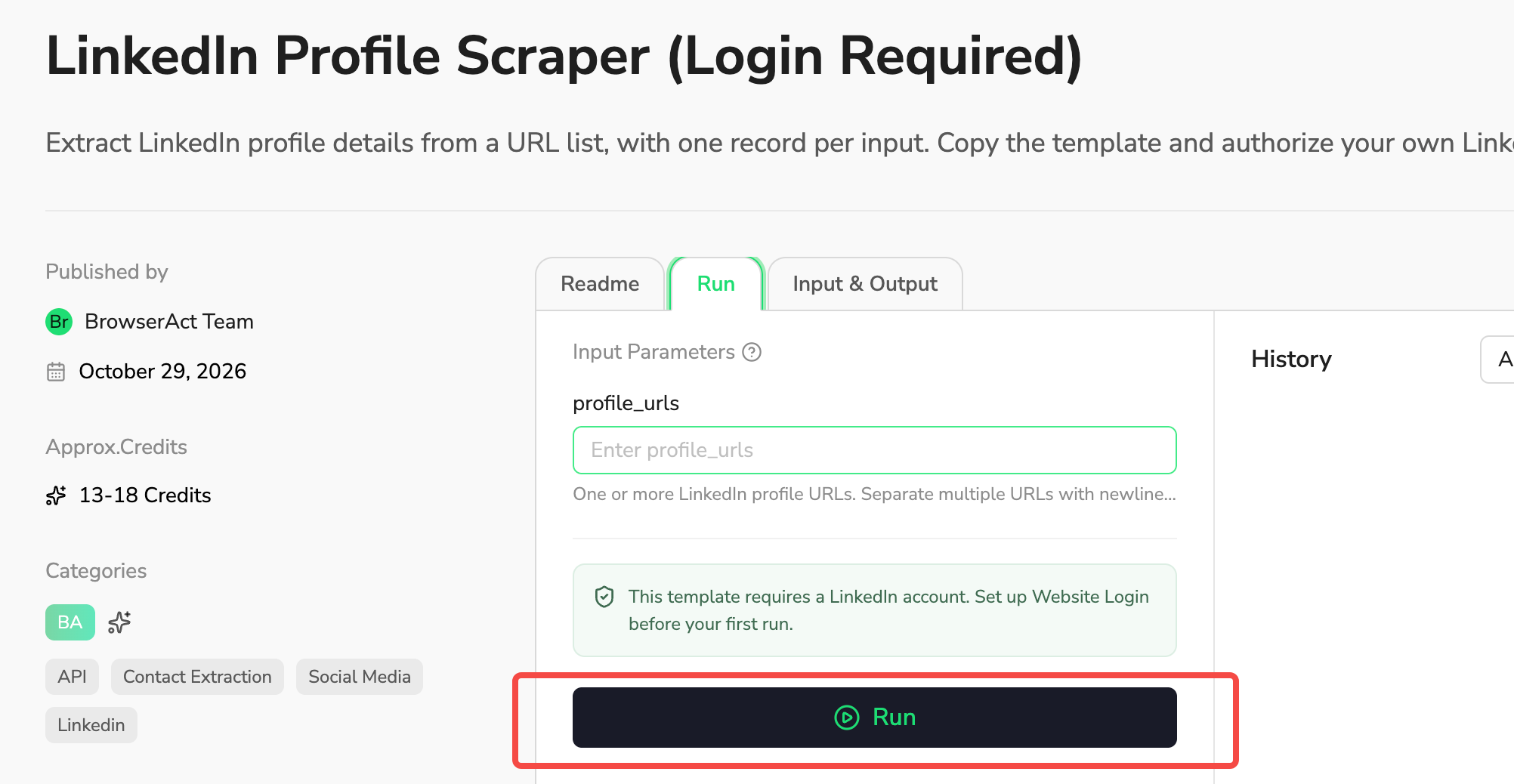
2. Enter Profile URLs
In profile_urls, paste the LinkedIn personal-profile URL you want to read. To process several profiles, separate their URLs with commas or semicolons. Click Continue.
Example: https://www.linkedin.com/in/sanjeev-prabhakar-badri-983b7a8/
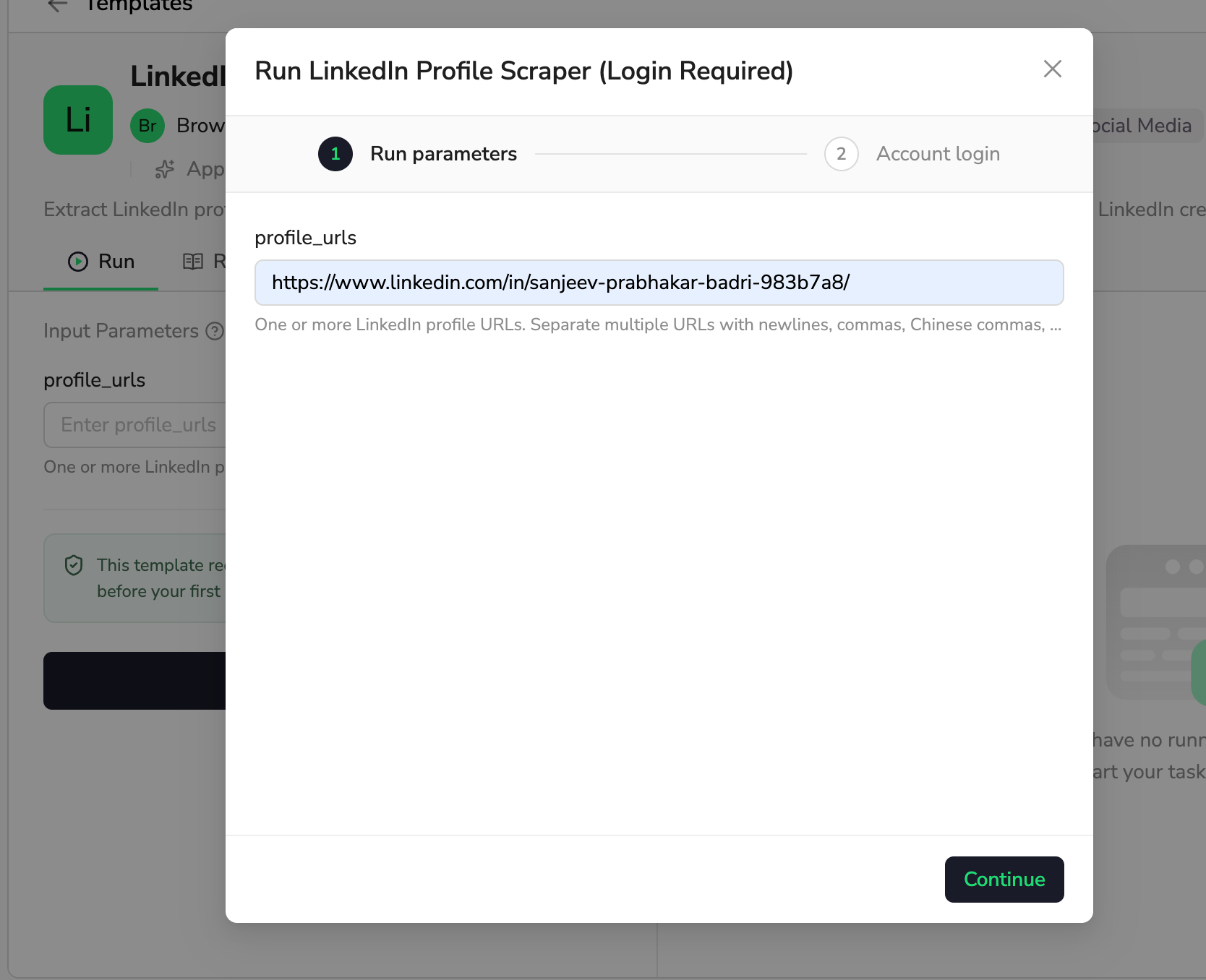
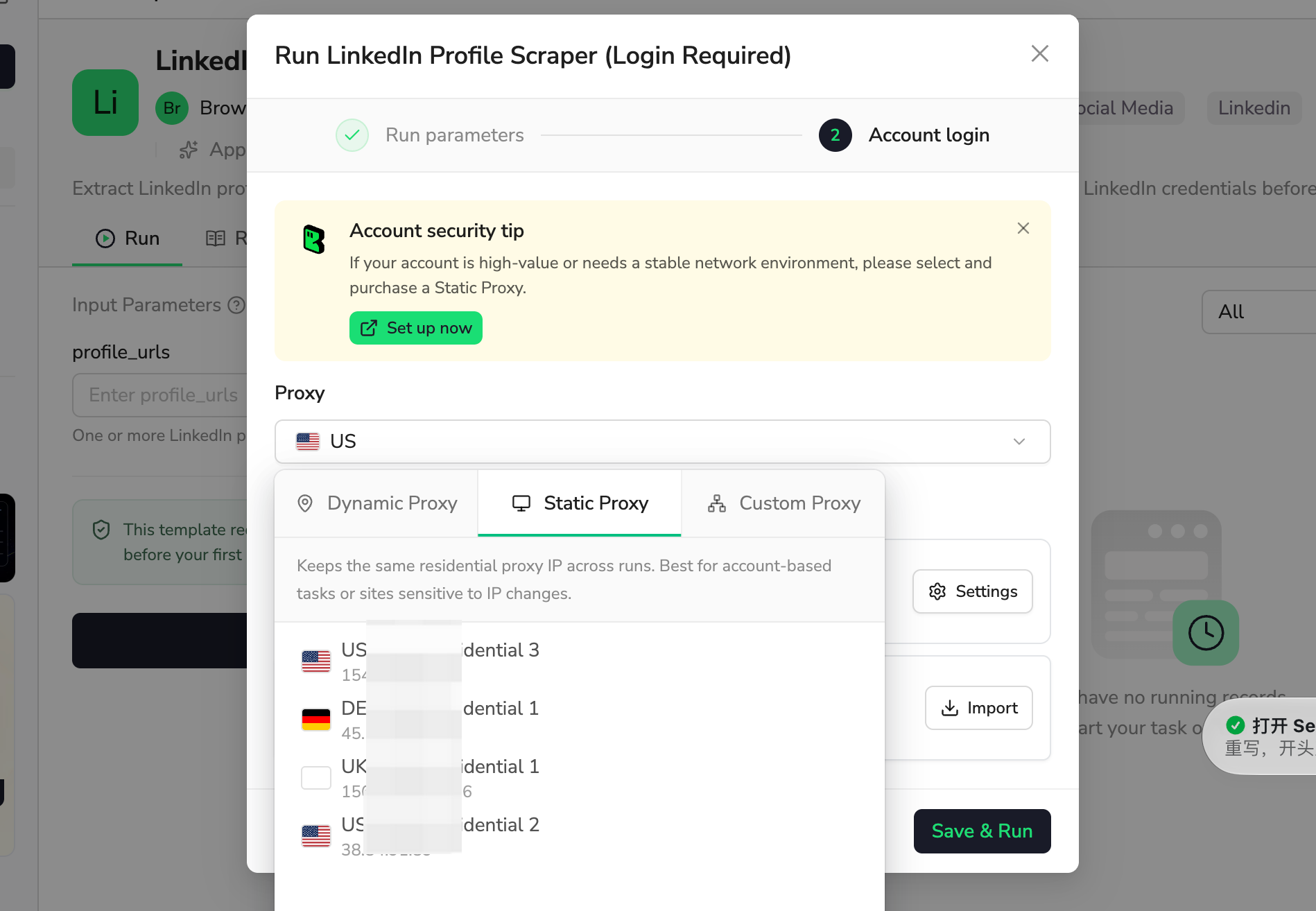
3. Choose a Proxy
Under Account login, select a Proxy. We recommend a Static Proxy to keep the same IP address across runs and help maintain a consistent network environment for your LinkedIn account.
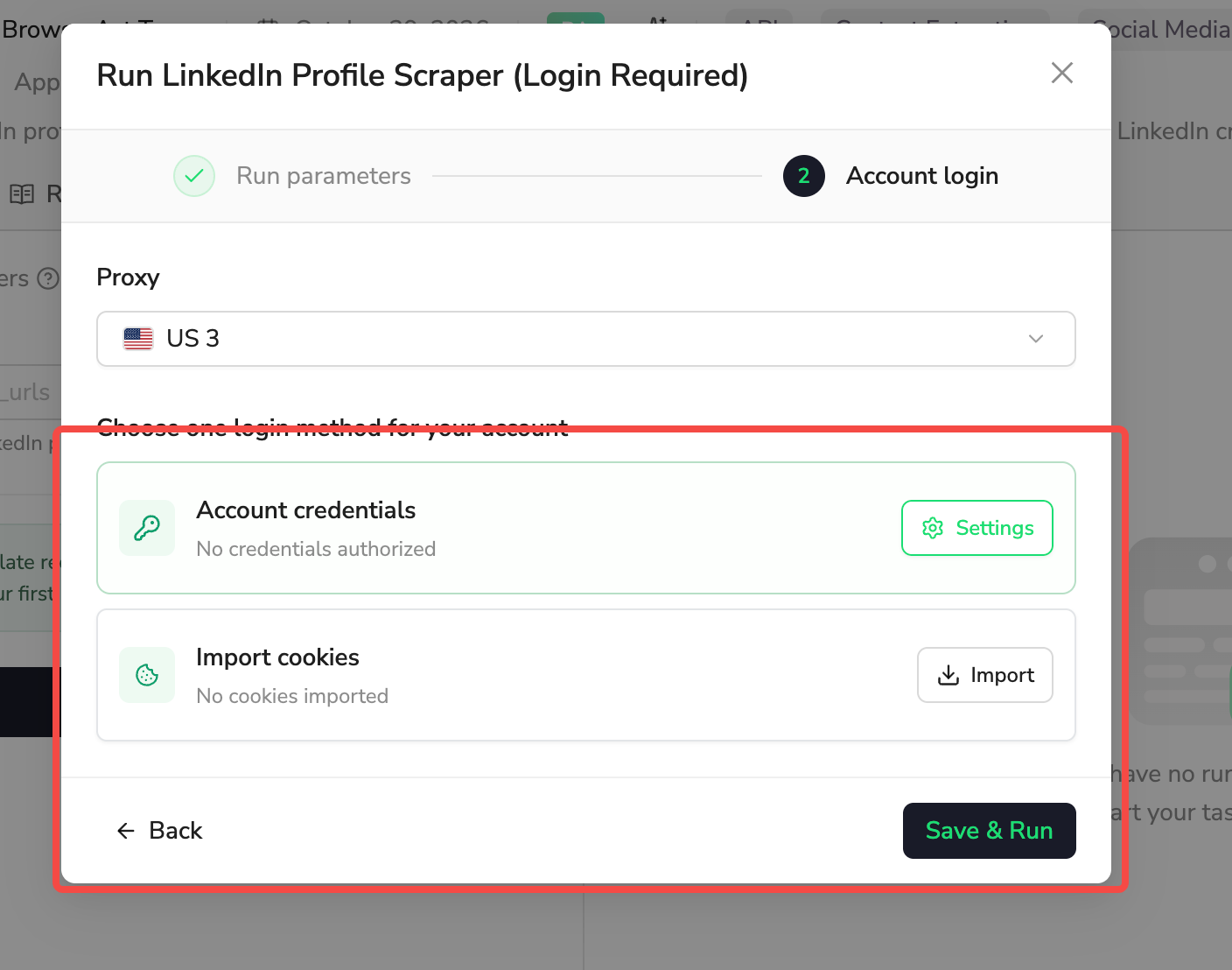
4. Set Up LinkedIn Login and Run
Choose one login method: Account credentials via Settings, or Import cookies via Import. Complete the selected setup with your own LinkedIn account, then click Save & Run.
When the task finishes, review each row’s status and download the results as CSV or JSON. See the Website Login guide for help with account setup.
Input Parameters
Parameter | Configuration |
|---|---|
profile_urls | Required text. Enter one LinkedIn personal-profile URL or a batch separated by commas (,), Chinese commas (,), enumeration commas (、), semicolons (; or ;), or preserved line breaks. Use punctuation separators in the single-line Run form. Blank entries are ignored. Enter your own URLs; no profile is preselected. |
Example — two profiles in one run: https://www.linkedin.com/in/sanjeev-prabhakar-badri-983b7a8/, https://www.linkedin.com/in/williamhgates/
Example Output
One example profile is shown below. Each submitted profile has its own result record.
Field | Result |
|---|---|
profile_url | https://www.linkedin.com/in/williamhgates |
full_name | Bill Gates |
headline | Chair, Gates Foundation and Founder, Breakthrough Energy |
location | Seattle, Washington, United States |
current_position | Co-chair |
current_company | Gates Foundation |
about | Chair of the Gates Foundation. Founder of Breakthrough Energy. Co-founder of Microsoft. Voracious reader. Avid traveler. Active blogger. |
experience | Co-chair — Gates Foundation (2000 – Present) |
education | Harvard University (1973 – 1975) |
contact_info | Website: gatesnot.es (Blog) |
status | ok |
status_detail | null |
How Does It Work?
- Read the supplied personal-profile URLs and preserve their input order.
- Open each valid profile using the LinkedIn login you configured.
- Collect visible profile sections and additional Contact info.
- Return one record per input with a status and, when needed, a short explanation.
Details that LinkedIn does not display are left empty. Contact info does not guarantee an email address or phone number. A missing value is not inferred from the person’s name, company or another source.
How to Build a New Scraper Bot with Agent Built
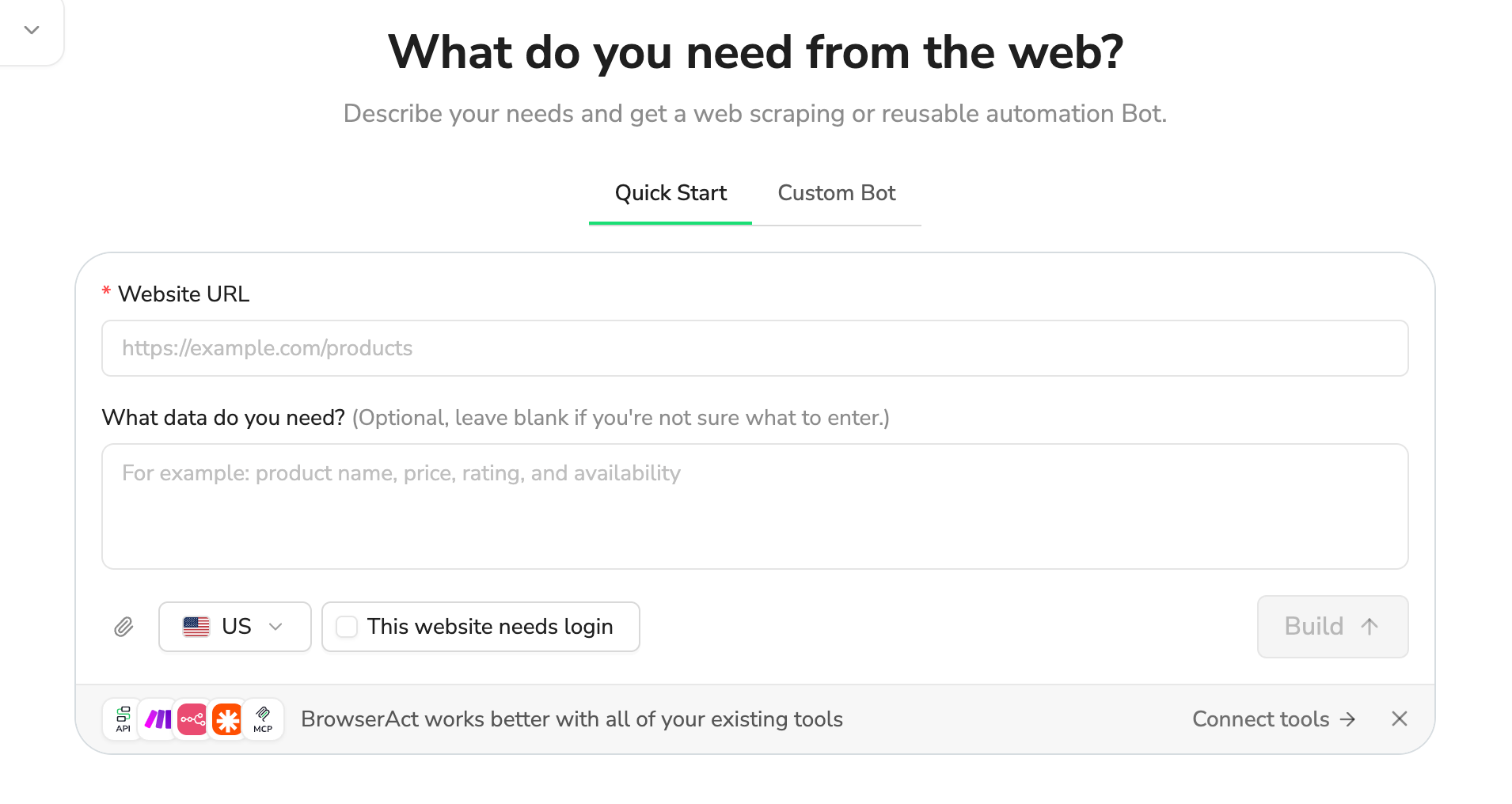
1. Describe the Data You Need
Open BrowserAct and describe the website, records and fields you need. For a site that requires an account, select This website needs login.
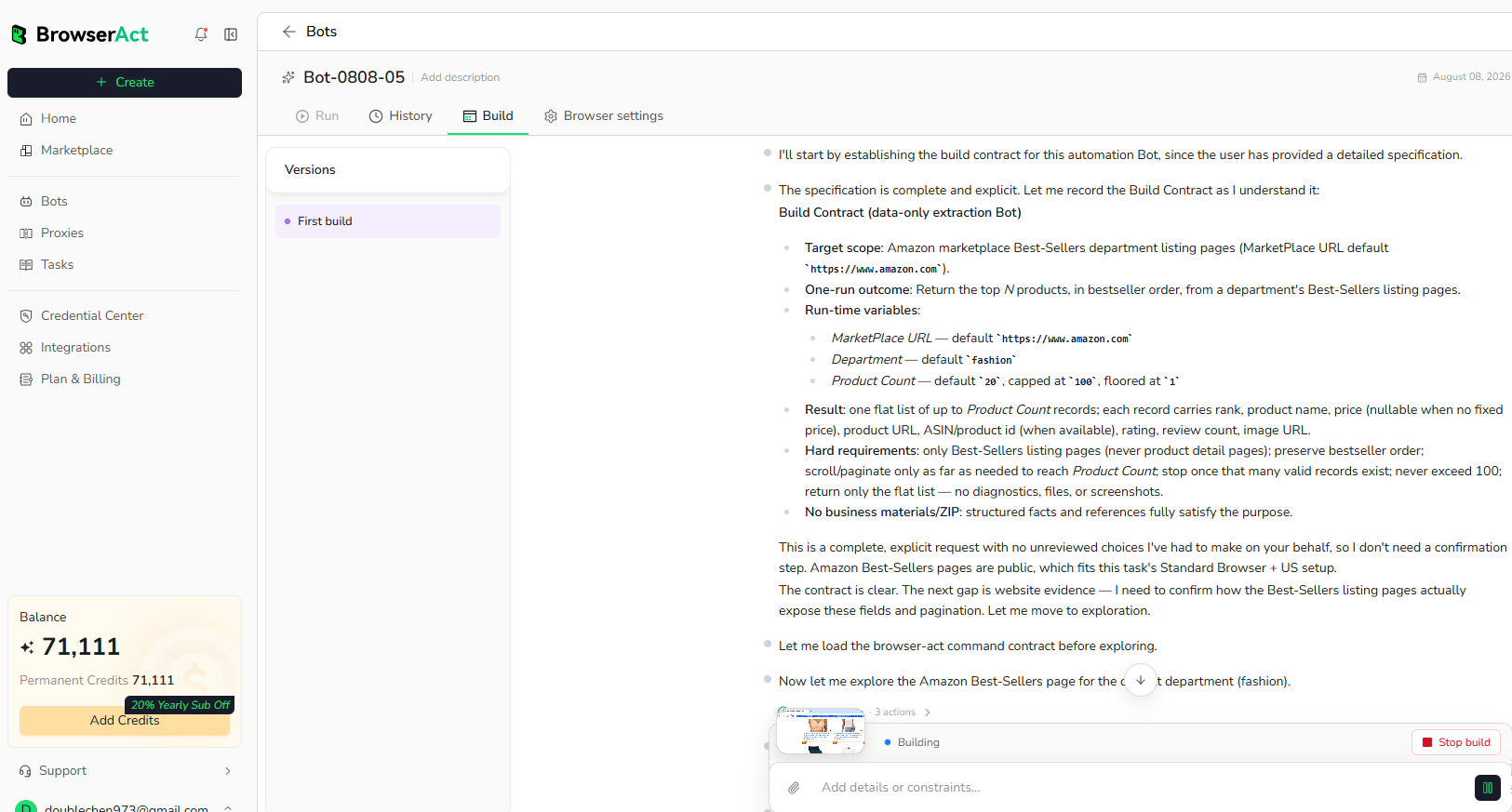
2. Let BrowserAct Build and Test
Start the build. BrowserAct explores the website and tests the extraction. Complete your own login if requested.
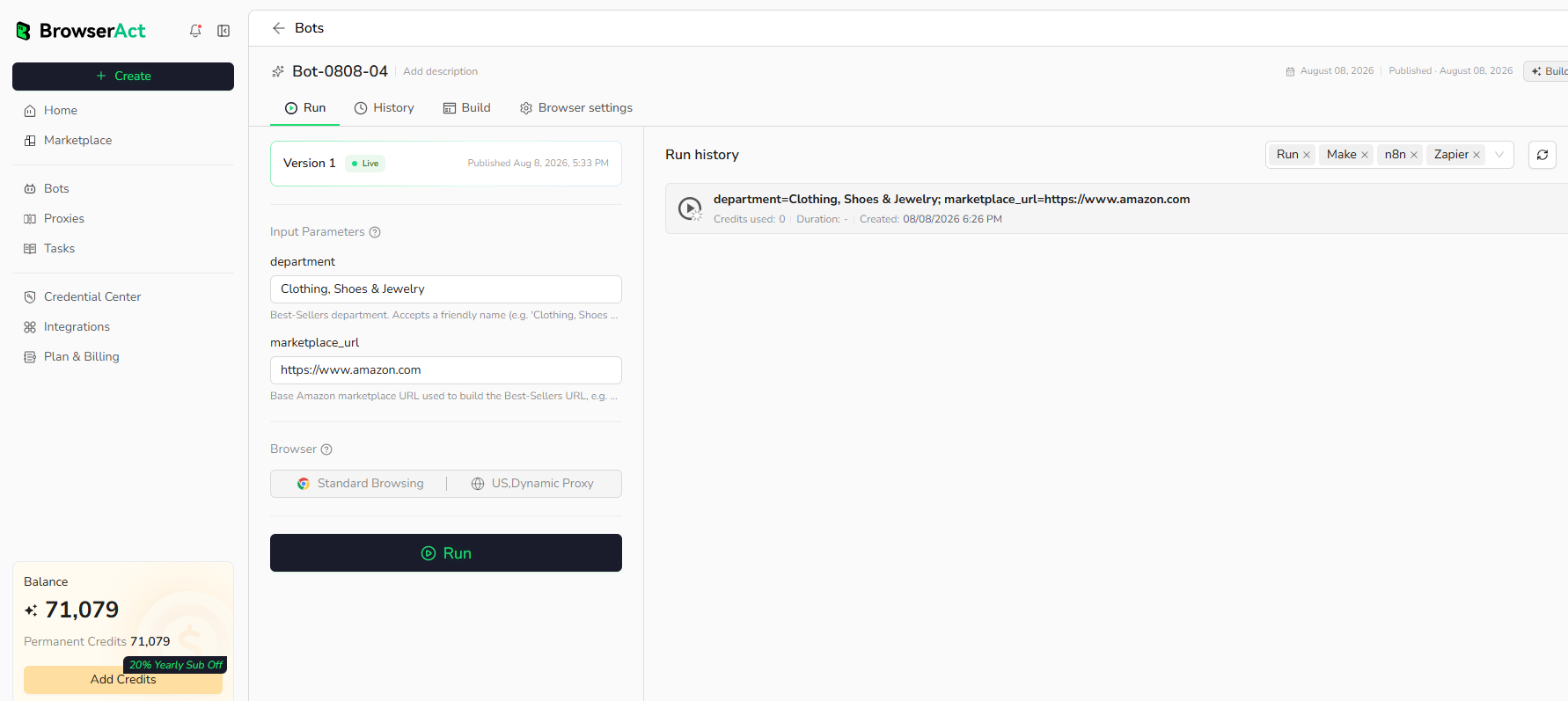
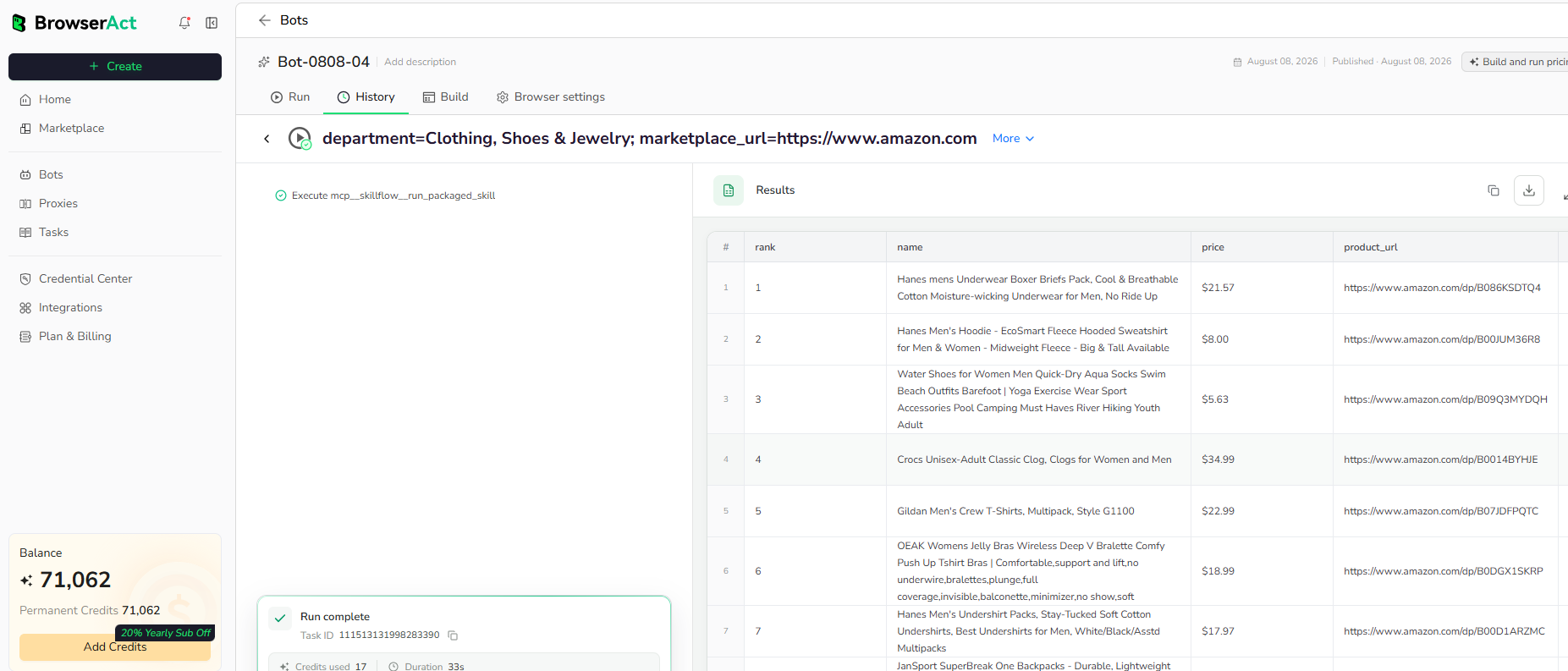
3. Run the Bot and Review the Results
Enter your inputs, run the completed Bot and review the structured results before exporting or connecting them to your tools.
Why Use LinkedIn Profile Scraper?
- Compare candidates: review current roles, experience and education side by side.
- Organize contact lists: keep names, headlines, companies and profile links together in a spreadsheet.
- Prepare for conversations: review a person’s About text and career background before a meeting.
Who Can Use LinkedIn Profile Scraper?
Recruiters reviewing known candidates, sales teams researching contacts and researchers organizing professional-profile lists can use the exported records in their own review process.
How Many Results Can You Scrape?
Each nonempty URL you submit receives one result record. Input order and repeated URLs are retained. A row may contain a status explaining why a profile could not be read, so check status before using the data.
Automation and Export
Download CSV or JSON after a run. Each person has a separate record and CSV row; experience, education and Contact info remain readable text within that row.
For downstream automation, you can create and publish a personal Bot, configure its LinkedIn login and use the integrations available for that Bot.
BrowserAct MCP setup guide · API Keys & Authentication
Need Help?
Need help? Contact live support using the chat button at the bottom right, or email service@browseract.com.
