Job Market Intelligence
Intelligently extract core recruitment data, including job title, salary range (hourly/daily/monthly), company name, job location (city/remote), and job requirements.
Published by
Yi
Yiruo
February 04, 2026
Approx.Credits
135-200 Credits
Categories
BA
Content CollectionIndeed
Template ID
54267793157129845

Brief
With Indeed, a globally renowned job search and recruitment platform, booming, are you wasting countless hours manually collecting recruitment information such as job titles, salary ranges, company names, job requirements, and application deadlines? Faced with Indeed's massive job listings, efficiently acquiring structured recruitment data to accurately understand industry hiring trends, optimize recruitment strategies (for recruiters) or improve job search efficiency (for job seekers) has become a common challenge for many recruiters, HR professionals, job seekers, and workplace researchers. Say goodbye to tedious manual copy-and-paste and page-by-page recording. BrowserAct will revolutionize the way you access Indeed recruitment information.
What is BrowserAct Job Market Intelligence Scraper ?
BrowserAct is a powerful automated data extraction tool that allows you to easily scrape required data from any web page without programming knowledge. It can efficiently capture job information in specific industries/regions from Indeed’s massive recruitment listings. What can it do for you?
- Indeed Job Data Scraping: Our Indeed crawler can intelligently identify and extract core job recruitment data from the platform, including job title, salary range (hourly/daily/monthly), company name, job location (city/remote status), job requirements (education/experience/skills), application deadline, job posting date, and company industry.
- AI-Powered Field Suggestions: Using AI to intelligently identify the structure of Indeed’s job pages, it quickly suggests and extracts key fields such as "job title, salary range, job location, job requirements, company name". No manual positioning is needed, and structured data is generated directly to support efficient analysis.
- Expected Results: You can use BrowserAct as a powerful scraping tool to scrape Indeed job recruitment information and extract detailed job reports. Here's a breakdown of the key fields you can target, including core fields in specific formats and advanced options for deeper insights:
Job Title: Standard job role naming (e.g., "Software Engineer", "Marketing Specialist")
Company Name: Employer or hiring organization (e.g., "Google", "Local Startup Inc.")
Job Location: Worksite details (e.g., "New York, NY", "Remote")
Job Posting Date: When the job was listed on Indeed (e.g., "Posted 5 days ago")
- Ideal Users: Suitable for recruiters, HR professionals, job seekers, workplace researchers, and corporate recruitment teams. It helps you obtain structured Indeed job data to drive business decisions (such as optimizing recruitment strategies, analyzing industry hiring trends) or meet personal needs (like comparing job options, targeting high-matching positions).
How to Build a Job Market Intelligence Workflow: Step by Step
Job Market Intelligence workflow building with BrowserAct requires no coding skills—it's automation-ready and easy to set up. Follow these step-by-step instructions to get started.
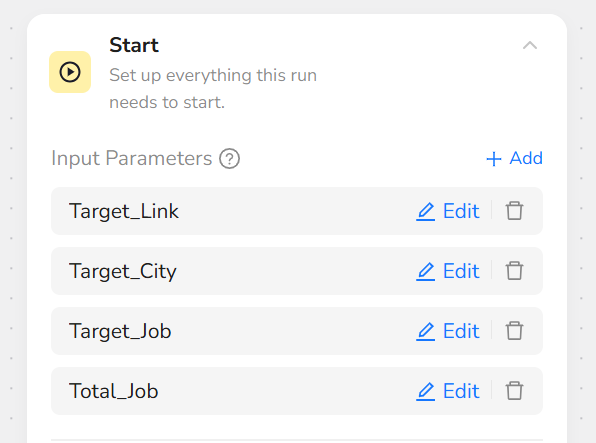
Step 1: Parameter Setup
- Target_Link: https://www.indeed.com/jobs
- Target_City: London
- Target_Job: Programmer
- Total_Job: 5
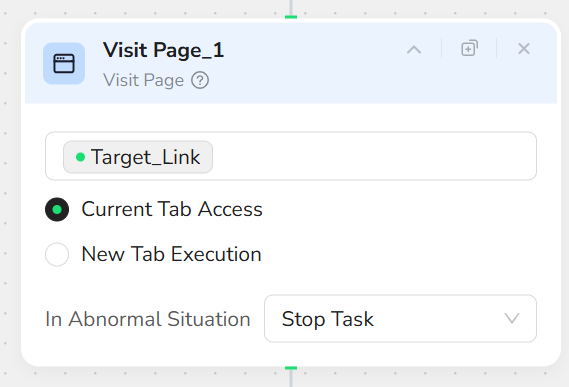
Step 2: Add Visit Page Node
Add a "Visit Page" node and input the URL “/Target_Link”. This will navigate to the Indeed jobs page.
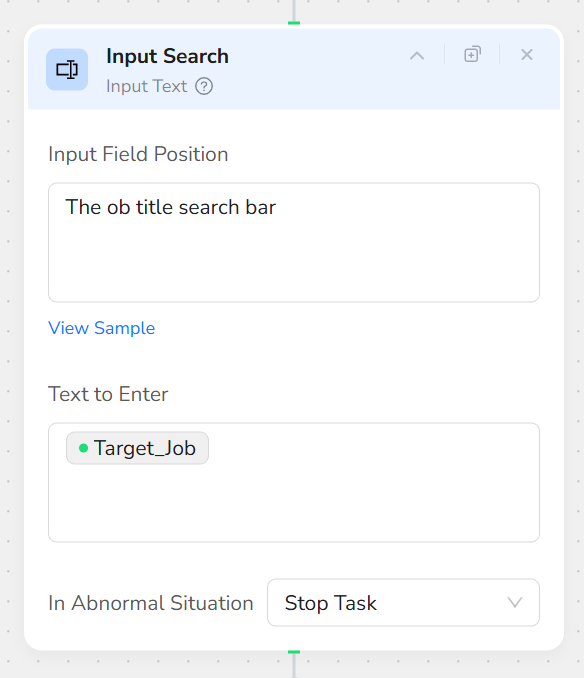
Step 3: Add Input Text Node
Add an "Input Text" node. In the Input Field Position, input “The ob title search bar”. In the Text to Enter, input “/Target_Job”.
Step 4: Add Input Text Node
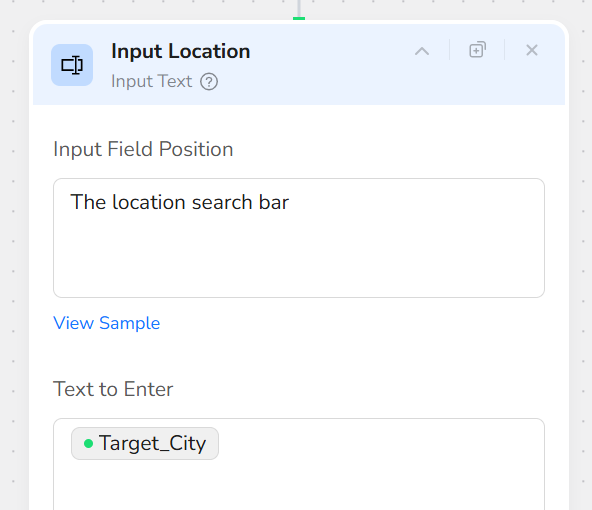
Add an "Input Text" node. In the Input Field Position, input “The location search bar”. In the Text to Enter, input “/Target_City”.
Step 5: Add Click Element Node
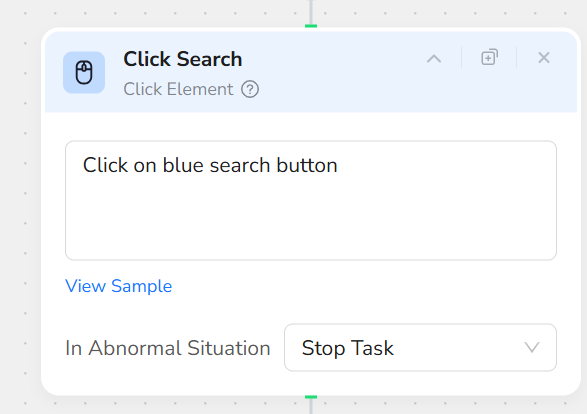
Add a "Click Element" node and input the prompt: “Click on blue search button”. This initiates the job search with the provided job title and location.
Step 6: Add Wait Node
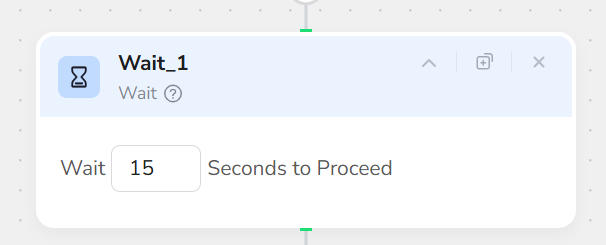
Add a "Wait" node and set it to wait 15 seconds to proceed. This allows time for the search results to load fully.
Step 7: Add Loop Node
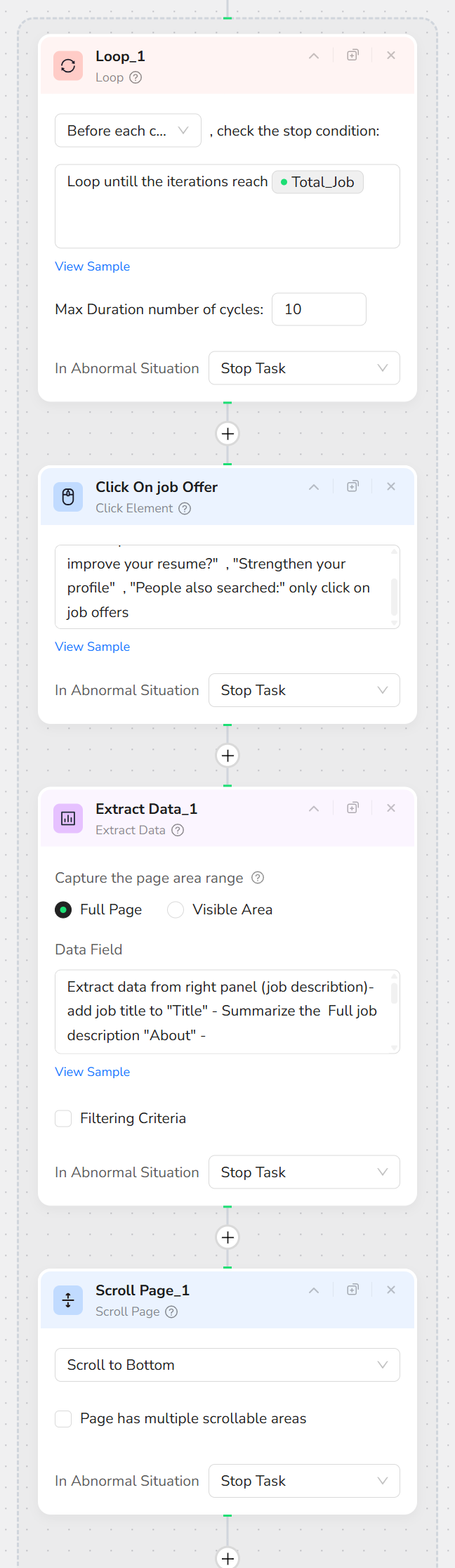
Add a "Loop" node and input the prompt: “Loop untill the iterations reach /Total_Job”. This sets up a loop to process the specified number of job listings.
Step 8: Add Click Element Node (Inside Loop)
Inside the Loop node, add a "Click Element" node and input the prompt: “Click on the Pictures of first item of job list on the left panel - do not click on "Want to improve your resume?" , "Strengthen your profile" , "People also searched:" only click on job offers”. This selects the next job listing to view its details.
Step 9: Add Extract Data Node (Inside Loop)
Inside the Loop node, add an "Extract Data" node and input the prompt: “Extract data from right panel (job describtion)- add job title to "Title" - Summarize the Full job description "About" -
Summarize KEY REQUIREMENTS and MAJOR DUTIES and add it to "Needs" - Summarize EDUCATION and add it to "degree" - add Company name to "Company" - add pay amount to "sallary" - copy the Url link and add it to "Link" ”.
Step 10: Add Scroll Page Node (Inside Loop)
Inside the Loop node, add a "Scroll Page" node and select "Scroll to Bottom". This ensures the full job details are loaded in the right panel.
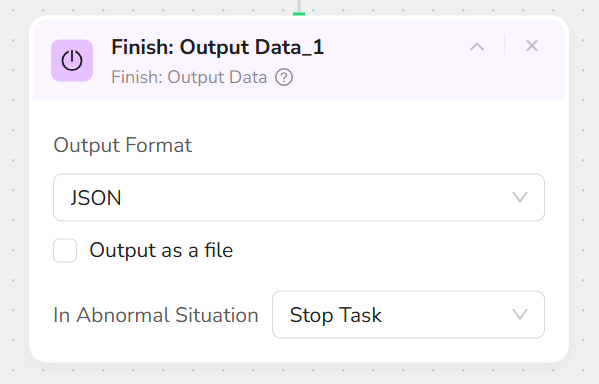
Step 11: Add Finish: Output Data Node
Add a "Finish: Output Data" node. Select "JSON" as the output format and check "Output as a file" for easy downloading. You can also choose to export in CSV, XML, or Markdown (MD) formats.