

Google Trends Interest Scraper is a BrowserAct Bot template for collecting a structured trend report from public Google Trends Explore pages. Configure a keyword, country, time range, and count, then run the Bot to return interest-over-time points and related queries when Google exposes them.
What Does BrowserAct Google Trends Interest Scraper Do?
This template opens public Google Trends, warms up the session, loads the Explore page, reads trend widget data, and returns one composite structured result for the requested keyword.
Key Features
- Extract public Google Trends Explore data without requiring a Google login.
- Capture keyword, country, time range, source URL, interest over time, and related queries.
- Preserve ranked related queries with title, value, and trend status when available.
- Use paced widget-data collection to reduce burst throttling.
- Return an empty related-queries array only when Google does not expose that section.
What Data Can I Extract from Google Trends?
| Field | Description |
|---|---|
keyword |
Search term used in Google Trends. |
country |
Google Trends geography code. |
time_range |
Date token or range used for Explore. |
source_url |
Google Trends Explore URL used for the result. |
interest_over_time |
Time-series data points with date and 0-100 interest value. |
related_queries |
Ranked related query rows when Google exposes them. |
How to Use Google Trends Interest Scraper
- Click Run task.
- Enter a keyword.
- Choose a country and time range.
- Set the maximum count for each Top and Rising related-query list.
- Run the Bot and review the structured trend report.
Input Parameters
| Parameter | Required | Default | Description |
|---|---|---|---|
keyword |
Yes | browser automation |
Search term to explore on Google Trends. |
country |
Yes | US |
Dropdown with WORLDWIDE plus the country and region geo codes supported by Google Trends. WORLDWIDE maps to an empty geo parameter. |
time_range |
Yes | today 12-m |
Dropdown with nine Google Trends presets, from Past hour through 2004-present. |
count |
Yes | 10 |
Maximum rows returned from each Top and Rising related-query list. It does not limit the interest-over-time series. |
Example Output
The table below uses records preserved from the validated Bot run. Up to the first 5 records are shown, and long values are shortened in this documentation preview.
| date | value |
|---|---|
| Aug 17, 2025 | 23 |
How Does it Work?
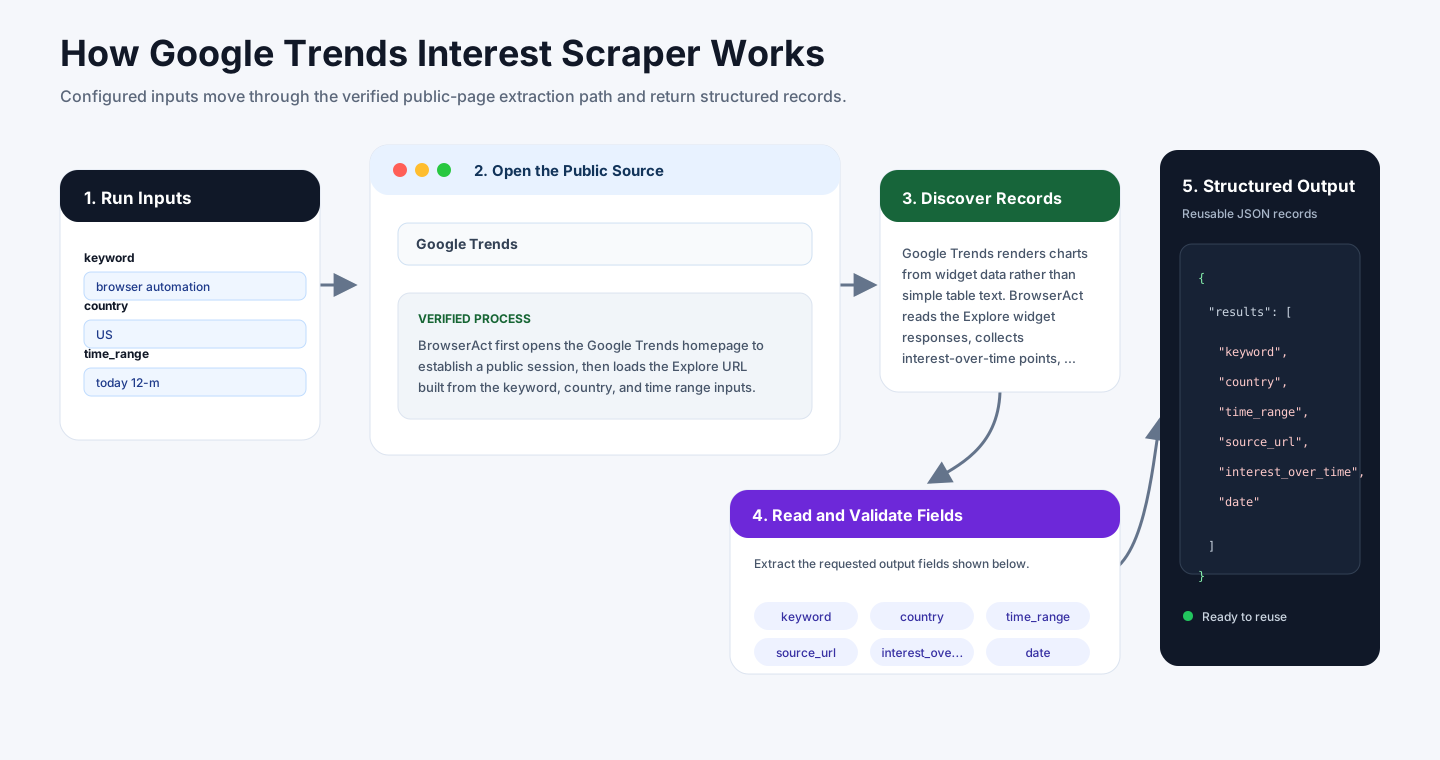
BrowserAct first opens the Google Trends homepage to establish a public session, then loads the Explore URL built from the keyword, country, and time range inputs. This warm-up path avoids the cold deep-link behavior that can trigger a 429 page.
Google Trends renders charts from widget data rather than simple table text. BrowserAct reads the Explore widget responses, collects the complete interest-over-time series, and fetches Top and Rising related-query lists with pacing and retry logic. Related queries can be empty when Google does not expose that section for the keyword or temporarily throttles the widget.
How to Build a New Scraper Bot with Agent Built
Step 1: Describe the Data You Need
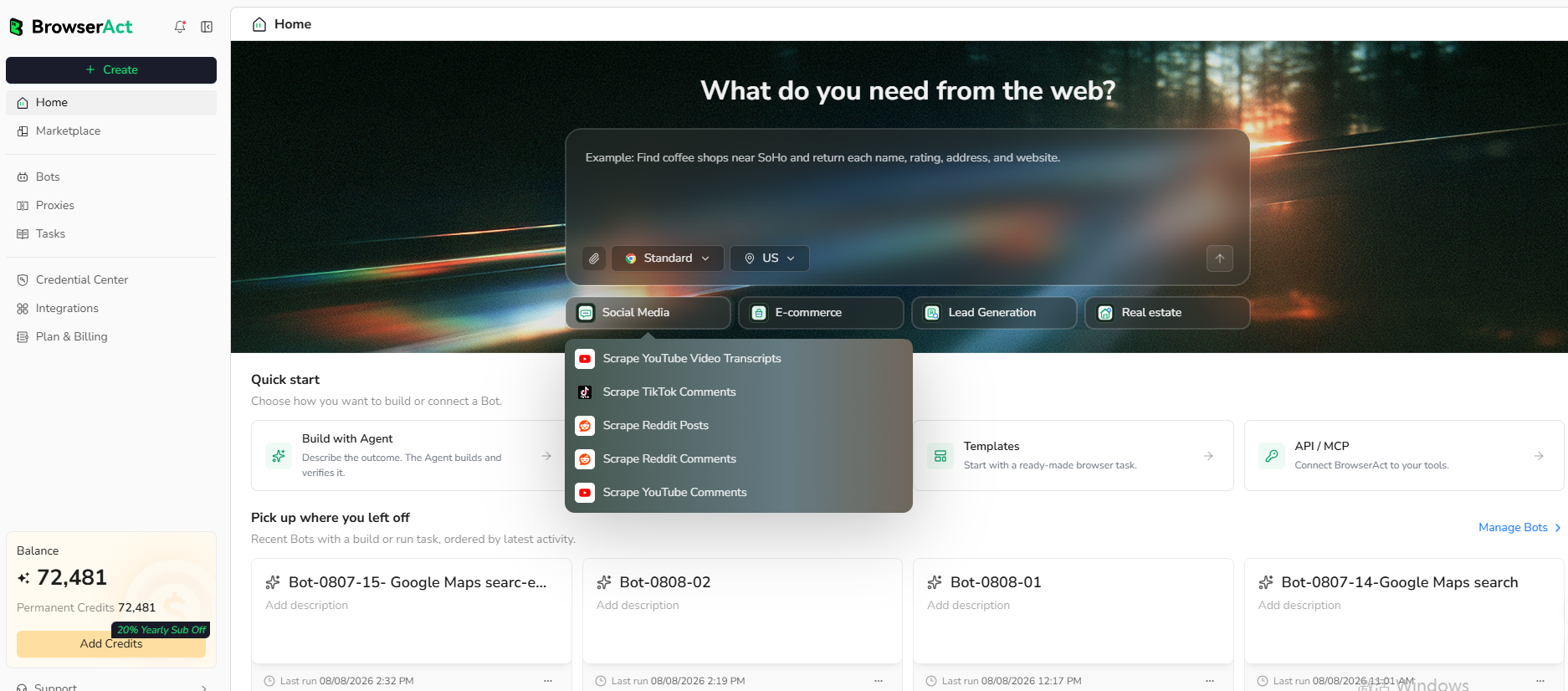
Open BrowserAct and start Agent Built from the Home prompt box or from Create -> Build with Agent. Paste a clear request that includes the website, the records to collect, the filters or search conditions, the fields to return, the result limit, and the inputs you want to reuse later.
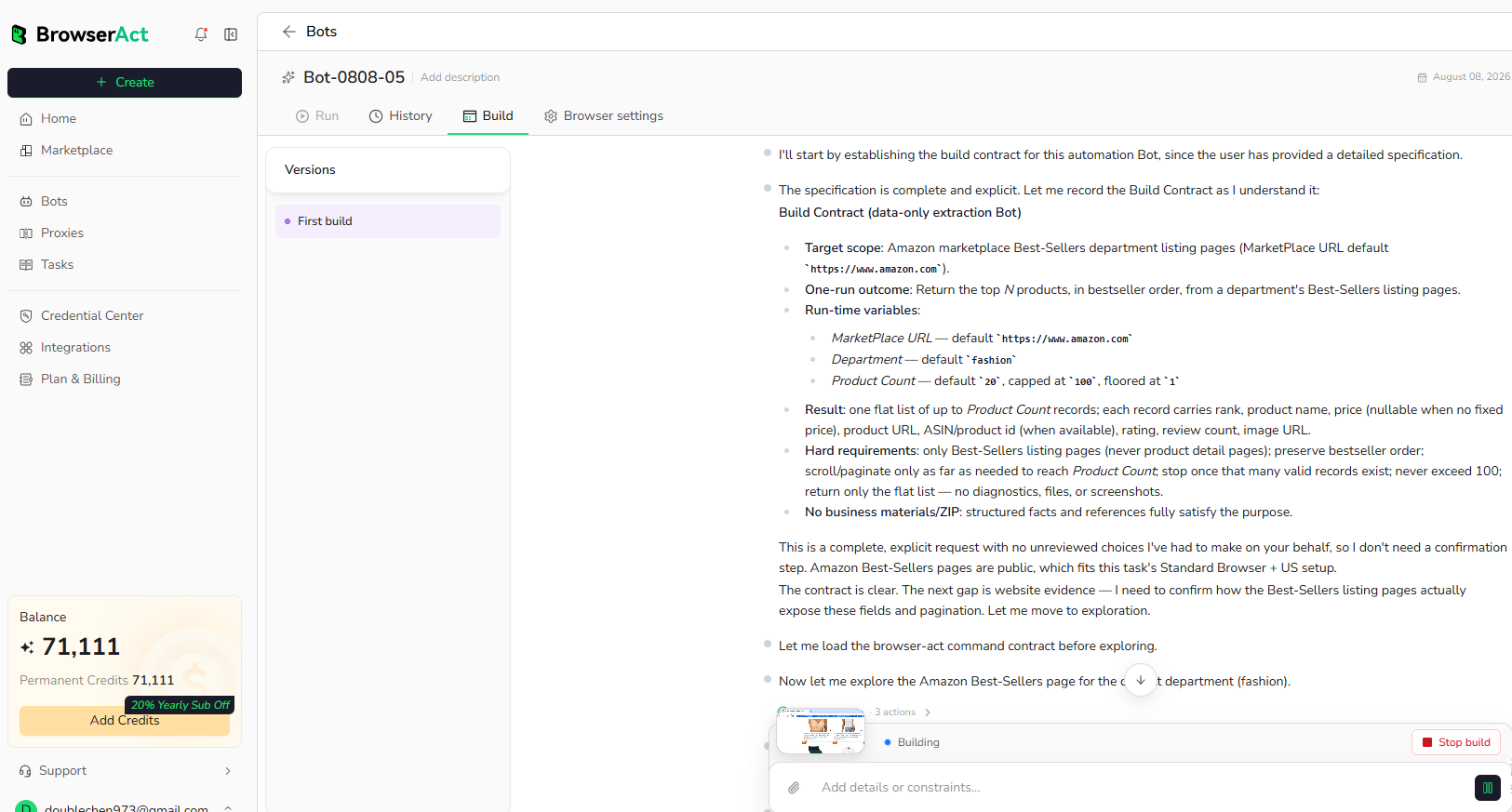
Step 2: Let BrowserAct Build and Test the Bot
BrowserAct explores the live website, works out the navigation and extraction path, and validates the result. If BrowserAct asks for clarification, reply in the same build conversation with the missing URL, condition, field, example, or expected output.
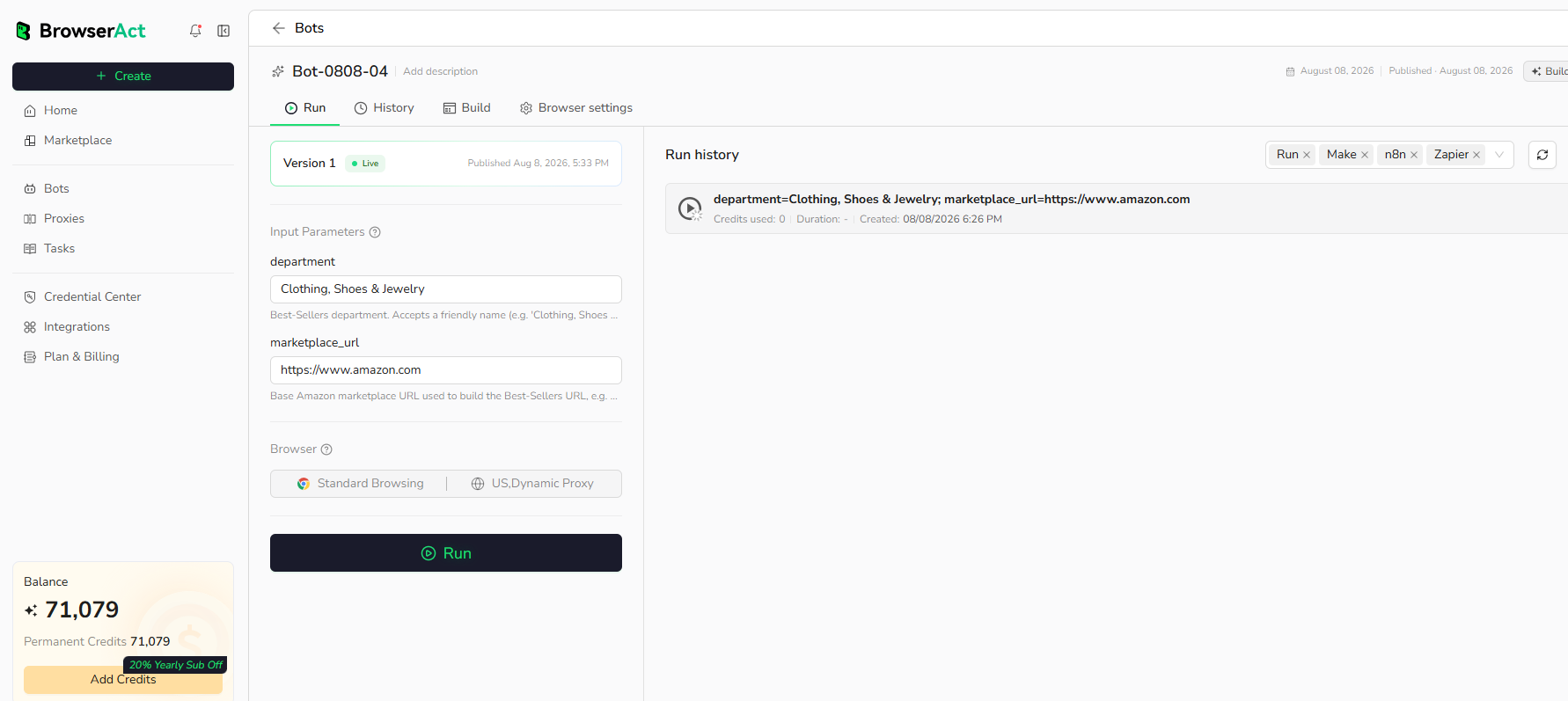
Step 3: Run the Bot and Review the Result
When the build is complete, run the Bot with the default inputs first. Review the structured records, source URLs, missing fields, and row count before reusing the Bot with new inputs or connecting it to another workflow.
Why Scrape Google Trends?
Google Trends data helps teams track topic demand, compare seasonality, validate content ideas, monitor search interest, and feed trend signals into research or reporting workflows.
Who Can Use This Template?
- SEO teams tracking keyword interest.
- Content marketers validating topic demand.
- Product marketers monitoring market momentum.
- Analysts building trend dashboards.
- Automation builders sending trend reports into sheets, databases, dashboards, or agents.
How Many Results Can You Scrape?
This template returns one composite trend report per run. Use count to limit rows inside related queries. The interest-over-time series length depends on the selected Google Trends time range.
Automation and Export
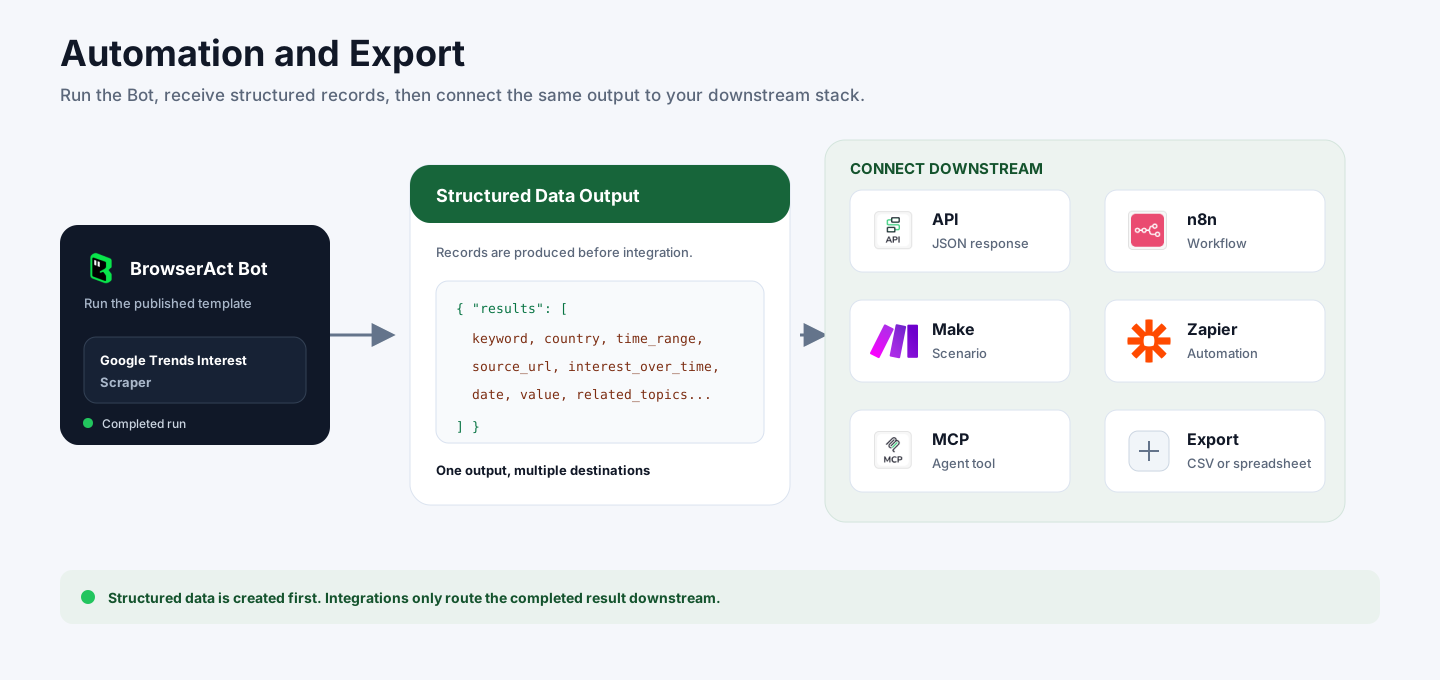
BrowserAct returns structured trend data first. You can then use the output through API JSON responses, n8n workflows, Make scenarios, Zapier automations, MCP-based agent workflows configured from the Bot's Integrations tab, or manual CSV review.
Need Help?
Contact us at
Discord: Discord Community
E-mail: service@browseract.com
