

Extract the questions shown in Google's related-questions module from one public search page. The Bot can expand each original question card once to capture visible answer and source details, while excluding dynamically appended questions and every other search module.
What Does BrowserAct Google Related Questions Scraper API Do?
The Bot builds one Google Search URL internally from the query and selected website options, opens the public result page, identifies only the visible related-questions module, extracts its visible fields, and stops when the original question cards have been processed.
Atomic Capability
One run opens one public Google Search results page and returns only People also ask.
The Bot does not combine adjacent search features, open destination websites, or turn the request into a broad crawl. This narrow boundary makes the result predictable for direct API use and composition with other Bots.
Key Features
- Extracts one narrowly defined public Google Search capability.
- Accepts an open-ended query with a working default.
- Uses dropdowns for country and interface language, and Safe Search.
- Builds the fixed Google Search URL and website codes internally.
- Returns the same top-level response envelope for positive and valid negative results.
- Preserves additional visible target-module fields in
unclassified_fields.
Capability Availability
| State | Output behavior |
|---|---|
| Target module is present | available is true; data contains the extracted result. |
| Valid result page without the target module | available is false; data=[]. |
| Additional fields appear inside the target module | Values are preserved in unclassified_fields. |
Quick Start
- Open Run task.
- Enter a query, such as
Cat. - Choose the available country and language options.
- Run the Bot and review its structured response.
- Use the API Tab when you want to call the published template from an application or automation.
Input Parameters
| Parameter | Configuration |
|---|---|
query |
String · Required Default: CatOpen-ended Google search text; 1-300 characters after trimming. |
search_country |
Dropdown · Required Default: United StatesSelect a supported country; the Bot maps the label internally. |
interface_language |
Dropdown · Required Default: EnglishSelect a supported interface language; the Bot maps the label internally. |
safe_search |
Dropdown · Required Default: ActiveSelect Active or Off; the Bot maps the value internally. |
See the Inputs Tab for supported labels, mappings, constraints, and the default request JSON.
Output Structure
| Field | Type and behavior |
|---|---|
capability |
Fixed string google_related_questions. |
available |
Boolean indicating whether the target module appeared. |
request_metadata |
Normalized public inputs and the internally constructed source URL. |
data |
Ordered array of extracted records. |
unclassified_fields |
Additional visible fields from the same module. |
See the Output Tab for the complete schema and an example structured response.
Example Output
The table below shows one example structured result. For repeating records, only the first item is shown.
| Field | Result |
|---|---|
capability |
google_related_questions |
available |
true |
request_metadata.query |
Cat |
request_metadata.search_country |
United States |
request_metadata.interface_language |
English |
request_metadata.safe_search |
Active |
request_metadata.source_page_url |
https://www.google.com/search?q=Cat&gl=us&hl=en&safe=active |
data.total_results |
4 |
data[0].position |
1 |
data[0].question |
What happens right before a cat passes away? |
data[0].answer_snippet |
null |
data[0].highlighted_words |
[] |
data[0].source_title |
null |
data[0].source_url |
null |
data[0].displayed_url |
null |
data[0].more_results_url |
null |
data[0].answer_type |
null |
data[0].unclassified_fields |
{} |
unclassified_fields |
{} |
How Does It Work?
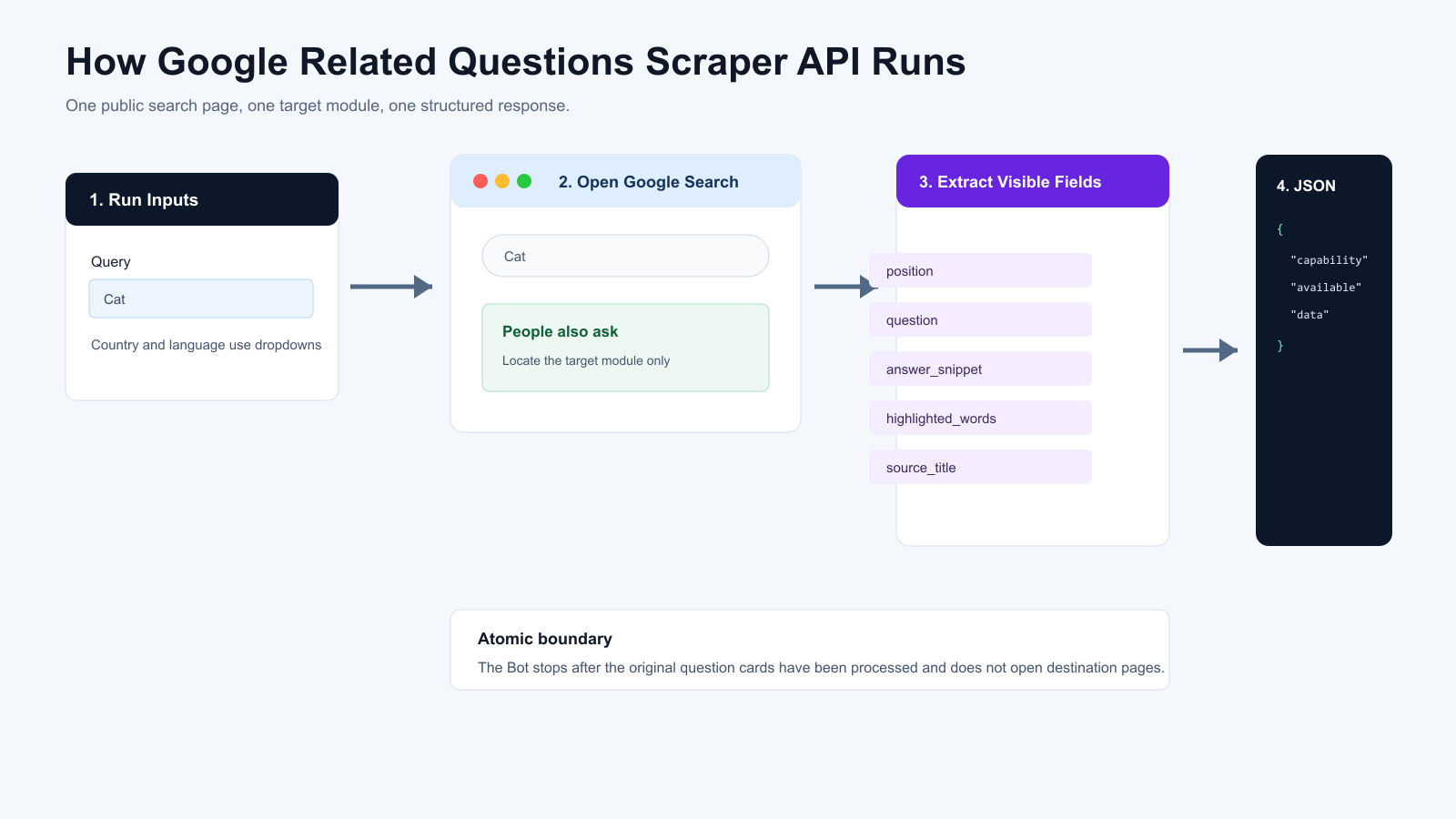
- BrowserAct validates the query and maps each selected website option.
- The Bot constructs and opens one public Google Search results URL.
- It identifies only the visible related-questions module and reads its visible fields.
- It normalizes the result into the fixed
google_related_questionsresponse envelope. - It returns one structured response and stops without opening destination websites.
Use Cases
- Add the target search capability to an application without designing a browser workflow from scratch.
- Feed structured search data into monitoring, research, enrichment, or reporting systems.
- Compose this Bot with other BrowserAct templates through API, n8n, Make, Zapier, or MCP.
Create Your Own Google Related Questions Scraper Bot
Step 1: Create an Editable Copy
Click Create Editable Duplicate in the upper-right corner of this page. An editable copy of the template will be added to your BrowserAct workspace.
Step 2: Customize the Bot When Needed
Open the duplicated Bot from your Bots list. Use Improve if you need to change its inputs, extraction behavior, or output fields.
If the existing configuration already meets your needs, no additional build is required. You can use the Bot as it is and find its Bot ID in the Bots list.
Step 3: Run the Bot Through the API
Use the Bot ID with the BrowserAct API to run your Bot programmatically and retrieve complete structured results directly in your application.
Automation and Export
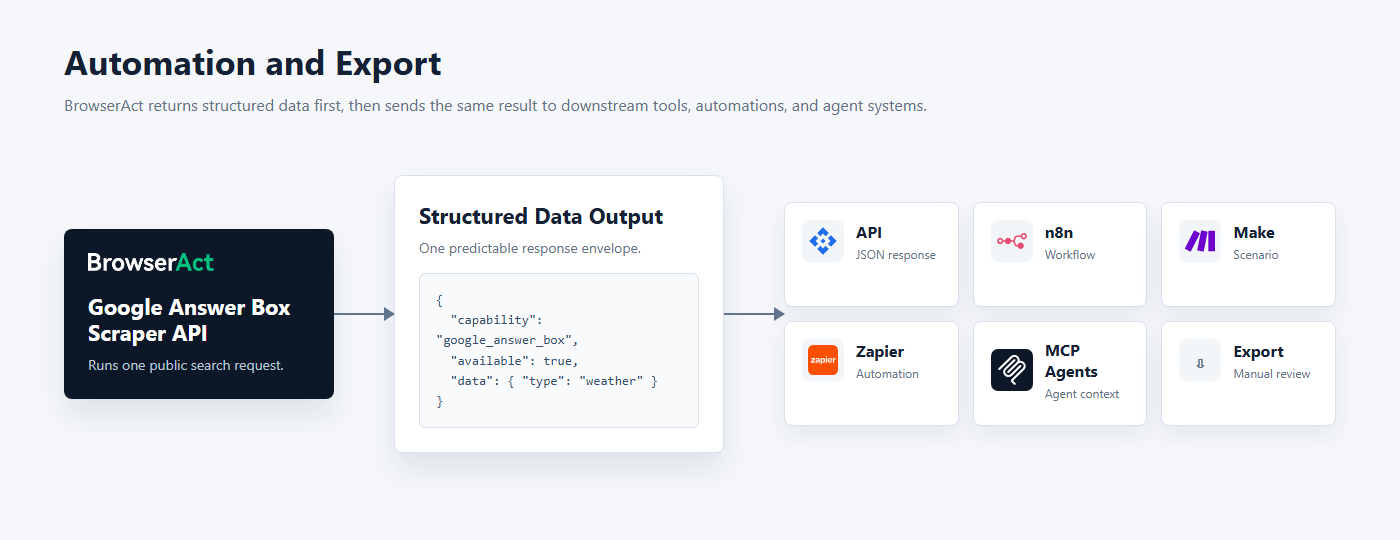
BrowserAct produces structured data first. Use the completed result through Run Task, the JSON API, n8n, Make, Zapier, MCP-based agents, or an available export flow.
Need Help?
Cannot find the exact atomic capability you need, or need help composing several Bots?
Discord: BrowserAct Community
Email: service@browseract.com
