

Google News Scraper is a BrowserAct Bot template for collecting structured article results from public Google News search pages. Configure the keyword, country, language, date range, and count, then run the Bot to return ranked article records for monitoring, research, competitive intelligence, or downstream automation.
What Does BrowserAct Google News Scraper Do?
This template opens a public Google News search page, applies the configured locale and recency settings, reads article cards, decodes publisher article URLs, and returns clean structured rows. It is designed for non-login use cases and only collects information visible on public Google News pages.
Key Features
- Search Google News by keyword.
- Configure country, language, date range, and result count.
- Extract headline, publisher article URL, publisher name, published time, image URL, rank, and Google News URL.
- Apply recency windows such as past hour, past day, past 7 days, past 30 days, and past year.
What Data Can I Extract from Google News?
| Field | Description |
|---|---|
headline |
Article headline shown in Google News results. |
article_url |
Real publisher article URL decoded from the result card. |
publisher |
Publisher or source name. |
published_time |
Visible relative or published time. |
image_url |
Thumbnail image URL when visible. |
rank |
Article rank in the returned result order. |
google_news_url |
Google News read URL for the article. |
How to Use Google News Scraper
- Click Run task.
- Enter the keyword, then choose the country, language, and date range from the available options.
- Run the Bot and review the structured article records.
- Export the result or connect it to an API, workflow builder, or agent workflow.
Input Parameters
| Parameter | Required | Default | Description |
|---|---|---|---|
Keyword |
Yes | OpenAI |
Search phrase used in Google News. |
Country |
Yes | US |
Dropdown with the country codes supported by Google News editions. |
Language |
Yes | en-US |
Dropdown with Google News locale values; the Bot validates supported country-language edition pairs. |
Date Range |
Yes | past_7_days |
Dropdown for any time, past hour, past day, past 7 days, past 30 days, or past year. |
Count |
Yes | 10 |
Maximum number of article records to return. |
Example Output
One actual record from a completed validation run is shown below.
| Field | Result |
|---|---|
headline |
An Alien Mind |
article_url |
https://openai.com/index/an-alien-mind/ |
publisher |
openai.com |
published_time |
5 days ago |
image_url |
https://news.google.com/api/attachments/CC8iK0NnNWZaMGhDVjNsZlpsQm1iM05tVFJDZkF4ampCU2dLTWdZbHBKYU1PUWM=-w200-h112-p-df-rw |
rank |
1 |
google_news_url |
https://news.google.com/read/CBMiUEFVX3lxTE5Dc0tRS2JjQVdhblRTVldQamEyclNHY1hqbDdSVXV2QlZURjZWSE9PYXBIVGZkTERYUFNQUy1LWXh3cnFXN29YYkdIa0NNbF9T?hl=en-US&gl=US&ceid=US%3Aen |
How Does it Work?
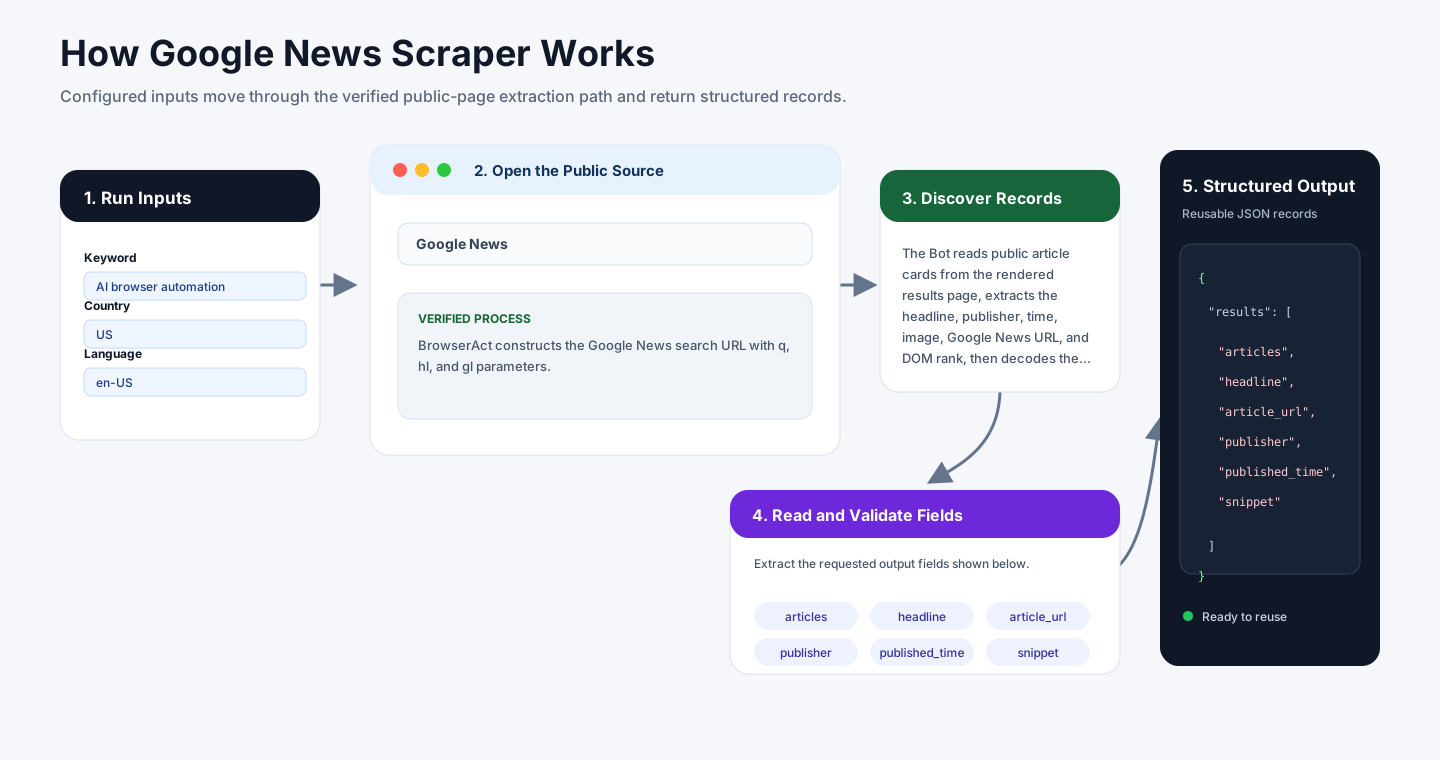
BrowserAct constructs the Google News search URL with q, hl, and gl parameters. For recency filters, the Bot appends a Google News-supported when: operator to the search query, such as when:7d for the past 7 days.
The Bot reads public article cards from the rendered results page, extracts the headline, publisher, time, image, Google News URL, and DOM rank, then decodes the real publisher article URL from the result metadata. Google News usually renders a bounded result set rather than infinite scrolling, so the Bot returns the requested count or the available public results if fewer are present.
How to Build a New Scraper Bot with Agent Built
Step 1: Describe the Data You Need
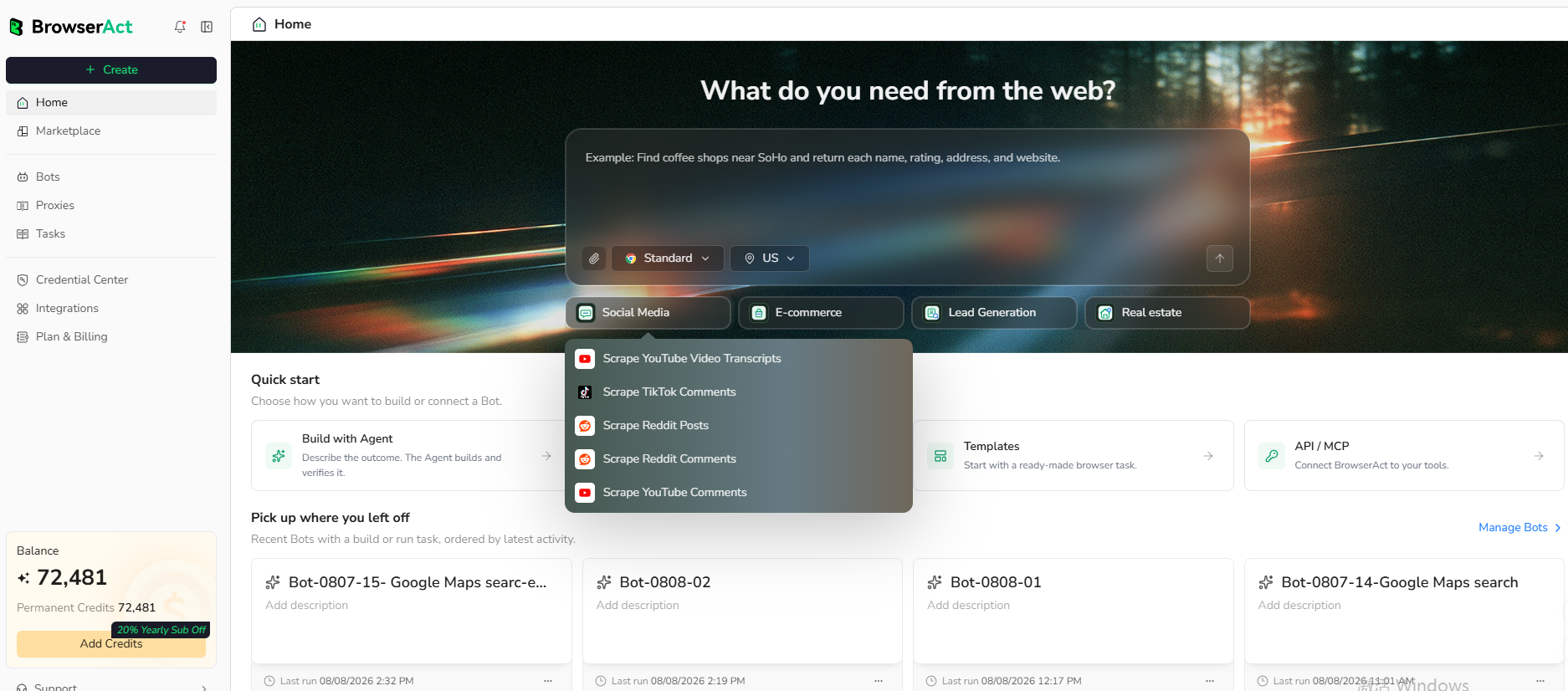
Open BrowserAct and start Agent Built from the Home prompt box or from Create -> Build with Agent. Paste a clear request that includes the website, the records to collect, the filters or search conditions, the fields to return, the result limit, and the inputs you want to reuse later.
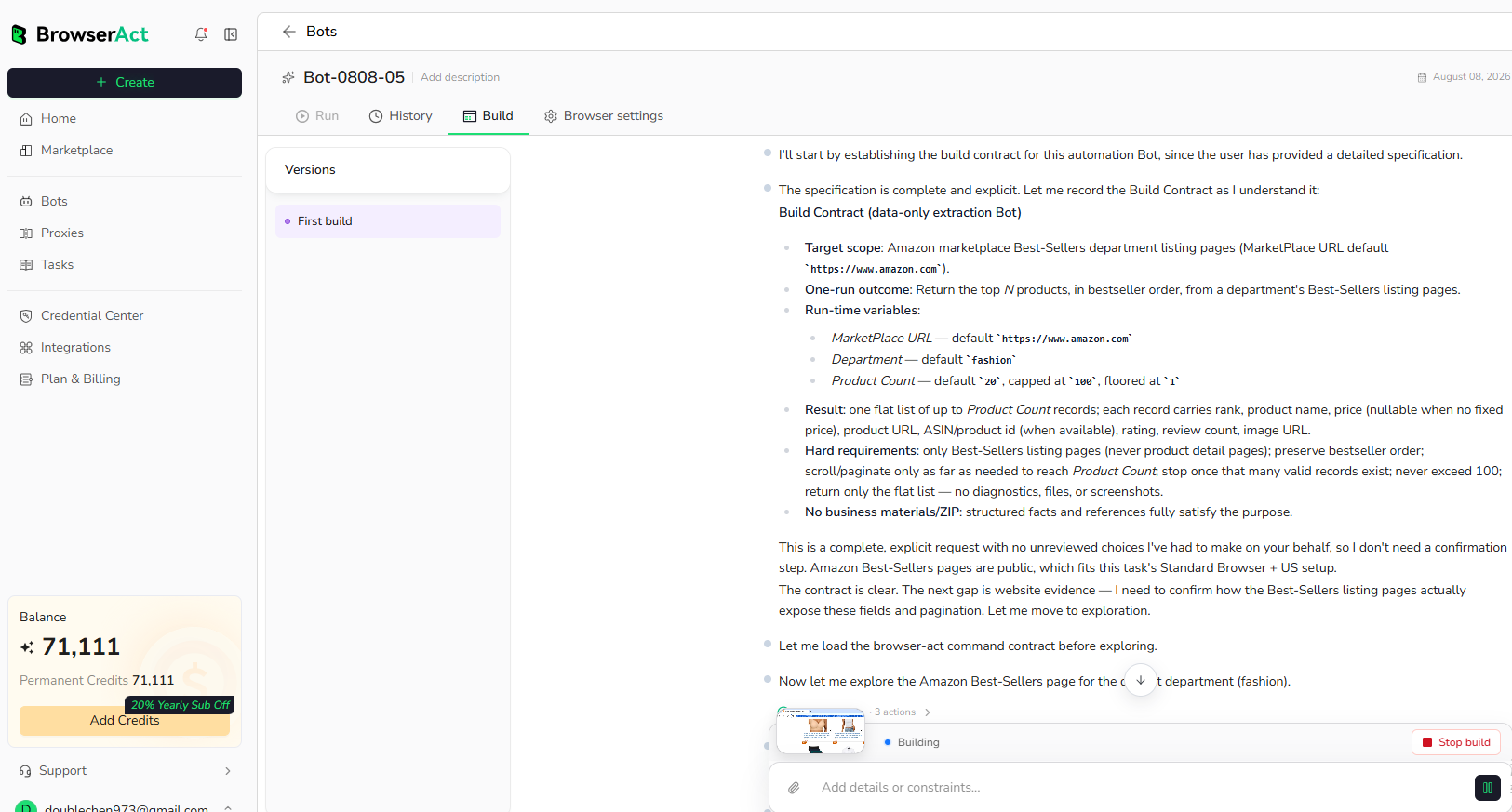
Step 2: Let BrowserAct Build and Test the Bot
BrowserAct explores the live website, works out the navigation and extraction path, and validates the result. If BrowserAct asks for clarification, reply in the same build conversation with the missing URL, condition, field, example, or expected output.
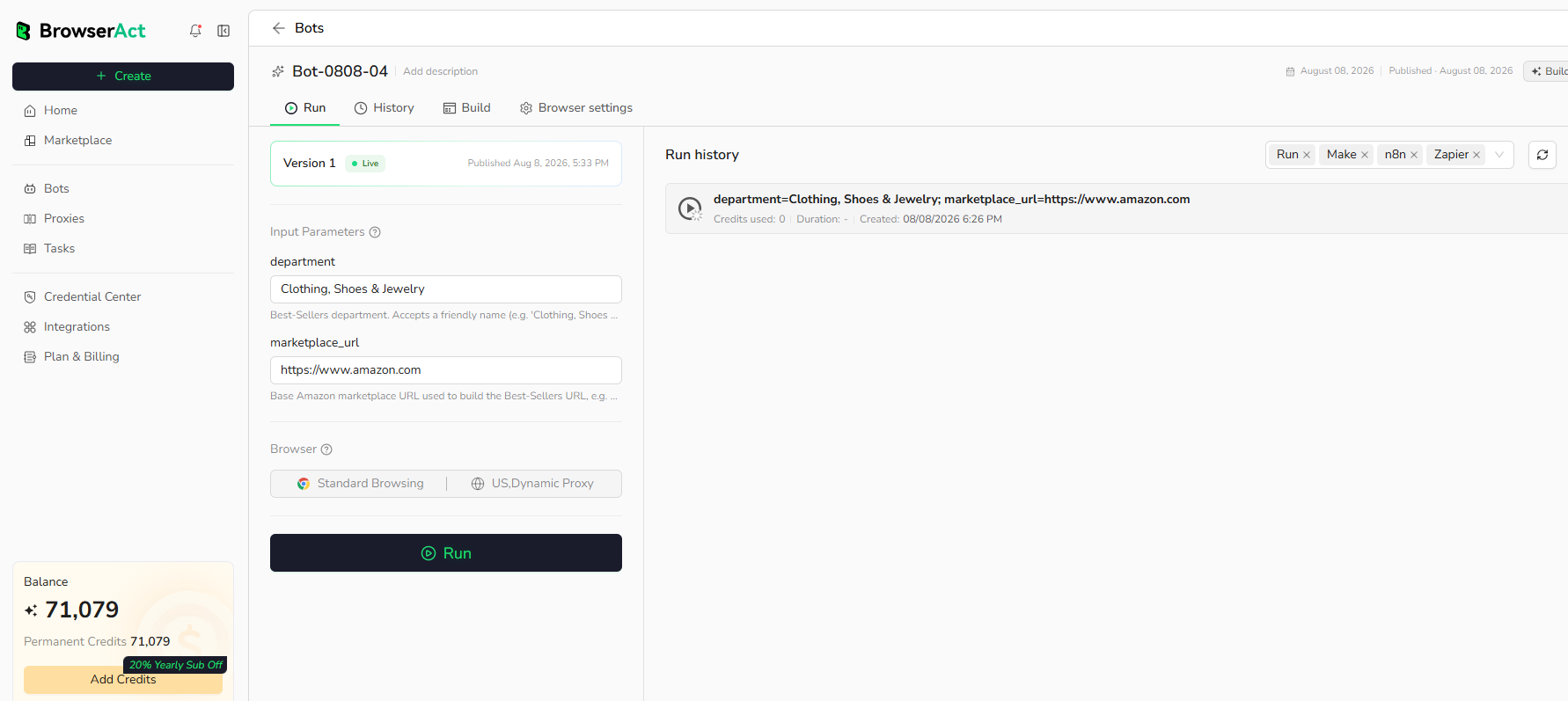
Step 3: Run the Bot and Review the Result
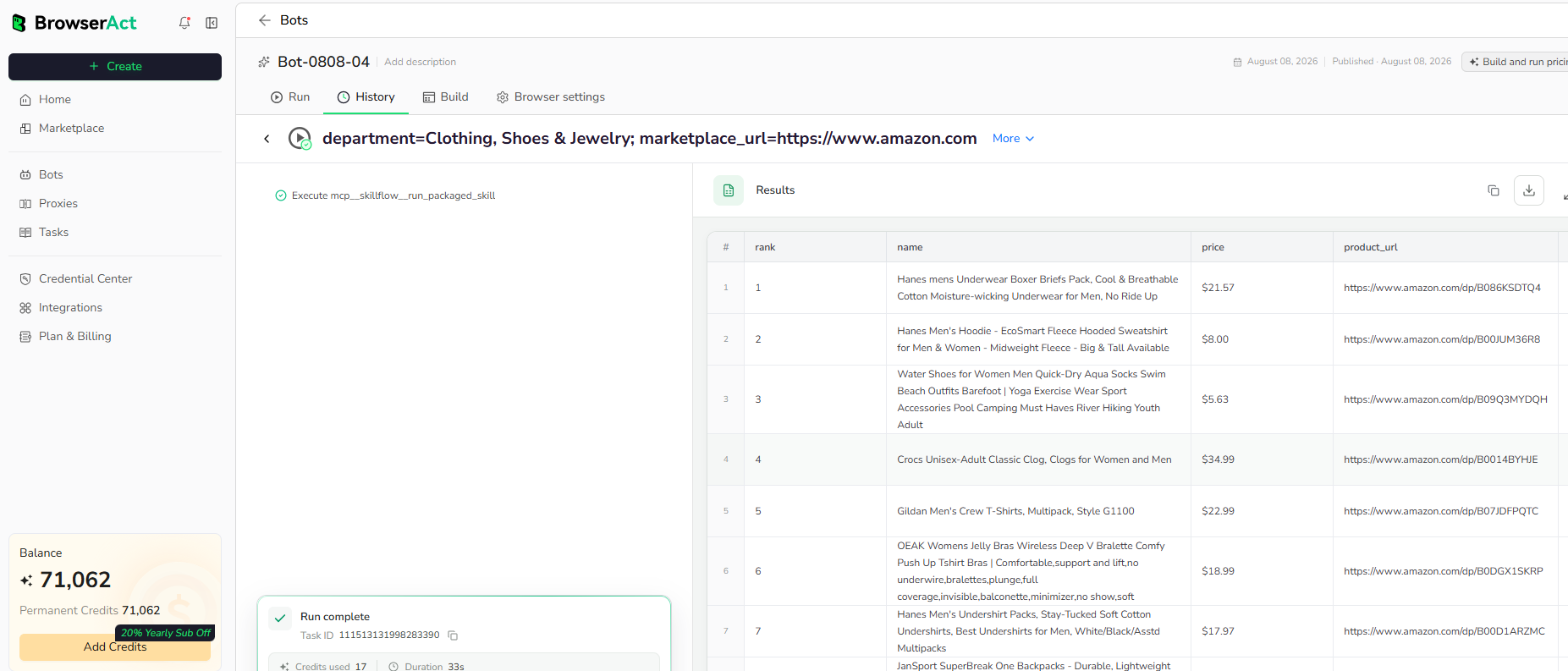
When the build is complete, run the Bot with the default inputs first. Review the structured records, source URLs, missing fields, and row count before reusing the Bot with new inputs or connecting it to another workflow.
Why Scrape Google News Results?
Google News search data helps teams monitor media coverage, track competitors, follow product categories, identify news sources, and build research feeds around fast-moving topics. A reusable BrowserAct Bot makes this workflow repeatable without writing selectors or maintaining a custom browser script.
Who Can Use This Template?
- PR and communications teams monitoring coverage.
- Market researchers tracking topics and competitors.
- Analysts building news feeds for dashboards.
- Content teams collecting article references.
- Automation builders sending article data into spreadsheets, APIs, or agents.
How Many Results Can You Scrape?
Use Count to control the number of records returned. Google News typically renders a bounded set of public results for each query. If fewer public results are available than requested, the Bot returns the available records.
Automation and Export
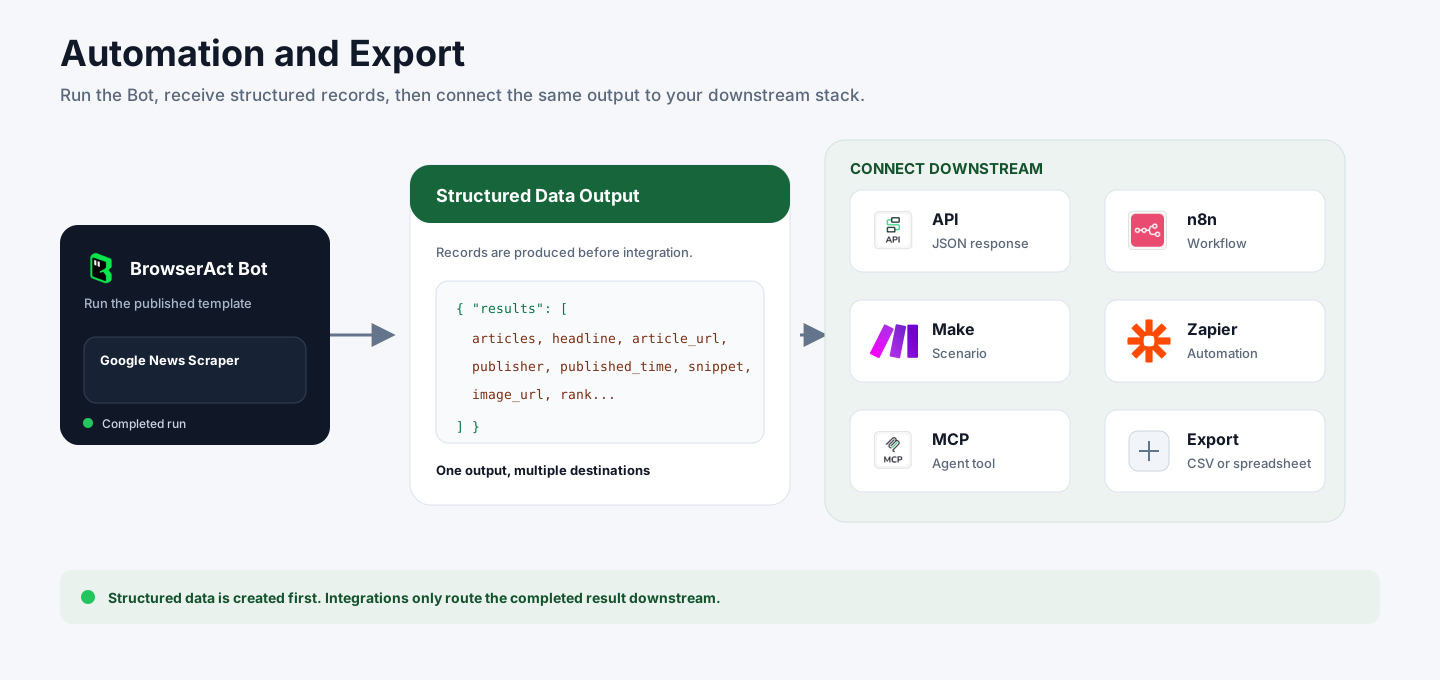
BrowserAct returns structured article data first. You can then use the output through API JSON responses, n8n workflows, Make scenarios, Zapier automations, MCP-based agent workflows, or manual CSV review depending on your downstream system.
Need Help?
Contact us at
Discord: Discord Community
E-mail: service@browseract.com
