

Google News Full Article Monitor is a reusable BrowserAct template that combines news discovery and article extraction. Configure a keyword, Google News edition, date range, and article count, then receive complete public article bodies with source metadata in a structured result. The Bot only reads public news pages and does not require login.
What Does BrowserAct Google News Full Article Monitor Do?
The Bot constructs a localized Google News search, reads ranked result cards, resolves Google News links to their publisher destinations, and opens each accessible public article. It extracts the main article body rather than returning only a search snippet and skips paywalled, login-only, removed, or inaccessible pages.
Key Features
- Combines Google News discovery and full article extraction in one run.
- Uses a dropdown of valid Google News country-language editions.
- Supports site-compatible date-range filters.
- Deduplicates by canonical publisher article URL.
- Skips inaccessible results and continues to later news cards.
- Returns complete public article text with publisher and source metadata.
What Data Can I Extract from Google News and Publisher Sites?
| Field | Description |
|---|---|
news_title |
Article title found through Google News. |
publisher |
Publisher or source name. |
author |
Publicly displayed article author, when available. |
publication_date |
Public article publication time or date. |
body_content |
Complete extracted main article text. |
summary |
Concise article summary returned by the Bot. |
article_url |
Resolved public publisher article URL. |
google_news_url |
Original Google News result URL. |
image_url |
Main public article image, when available. |
rank |
Result ranking used for the returned article. |
edition |
Selected Google News edition. |
keyword |
Keyword used for the run. |
scraped_at |
UTC timestamp for the record. |
How to Use Google News Full Article Monitor
- Click Run task.
- Enter a news keyword.
- Choose a valid Google News edition and date range.
- Set the number of complete public articles to return.
- Click
Run, review the structured records, and export or connect the output.
Input Parameters
| Parameter | Required | Default | Description |
|---|---|---|---|
keyword |
Yes | AI browser automation |
News topic or phrase to search. |
edition |
Yes | United States - English (en-US / US) |
Dropdown of valid Google News country-language editions. |
date_range |
Yes | past_7_days |
Dropdown: any time, past hour, 24 hours, 7 days, 30 days, or year. |
article_count |
Yes | 5 |
Number of complete public articles to return, from 1 to 20. |
Example Output
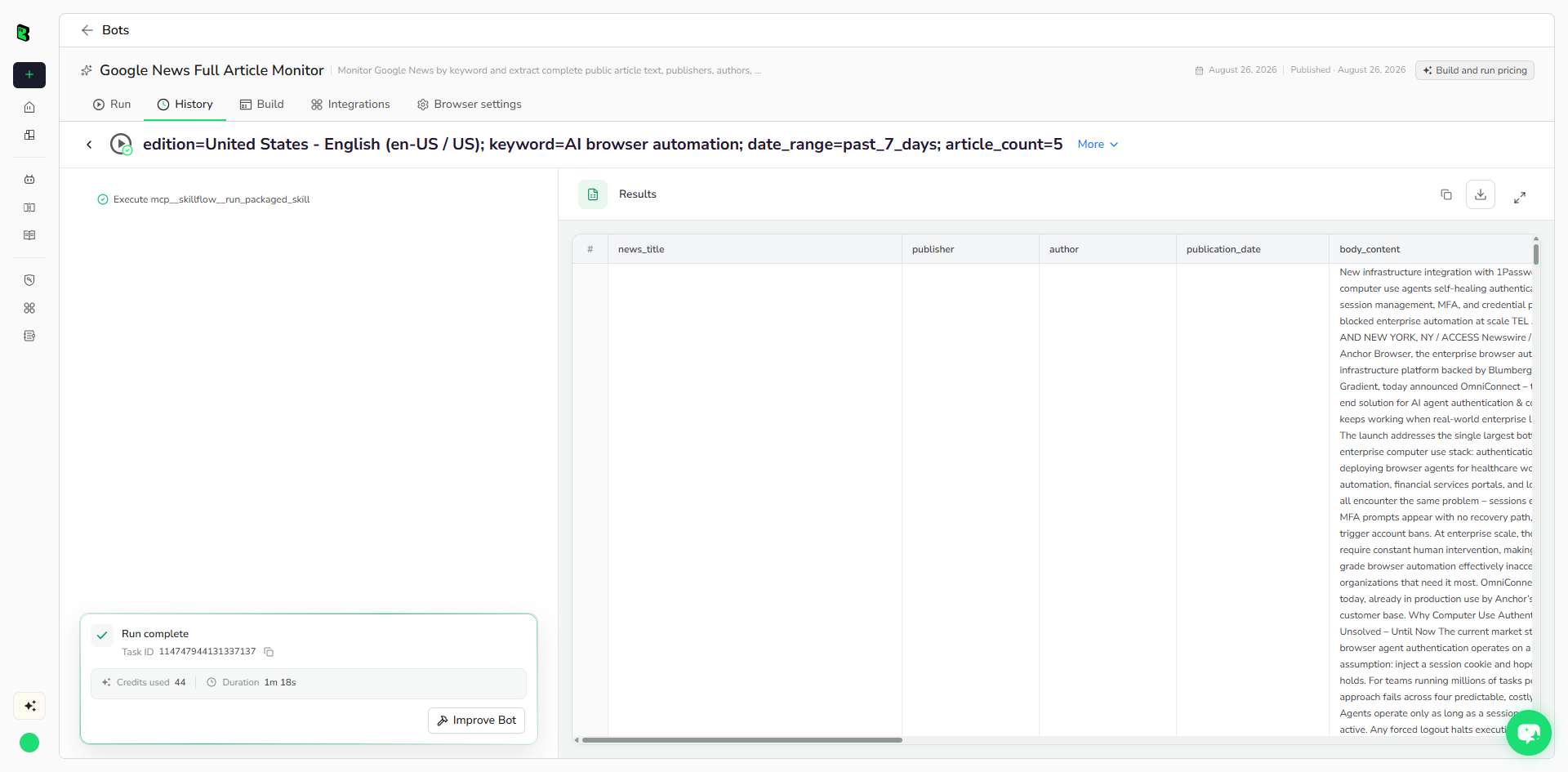
The table below shows up to the first 5 records from the validated run. Long values are shortened in this preview for readability; the completed task keeps the full structured output.
| news_title | publisher | author | publication_date | body_content | summary | article_url | google_news_url | image_url | rank | edition | keyword | scraped_at |
|---|---|---|---|---|---|---|---|---|---|---|---|---|
| Anchor Browser Launches OmniConnect, Eliminating the #1 Cause of Enterprise Computer Use Failure | The Ames Tribune | Anchor Forge | 2026-04-07T16:05:30+00:00 | New infrastructure integration with 1Password gives computer use agents self-healing authentication – solving the session management, MFA, and credential problem that has blocked ... | New infrastructure integration with 1Password gives computer use agents self-healing authentication - solving the | https://www.amestrib.com/press-release/story/111446/anchor-browser-launches-omniconnect-eliminating-the-1-cause-of-enterprise-computer-use-failure/ | https://news.google.com/read/CBMi4AFBVV95cUxQS1cwWWU0QmdiUFQ4OS0zSkhsdWw0V0M1dnFxdVlSZURCaDlTMDluY1R6aEc5SHZfUDgwWHhBaks5V0NTbXRjNWJBVGNHWXdPQzQ4eVBmMkUyQ2E5eFJMZy1wR3hqSGw3RE5xTV... | https://app.accessnewswire.com/imagelibrary/f986fb9a-bcfa-4e37-92e3-2f3f8323cb3c/1152657/image.png | 2 | United States - English (en-US / US) | AI browser automation | 2026-08-26T06:55:11Z |
| Why Businesses Need Judgment, Not AI Expertise, to Succeed With Automation | BizTech Magazine | Aleks Bass | 2026-08-20T17:29:33Z | I recently clicked on an advertisement for a product I actually wanted. Within seconds, I regretted it. Before I could even browse the website, I had to navigate email sign-up pro... | Customer context and oversight matter more than mastering AI tools. | https://biztechmagazine.com/article/2026/08/why-businesses-need-judgment-not-ai-expertise-succeed-automation | https://news.google.com/read/CBMirAFBVV95cUxQRXRuc3RwMnR3R0JIVWl3OVM2SlZNV3dXNlNHVTQ3REV0MUdCcVF0T05McnlYM3gteTRCcE9BUFdZbHB1cTJzSHlza2NuMnVNby14T2hDTFFNXy01Q1RmT1JqTmIyN1dxNTNQTF... | https://biztechmagazine.com/sites/biztechmagazine.com/files/styles/cdw_hero/public/articles/202608/BTQ326_Voices_Bass_hero.jpg?itok=t61UQOmb | 4 | United States - English (en-US / US) | AI browser automation | 2026-08-26T06:55:11Z |
| 10+ Agentic AI Trends and Examples for 2026 | AIMultiple | Cem Dilmegani | 2026-08-21T07:00:00Z | We reviewed and compared Agentic AI trends from several major industry reports, benchmarks, and vendor disclosures. The sources point out that the future of agentic AI is about in... | We reviewed and compared Agentic AI trends from several major industry reports, benchmarks, and vendor disclosures. The sources point out that the future of agentic AI is about in... | https://aimultiple.com/agentic-ai-trends | https://news.google.com/read/CBMiUkFVX3lxTE9wVmhFMnZHZXo0RkI3S203dDdSck9KZzl3SFh4d0dSNkVzR2RtU1VHRWptbGxFMzJQc0ZvZTVPdi1FYVd2WHNKaHhlN1c4Wm5lTkE?hl=en-US&gl=US&ceid=US%3Aen | https://aimultiple.com/images/default-og-image.jpeg | 5 | United States - English (en-US / US) | AI browser automation | 2026-08-26T06:55:11Z |
| Firefox Just Proved AI Browser Features Don't Have to Suck (or Spy on You) | PCMag Australia | Ruben Circelli | 2026-08-19T17:11:44+00:00 | <p>Firefox has embraced <a href="https://www.pcmag.com/categories/ai" target="_self"><u>AI</u></a> more slowly <a href="https://www.pcmag.com/picks/the-best-ai-web-browsers" targe... | From AI-powered tab grouping to visual history previews, Mozilla's opt-in Smart Window upgrade shows Google and Microsoft how AI features should actually be built. | https://www.pcmag.com/news/firefox-just-proved-ai-browser-features-dont-have-to-suck-or-spy-on-you | https://news.google.com/read/CBMipAFBVV95cUxPNGNJajJlWFptUkw5WHQ4X2gyOHVWWTc3V3k1QTVCNTUyY2prd1lBR3NFNjlYanZyQWxTaVlud2JHaFN0STJ1NG8xbDc3bmJoVmZTRGVPVmdZQnVoZl9KZGE5RXVOc0s0eTBQQU... | https://i.pcmag.com/imagery/articles/02AMGU4fCJ8iEJsQoKh9arz-3.fit_lim.size_1200x630.v1787091780.jpg | 6 | United States - English (en-US / US) | AI browser automation | 2026-08-26T06:55:11Z |
| Scaling AI In Industrial Automation: 2026 Data On Workforce Buy-In | Automation World | Suzanne Rudnitzki | Aug 20th 2026 | I have never met a manufacturing leader who would take a new hire, introduce them to new equipment or processes, and then leave them on their own. And yet, that's roughly the shor... | Though 72% of manufacturers deploy AI, only 10% scale effectively. Discover how overcoming workforce resistance unlocks enterprise automation growth. | https://www.automationworld.com/factory/digital-transformation/article/55398393/parsec-scaling-ai-in-industrial-automation-2026-data-on-workforce-buy-in | https://news.google.com/read/CBMi5wFBVV95cUxQS2Y5NnF2RUdkeldQVUJhYlI4amRHQ1U5eFM1LXFxUFJEdk5Telk3VmZNMFdhVDRqcUN1V3d2Zno0UC1Ed0dfTFlFUktDbHFIZkFva2VOUzNyQzR5aVFRYTN5NTdCNWNHWXZneX... | https://img.automationworld.com/files/base/ebm/automationworld/image/2026/08/6a831a087df0667c42c406e9-parsec_dreamstime_l_347618175.png?auto=format,compress&fit=fill&fill=blur&w=1... | 7 | United States - English (en-US / US) | AI browser automation | 2026-08-26T06:55:11Z |
How Does it Work?
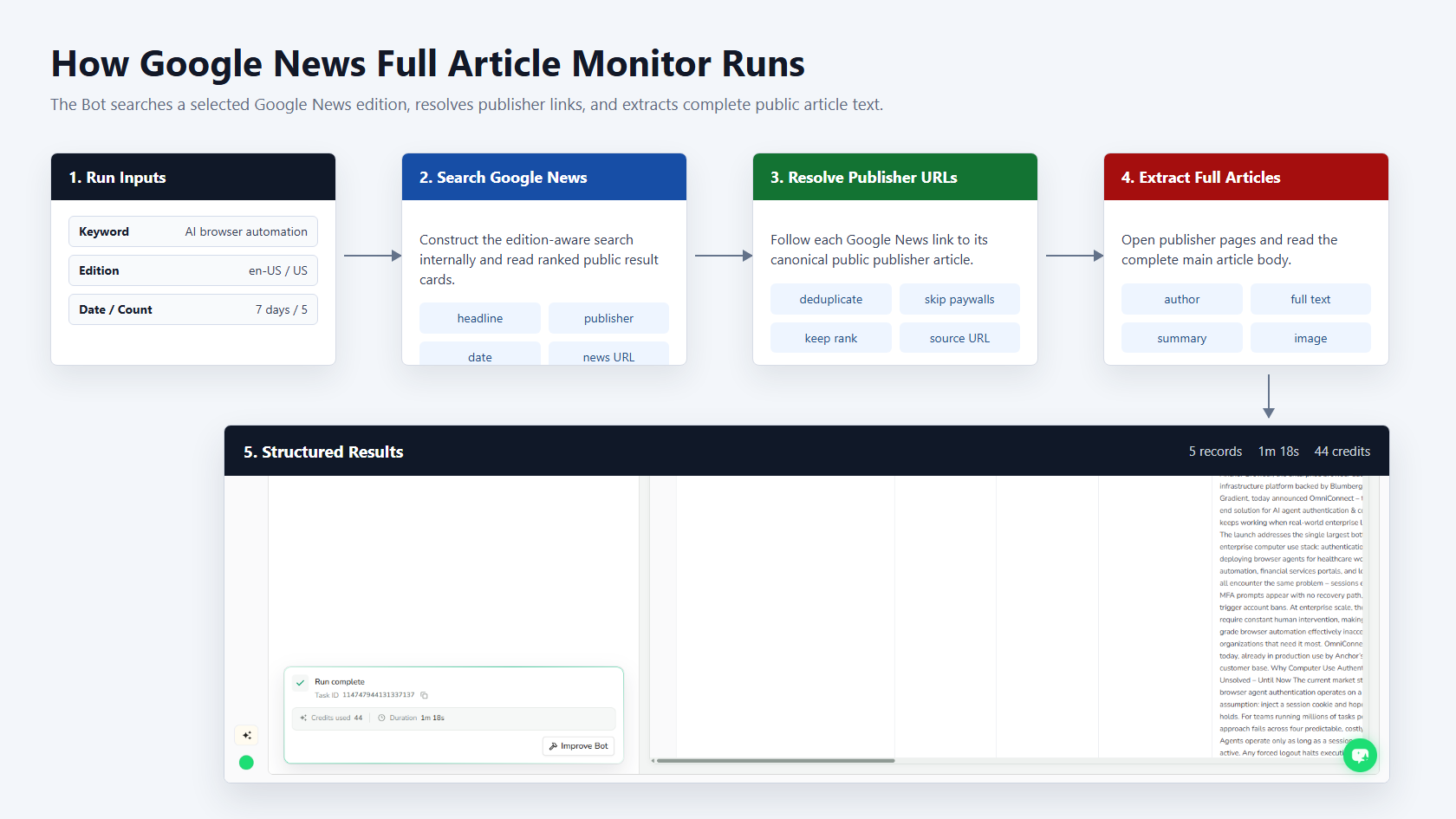
- Construct a localized Google News search from the keyword, edition, and date range.
- Read ranked news cards and resolve Google News redirect URLs.
- Open each public publisher page and identify its main article content.
- Skip inaccessible pages, remove duplicates, and continue until the requested count is reached.
- Return complete article bodies and source metadata as structured records.
How to Build a New Scraper Bot with Agent Built
Step 1: Describe the Data You Need
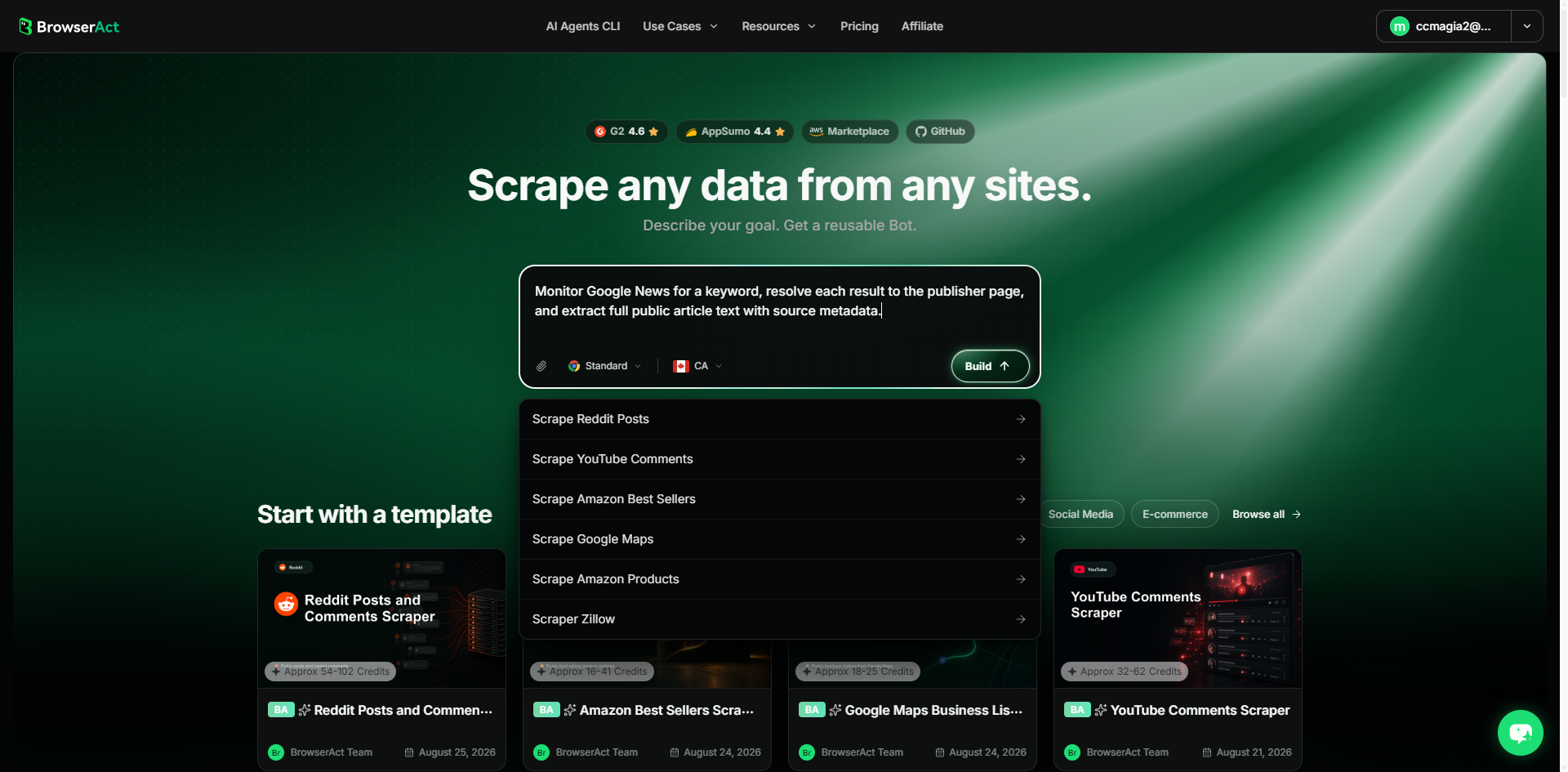
Open BrowserAct and start Agent Built from the Home prompt box or from Create -> Build with Agent. Describe the public website, records, reusable inputs, output fields, and result limit.
Step 2: Let BrowserAct Build and Test the Bot
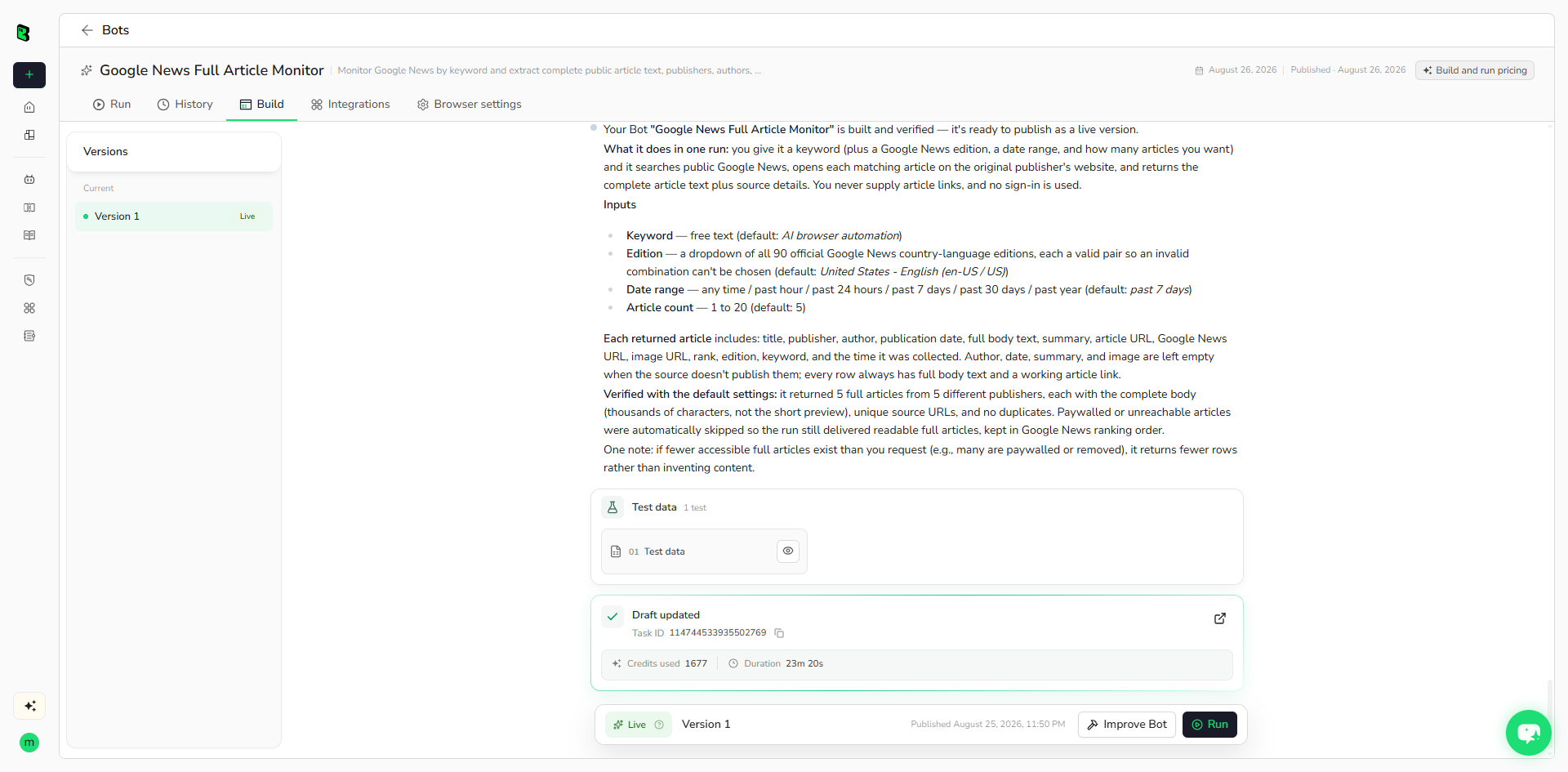
BrowserAct explores the live website, determines the navigation and extraction path, and validates the structured result. Add missing constraints in the same build conversation when needed.
Step 3: Run the Bot and Review the Result
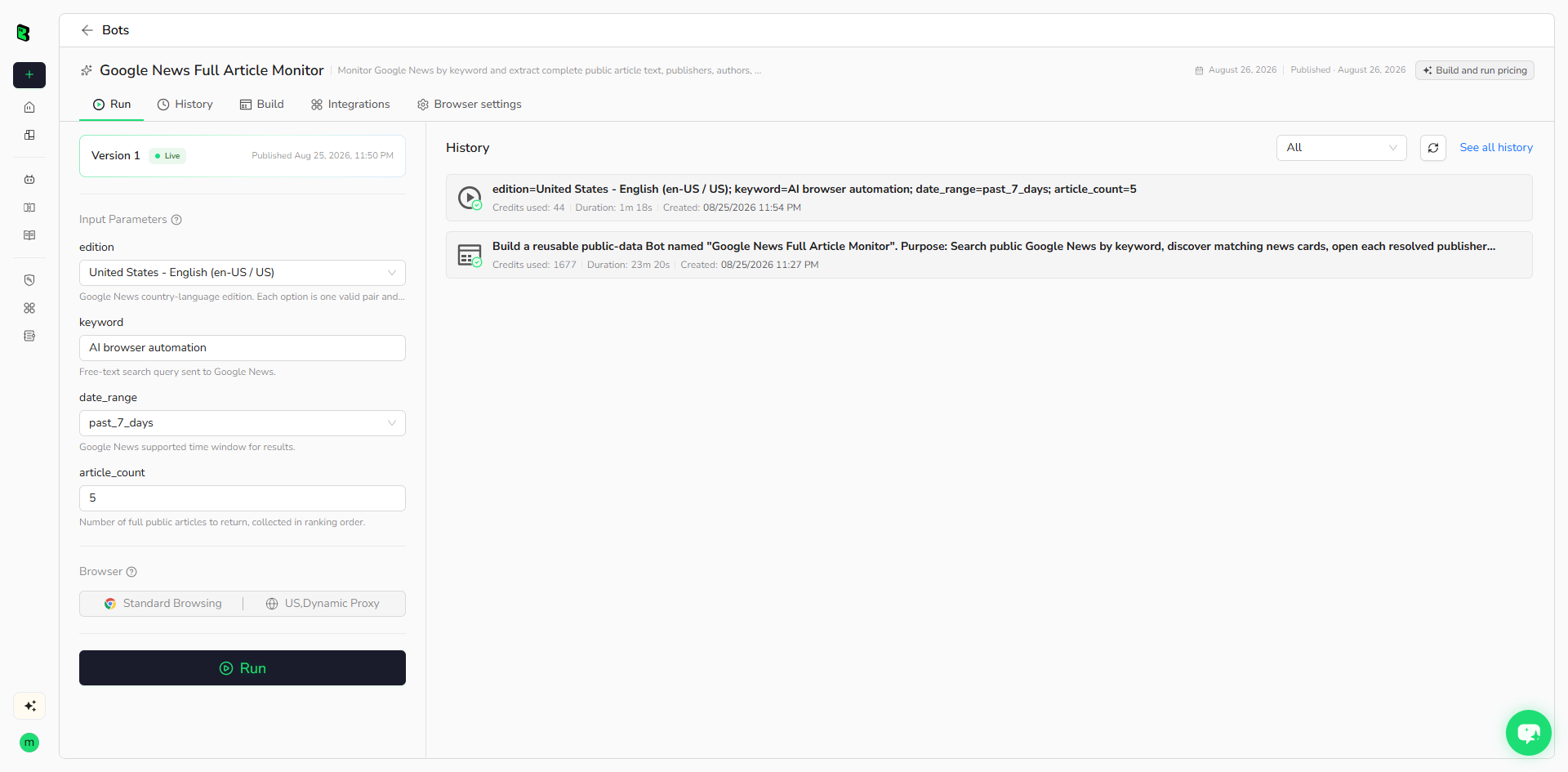
Run the published Bot with its default inputs. Check complete body text, source URLs, record count, and optional fields before reusing it with another keyword.
How Many Results Can You Scrape?
The default run returns five complete public articles. Set article_count from 1 to 20. The Bot may inspect more Google News cards than the requested count because paywalled, removed, or inaccessible publisher pages are skipped.
Why Use Google News Full Article Monitor?
- Build complete article datasets instead of snippet-only search exports.
- Monitor a topic across multiple publishers and editions.
- Collect source URLs, dates, authors, images, and full text together.
- Feed public news records into research, summaries, alerts, or analysis workflows.
Who Can Use This Template?
- Media monitoring and communications teams.
- Researchers, analysts, and journalists.
- Competitive intelligence and market research teams.
- Automation builders working with public news data.
Automation and Export
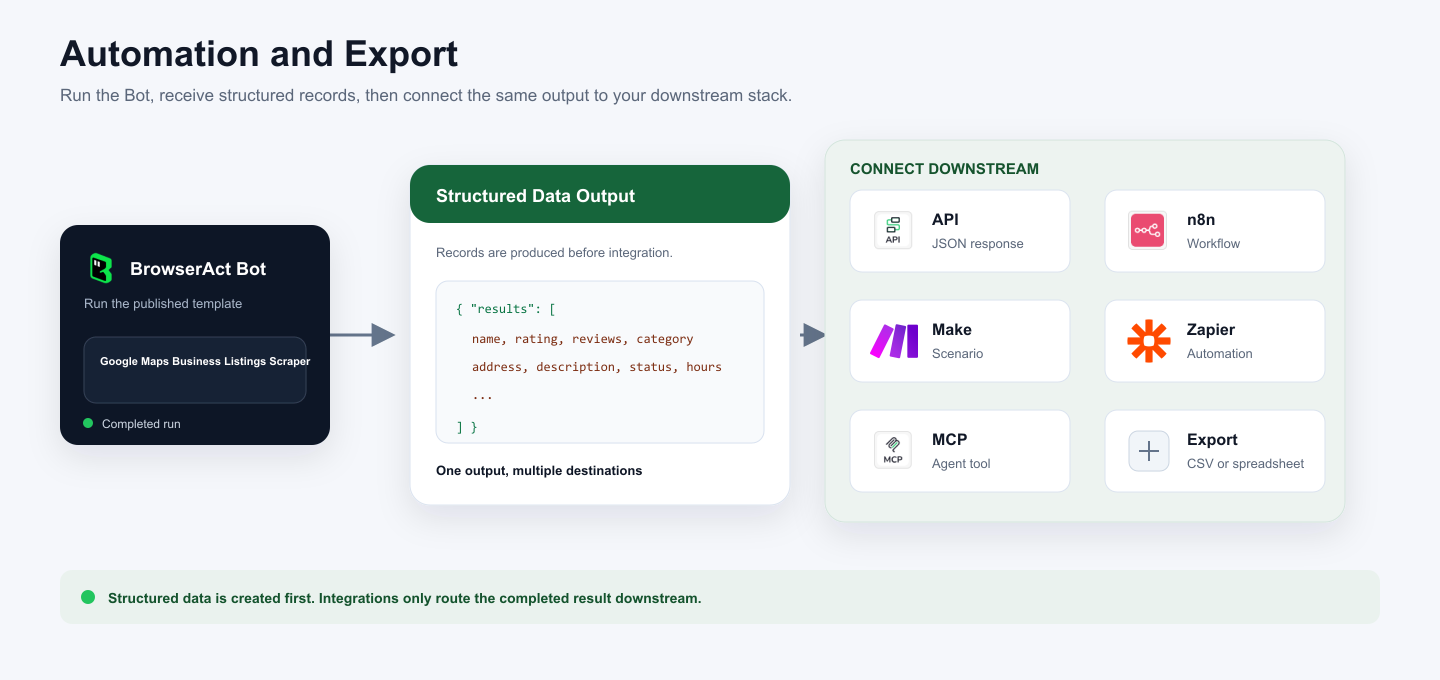
BrowserAct returns structured records first. You can then use the output through API JSON responses, n8n workflows, Make scenarios, Zapier automations, MCP-based agent workflows configured from the Bot's Integrations tab, or manual spreadsheet export.
Need Help?
Discord: Discord Community
E-mail: service@browseract.com
