
Google News API
Extract structured news data from Google News with a single API call. Filter by time range and keywords. Built for monitoring and automation.
Published by
Ma
Maggie
September 10, 2026
Approx.Credits
100-150 Credits
Categories
BA
Data ProcessingSocial MediaGoogle News
Template ID
77638424152140851

Brief
⭐ Copy and send this to your Agent:
 Install this skill for me:

https://github.com/browser-act/skills/tree/main/google-news-api-skill
What is Google News API?
BrowserAct’s Google News API lets you extract structured news results from Google News through a single API request — no crawler scripts, no browser automation, and no manual export.
Simply pass your Search_Keywords, Publish_date time , and set a Datelimit. BrowserAct automatically executes the workflow in the background and returns clean, ready-to-use news data directly via API.
Live & Interactive Demo
A live interactive demo is available inside the BrowserAct platform.
What data can you get through Google News API?
The API returns structured news items extracted from the results page, including:
- source: The publisher or news outlet name
- headline: The article title shown in the listing
- published_time: The timestamp displayed on Google News
- author: The author's name if available
- news_link: The resolved destination URL of the article
Why Google News API is right for you
- One-call integration
Push news results directly into your CRM, database, BI dashboard, or automation platform via API.
- Zero maintenance
No scraping scripts, proxy setup, or anti-bot handling required.
- Production-ready output
Consistent, structured responses designed for automated processing and monitoring.
- Built for workflows
Perfect for competitive intelligence, trend tracking, PR monitoring, and content research.
In short:
Search → API call → News delivered
API Parameters
Parameter | Description | Supported values (examples) | Default |
Search_Keywords | The query used to search Google News. | Any text | pizza |
Publish_date | Time range filter for published articles. | any time, past hours, past 24 hours, past week, past year | past week |
Datelimit | Maximum number of news items to extract. | Positive integer | 30 |
Code to integrate
Click Get code, replace the API key, and run the code directly in your application.
# API Key, get from: https://www.browseract.com/reception/integrations
API_KEY = os.getenv("BROWSERACT_API_KEY", "app-abcdefghijklmn")
You only need to replace:
app-abcdefghijklmn
with your own API key, and the code will run successfully.
You can find your API key in the API & Integrations section of the BrowserAct dashboard.
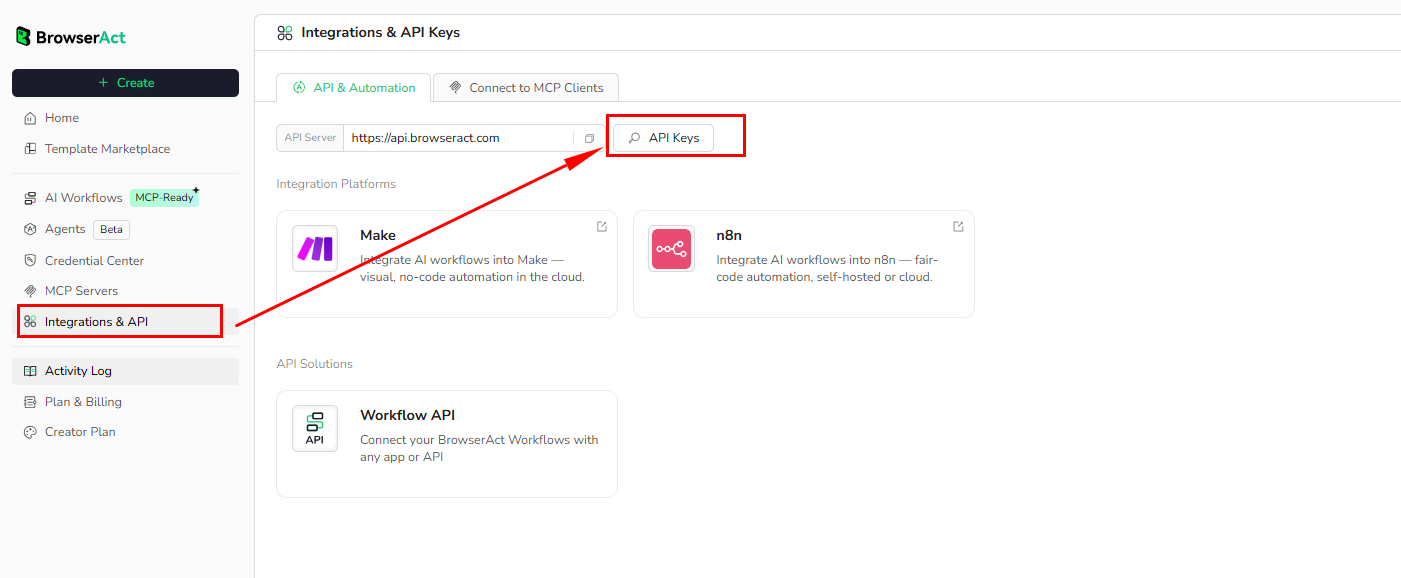
API Example
Input
- Search_Keywords:
pizza - Publish_date:
past hours - Datelimit:
10
Steps
- Click Get the Code
- Run the request
- Receive structured results via API
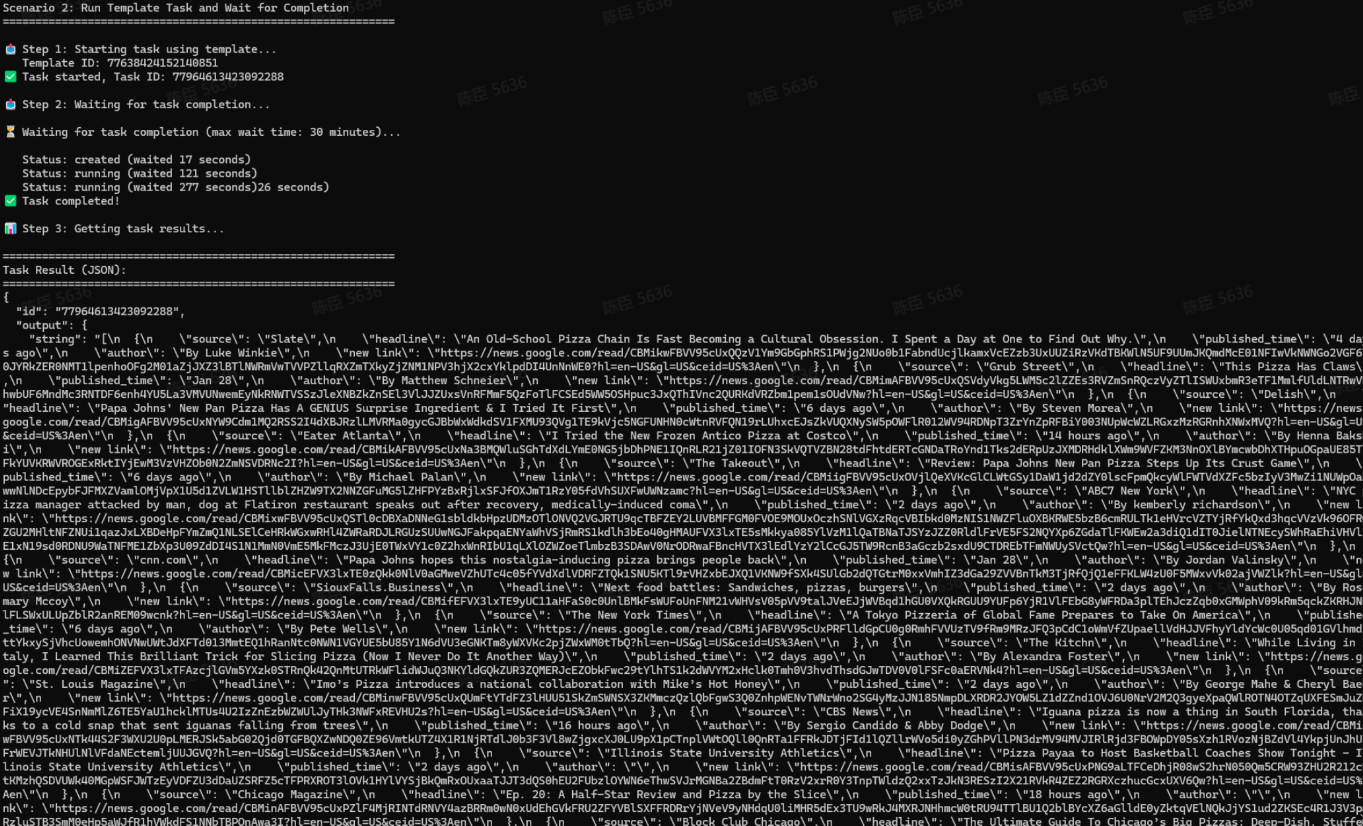
API Results
BrowserAct returns all Google News results directly through the API, with no manual output configuration required.
The response is delivered as a structured dataset, designed for immediate programmatic consumption. Results are consistently formatted, making them easy to integrate into:
- Competitive intelligence pipelines
- Trend monitoring dashboards
- PR and brand monitoring workflows
- Content research systems
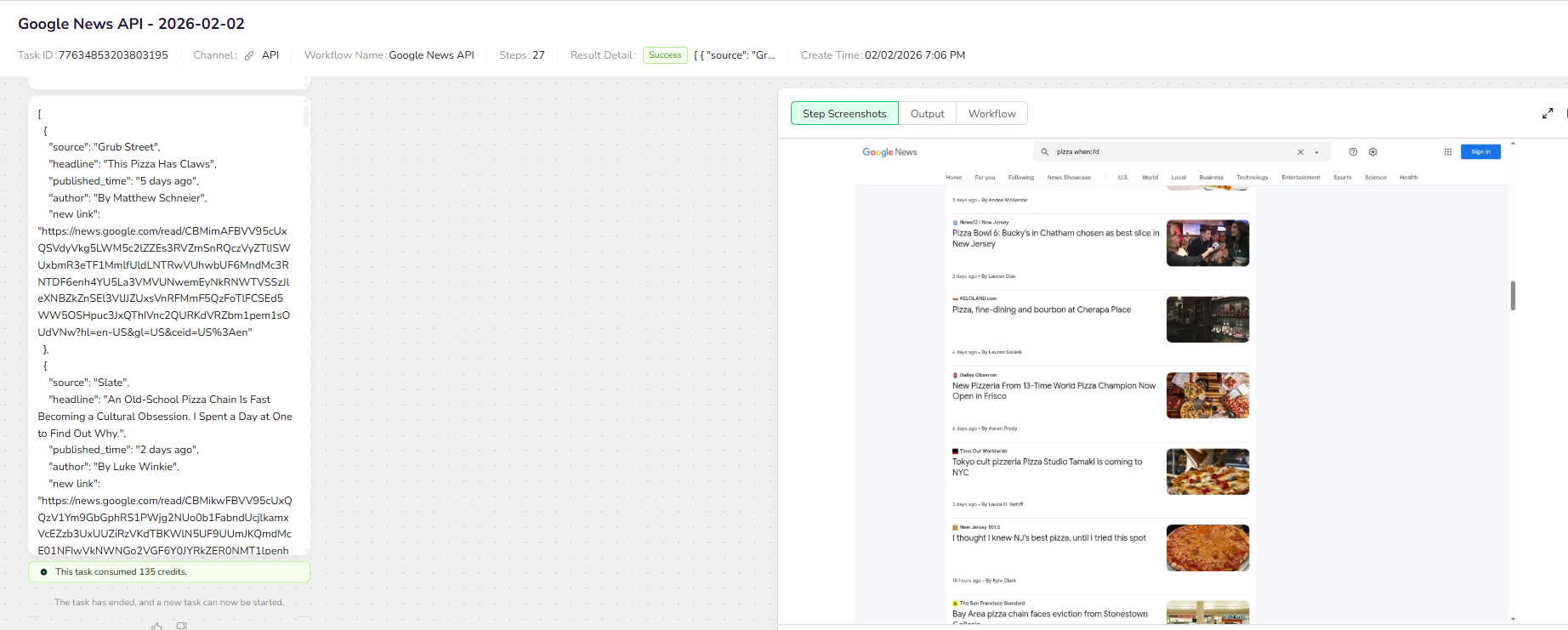
Create Your Own Google News API
To create your own Google News API, simply start from a prebuilt template.
- Click Create from Template in the top-right corner
- Complete the setup
- You’ll receive a callable workflow_id
Once created, you can use the BrowserAct API to invoke your workflow programmatically and retrieve Google News directly in your application.
Need help? Contact us at
Discord: [Discord Community]
E-mail: service@browseract.com
 What can we do for you