
Google Maps Search API
Extract business listings from Google Maps search results via API. Fast, list-level data for lead discovery and market research.
Published by
Ma
Maggie
September 10, 2026
Approx.Credits
400-500 Credits
Categories
BA
Data ProcessingGoogle Maps
Template ID
77805072070738748

Brief
⭐Copy and send this to your Agent:
 Install this skill for me:
https://github.com/browser-act/skills/tree/main/google-maps-search-api-skill
What is Google Maps Search API?
BrowserAct’s Google Maps Search API lets you extract structured data from Google Maps search result lists through a single API request — without entering individual place detail pages.
Simply pass your KeyWords, language, country, and TargetURL, then set max_dates. BrowserAct automatically executes the workflow in the background and returns clean, list-level business data directly via API.
This API is optimized for fast discovery and large-scale lead scanning, focusing only on what’s visible in the search results list.
What data can you get through Google Maps Search API?
The API extracts structured fields directly from the Google Maps search results list, including:
- name: Business name shown in search results
- full address: Full address displayed in the list
- rating: Average star rating
- review count: Number of reviews
- price range: Price level (e.g. $1–10, $$, $$$)
- cuisine type: Primary business or cuisine category
- amenity tags: Tags such as Wi-Fi, outdoor seating, etc. (when available)
- review snippet: Highlighted short review text shown in search results
- service options: Service indicators such as “Order online”, “Dine-in”, or “Takeout”
Why Google Maps Search API is right for you
One-call integration
Send search result data directly into your CRM, BI tools, databases, or automation workflows via API.
Faster extraction
No place detail pages are opened, making this API significantly faster than full details extraction.
Sales-first discovery
Quickly scan local markets and identify potential leads before deeper enrichment.
Built for scale
Ideal for large keyword-based searches where speed and coverage matter more than deep detail.
In short:
Search → API call → List-level data delivered
Google Maps Search API is built for lead discovery, market research, and high-volume prospecting workflows.
API Parameters
Parameter | Description | Default | Supported values (examples) |
KeyWords | Search query used to find places on Google Maps | coffee | Any keyword or phrase (e.g. coffee shop, dental clinic, coworking space) |
language | UI language and returned text language | en | en, de, fr, it, es, ja, zh-CN, zh-TW |
country | Country or region bias for search results | us | us, gb, ca, au, de, fr, es, it, jp |
TargetURL | Base Google Maps URL used for navigation | Fixed value | |
max_dates | Maximum number of places to extract from search results | 100 | Positive integer (e.g. 50, 100, 200) |
Code to Integrate
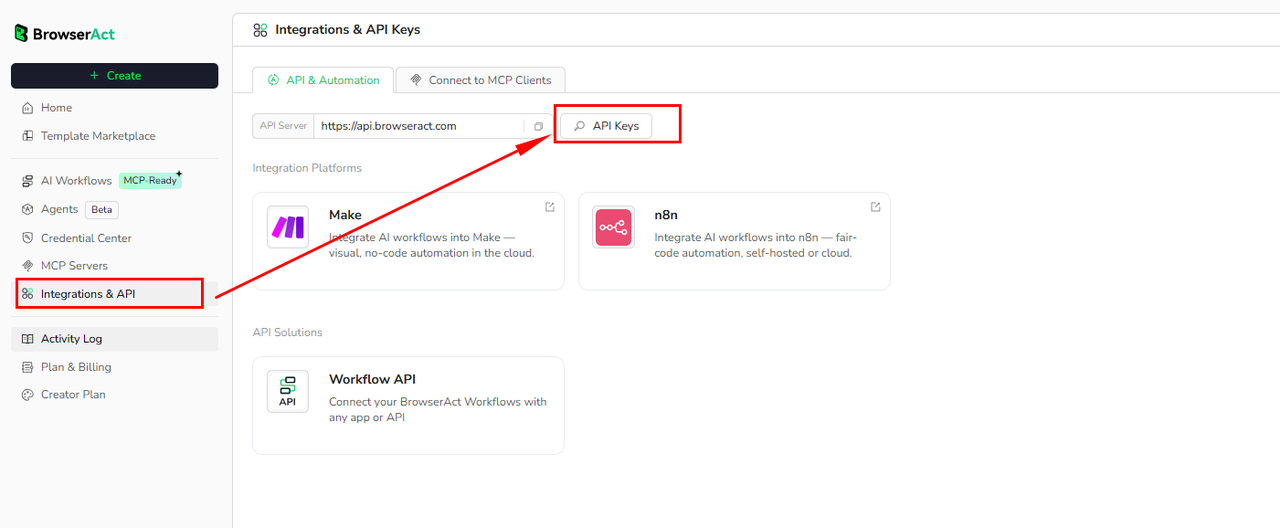
Click Get code, replace the API key, and run the code directly in your application.
API Key, get from: https://www.browseract.com/reception/integrations
API_KEY = os.getenv("BROWSERACT_API_KEY", "app-abcdefghijklmn")
You only need to replace:
app-abcdefghijklmn
with your own API key, and the code will run successfully.
You can find your API key in the API & Integrations section of the BrowserAct dashboard.
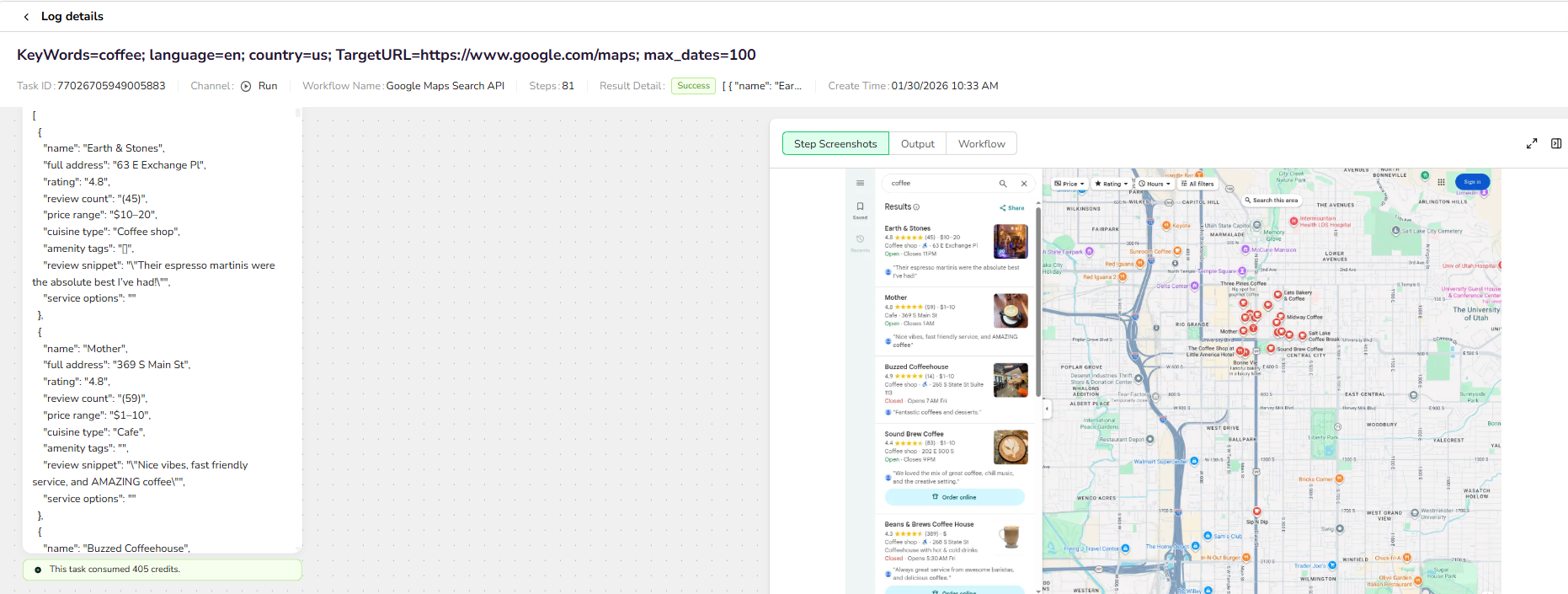
API Example
Input
- KeyWords:
coffee - language:
en - country:
us - TargetURL:
https://www.google.com/maps - max_dates:
100
Steps
- Click Get the Code
- Run the request
- Receive structured search results via API
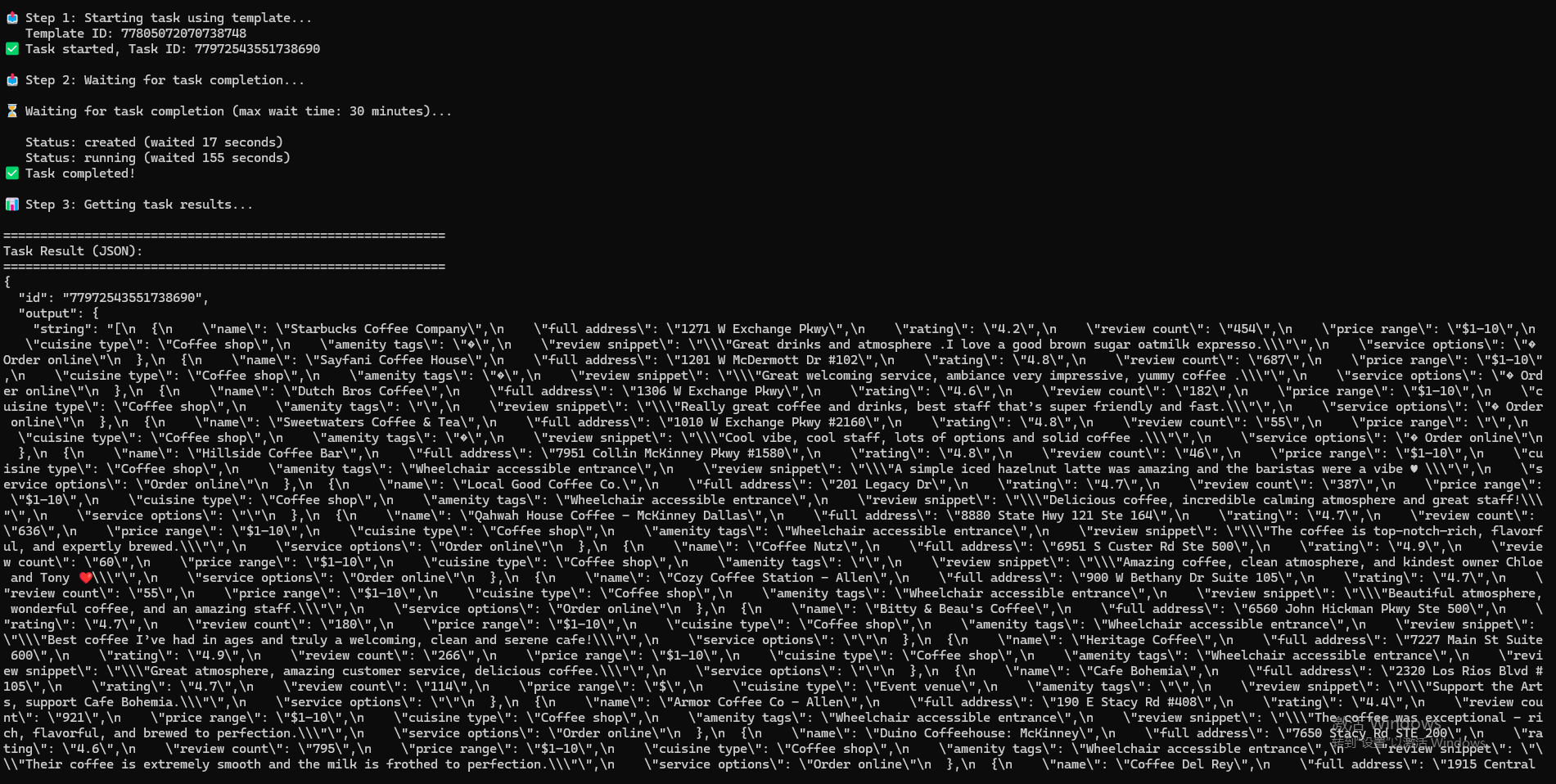
Example Output
{
"name": "Sound Brew Coffee",
"full address": "202 E 500 S",
"rating": "4.4",
"review count": "(83)",
"price range": "$1–10",
"cuisine type": "Coffee shop",
"amenity tags": "",
"review snippet": "\"We loved the mix of great coffee, chill music, and the creative setting.\"",
"service options": "Order online"}
API Results
BrowserAct returns all Google Maps search results directly through the API, with no manual output configuration required.
The response is delivered as a structured dataset, designed for immediate programmatic consumption and easy integration into:
- Lead generation pipelines
- Local market research dashboards
- Sales prospecting systems
- Automation and enrichment workflows
Create Your Own Google Maps Search API
To create your own Google Maps Search API, simply start from a prebuilt template.
- Click Create from Template in the top-right corner
- Complete the setup
- You’ll receive a callable workflow_id
Once created, you can use the BrowserAct API to invoke your workflow programmatically and retrieve Google Maps search results directly in your application.
Need help? Contact us at
Discord: [Discord Community]
E-mail: service@browseract.com
 What can we do for you