

Google Maps Reviews Scraper is a BrowserAct Bot template for collecting public review records from a Google Maps place. Enter a place query and review count, then run the Bot to search the place, open its reviews panel, scroll through visible reviews, and return structured review data.
What Does BrowserAct Google Maps Reviews Scraper Do?
This template searches Google Maps for a place, opens the most relevant public place result, switches to the Reviews tab, expands truncated reviews, scrolls the reviews panel, and returns one structured record per review.
Key Features
- Extract public Google Maps reviews without requiring a Google login.
- Capture reviewer name, profile URL, star rating, full review text, review date, Local Guide badge, likes, owner response text/date, place name, Maps URL, and rank.
- Handle both search-result feeds and direct place pages.
- Expand visible "See more" review text before extraction.
- Scroll the reviews panel until the requested count is reached or no more public reviews load.
What Data Can I Extract from Google Maps Reviews?
| Field | Description |
|---|---|
rank |
Review order returned by the Bot. |
place_name |
Google Maps place name. |
place_maps_url |
Public Google Maps place URL. |
reviewer_name |
Visible reviewer name. |
reviewer_profile_url |
Public reviewer profile URL when shown. |
star_rating |
Star rating shown by Google Maps. |
review_text |
Visible review text after expanding available text. |
review_date |
Relative review date shown by Google Maps. |
local_guide_badge |
Whether the Local Guide badge is visible. |
review_likes |
Like count when shown. |
owner_response_text |
Owner response text when present. |
owner_response_date |
Owner response date when present. |
review_url |
Review URL when Google exposes it. |
How to Use Google Maps Reviews Scraper
- Click Run task.
- Enter a place query, such as a business name and city.
- Set how many reviews to collect.
- Run the Bot and review the structured review records.
Input Parameters
| Parameter | Required | Default | Description |
|---|---|---|---|
place_query |
Yes | Blue Bottle Coffee New York |
Place search text used to find the target Google Maps place. |
review_count |
Yes | 20 |
Target number of review records to collect. |
Example Output
The table below uses records preserved from the validated Bot run. Up to the first 5 records are shown, and long values are shortened in this documentation preview.
| rank | place_name | place_maps_url | reviewer_name | reviewer_profile_url | star_rating | review_text | review_date | local_guide_badge | review_likes | owner_response_text | owner_response_date | review_url |
|---|---|---|---|---|---|---|---|---|---|---|---|---|
| 1 | Example Place | https://www.google.com/maps/place/example | Example Reviewer | https://www.google.com/maps/contrib/example/reviews | 5 | Visible review text from Google Maps. | 5 months ago | true | 1 | null | null | null |
How Does it Work?
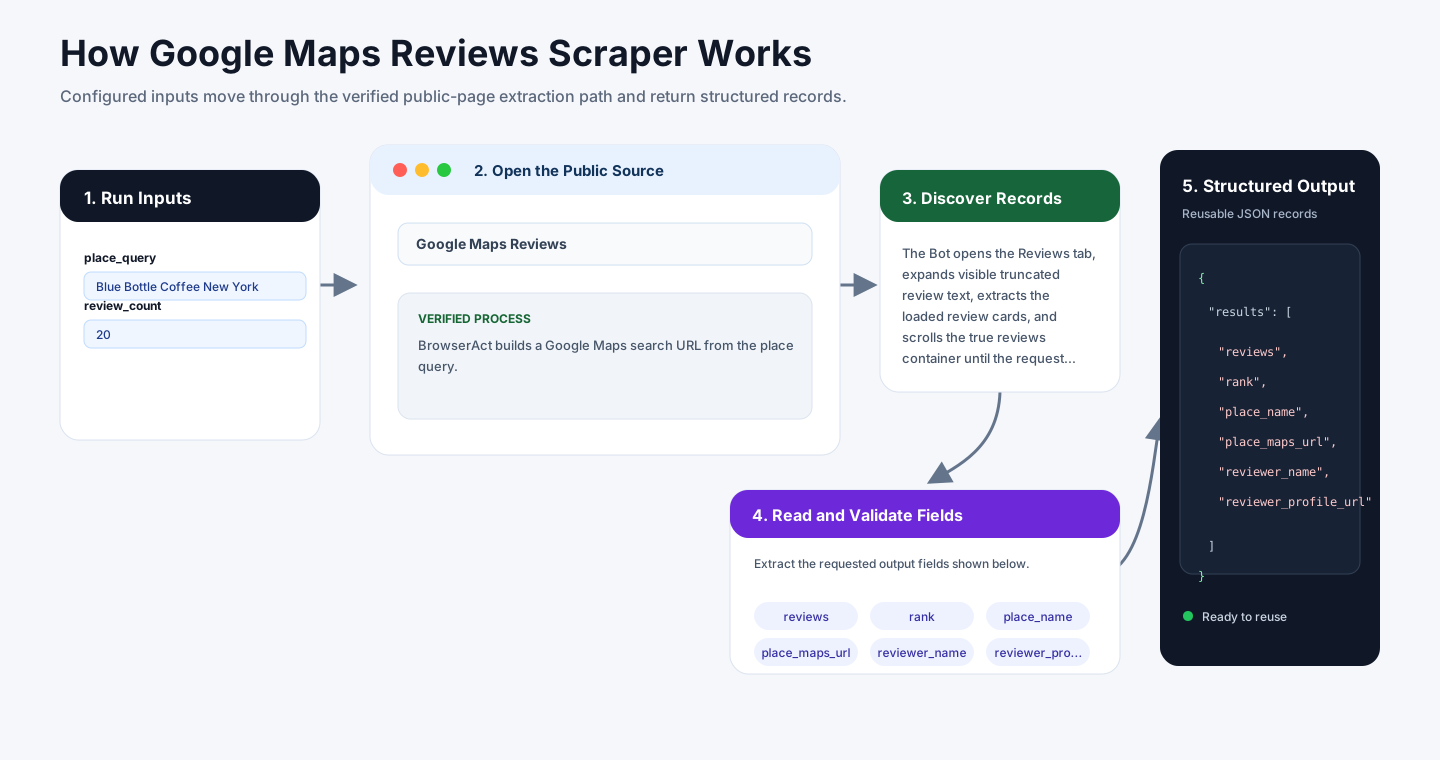
BrowserAct builds a Google Maps search URL from the place query. If Google Maps shows a result feed, the Bot opens the first public result as the most relevant place. If the query opens a place directly, the Bot continues from the place detail panel.
The Bot opens the Reviews tab, expands visible truncated review text, extracts the loaded review cards, and scrolls the true reviews container until the requested count is reached. Owner responses, likes, profile URLs, and review URLs are returned only when Google Maps displays them publicly.
How to Build a New Scraper Bot with Agent Built
Step 1: Describe the Data You Need
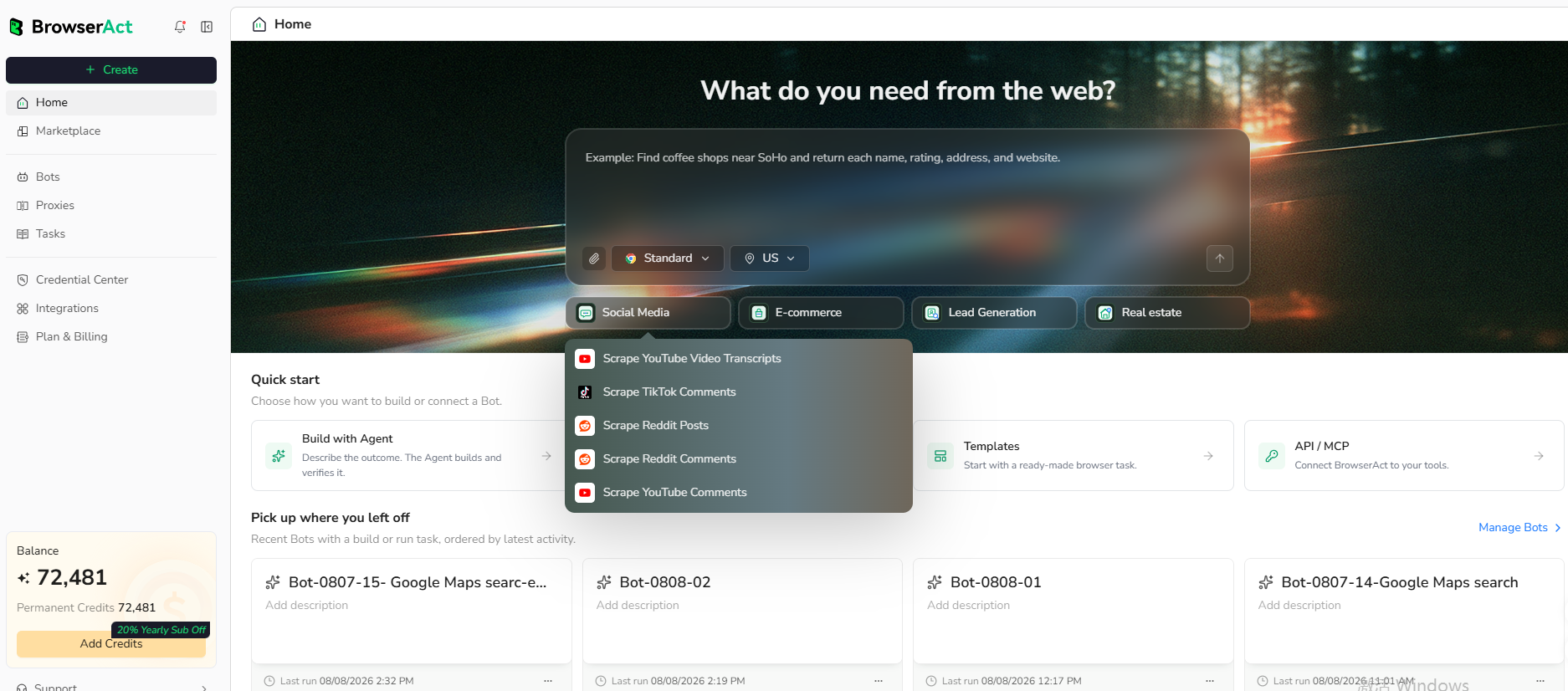
Open BrowserAct and start Agent Built from the Home prompt box or from Create -> Build with Agent. Paste a clear request that includes the website, the records to collect, the filters or search conditions, the fields to return, the result limit, and the inputs you want to reuse later.
Step 2: Let BrowserAct Build and Test the Bot
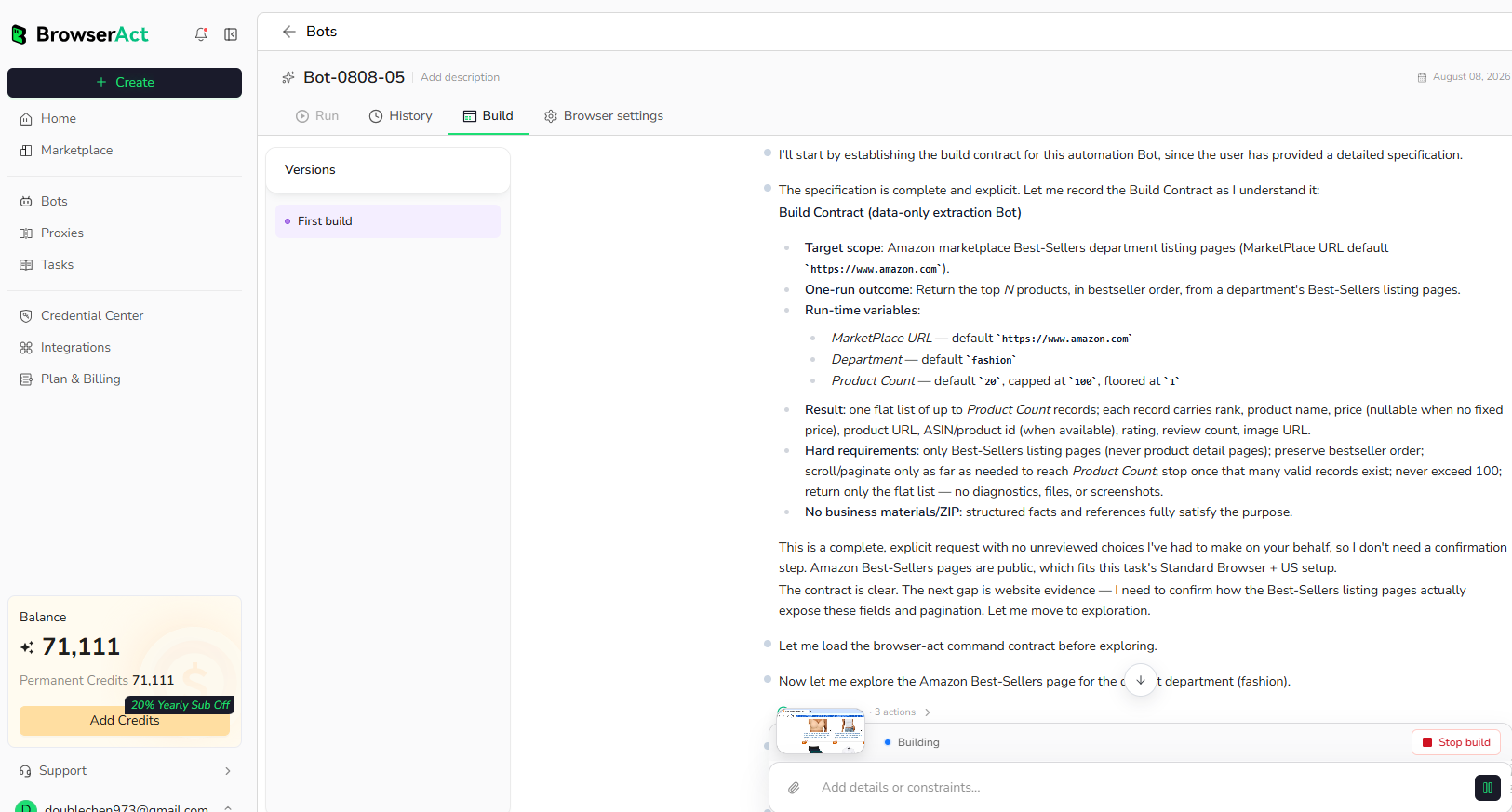
BrowserAct explores the live website, works out the navigation and extraction path, and validates the result. If BrowserAct asks for clarification, reply in the same build conversation with the missing URL, condition, field, example, or expected output.
Step 3: Run the Bot and Review the Result
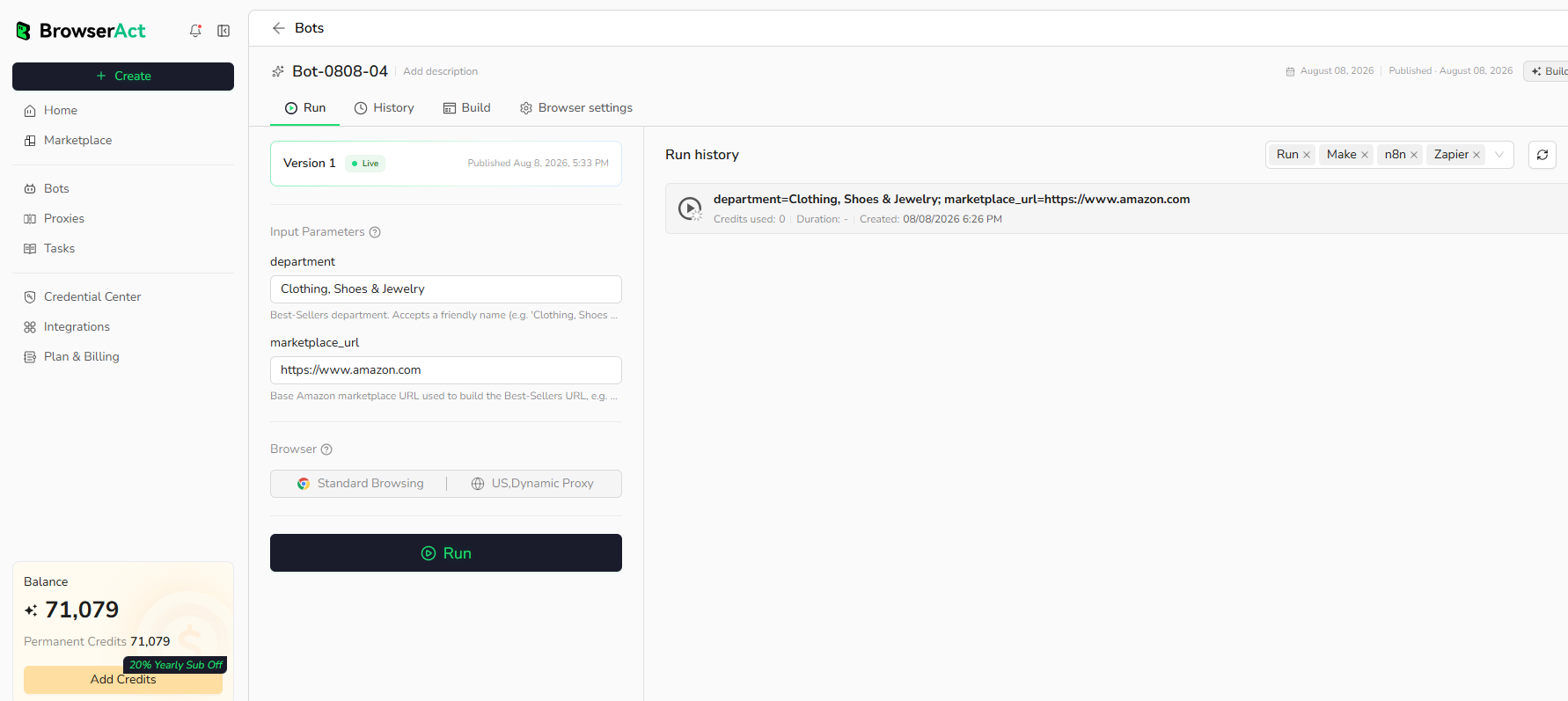
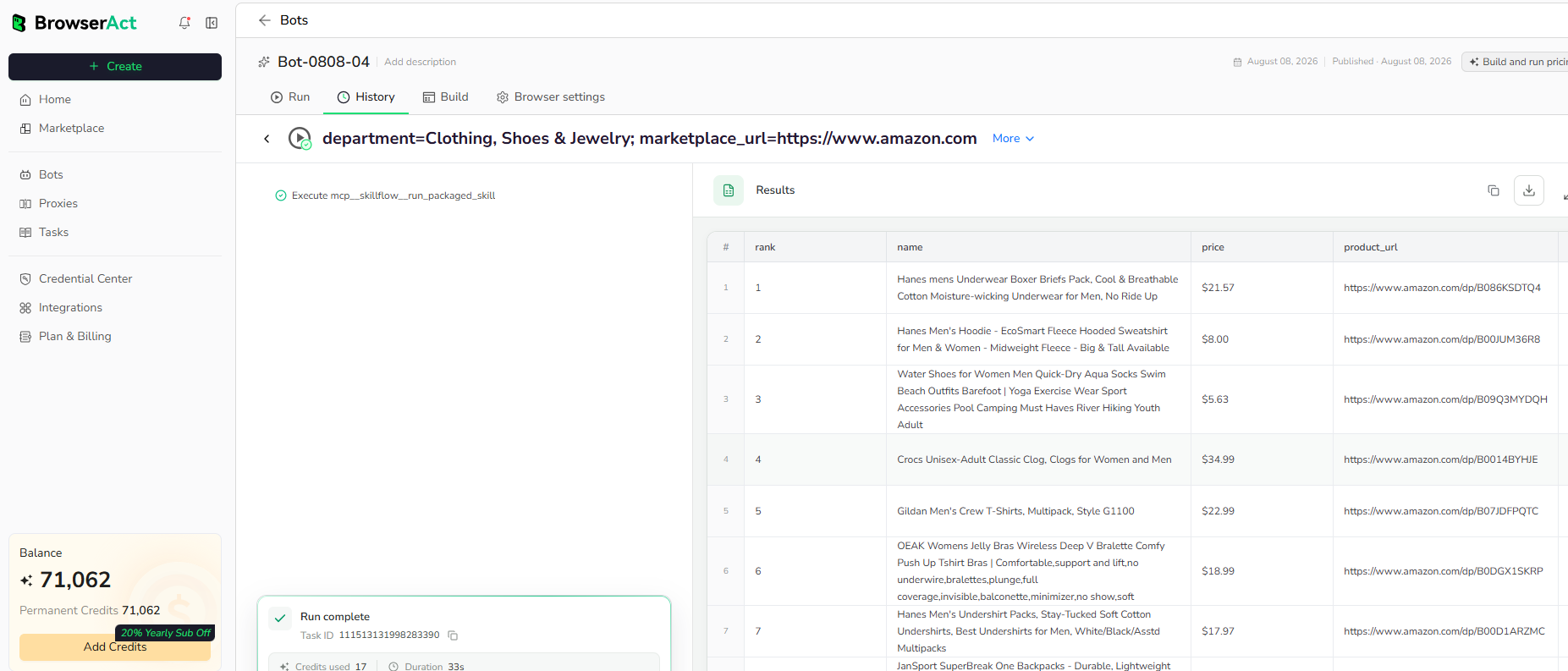
When the build is complete, run the Bot with the default inputs first. Review the structured records, source URLs, missing fields, and row count before reusing the Bot with new inputs or connecting it to another workflow.
Why Scrape Google Maps Reviews?
Google Maps review data helps teams monitor customer sentiment, research local competitors, audit public feedback, collect review examples, and feed local reputation data into reporting workflows.
Who Can Use This Template?
- Local business teams monitoring reviews.
- Agencies researching local competitors.
- Customer experience teams collecting public feedback.
- Analysts building location-level review reports.
- Automation builders sending review data into sheets, dashboards, databases, or agents.
How Many Results Can You Scrape?
Use review_count to control how many reviews BrowserAct collects. Higher counts require more scrolling and may take longer than collecting only the first visible batch.
Automation and Export
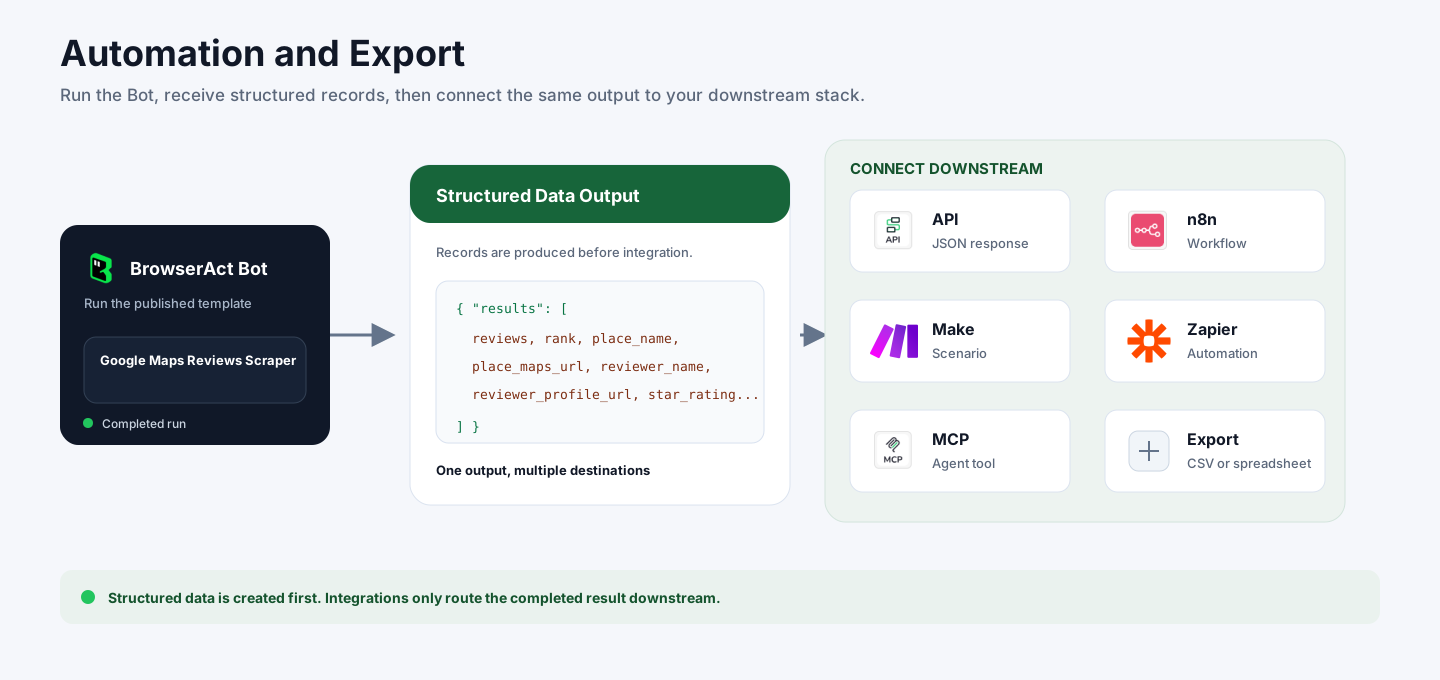
BrowserAct returns structured review records first. You can then use the output through API JSON responses, n8n workflows, Make scenarios, Zapier automations, MCP-based agent workflows configured from the Bot's Integrations tab, or manual CSV review.
Need Help?
Contact us at
Discord: Discord Community
E-mail: service@browseract.com
