
Google Maps Reviews API
Extract Google Maps reviews at scale via API. Collect ratings, review text, authors, and timestamps for analysis and automation.
Published by
Ma
Maggie
September 10, 2026
Approx.Credits
300-400 Credits
Categories
BA
Contact ExtractionData ProcessingGoogle Maps
Template ID
77806855016940604

Brief
⭐Copy and send this to your Agent:
Install this skill for me:
https://github.com/browser-act/skills/tree/main/google-maps-reviews-api-skill
What is Google Maps Reviews API?
BrowserAct’s Google Maps Reviews API lets you extract reviews from Google Maps through a single API request — no crawler scripts, and no manual export.
This API is designed to loop through places found in the search results list, open each place’s reviews section, and collect review data at scale. Simply pass your KeyWords, language, country, and TargetURL. BrowserAct runs the workflow in the background and returns clean, structured review data directly via API.
What data can you get through Google Maps Reviews API?
The API extracts structured review fields, including:
- author_name: Display name of the reviewer
- author_profile_url: The resolved destination URL of the reviewer’s profile
- author_contributions: Total contributions shown on the reviewer profile (when available)
- rating: Star rating associated with the review
- comment_date: Human-readable date displayed on the review
- text: Review text content
- language: Detected language of the review text (when available)
- published_time: Timestamp displayed for the review (when available)
- likes_count: Number of likes on the review (when available)
- author_image_url: Direct URL of the reviewer’s avatar/profile image
Why Google Maps Reviews API is right for you
One-call integration
Push reviews directly into your analytics, sentiment monitoring, CRM enrichment, or automation workflows via API.
Built for scale
Automatically iterates through places from a keyword search and extracts reviews across multiple listings.
Zero maintenance
No proxy setup, crawler scripts, or anti-bot handling required.
Production-ready output
Consistent, structured responses designed for analysis, monitoring, and downstream processing.
In short:
Search → API call → Reviews delivered
Google Maps Reviews API is built for reputation monitoring, customer insights, competitive analysis, and review-driven lead qualification.
API Parameters
Parameter | Description | Default | Supported values (examples) |
KeyWords | Search query used to find places on Google Maps | coffee | Any keyword or phrase (e.g. coffee shop, dental clinic, coworking space) |
language | UI language and returned text language | en | en, zh-CN, zh-TW, es, fr, de, it, ja, ko, pt-BR, ru, ar |
country | Country or region bias for search results | us | us, gb, ca, au, de, fr, es, it, tr, jp, kr, cn, br, in |
TargetURL | Base Google Maps URL used for navigation and extraction | Fixed value |
Code to Integrate
Click Get code, replace the API key, and run the code directly in your application.
API Key, get from: https://www.browseract.com/reception/integrations
API_KEY = os.getenv("BROWSERACT_API_KEY", "app-abcdefghijklmn")
You only need to replace:
app-abcdefghijklmn
with your own API key, and the code will run successfully.
You can find your API key in the API & Integrations section of the BrowserAct dashboard.
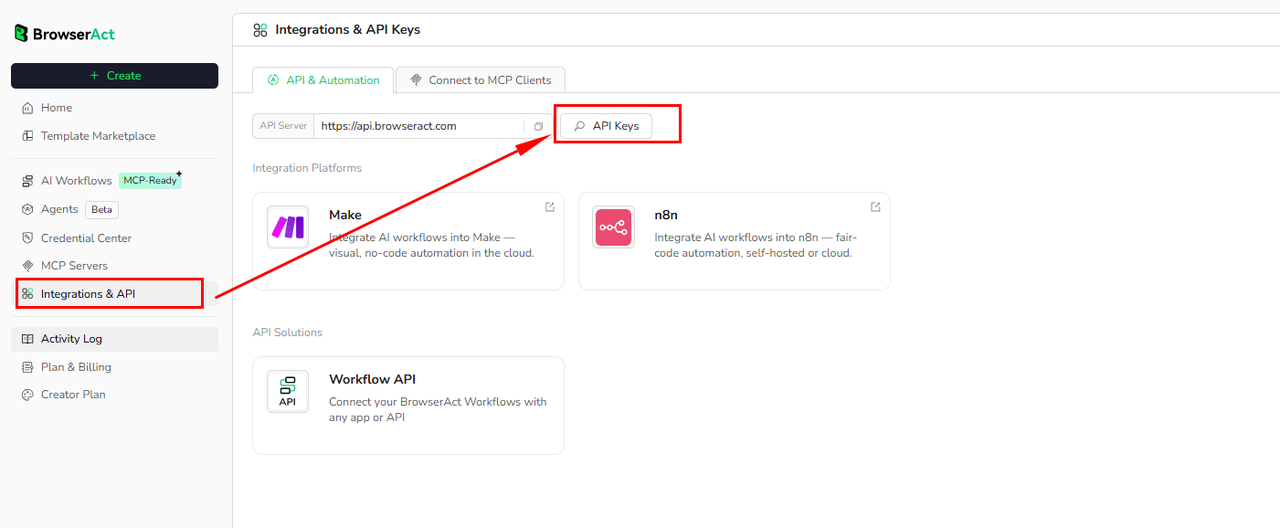
API Example
Input
- KeyWords:
coffee - language:
en - country:
us - TargetURL:
https://www.google.com/maps
Steps
- Click Get the Code
- Run the request
- Receive structured reviews via API
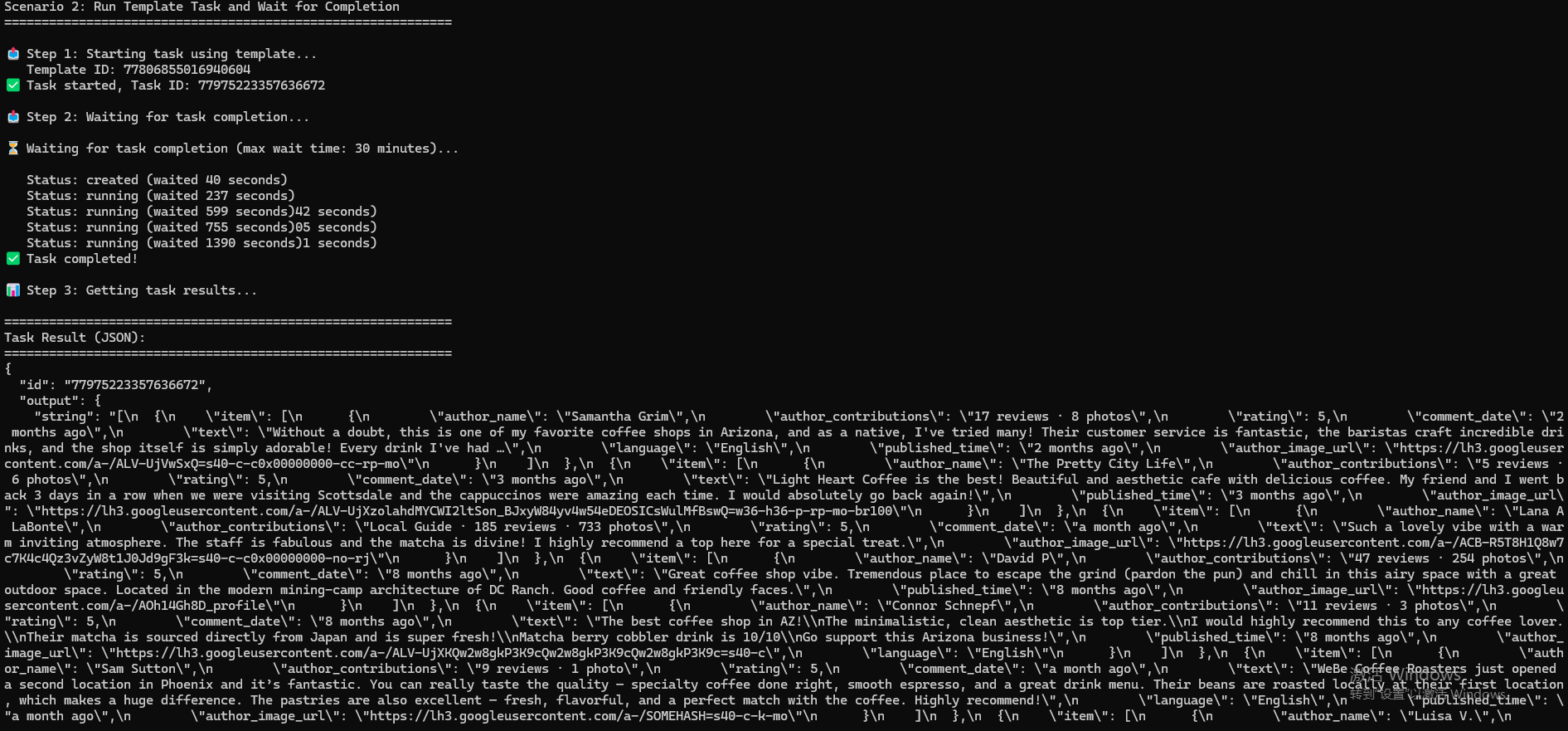
API Results
BrowserAct returns all Google Maps reviews directly through the API, with no manual output configuration required.
The response is delivered as a structured dataset, designed for immediate programmatic consumption and easy integration into:
- Review monitoring dashboards
- Sentiment and topic analysis pipelines
- Competitive benchmarking systems
- CRM enrichment and lead qualification workflows
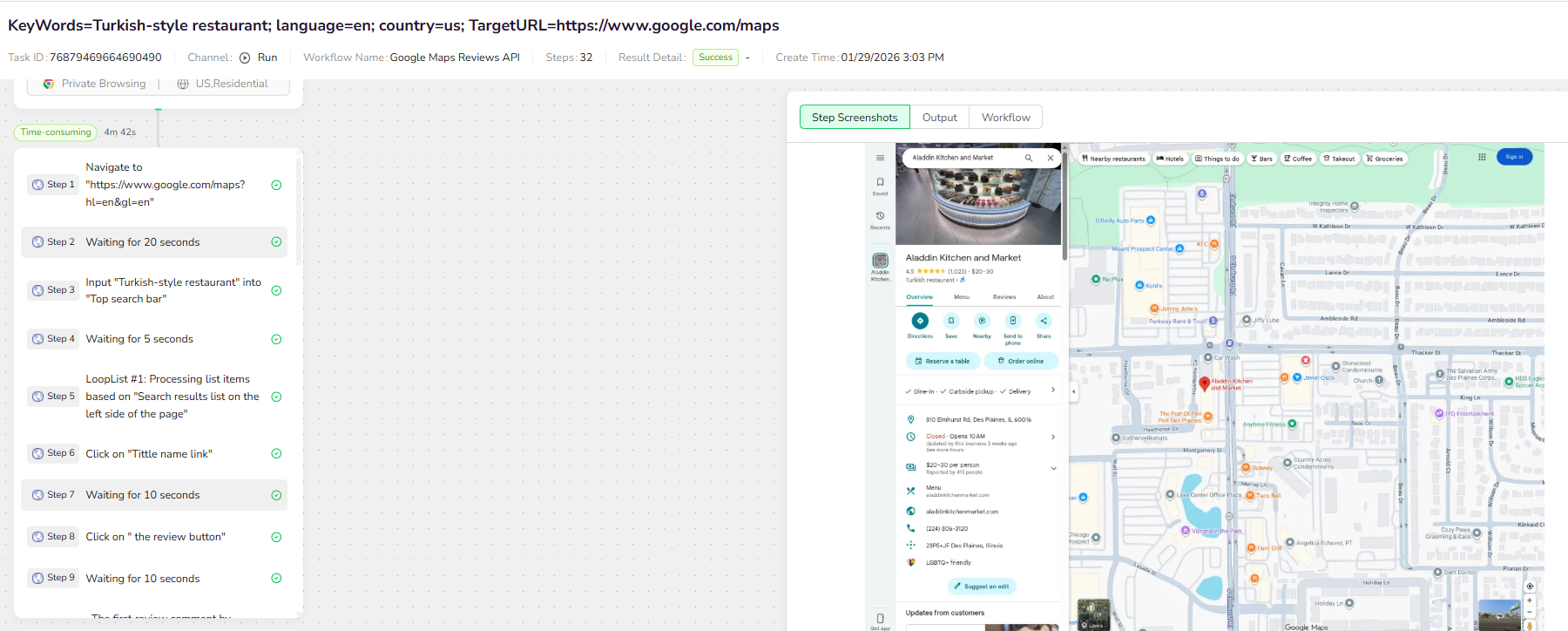
Create Your Own Google Maps Reviews API
To create your own Google Maps Reviews API, simply start from a prebuilt template.
- Click Create from Template in the top-right corner
- Complete the setup
- You’ll receive a callable workflow_id
Once created, you can use the BrowserAct API to invoke your workflow programmatically and retrieve reviews directly in your application.
Need help?
- Discord: Discord Community
- Email: service@browseract.com
 What can we do for you