

What Does BrowserAct Google Maps No Website Lead Finder Do?
Find businesses on Google Maps with no website listed or only a social-media link. Extract business names, addresses, phone numbers, ratings, and Maps links for local website-service prospecting. Use this no-code template without a Google login, or call it through the API tab.
Key Features of Google Maps No Website Lead Finder
- Find local businesses whose Google Maps listings have no Website link.
- Include businesses whose Website link points only to a social-media profile, and keep that original link.
- Collect public contact details and distinguish missing Website links from social-only links.
- Search further candidates until the requested number of qualifying businesses is found or the accessible results end.
What Data Can I Extract from Google Maps?
| Field | Description |
|---|---|
| business_name | Business name shown on its Google Maps listing. |
| maps_category | Business category displayed by Google Maps. |
| address | Public business address, retaining the characters used by the listing. |
| phone | Public business phone number, when available. |
| rating | Google Maps rating, when available. It is not used to filter businesses. |
| review_count | Google Maps review count, when available. It is not used to filter businesses. |
| google_maps_url | Direct link to the business listing. |
| maps_website_url | Social-media URL in the Website field, or null when no Website link is listed. |
| website_status | maps_website_missing for no listed Website link; social_profile_only for a social-media link. |
| website_evidence | What the loaded Maps listing shows about its Website field. |
| evidence_urls | Public listing links used to check this business. |
| checked_at | Time the listing was checked, in UTC. |
| business_key | Place identifier used to remove duplicate businesses within a run. |
| result_rank | Position among the returned qualifying businesses. |
| source_rank | Position in the Maps results observed during this run. |
| next_start_rank | Source position after the last checked candidate. Informational only; every new run starts a new search. |
How to Use Google Maps No Website Lead Finder
Quick Start
- Open Run Task.
- Enter a keyword and area, choose a country, and set the number of businesses you want.
- Run the template and review the returned business details and Maps links.
Input Parameters
| Parameter | Configuration |
|---|---|
| keyword | Text. Default: restaurant. Enter a business type or search phrase, such as restaurant or barber shop. |
| location | Text. Default: Taylor, TX. Enter the city, town, district, or region you want to search. This is not restricted to a preset city list. |
| country | Dropdown. Default: United States. Select the country or region for your search. Available businesses depend on Google Maps coverage. |
| target_count | Positive whole number. Default: 1. The number of qualifying businesses to collect, not the number of candidates to check. |
Example Output
Each business is returned as its own record and CSV row. This example shows one result; null means that the corresponding value was not shown on the listing.
| Field | Result |
|---|---|
| business_name | Ripple and Rose Cafe |
| maps_category | Coffee shop |
| address | 109 W 3rd St, Taylor, TX 76574 |
| phone | (512) 309-4073 |
| rating | 5 |
| review_count | 228 |
| google_maps_url | https://www.google.com/maps/place/?q=place_id:ChIJN_K5VwDnRIYRJTzPDIxzSAk&hl=en&gl=us |
| maps_website_url | http://instagram.com/ripple_and_rose |
| website_status | social_profile_only |
| website_evidence | Google Maps place page loaded fully and its Website control points to a social-media profile (instagram.com). The profile was not opened. Qualification covers only the Google Maps listing and does not assert that no website exists elsewhere. |
| evidence_urls | https://www.google.com/maps/place/?q=place_id:ChIJN_K5VwDnRIYRJTzPDIxzSAk&hl=en&gl=us |
| checked_at | 2026-10-21T04:52:37.508118Z |
| business_key | ChIJN_K5VwDnRIYRJTzPDIxzSAk |
| result_rank | 1 |
| source_rank | 6 |
| next_start_rank | 7 |
How Does it Work?
- Search Google Maps using your keyword, area, and country.
- Open candidate business listings and inspect the Website field after the details have loaded.
- Include listings with no Website link or only a social-media link. Skip listings linking to an independent website and pages whose website information cannot be checked.
- Remove duplicate places within the run and return one row per qualifying business.
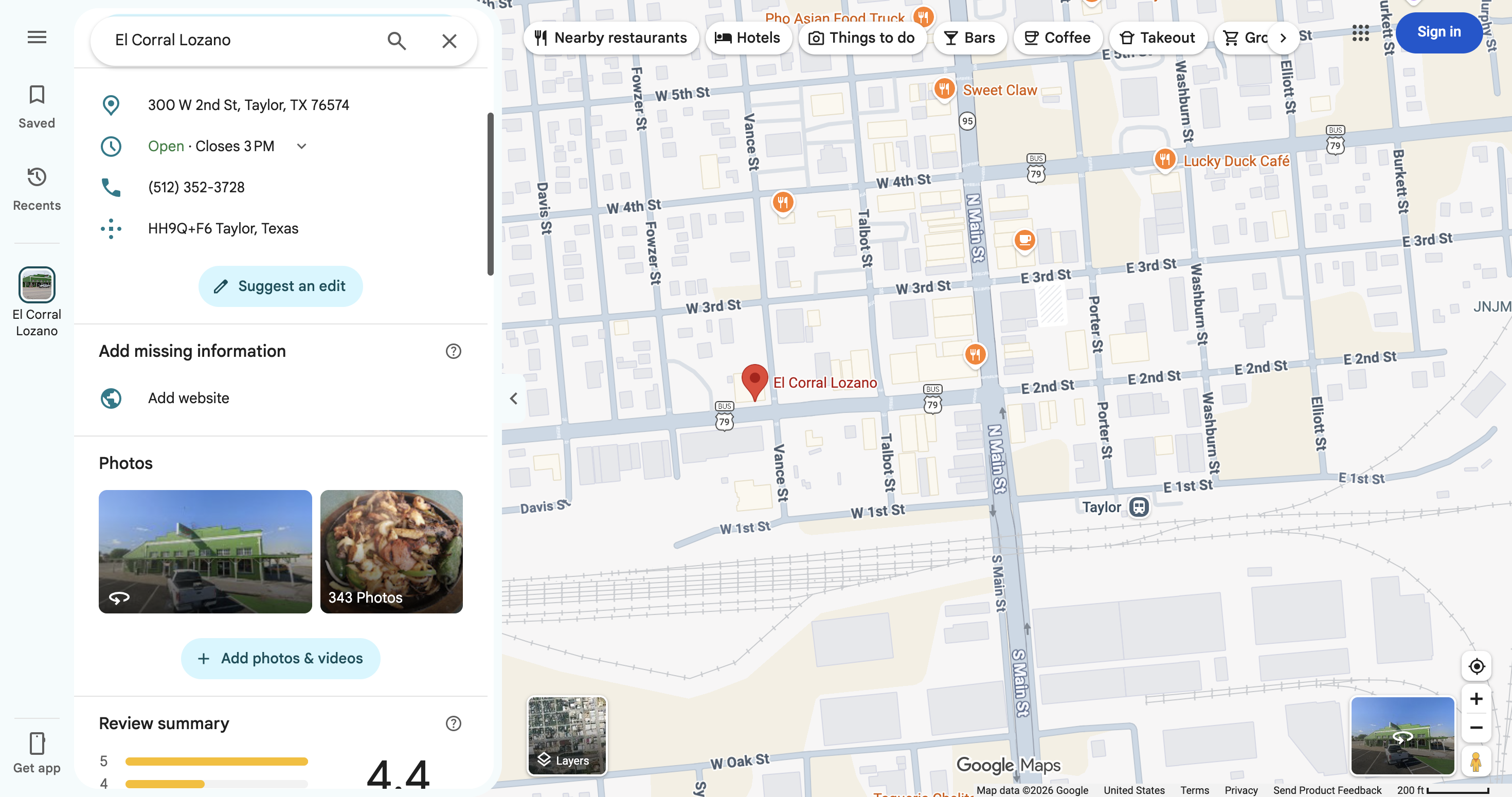
An Add website prompt indicates that the Maps listing has no website linked. This is a Maps-based lead list, not proof that the business has no website elsewhere.
How to Build a New Scraper Bot with Agent Built
- Describe the public website and the data you need in Agent Built.
- Let BrowserAct explore the website, build the Bot, and test the extraction.
- Run the completed Bot and review its structured results.
Why Use Google Maps No Website Lead Finder?
Build a local prospect list for website-design and digital-presence services. Review the phone number, address, Maps link, and website information before contacting a business.
Who Can Use Google Maps No Website Lead Finder?
Web designers, local marketing agencies, and business-development teams researching businesses in a chosen area.
How Many Results Can You Scrape?
The default target is 1 qualifying business. You can enter another positive quantity, such as 5 or 50. Businesses with an independent Website link do not count toward that target. Fewer records may be returned if the available results contain fewer qualifying businesses; access or page-loading problems can prevent a run from completing.
Ratings, review counts, and chain membership do not exclude a business. Duplicate places are removed within each run; separate searches can return the same business.
Automation and Export
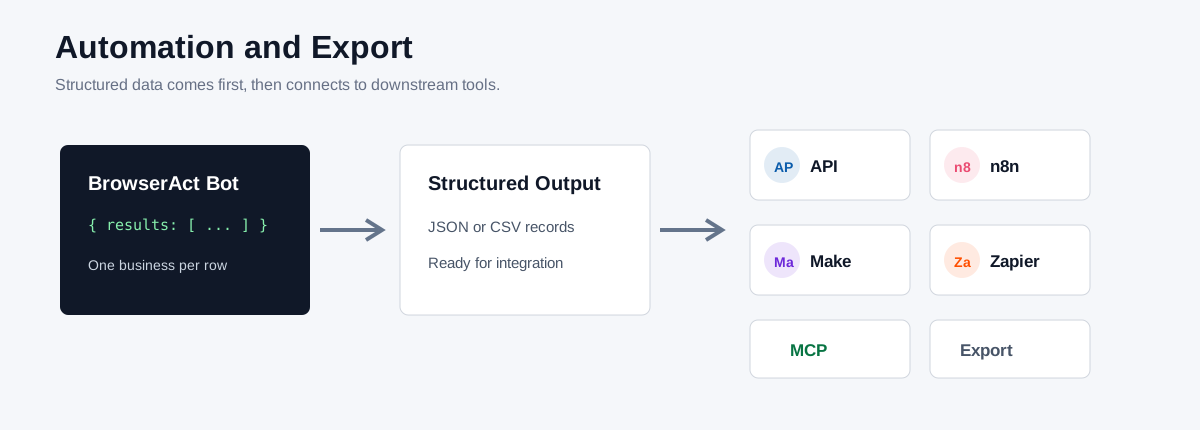
Use the API tab to run this template from your application and retrieve structured results. Send the records to n8n, Make, Zapier, MCP-based agents, or spreadsheets.
Need Help?
Contact service@browseract.com or join the Discord Community for help with your search.
