

Automatically find Google Maps businesses falling behind nearby competitors in review count. Capture local benchmarks, review-gap evidence, contacts, and lead priority for review growth outreach.
What Does Google Maps Local Review Gap Finder Do?
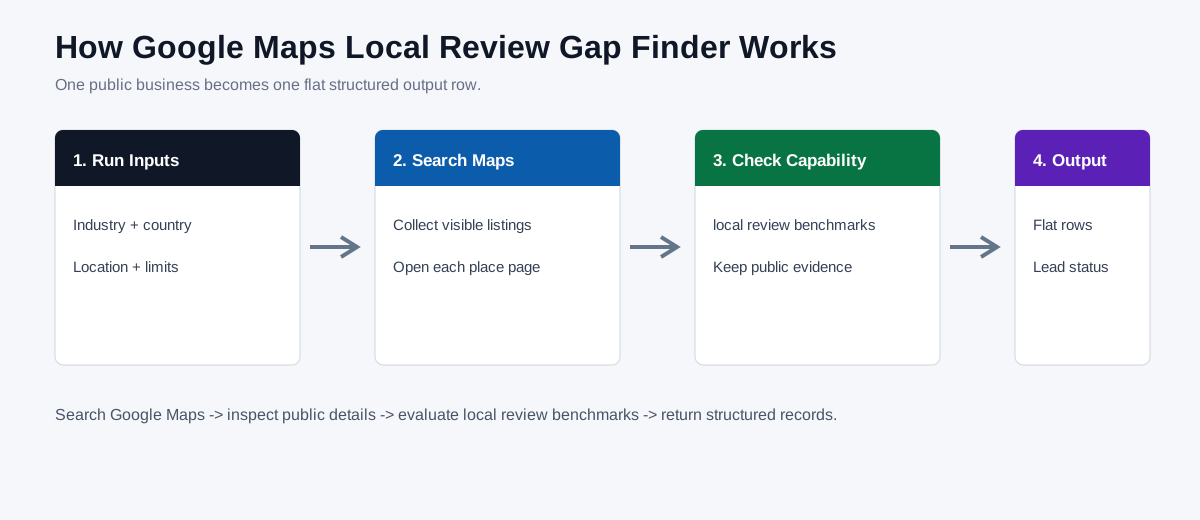
The Bot searches public Google Maps using the selected industry, country, and location, opens each visible business profile, and compares each business review count with a verified benchmark from nearby visible competitors. It returns every checked business as one flat structured row so local marketing agencies, reputation teams, and competitive research specialists can review evidence, contact paths, and lead status without rebuilding the workflow.
Key Features
- Build a local review-count benchmark from visible competitors.
- Calculate evidence-backed gap counts and percentages.
- Return public contacts and recommended review-growth outreach for each business.
What Data Can I Extract?
| Field | Description |
|---|---|
source_rank | Original position in the deduplicated Google Maps result feed before continuation and history exclusions. |
result_rank | Position among the new business rows returned by the current run. |
business_key | Stable public deduplication key derived from the Google Maps place identity token, or from normalized business name and address when needed. |
next_start_rank | Recommended start_rank value for continuing after this business in a later run. |
business_name | Visible business name. |
maps_category | Visible Google Maps category. |
business_description | Visible public business description when available. |
business_status | Current visible operating status. |
address | Public business address. |
service_area | Visible service area when available. |
phone | Public phone number when visible. |
rating | Visible Google Maps rating. |
review_count | Visible Google Maps review count. |
google_maps_url | Public Google Maps place URL. |
website_url | Listed public business website URL. |
booking_url | Visible public booking URL when available. |
opening_hours | Visible opening hours. |
public_email | Public email found on a checked business-owned page. |
contact_page_url | Public contact page URL when found. |
contact_form_url | Public contact form URL when found. |
facebook_url | Business-owned Facebook profile URL when verified. |
instagram_url | Business-owned Instagram profile URL when verified. |
linkedin_url | Business-owned LinkedIn profile URL when verified. |
other_social_url | Another verified business-owned public social URL. |
source_pages_checked | Short list of public pages used for the row. |
contact_evidence | Where the public contact route was found. |
lead_status | Evidence-backed lead classification. |
contactability | Whether a usable public contact route is available. |
best_contact_channel | Recommended public contact channel. |
opportunity_type | Verified service opportunity represented by the row. |
opportunity_score | Evidence-based prioritization score. |
recommended_service | Service recommendation supported by the observed gap. |
lead_priority_reason | Why the business received its priority. |
evidence | Concise public evidence supporting the result. |
recommended_pitch | Short factual outreach angle. |
checked_at | UTC timestamp for the public evidence check. |
benchmark_review_count | Structured benchmark review count value returned for the checked business. |
business_review_count | Structured business review count value returned for the checked business. |
review_gap_count | Structured review gap count value returned for the checked business. |
review_gap_percent | Structured review gap percent value returned for the checked business. |
observed_result_position | Structured observed result position value returned for the checked business. |
comparison_evidence | Structured comparison evidence value returned for the checked business. |
How to Use Google Maps Local Review Gap Finder
Quick Start
- Open Run task.
- Choose the industry and country, enter a location, and keep the default limits for the first run.
- Review the flat business rows, public evidence, lead status, and best available contact channel.
How Does it Work?
BrowserAct constructs a Google Maps search from the visible inputs, deduplicates listings in displayed order, opens each public business page, evaluates local review benchmarks, and returns one structured record per checked business.
Create Your Own Google Maps Local Review Gap Finder
- Click the
Create Editable Duplicatebutton in the upper-right corner of the template page. - Improve the duplicated Bot only when your use case needs different evaluation logic, inputs, or output fields. If no changes are needed, copy the Bot ID from your Bot list.
- Use the BrowserAct API to invoke your Bot programmatically and retrieve the complete structured result in your application.
Why Use This Bot?
- Build a local review-count benchmark from visible competitors.
- Calculate evidence-backed gap counts and percentages.
- Return public contacts and recommended review-growth outreach for each business.
Who Can Use It?
Local marketing agencies, reputation teams, and competitive research specialists can use the records to prioritize public-business research and evidence-based outreach.
How Many Results Can You Check?
The published default checks up to 5 businesses. You can increase max_results within the Bot's supported range; every successfully checked business is returned as its own row.
Automation and Export
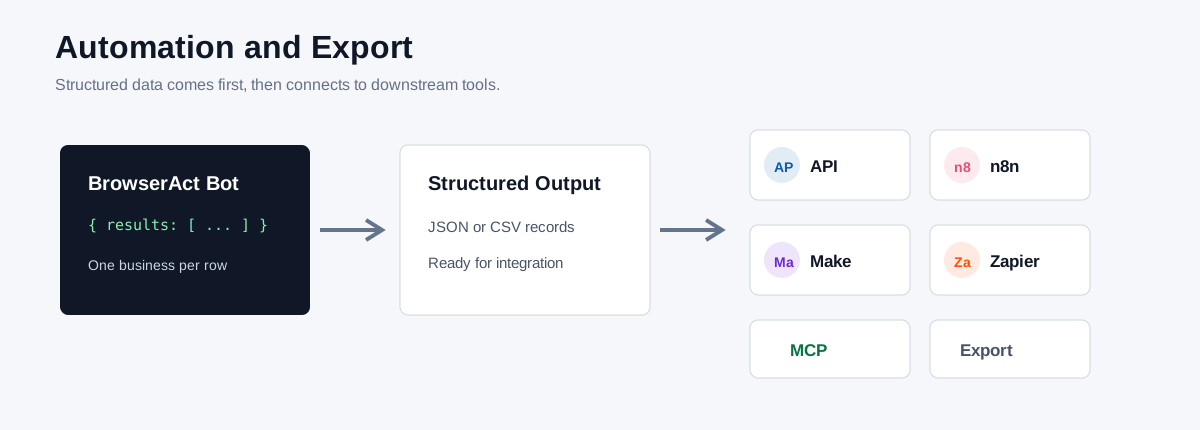
BrowserAct produces structured data first. Send it downstream through the BrowserAct API, n8n, Make, Zapier, MCP-based agents, spreadsheet export, or another workflow that accepts structured records.
Need Help?
Need a different industry list, lead rule, region, or output contract? Contact BrowserAct for a customized Bot built around your workflow.
Discord: Discord Community
E-mail: service@browseract.com
