

Automatically find public business email addresses from Google Maps listings. Enter a keyword, choose a country, and receive ranked business names, categories, full addresses, phone numbers, websites, public emails, and source URLs in structured records.
What Does BrowserAct Google Maps Email Finder Do?
The Bot starts from your configured inputs, opens the relevant public Google Maps page, loads the requested records, extracts the visible fields, and returns structured results. The default example uses marketing agency for Keyword, but the input can be changed before each run.
Key Features of Google Maps Email Finder
- Configurable public-page inputs without rebuilding the Bot.
- Structured records returned in a consistent
resultsarray. - Public, non-login extraction path.
- Reusable runs for new keywords, URLs, locations, or limits.
- Output ready for review, export, API use, or automation.
What Data Can I Extract from Google Maps?
| Field | Description |
|---|---|
business_name |
Publicly visible business name value for the record, when available. |
category |
Publicly visible category value for the record, when available. |
address |
Publicly displayed address. |
phone |
Publicly displayed phone number. |
website_url |
Public website URL associated with the record. |
email_addresses |
Public email addresses visible on the business website. |
contact_page_url |
Publicly visible contact page url value for the record, when available. |
google_maps_url |
Publicly visible google maps url value for the record, when available. |
rank |
Record position in the collected result order. |
How to Use Google Maps Email Finder
Quick Start Guide
- Click Run task.
- Enter a business keyword, choose a country, set the business count, and keep detail_mode on full_details when complete addresses are required.
- Click
Run. - Review the structured records after the run completes.
- Download the result or connect it to another workflow.
Input Parameters
| Parameter | Required | Default | Description |
|---|---|---|---|
keyword |
Yes | marketing agency |
Business type or service to search for. |
country |
Yes | United States |
Select a Google Maps country or region from the supported dropdown. |
business_count |
Yes | 5 |
Number of unique businesses to collect. Enter any positive integer; larger requests take longer. |
detail_mode |
Yes | full_details |
Choose full_details for complete place data, or list_only for a faster run that may return partial address, category, or phone values. |
Example Output
This field-and-result table shows one actual record from the validated Private Browsing run. Conditional fields may be empty when the source website does not publish them.
| Field | Result |
|---|---|
business_name |
BX Dental |
category |
Dentist |
address |
2466 Arthur Ave, Bronx, NY 10458 |
phone |
(718) 329-1000 |
website_url |
https://bxdentaldds.com/?utm_source=GMB&utm_medium=organic |
email_addresses |
["bxdentaldds@gmail.com"] |
contact_page_url |
Not returned for this record |
google_maps_url |
Google Maps place URL returned by the validated run |
rank |
3 |
How Does it Work?
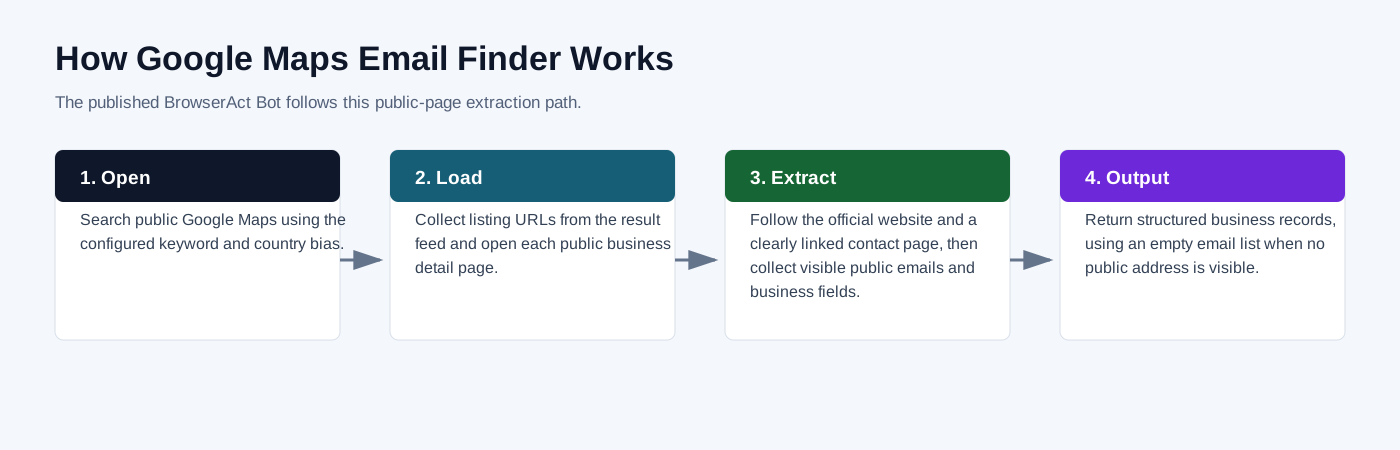
- Search public Google Maps using the configured keyword and country bias.
- Read listing-card fields first, then open a public place detail page only when required fields such as the complete address are missing.
- Follow the official website and a clearly linked contact page, then collect visible public emails and business fields.
- Return structured business records, using an empty email list when no public address is visible.
Create Your Own Google Maps Email Finder
Step 1: Create an editable copy
Click Create Editable Duplicate in the upper-right corner of this template page. BrowserAct creates a copy in your account with the same inputs, extraction flow, and output schema.
Step 2: Customize only when needed
Run the copied Bot with the default settings first. Use Improve only when you need different fields or behavior. If no changes are required, open the Bot list and copy the Bot ID directly.
Step 3: Connect through the BrowserAct API
Use the BrowserAct API with your Bot ID to start runs programmatically and retrieve the complete structured result in your application.
Why Use Google Maps Email Finder?
- Replace repetitive copying from public Google Maps pages.
- Keep the same output structure across repeated runs.
- Send public records into research, reporting, enrichment, or monitoring workflows.
Who Can Use Google Maps Email Finder?
- Researchers and analysts collecting public web data.
- Marketing, sales, and operations teams preparing structured datasets.
- Automation builders connecting BrowserAct output to other tools.
- Developers who need reusable browser-collected JSON records.
Automation and Export
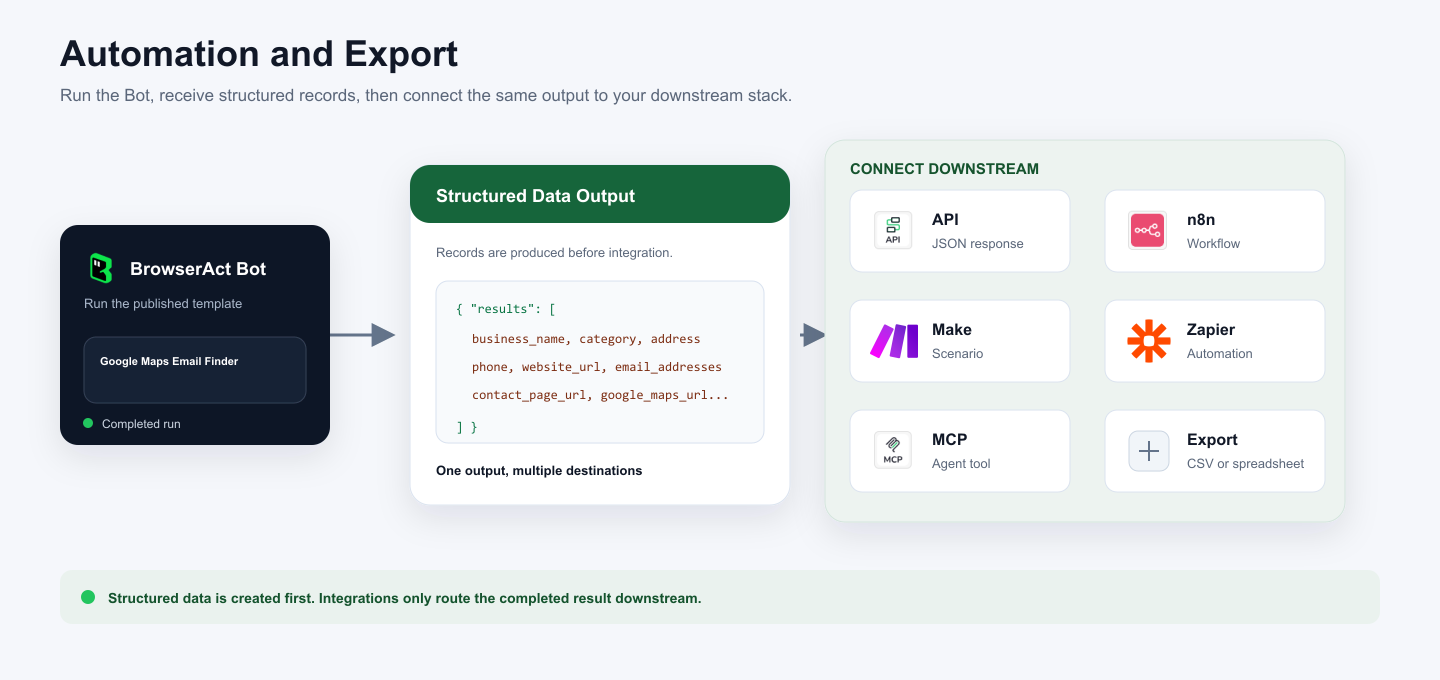
BrowserAct returns structured records first. You can then use that output through API JSON responses, n8n workflows, Make scenarios, Zapier automations, MCP-based agent workflows configured from the Bot's Integrations tab, or manual spreadsheet export.
Need Help?
Contact us at
Discord: Discord Community
E-mail: service@browseract.com
