

Use this BrowserAct template to collect structured local business listings from public Google Maps search results without writing code. The bot searches Google Maps with your configurable location and search query, opens each matching place page, and returns clean local business records for lead generation, market research, and directory building. The default example uses dental clinics in Austin, TX, but the search query is configurable.
What Does BrowserAct Google Maps Business Scraper Do?
Google Maps Business Scraper turns public Google Maps search results into structured business records. Instead of copying listings manually, you can set a location, business keyword, and result count, then run a tested BrowserAct Bot that visits each public place page and extracts the visible business details.
Key Features of Google Maps Business Scraper
- Configurable search: change
Location,Search Query, andCountwithout rebuilding the bot. - Detail-page extraction: opens each place page to capture fields that are not reliably available from the list view.
- Structured output: returns records in a consistent
resultsarray. - Public-page workflow: designed for visible Google Maps listing data that does not require login.
- Export-ready records: use the output for market research, local lead lists, directory updates, or enrichment.
What Data Can I Extract from Google Maps?
| Field | Description |
|---|---|
name |
Business name. |
rating |
Google Maps star rating. |
review_count |
Number of Google Maps reviews. |
address |
Full listed business address. |
phone |
Public phone number shown on Google Maps. |
website |
Public website domain or URL when available. |
google_maps_url |
Direct Google Maps place URL. |
category |
Business category shown by Google Maps. |
opening_status |
Current visible opening status, such as Open · Closes 5 p.m. |
price_range |
Price range when Google Maps shows one; otherwise null. |
How to Use Google Maps Business Scraper
Quick Start Guide
- Click Run task.
- Keep the default inputs for a first test, or set your own
Location,Search Query, andCount. - Click
Run. - Review the structured records after the run completes.
- Download the result or connect it to your next workflow.
Input Parameters
| Parameter | Required | Default | Description |
|---|---|---|---|
Location |
Yes | Austin, TX |
The city, area, or region to search in Google Maps. |
Search Query |
Yes | dental clinics |
The business type or keyword to search. |
Count |
Yes | 10 |
Maximum number of records to collect. This template has been tested with up to 20 records per run. |
Example Output
The table below uses records preserved from the validated Bot run. Up to the first 5 records are shown, and long values are shortened in this documentation preview.
| name | rating | review_count | address | phone | website | google_maps_url | category | opening_status | price_range |
|---|---|---|---|---|---|---|---|---|---|
| myDental at Tech Ridge | 4.8 | 1505 | 13000 N Interstate Hwy 35 Ste 206, Austin, TX 78753, United States | +1 512-815-2524 | mydental.com | https://www.google.com/maps/place/myDental+at+Tech+Ridge/... | Dental clinic | Open · Closes 6 p.m. | null |
How Does it Work?
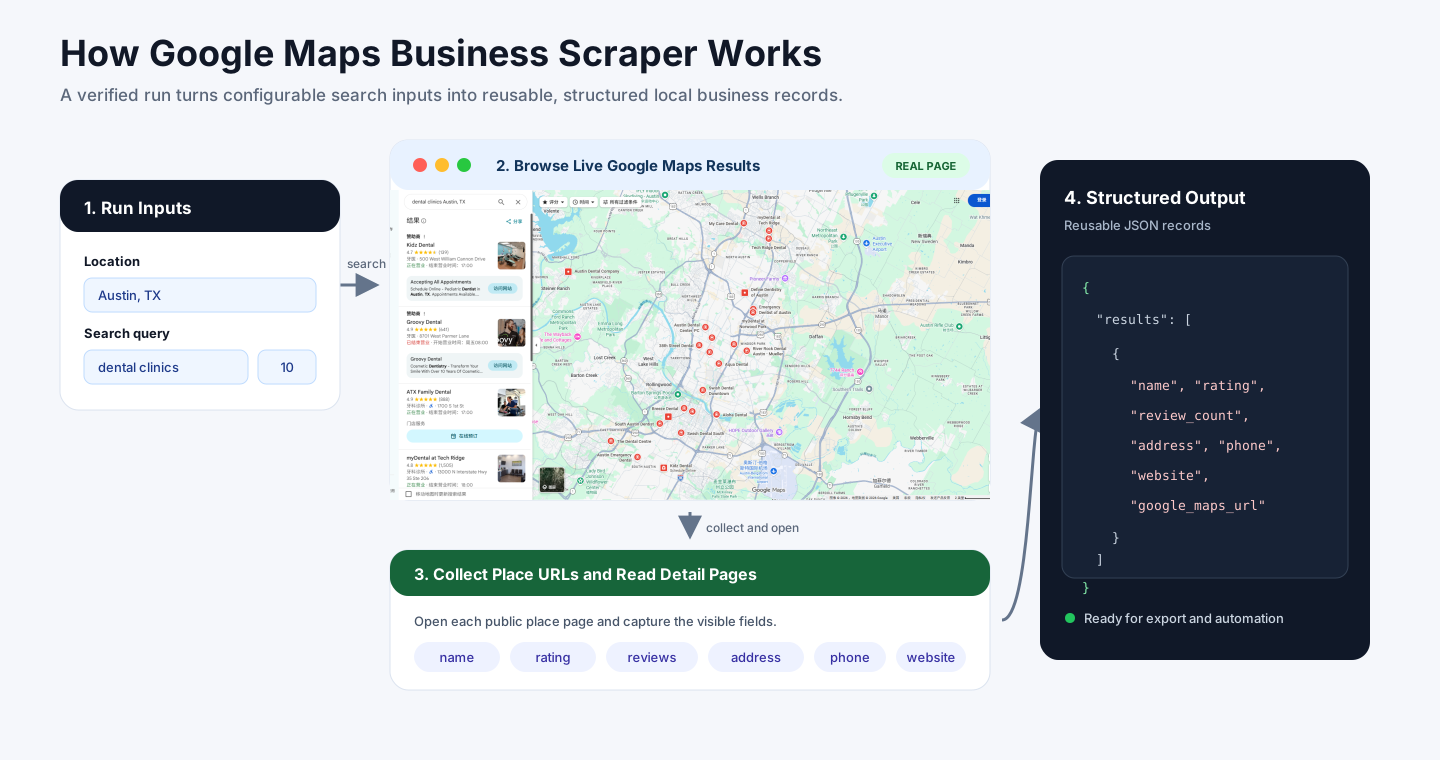
- You provide a location, search query, and result count.
- BrowserAct searches Google Maps using those inputs.
- BrowserAct collects place URLs from the public search results feed.
- BrowserAct opens each place page to read detailed business fields.
- BrowserAct returns a structured
resultsarray that you can download or reuse.
How to Build a New Scraper Bot with Agent Built
Step 1: Describe the data you need
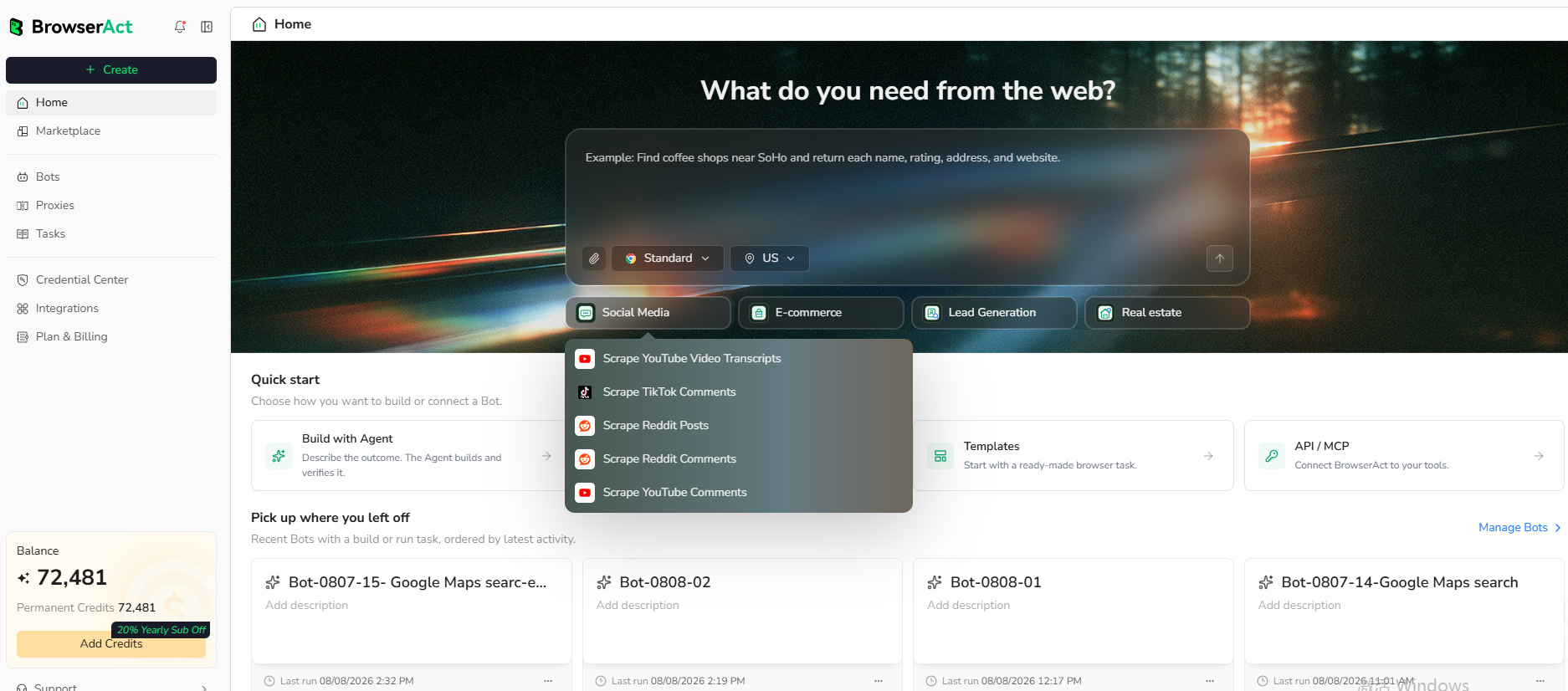
Open BrowserAct and start Agent Built from the Home prompt box or from Create -> Build with Agent. Paste a clear request that includes the website, the records to collect, the filters or search conditions, the fields to return, the result limit, and the inputs you want to reuse later.
Step 2: Let BrowserAct build and test the bot
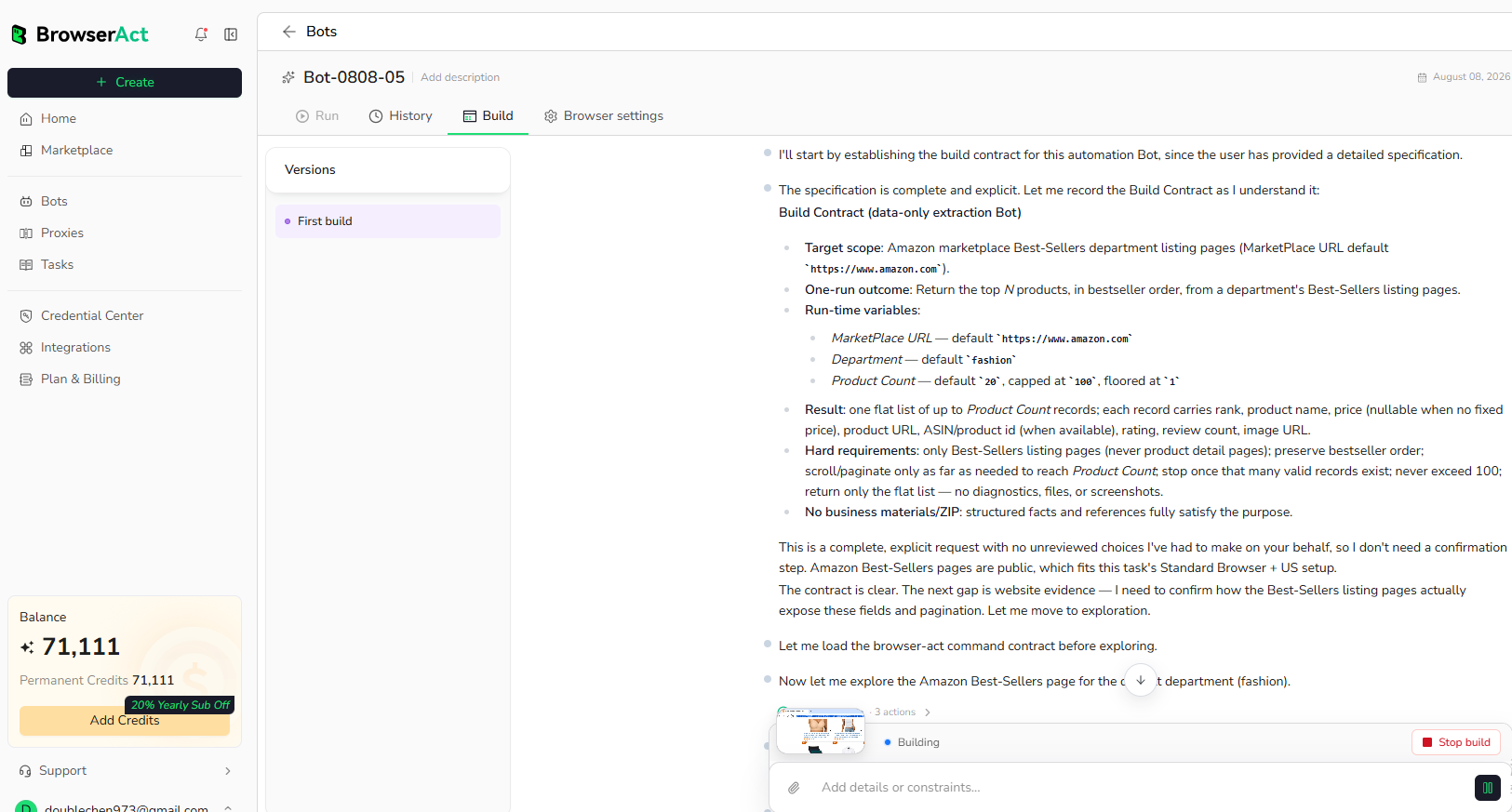
BrowserAct explores the live website, works out the navigation and extraction path, and validates the result. If BrowserAct asks for clarification, reply in the same build conversation with the missing URL, condition, field, example, or expected output.
Step 3: Run the bot and review the result
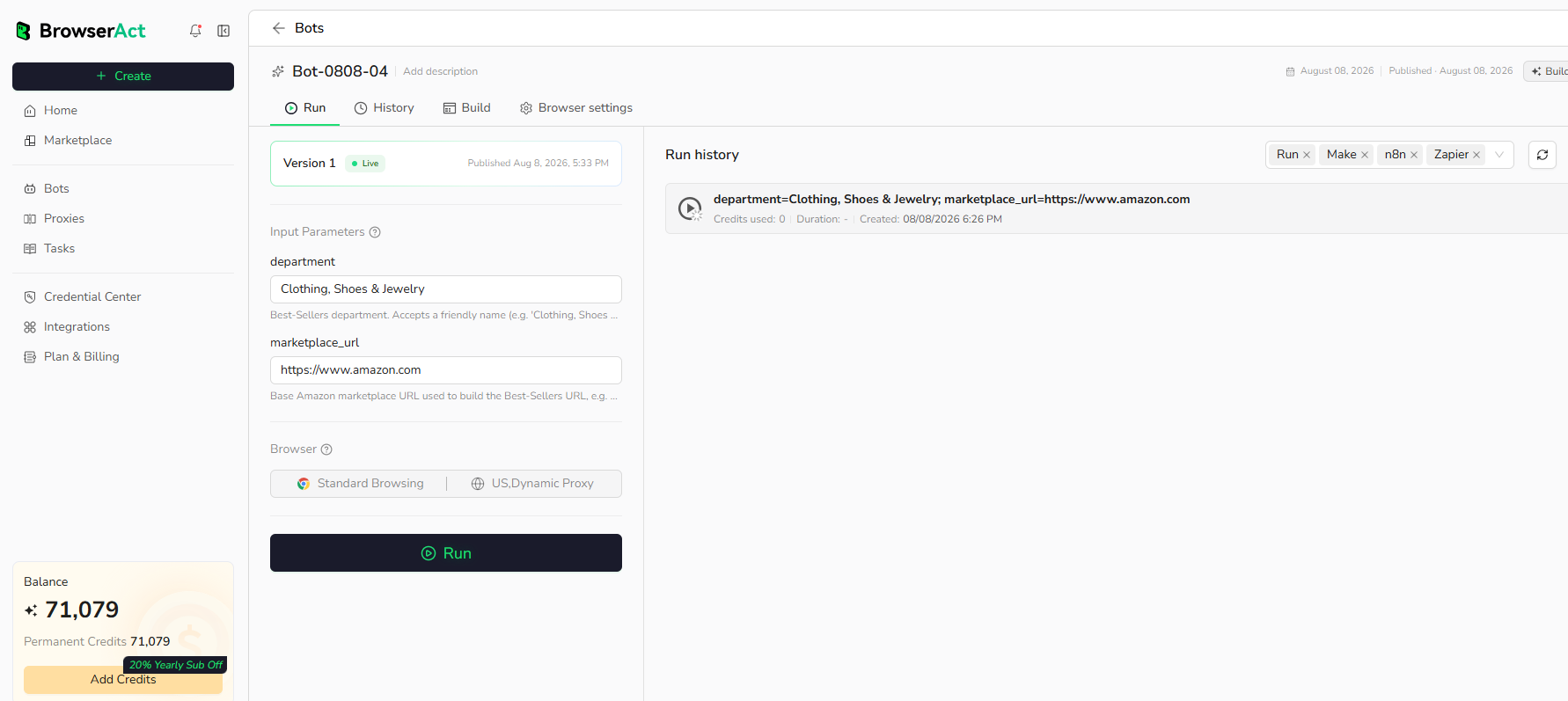
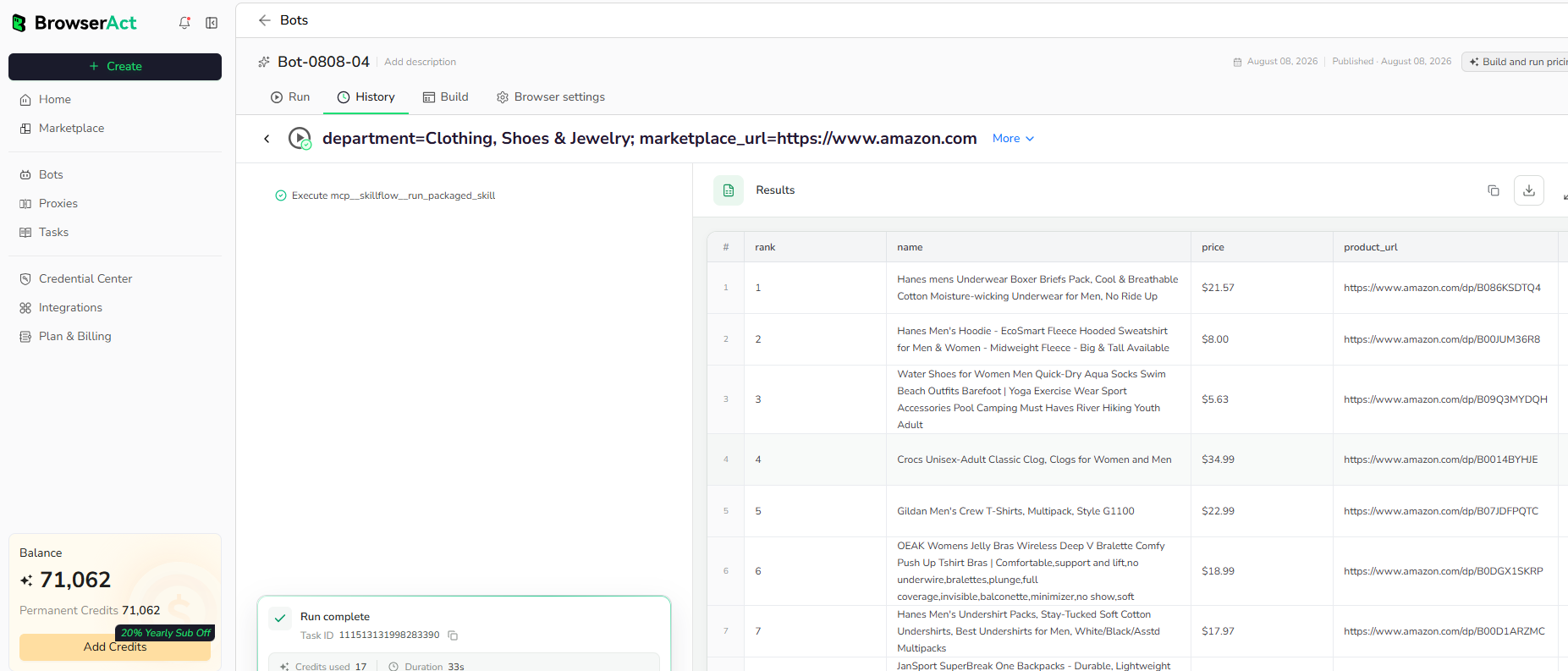
When the build is complete, run the bot with the default inputs first. Review the structured records, source URLs, missing fields, and row count before reusing the bot with new inputs or connecting it to another workflow.
Why Scrape Google Maps Business Listings?
- Build a local business lead list from public Google Maps results.
- Compare visible Google Maps ratings and review counts across a local market.
- Collect source URLs for follow-up verification or enrichment.
- Monitor public listing completeness across a category or region.
Who Can Use Google Maps Business Scraper?
- Local sales and growth teams researching public business leads.
- Agencies building market maps for clients.
- Operators checking listings, websites, and contact data in a region.
- Researchers comparing visible ratings, review counts, and categories.
How Many Results Can You Scrape?
The default run collects 10 records. This template has been tested with up to 20 records per run. Larger runs may take more time and should be tested gradually by increasing the Count input.
Automation and Export
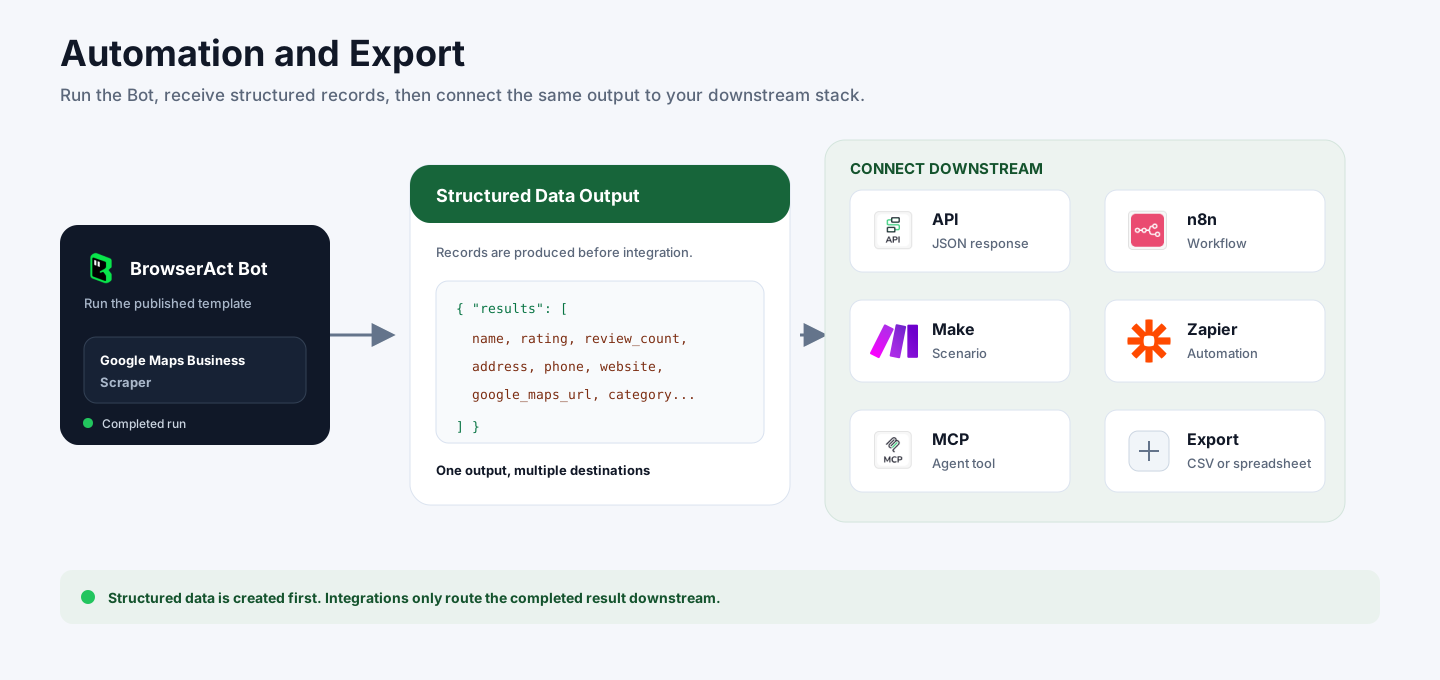
After the bot run completes, BrowserAct first returns structured Google Maps business records. You can then connect that output to downstream tools and workflows:
- API: call the built Bot through the BrowserAct API and receive JSON results for downstream systems.
- n8n: trigger the Bot from an n8n workflow, then route business names, websites, phone numbers, ratings, and source URLs to sheets, CRMs, alerts, or enrichment steps.
- Make: run the Bot from a Make scenario and map each Google Maps result field into your existing business apps.
- Zapier: send structured records into Zaps for lead routing, notifications, CRM updates, or spreadsheet rows.
- MCP-based agents: use the Bot's structured output as a tool result or context source for agent workflows that operate through MCP-compatible infrastructure.
- Manual export: download the output for spreadsheet review, lead QA, local market research, or one-off analysis.
Need Help?
Contact us at
Discord: Discord Community
E-mail: service@browseract.com
