
Google Maps API
Extract structured business details from Google Maps with a single API call. No scraping scripts, no proxies, no maintenance. Built for sales and automation.
Published by
Ma
Maggie
September 10, 2026
Approx.Credits
200-230 Credits
Categories
BA
Google Maps
Template ID
77577579210625331

Brief
⭐Copy and send this to your Agent:
 Install this skill for me:
https://github.com/browser-act/skills/tree/main/google-maps-api-skill
What is Google Maps API?
BrowserAct’s Google Maps API lets you extract structured business data from Google Maps through a single API request — no crawler scripts, no browser automation, and no manual export.
Simply pass your keywords and location to the API. BrowserAct automatically executes the full workflow in the background and returns clean, ready-to-use business data directly via API.
Live & Interactive Demo
A live interactive demo is available inside the BrowserAct platform.
What data can you get through Google Maps API?
The API returns structured business details extracted from Google Maps.
Field name | Description |
Title Name | The official business name as displayed on Google Maps. |
Category_primary | The main business category assigned by Google Maps, representing the core business type. |
Categories | All categories associated with the business, including secondary and niche classifications. |
Opening hours | The business’s operating hours, including daily schedules and special hour notes when available. |
Address | The full formatted street address of the business location. |
country | The country where the business is located. |
postal_code | The postal or ZIP code associated with the business address. |
price_level | Google’s price range indicator showing the relative cost level of the business. |
Rating | The average star rating given by users on Google Maps. |
reviews_count | The total number of public reviews the business has received. |
business_status | The current operational status of the business, such as operational, temporarily closed, or permanently closed. |
Website link | The official website URL listed on the business profile, if available. |
Phone number | The primary contact phone number shown on Google Maps. |
booking_links | External links that allow users to make reservations or appointments directly. |
Menu link | A direct link to the business’s menu, if provided on Google Maps. |
Social media profiles (if available) | Links to connected social media accounts such as Facebook or Instagram when detected. |
plus_code | The Google Plus Code representing the precise geographic location of the busine_ |
Why Google Maps API is right for you
- One-call integration
Connect directly to your CRM, BI tools, databases, or automation platforms via API. - Zero maintenance
No crawler scripts, proxy setup, or anti-bot handling required. - Production-ready output
Consistent, structured responses suitable for automated processing. - Sales-first workflow
Turn Google Maps search intent into qualified sales leads automatically.
In short:
Search → API call → Data delivered
Google Maps API is built for sales operations, growth teams, and automated workflows that value speed, reliability, and simplicity.
API Parameters
Parameter | Description | Default | Supported values (examples) |
TargetURL | Base Google Maps URL used for navigation and data extraction | Fixed value | |
Keywords | Search query used to find businesses on Google Maps | Turkish-style restaurant | Any keyword or phrase (e.g. coffee shop, dental clinic, SaaS company) |
Language | UI language and returned text language | en | en, zh-CN, zh-TW, es, fr, de, it, ja, ko, pt-BR, ru, ar |
country | Country or region bias for search results | us | us, gb, ca, au, de, fr, es, it, tr, jp, kr, cn, br, in |
Code to integrate
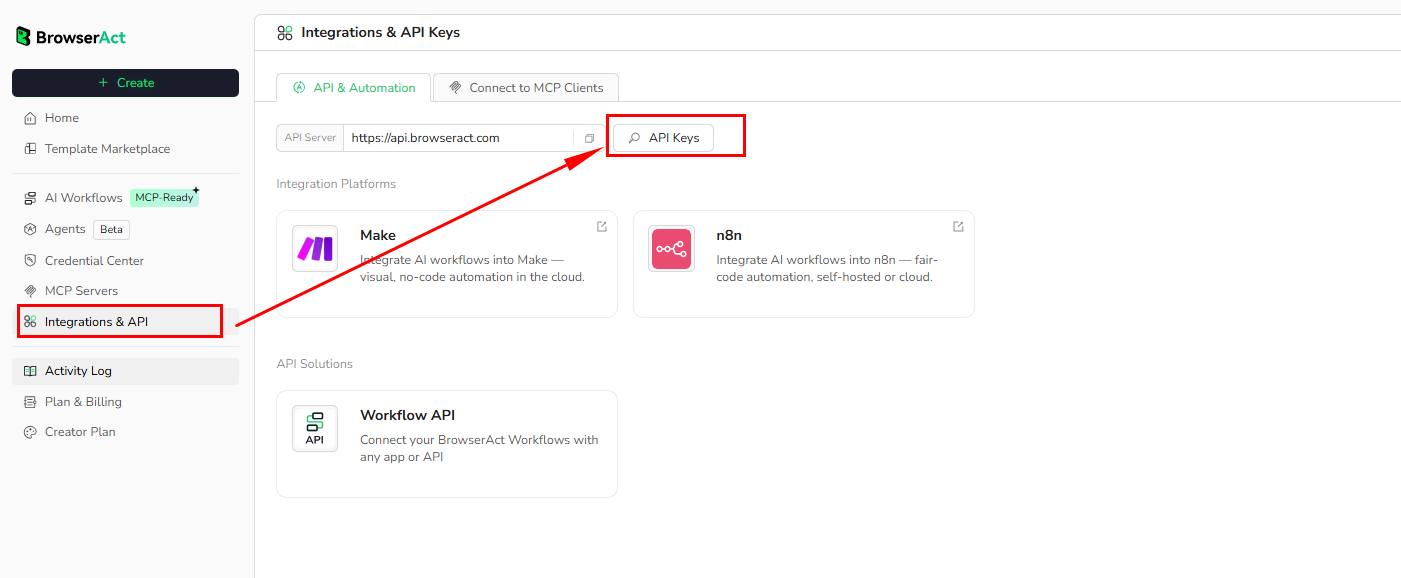
Click Get code, replace the API key, and run the code directly in your application.
# API Key, get from: https://www.browseract.com/reception/integrations
API_KEY = os.getenv("BROWSERACT_API_KEY", "app-abcdefghijklmn")
You only need to replace:
app-abcdefghijklmn
with your own API key, and the code will run successfully.
You can find your API key in the API & Integrations section of the BrowserAct dashboard.
API Results
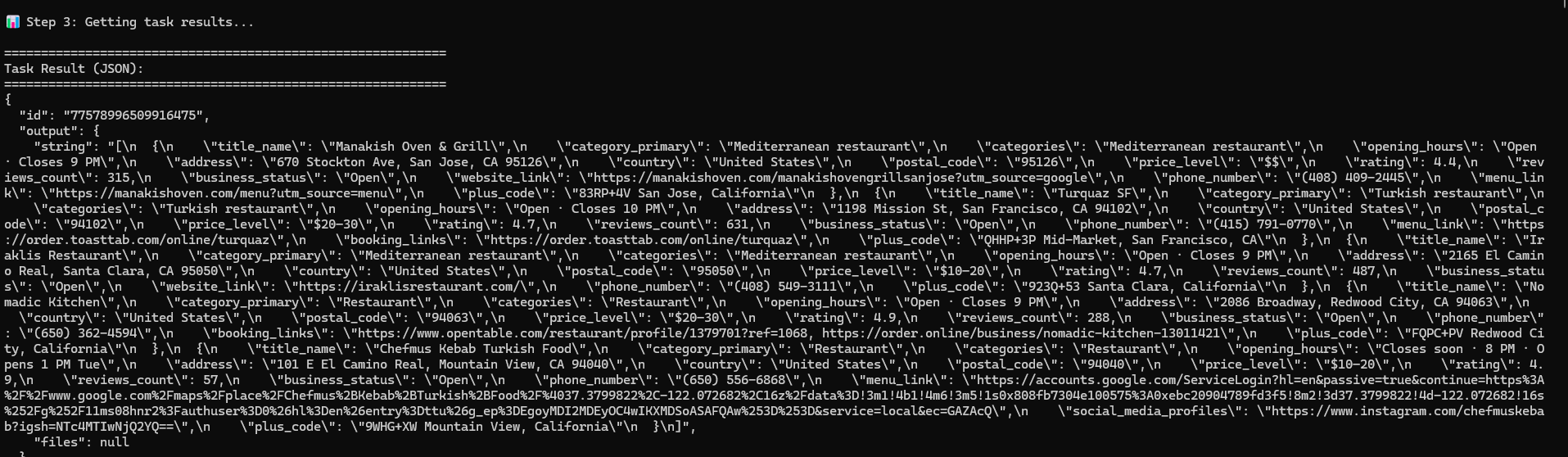
BrowserAct returns all Google Maps scraping results directly through the API, with no manual output configuration required.
The API response is delivered as a structured dataset, designed for immediate programmatic consumption. Results are consistently formatted, making them easy to integrate into downstream systems such as CRMs, databases, analytics pipelines, or automation workflows.
Once a task completes, the full result set is available via the API response or retrieval endpoint. The output structure is standardized and does not require field selection or manual export, ensuring predictable and reliable data handling in production environments.
This approach removes UI-level configuration and enables a fully automated, API-first workflow—from from request to results delivery.
API Examples
- Input
TargetURL: https://www.google.com/maps
Keywords: Turkish-style restaurant
Language: en
Country: us
- Steps
Click Get the Code
Run the request
Receive structured results via API
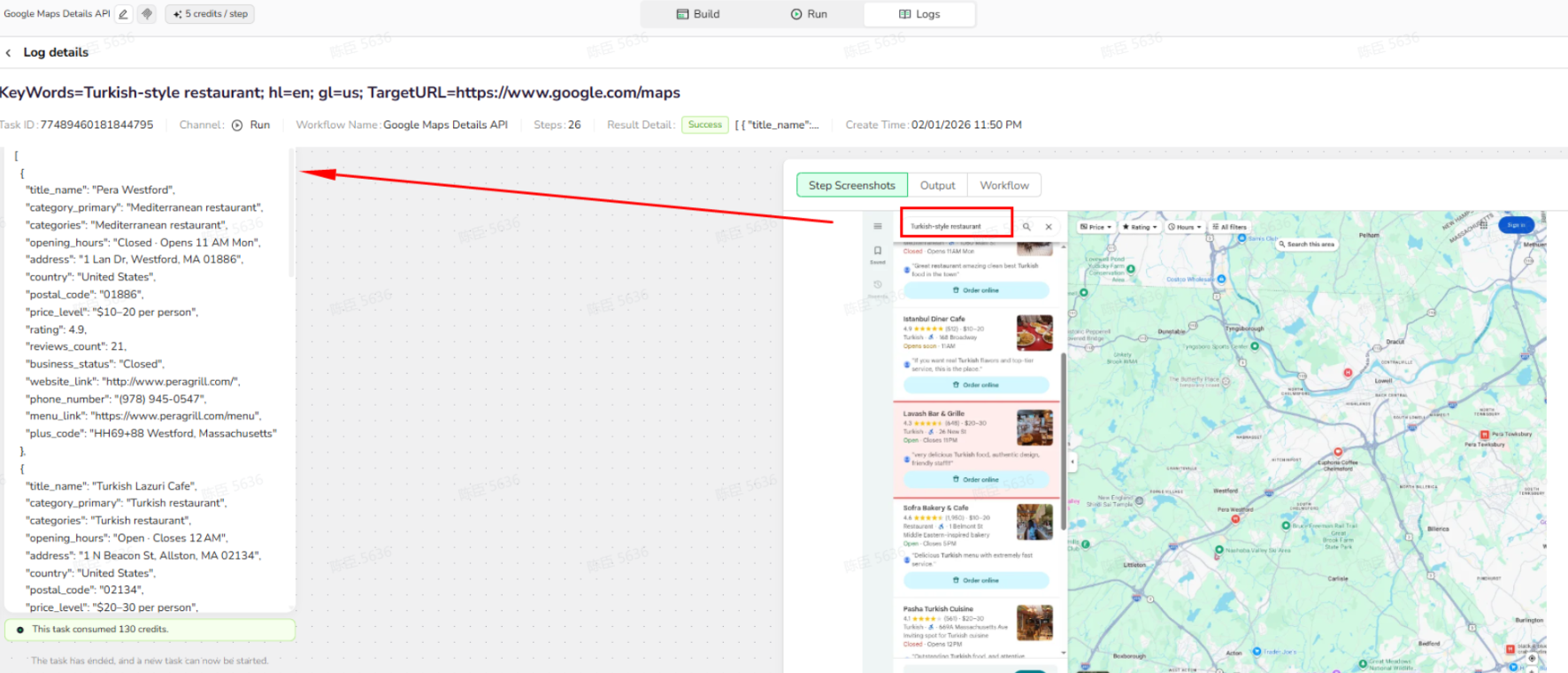
Map View
BrowserAct delivers Google Maps location data via API instead of a built-in map view, enabling developers to build custom map visualizations or downstream integrations as needed.
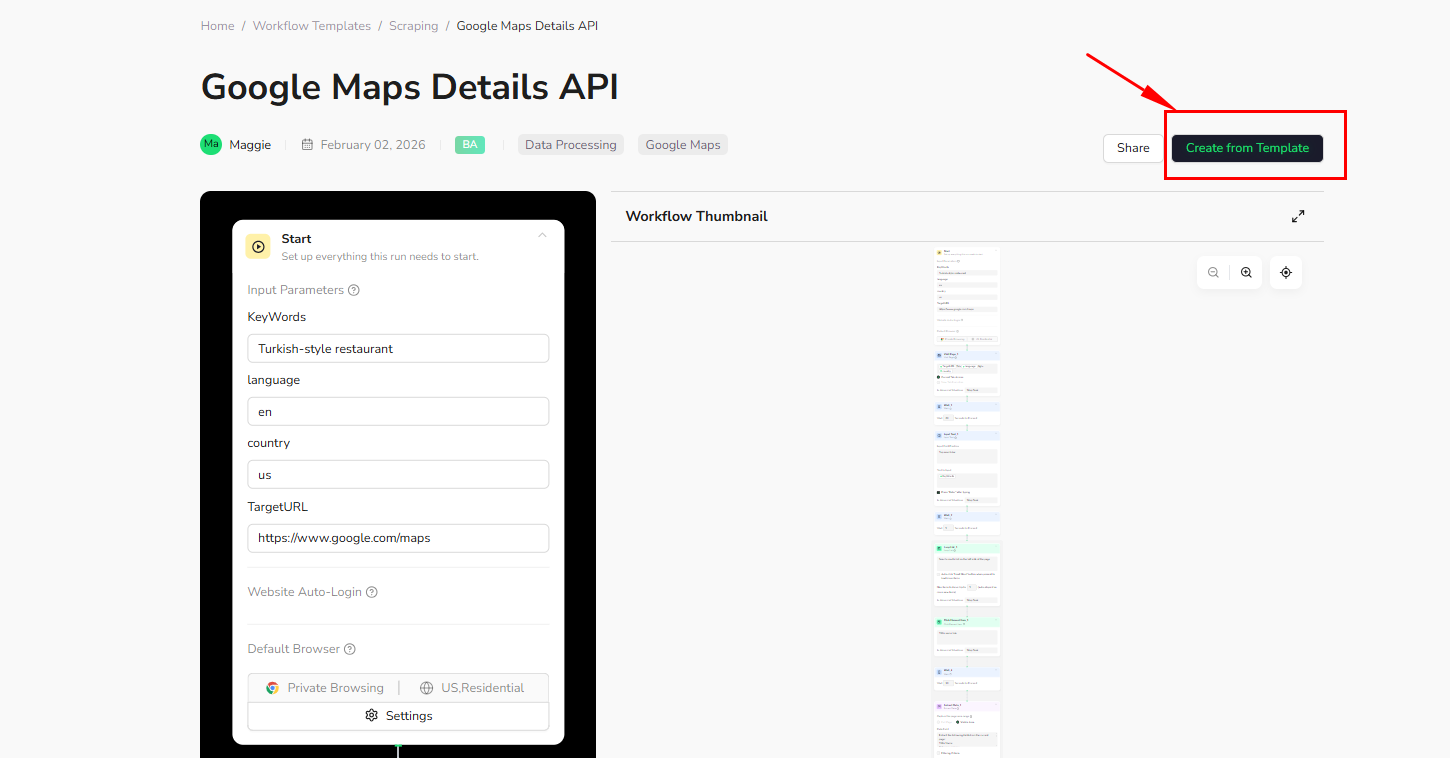
Create Your Own Google Maps API
To create your own Google Maps API, simply start from a prebuilt template.
- Click Create from Template in the top-right corner
- Complete the setup
- You’ll receive a callable workflow_id
Once created, you can use the BrowserAct API to invoke your workflow programmatically and retrieve Google Maps details directly in your application.
Need help? Contact us at
Discord: [Discord Community]
E-mail: service@browseract.com
 What can we do for you