

Automatically extract Google flight results from public search pages with a no-code scraper API. Capture routes, airports, dates, airlines, cabin class, prices, currency, duration, stops, emissions, and booking links for travel comparison and automation.
What Does the Google Flight Results Scraper API Do?
This Bot reads one public Google Search results page and returns the visible flight results module as one structured result. It does not open destination pages or mix unrelated result modules into the response.
Atomic Capability
One run reads one Google Search page and returns only the flight results module.
The Bot builds the fixed Google Search URL internally from the query and selected settings, reads only the relevant public result area, and returns one predictable record for API or workflow use.
Key Features
- Uses one open-ended search query and non-empty defaults.
- Uses dropdowns for country, interface language, and SafeSearch.
- Builds the fixed Google Search URL internally.
- Returns one structured record per run.
- Keeps conditional fields without treating a naturally absent module as a build failure.
Quick Start
- Open Run task.
- Keep the default query or enter a new search query.
- Choose the country, interface language, and SafeSearch settings.
- Run the Bot and review the structured result.
- Use the API Tab after the marketplace Template ID is assigned.
Input Parameters
Example Output
The table below shows one example structured result. Long values may be shortened in this documentation preview for readability.
How Does It Work?
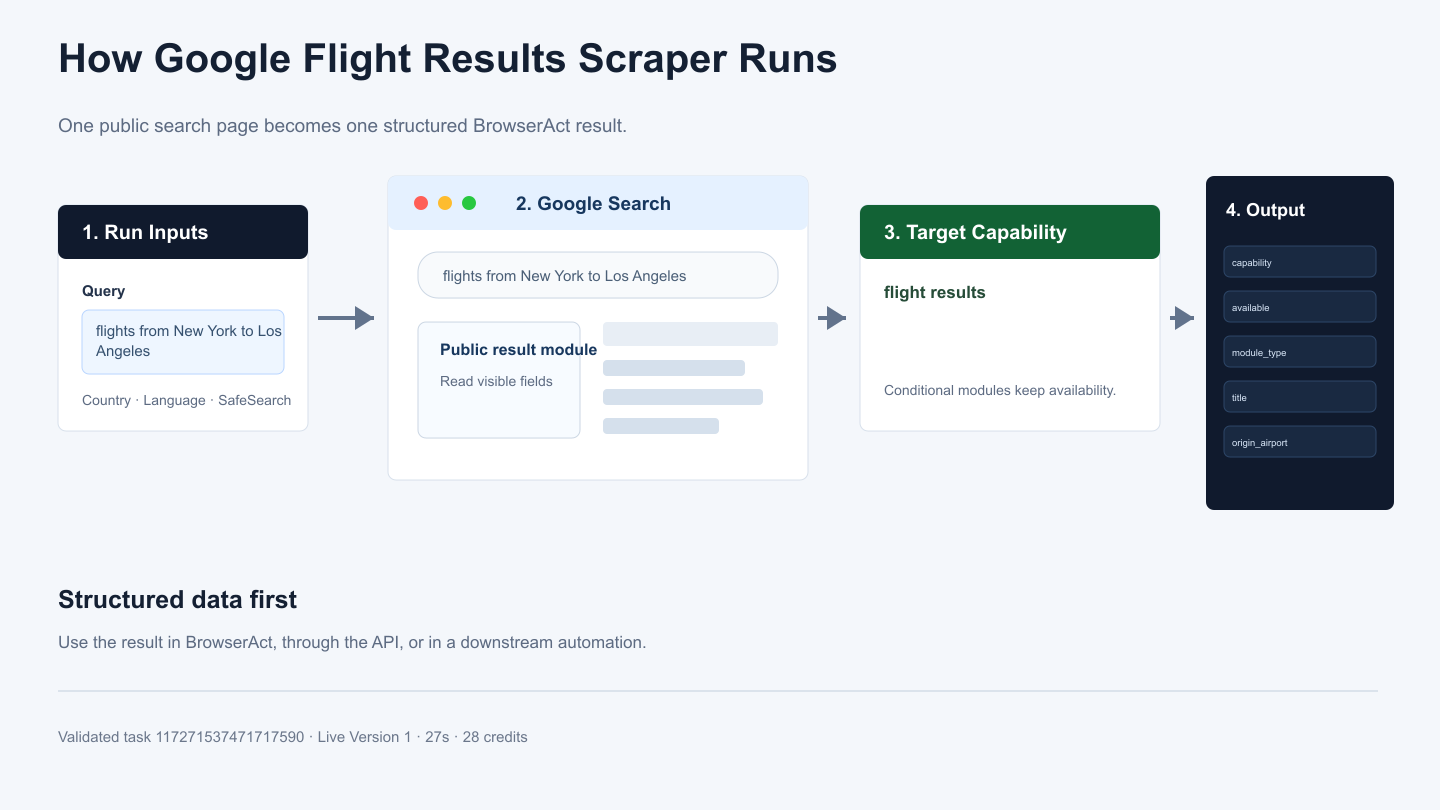
- Accepts the query and selected search settings.
- Builds and opens the Google Search results URL.
- Locates the target result module on the public page.
- Extracts the visible fields and availability state.
- Returns one structured record for downstream use.
Use Cases
- Power a focused search-data feature in an application.
- Monitor a repeatable search result type.
- Feed structured results into research or analytics workflows.
- Connect the output to an API client, n8n, Make, Zapier, or an MCP-based workflow.
Create Your Own Google Flight Results Scraper Bot
Step 1: Create an Editable Version
Click Create Editable Duplicate in the upper-right corner of this page. An editable version of the template will be added to your BrowserAct workspace.
Step 2: Customize the Bot When Needed
Open the duplicated Bot from your Bots list. Use Improve only when you need to change its inputs, extraction behavior, or output fields. If the existing configuration already meets your needs, use it as-is and retrieve its Bot ID from the Bots list.
Step 3: Run the Bot Through the API
Use the Bot ID with the BrowserAct API to run your workflow programmatically and retrieve complete structured results in your application.
Automation and Export
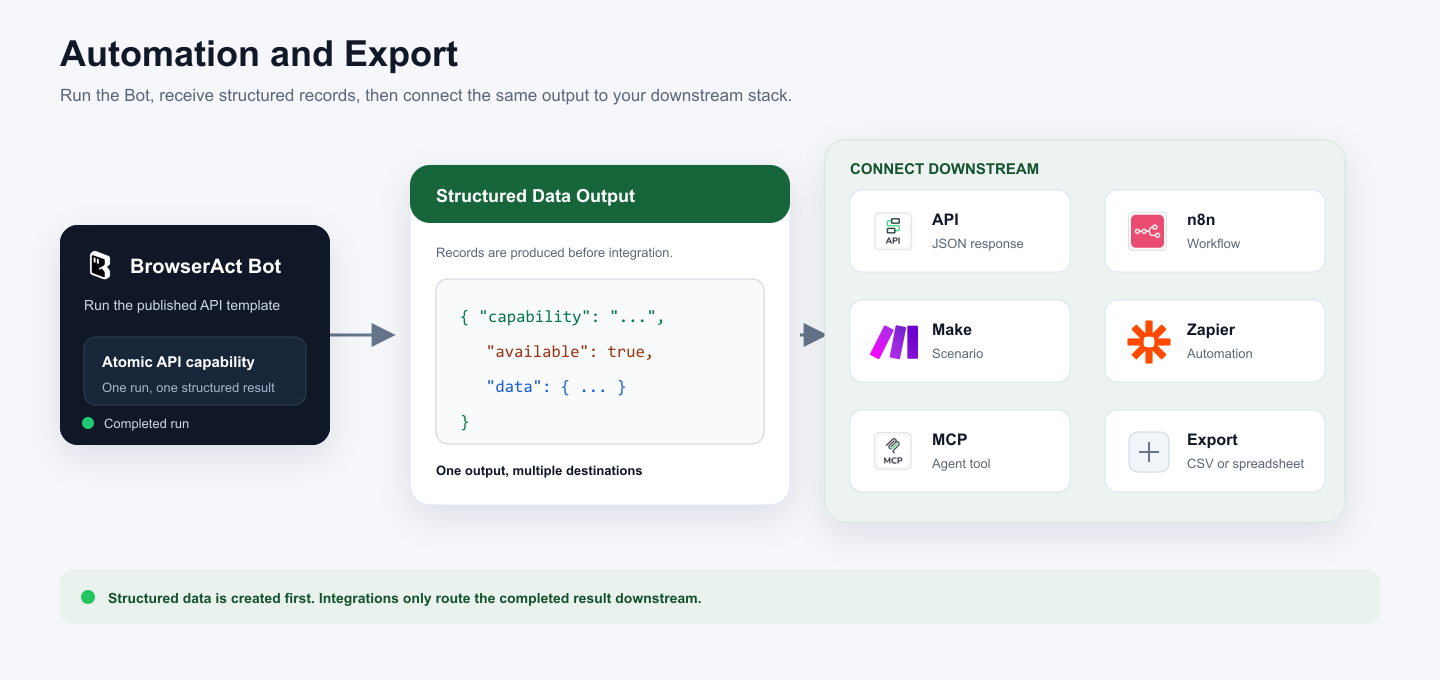
BrowserAct produces structured data first. Use the result through Run Task, the JSON API, n8n, Make, Zapier, MCP-based agents, or a supported export flow.
Need Help?
Cannot find the exact API capability you need, or need help combining several Bots?
Discord: BrowserAct Community
Email: service@browseract.com
