

GolfNow Tee Time Scraper turns public GolfNow search results into individual structured tee-time offers. Search by course, city, or postal code, select only site-supported date, golfer, and hole options, and receive official course and booking URLs without entering a fixed GolfNow URL.
What Does BrowserAct GolfNow Tee Time Scraper Do?
The Bot resolves the location through GolfNow's public autocomplete, applies the selected date, golfer, and hole filters, reads courses in visible order, opens their public tee-time listings, and returns one record per bookable offer.
Key Features
- Dynamic course, city, or postal-code search.
- Dropdowns for relative date, golfer count, and holes.
- Individual tee times and current public prices.
- Course address, distance, rating, and review count.
- Hot-deal and included-feature indicators.
- Official GolfNow course and booking URLs.
- No login, favorite action, or booking submission.
What Data Can I Extract from GolfNow?
| Field | Description |
|---|---|
course_name |
Golf course name. |
course_address |
Public street address. |
city |
Course city. |
state |
Course state or region. |
postal_code |
Course postal code. |
distance |
Distance from the resolved search location. |
course_rating |
Public GolfNow course rating. |
review_count |
Public review count. |
play_date |
Date of the tee-time offer. |
tee_time |
Available tee time. |
price |
Current public price. |
currency |
Price currency. |
holes |
Number of holes for the offer. |
golfers |
Selected golfer filter or source value. |
hot_deal |
Whether GolfNow marks the offer as a Hot Deal. |
features |
Public rate features such as cart inclusion or GolfPass points. |
course_url |
Official GolfNow course search URL. |
booking_url |
Official public GolfNow booking flow URL. |
scraped_at |
Extraction timestamp. |
How to Use GolfNow Tee Time Scraper
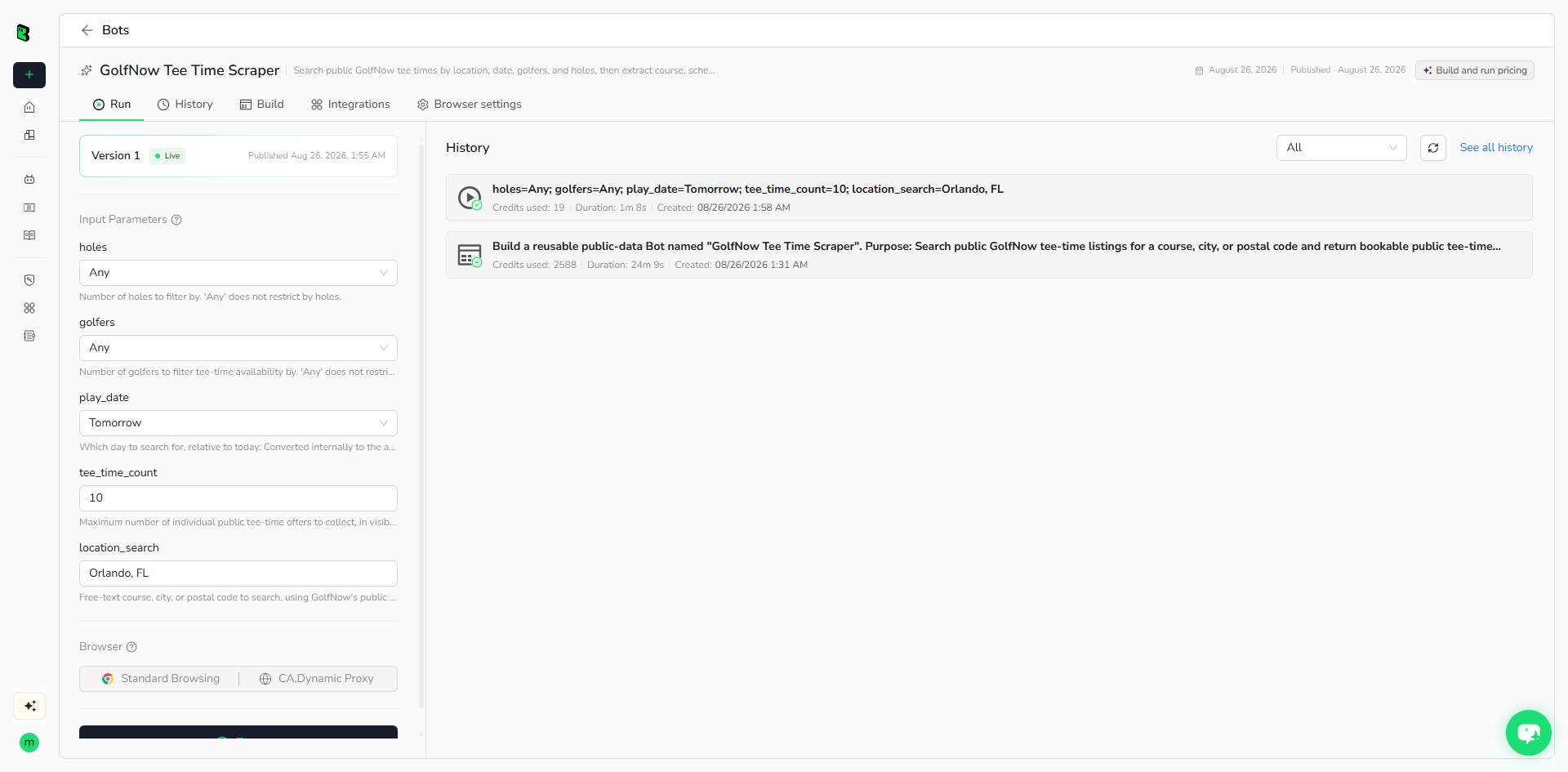
- Click Run task.
- Enter a course, city, or postal code.
- Select a play date, golfer count, and hole count.
- Set the maximum number of tee-time offers.
- Run the Bot and review the structured results.
Input Parameters
| Parameter | Type | Required | Default | Description |
|---|---|---|---|---|
location_search |
Text | Yes | Orlando, FL |
Course, city, or postal code resolved through GolfNow's dynamic autocomplete. |
play_date |
Dropdown | Yes | Tomorrow |
Today through seven days from today. |
golfers |
Dropdown | Yes | Any |
Any, 1, 2, 3, or 4. |
holes |
Dropdown | Yes | Any |
Any, 9, or 18. |
tee_time_count |
Integer, 1-50 | Yes | 10 |
Maximum individual public tee-time offers to return. |
Example Output
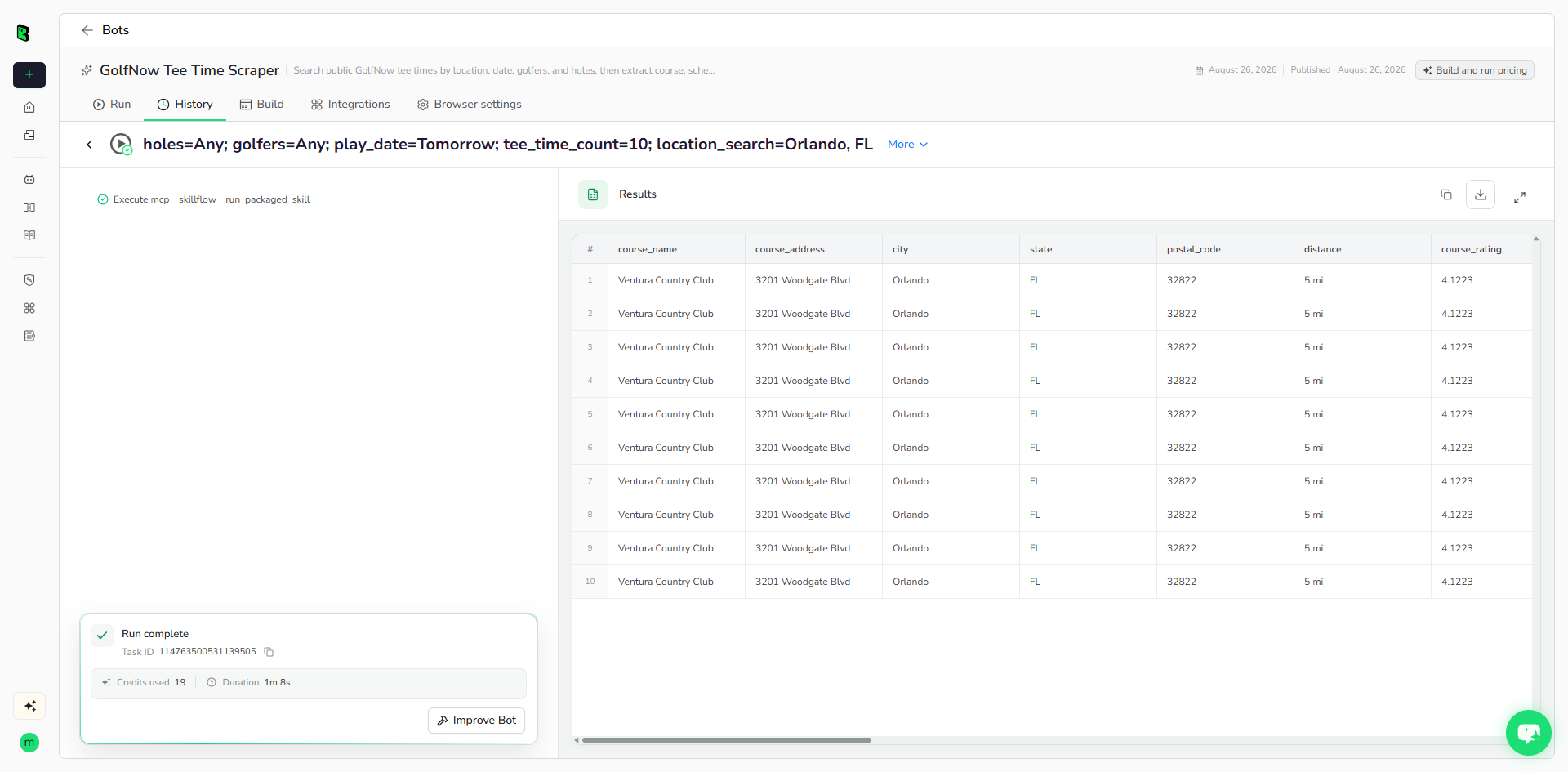
The table below shows up to the first 5 records from the validated run. Long values are shortened in this preview for readability; the completed task keeps the full structured output.
| course_name | course_address | city | state | postal_code | distance | course_rating | review_count | play_date | tee_time | price | currency | holes | golfers | hot_deal | features | course_url | booking_url | scraped_at |
|---|---|---|---|---|---|---|---|---|---|---|---|---|---|---|---|---|---|---|
| Ventura Country Club | 3201 Woodgate Blvd | Orlando | FL | 32822 | 5 mi | 4.1223 | 2272 | Thu, Aug 27, 2026 | 11:10 AM | 49.76 | USD | 18 | Any | false | Online Rate, Cart Included, Earn 11 GolfPass Points | https://www.golfnow.com/tee-times/facility/1791-ventura-country-club/search | https://www.golfnow.com/tee-times/facility/1791/tee-time/237308732 | 2026-08-26T08:59:13.276125+00:00 |
| Ventura Country Club | 3201 Woodgate Blvd | Orlando | FL | 32822 | 5 mi | 4.1223 | 2272 | Thu, Aug 27, 2026 | 11:30 AM | 49.76 | USD | 18 | Any | false | Online Rate, Cart Included, Earn 11 GolfPass Points | https://www.golfnow.com/tee-times/facility/1791-ventura-country-club/search | https://www.golfnow.com/tee-times/facility/1791/tee-time/237308731 | 2026-08-26T08:59:13.276125+00:00 |
| Ventura Country Club | 3201 Woodgate Blvd | Orlando | FL | 32822 | 5 mi | 4.1223 | 2272 | Thu, Aug 27, 2026 | 11:50 AM | 49.76 | USD | 18 | Any | false | Online Rate, Cart Included, Earn 11 GolfPass Points | https://www.golfnow.com/tee-times/facility/1791-ventura-country-club/search | https://www.golfnow.com/tee-times/facility/1791/tee-time/237308730 | 2026-08-26T08:59:13.276125+00:00 |
| Ventura Country Club | 3201 Woodgate Blvd | Orlando | FL | 32822 | 5 mi | 4.1223 | 2272 | Thu, Aug 27, 2026 | 12:10 PM | 49.76 | USD | 18 | Any | false | Online Rate, Cart Included, Earn 2 GolfPass Points | https://www.golfnow.com/tee-times/facility/1791-ventura-country-club/search | https://www.golfnow.com/tee-times/facility/1791/tee-time/237308729 | 2026-08-26T08:59:13.276125+00:00 |
| Ventura Country Club | 3201 Woodgate Blvd | Orlando | FL | 32822 | 5 mi | 4.1223 | 2272 | Thu, Aug 27, 2026 | 12:30 PM | 49.76 | USD | 18 | Any | false | Online Rate, Cart Included, Earn 11 GolfPass Points | https://www.golfnow.com/tee-times/facility/1791-ventura-country-club/search | https://www.golfnow.com/tee-times/facility/1791/tee-time/237308728 | 2026-08-26T08:59:13.276125+00:00 |
How Does it Work?
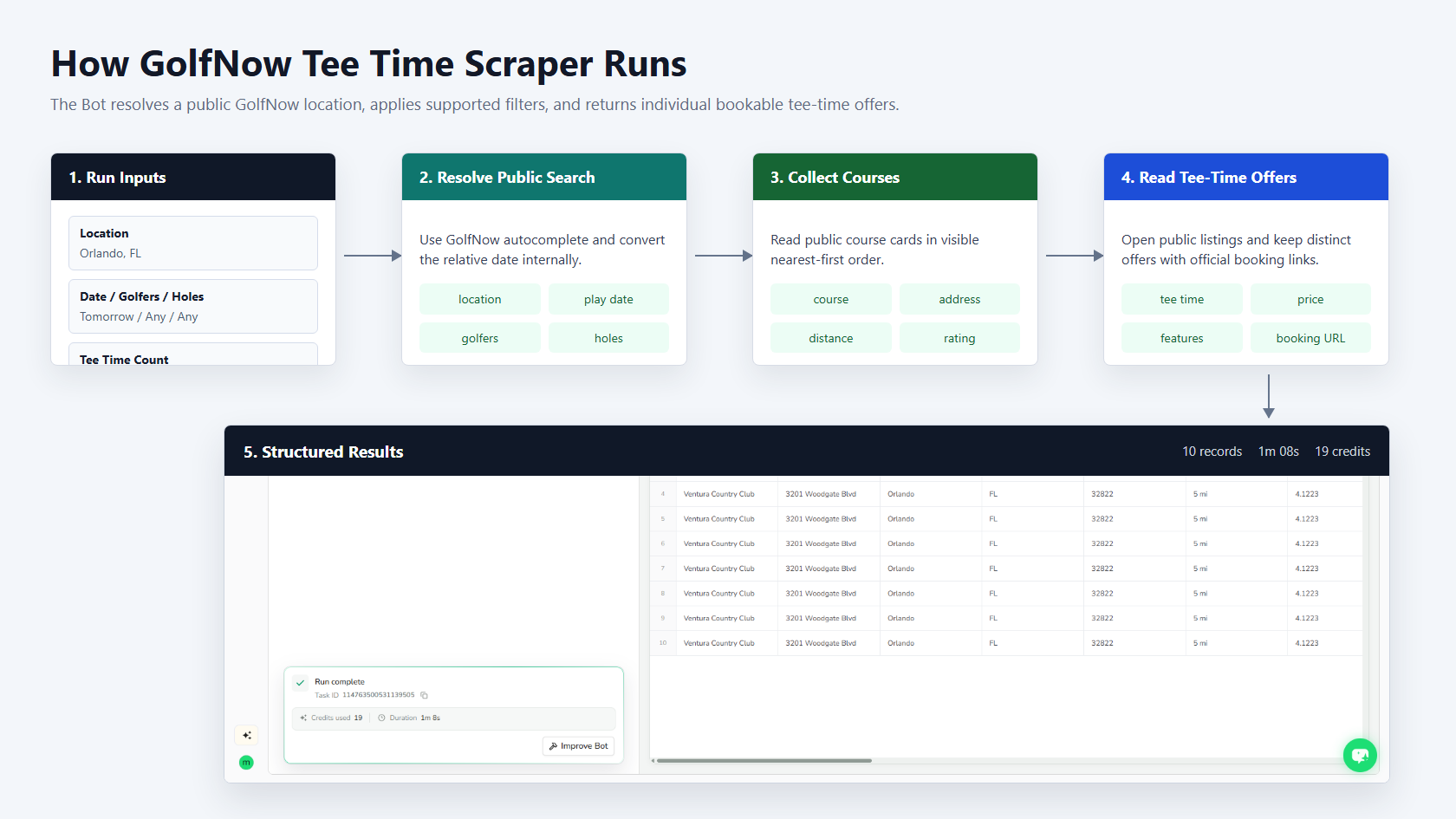
The Bot resolves the location, converts the relative play date, applies the finite GolfNow filters, collects course cards in visible order, opens public tee-time listings, excludes non-bookable offers, and returns deduplicated records with official booking URLs.
How to Build a New Scraper Bot with Agent Built
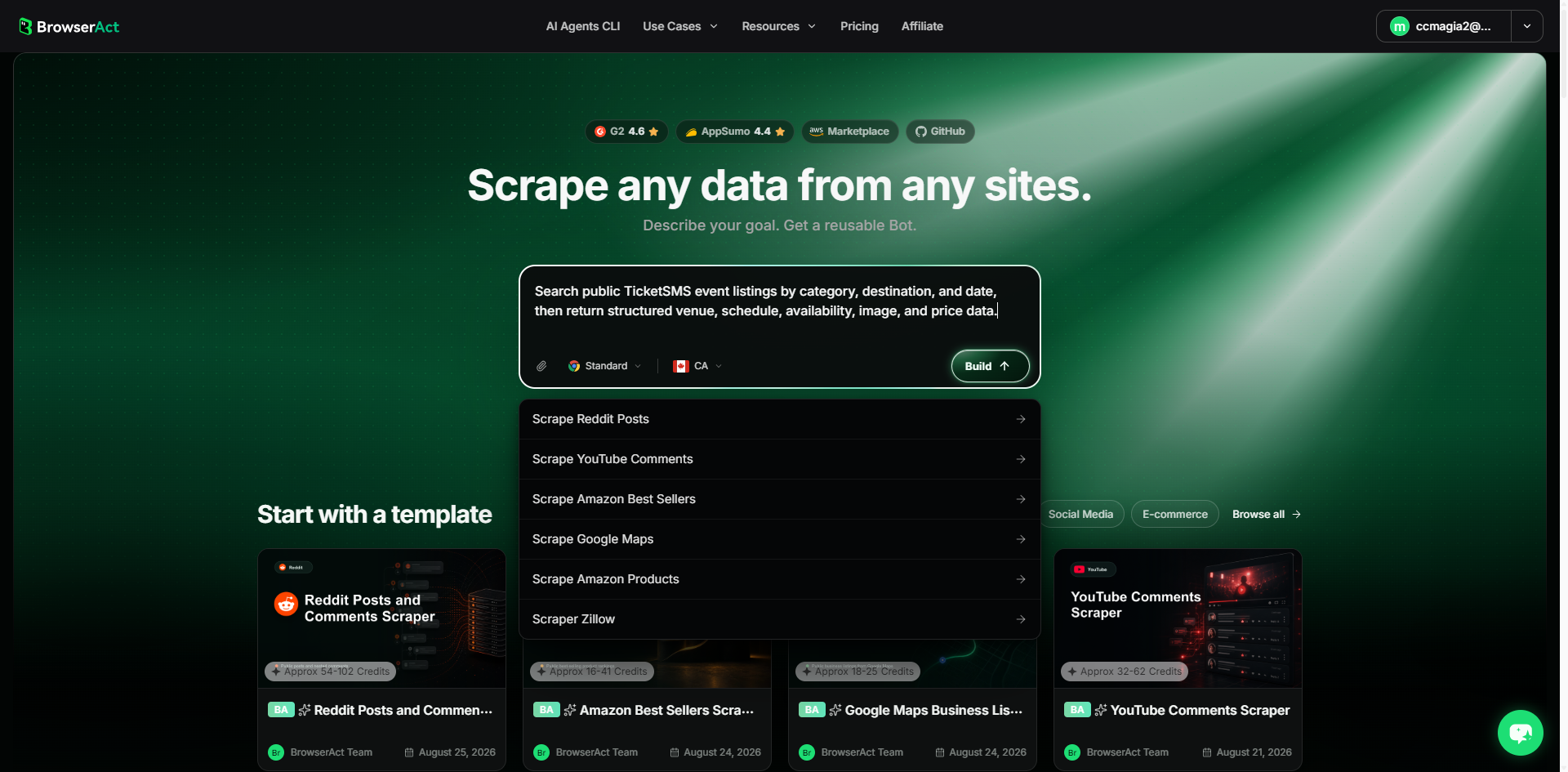
Step 1: Describe the data you need
Open BrowserAct and start Agent Built from the Home prompt box or Create -> Build with Agent. Describe the public source, reusable inputs, record limit, and exact output fields.
Step 2: Let BrowserAct build and test the Bot
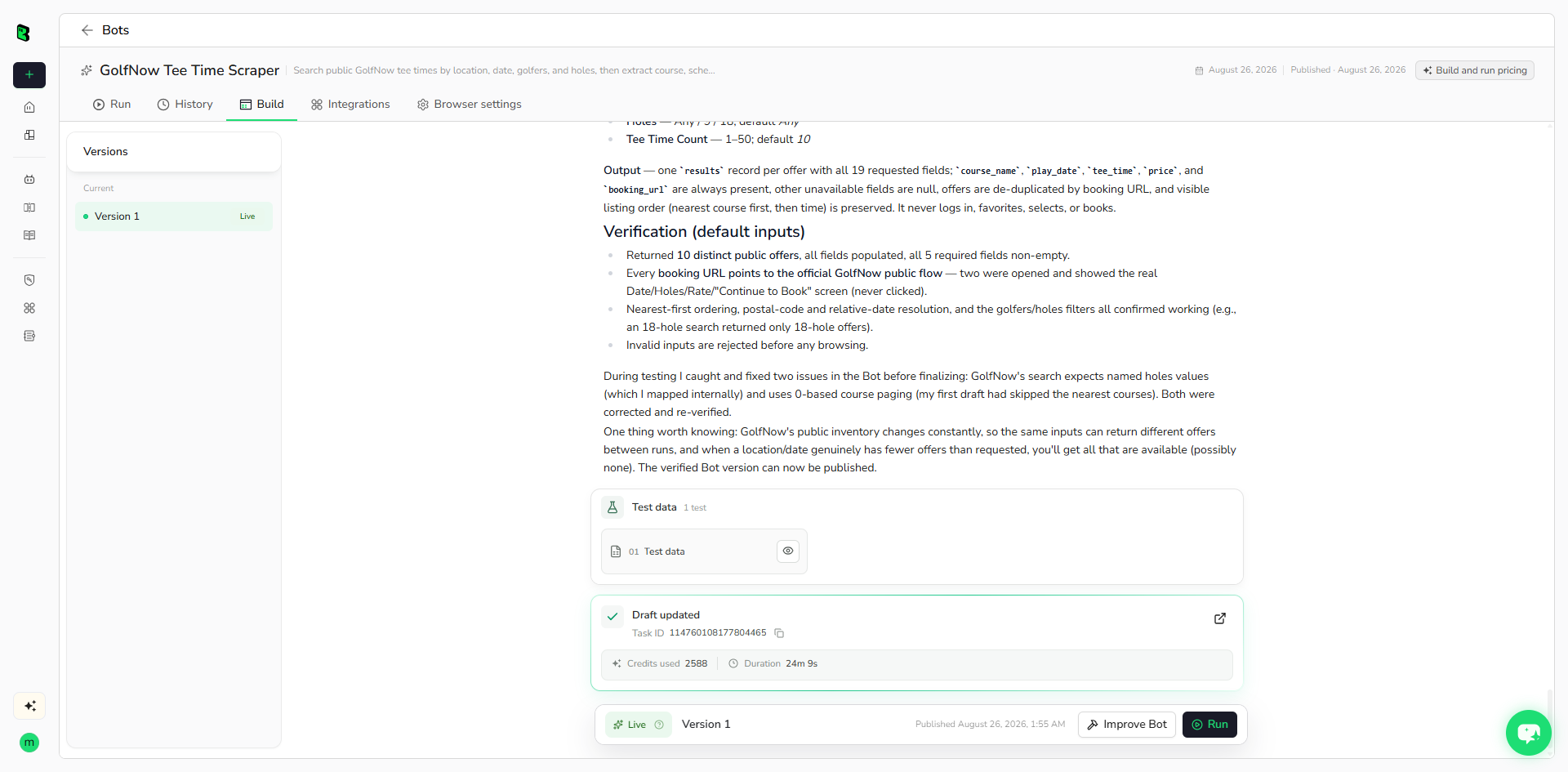
BrowserAct explores the public search and detail flow, maps source filters, creates reusable controls, and validates representative tee-time offers.
Step 3: Run the Bot and review the result
Run the live Bot with default inputs and review required fields, source URLs, offer uniqueness, row count, runtime, and credits.
Why Use GolfNow Tee Time Scraper?
It converts changing public tee-time inventory into reusable records for price comparison, availability monitoring, travel planning, and downstream automation while keeping every offer traceable to GolfNow.
Who Can Use It?
- Golf travel planners
- Course and resort analysts
- Pricing and availability teams
- Sports data researchers
- Local tourism services
How Many Results Can You Scrape?
Each run supports 1 to 50 public tee-time offers. Results depend on the selected location, date, filters, and GolfNow's current public inventory.
Automation and Export
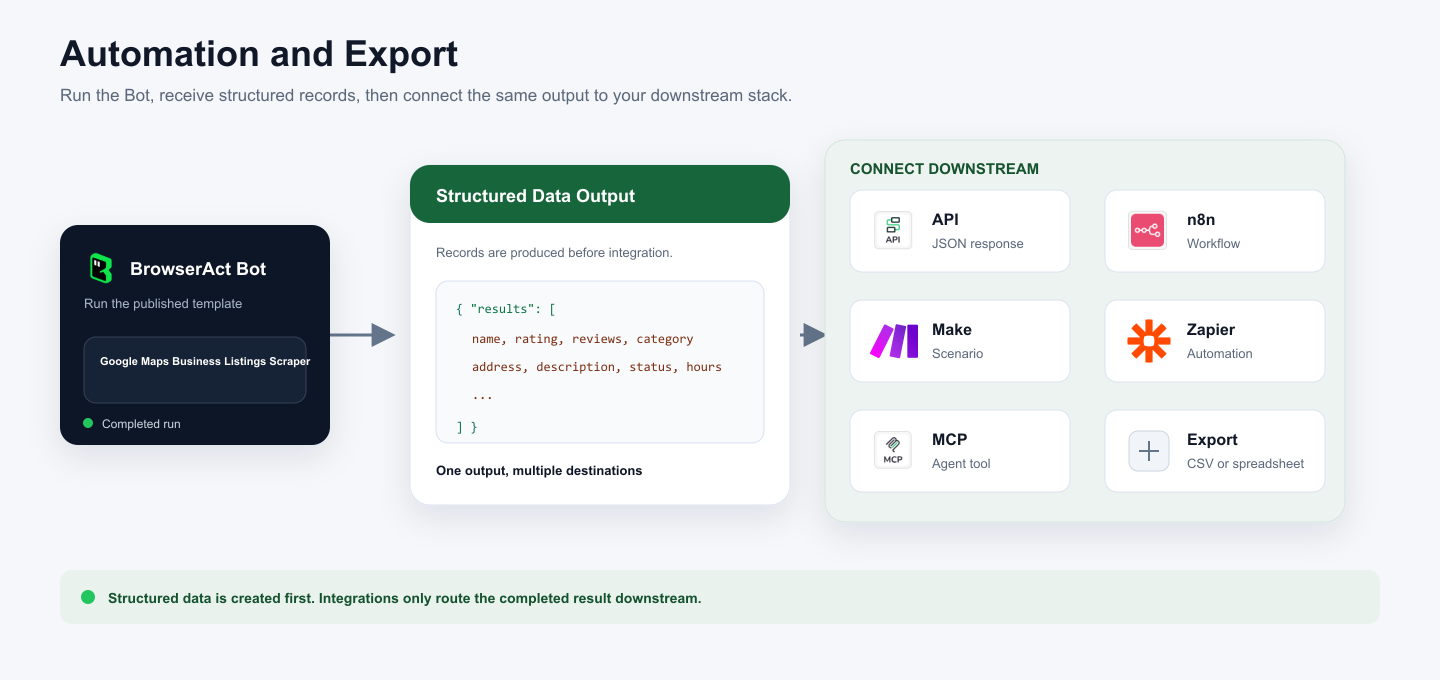
BrowserAct returns structured data first. Connect it to an API, n8n, Make, Zapier, an MCP agent workflow, or a manual spreadsheet export.
Need Help?
GolfNow inventory and filters can change. If a source-visible field becomes unavailable, use Improve Bot and validate both the default run and a materially different filter combination before publishing changes.
