

What Does BrowserAct Douyin Comments Scraper Do?
Find Douyin posts by keyword and collect their top-level comments, including comment text, commenter names and profile links, posting times and likes. Keep each comment alongside its source post and engagement counts to review audience questions, compare discussions and plan content research without writing a scraper.
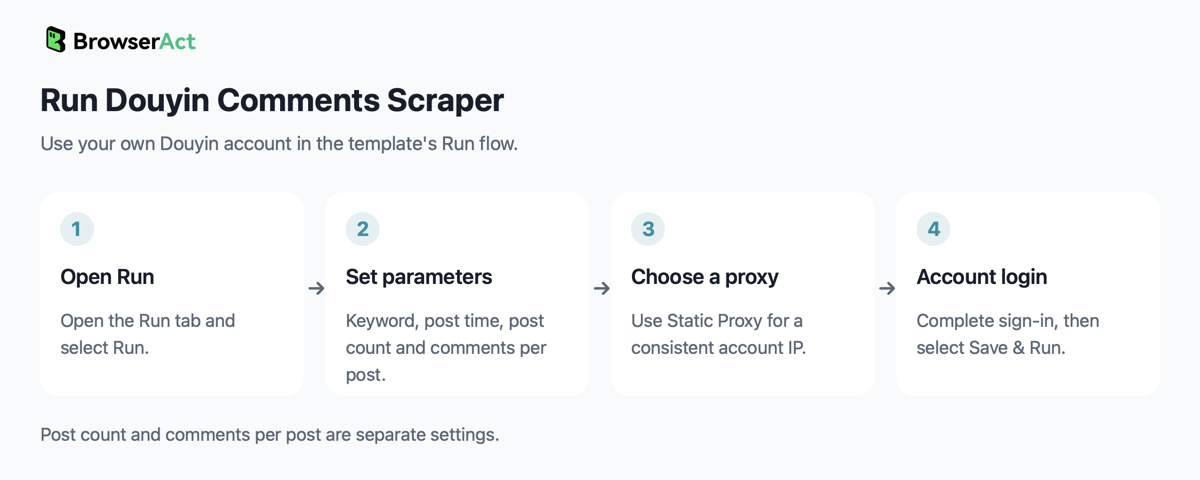
Your Douyin login is required. Click Run, enter the search settings, then continue to Account login to choose a proxy and connect your own account before starting.
Key Features of Douyin Comments Scraper
- Find posts for a keyword and select a post publication window.
- Collect top-level comments from the matching posts, up to a separate limit for each post.
- Capture comment text, commenter names and profile links, times, likes and displayed location labels.
- Include the source post's title, author, publish time and engagement counts on every comment row.
What Data Can I Extract from Douyin?
| Field | What you receive |
|---|---|
keyword |
Search keyword used for the run |
note_id |
Source post ID |
note_url |
Source post link |
note_title |
First non-empty line of the post caption |
note_author_name |
Post author's display name |
note_author_url |
Post author's profile link |
note_publish_time |
Post publish time in China Standard Time (UTC+8) |
note_like_count |
Source post likes |
note_collect_count |
Source post favorites |
note_comment_count |
Comment count reported for the post |
comment_id |
Comment ID |
comment_time |
Comment publish time in China Standard Time (UTC+8) |
commenter_name |
Commenter's display name |
commenter_profile_url |
Commenter's profile link |
content |
Comment text; may be empty for a comment without text |
like_count |
Comment likes |
ip_location |
Location label displayed by Douyin; empty when absent, and not a raw IP address |
reply_count |
Reported number of replies; reply text is not collected |
How to Use Douyin Comments Scraper
- Open Run task and click Run.
- Enter a keyword, choose the post publication window, set the number of posts and comments per post, then continue to Account login.
- Choose a proxy. A Static Proxy is recommended when you need a consistent IP for your account.
- Choose an available login method, sign in with your own Douyin account, then select Save & Run. Review the comment results when the task finishes.
Input Parameters
Fill the fields separately. The post count and per-post comment count control different quantities; neither is a keyword expression.
| Parameter | Configuration |
|---|---|
keyword |
Required search text; no default is configured. Example: 美食 (food). |
publish_time |
Dropdown; default 不限 (any time). Options: 不限, 一天内 (within one day), 一周内 (within one week), 半年内 (within six months). Filters the source posts, not comment times. |
count |
Required whole number of source posts to examine, at least 1; no default is configured. Example: 2. This is not the number of comments. |
comments_per_note |
Whole-number comment limit per post, at least 1; default 20. |
For example, enter 美食, select 不限, set count to 2 and leave comments_per_note at 20 to request comments from up to two matching posts, with up to twenty top-level comments per post. These example values do not change the template defaults.
Example Output
An example structured comment record is shown below. Each comment has its own result and table or CSV row; source post fields repeat on that row.
| Field | Result |
|---|---|
keyword |
美食 |
note_id |
7604958557141830912 |
note_url |
https://www.douyin.com/video/7604958557141830912 |
note_title |
广西美食合集 #美食 #广西美食 #地方特色美食 #舌尖上的味道 |
note_author_name |
舌尖上的味道 |
note_author_url |
https://www.douyin.com/user/MS4wLjABAAAASAAEh9ArUn54fyQatF1kfx0eROovvP_Zq36oZBNbex2JEbRoiPJ9RAdf1Sam9cnJ |
note_publish_time |
2026-02-15 17:30:00 |
note_like_count |
11080 |
note_collect_count |
1904 |
note_comment_count |
545 |
comment_id |
7684081688842994481 |
comment_time |
2026-09-11 09:21:27 |
commenter_name |
大眼1 |
commenter_profile_url |
https://www.douyin.com/user/MS4wLjABAAAAR-FcM1prl8DctIe9gyvRQ0YW7zzPhVrVzwHJMFRfcUHNNIgSOhTxLMKm84ZQE9ob |
content |
讲得很清楚,通俗易懂 |
like_count |
0 |
ip_location |
广东 |
reply_count |
0 |
The JSON collection is comments. Posts with no comments contribute no rows. Counts are integers; times use China Standard Time (UTC+8). The original comment language is preserved.
How Does It Work?
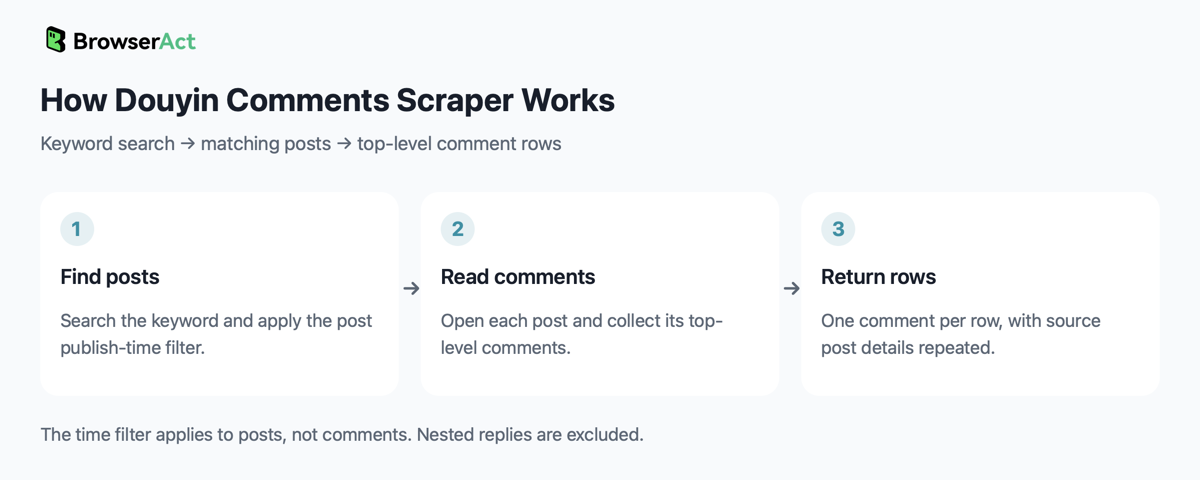
The Bot checks the signed-in Douyin session, searches for the keyword and applies the selected post publication filter. It opens the collected posts and reads their top-level comment lists until the per-post quantity is reached or the list ends. It removes repeated comment IDs within each post and returns one record per comment with its post context.
How to Build a New Scraper Bot with Agent Built
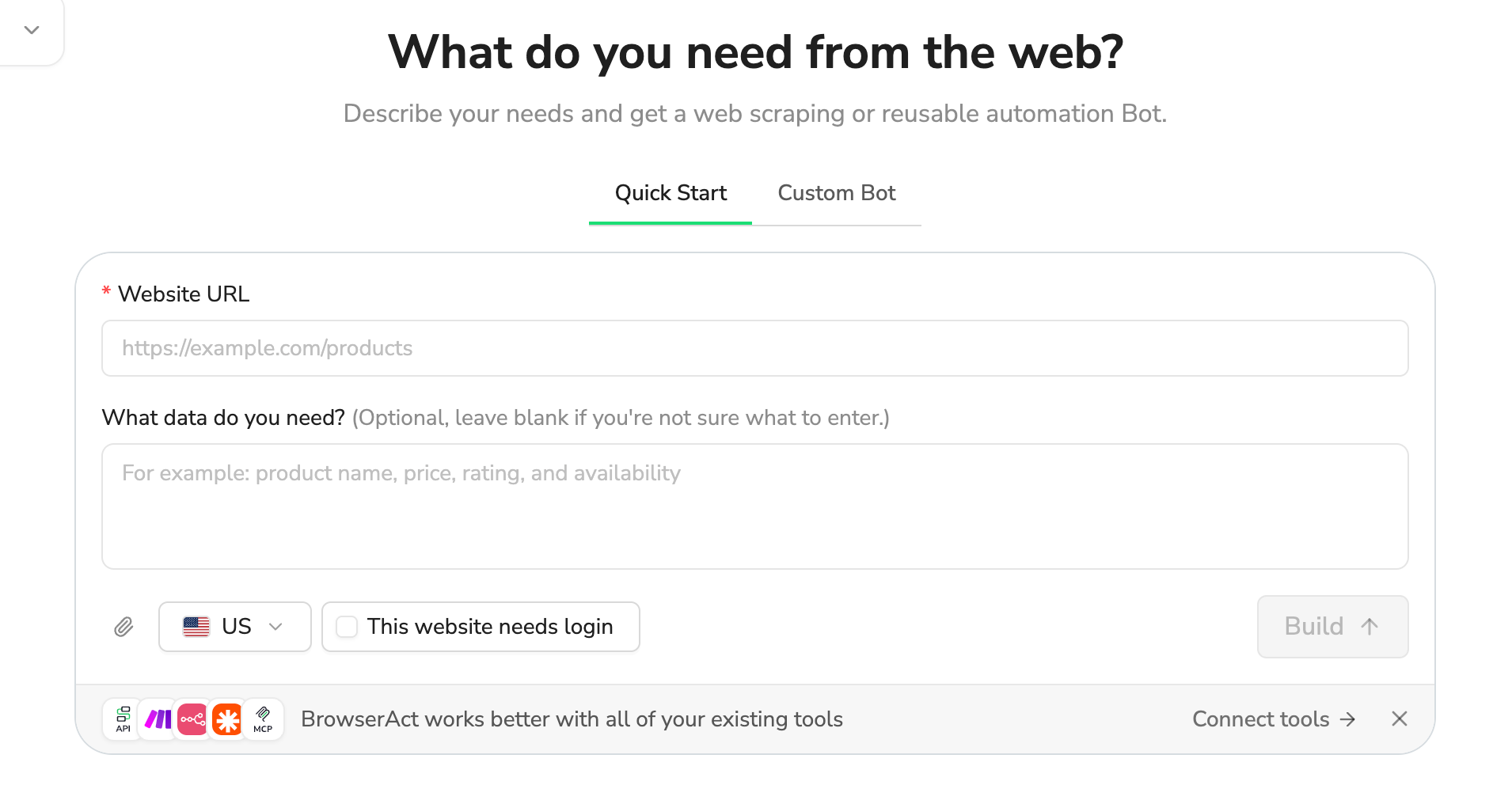
- Describe the website, records and fields you need in BrowserAct.
- Let BrowserAct build and test the Bot; complete your own website login when requested.
- Run the completed Bot and review its structured results.
Why Use Douyin Comments Scraper?
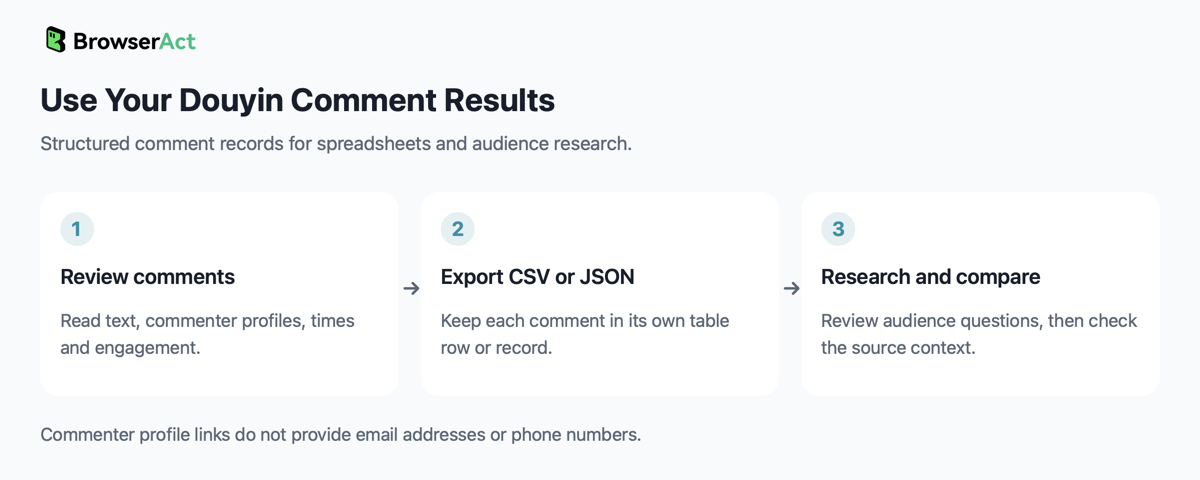
Use the comment text to review audience questions, reactions and recurring discussion topics around a keyword. Compare discussions using comment likes, reply counts and post engagement, then follow the source links to check context before planning content or campaign work. Commenter profile links help you inspect the public context of a discussion; they do not provide email addresses or phone numbers.
Who Can Use Douyin Comments Scraper?
Content marketers, community teams, brand researchers and social-media analysts who use their own Douyin account to research post discussions.
How Many Results Can You Scrape?
The Bot examines up to count matching posts and collects up to comments_per_note top-level comments from each. The requested quantities are run limits, not a promise that matching posts or comments are available. A smaller result is valid when the available list ends. Nested replies are excluded, so the displayed comment total or reply count may exceed the collected rows.
An empty result is valid when the search has no matching posts or the examined posts genuinely have no comments. Missing login, a verification challenge, an unreadable comment page or a comment list that stops before completion is a failure, not a successful no-match result.
Automation and Export
BrowserAct returns structured comment records for review and export as CSV or JSON. Open the CSV in a spreadsheet to filter comments by post, author, time or engagement, or use the JSON in your own reporting process.
Need Help?
Need help? Contact live support using the chat button at the bottom right, or email service@browseract.com.
