

Deep Website Scraper reads a fully rendered public webpage, including content loaded after redirects or scrolling, and returns the final URL, title, and clean readable page text.
What Does BrowserAct Deep Website Scraper Do?
This BrowserAct template runs a validated, reusable extraction path against publicly accessible pages. Configure the inputs, run the Bot, and receive structured records without writing selectors or browser scripts.
Key Features
- Follow normal redirects to the final public URL.
- Wait for dynamic content to load.
- Scroll to reveal additional visible content.
- Remove scripts, styles, navigation noise, and repeated boilerplate where possible.
- Return clean full-page text in a structured record.
What Data Can I Extract from Public Websites?
| Field | Description |
|---|---|
page_url |
Final URL after redirects. |
page_title |
Visible page title. |
page_text |
Clean readable full-page text. |
How to Use Deep Website Scraper
- Click Run task.
- Enter the configurable values shown below.
- Run the Bot and review the structured records.
- Export the result or connect it to an API, automation platform, or agent workflow.
Input Parameters
| Parameter | Required | Default | Description |
|---|---|---|---|
Website URL |
Yes | https://www.browseract.com |
Public webpage to load and extract. |
Example Output
The table below uses records preserved from the validated Bot run. Up to the first 5 records are shown, and long values are shortened in this documentation preview.
| page_url | page_title | page_text |
|---|---|---|
| https://www.browseract.com | BrowserAct | Readable text collected from the rendered public page... |
How Does it Work?
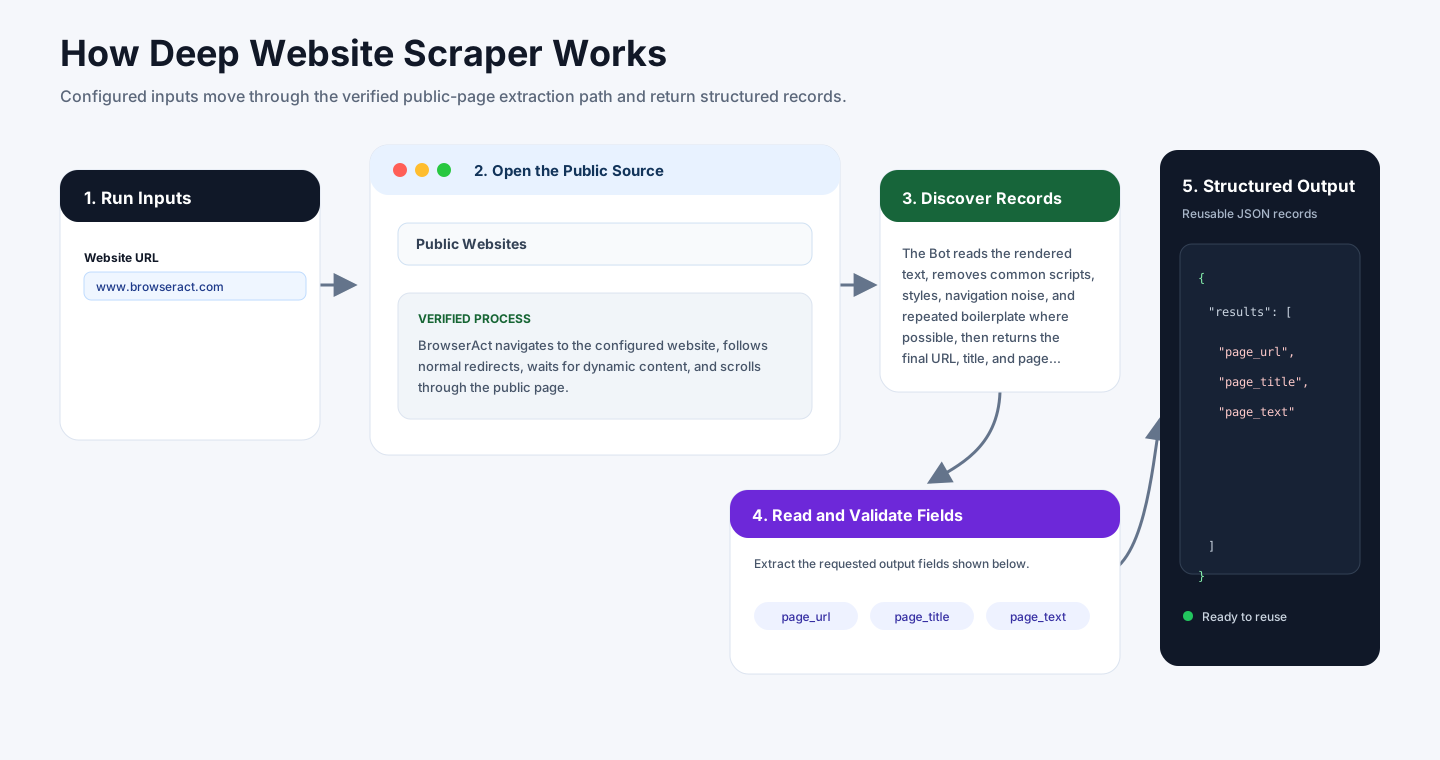
BrowserAct navigates to the configured website, follows normal redirects, waits for dynamic content, and scrolls through the public page.
The Bot reads the rendered text, removes common scripts, styles, navigation noise, and repeated boilerplate where possible, then returns the final URL, title, and page text.
How to Build a New Scraper Bot with Agent Built
Step 1: Describe the Data You Need
Open BrowserAct and start Agent Built from the Home prompt box or from Create -> Build with Agent. Paste a clear request that includes the website, the records to collect, the filters or search conditions, the fields to return, the result limit, and the inputs you want to reuse later.
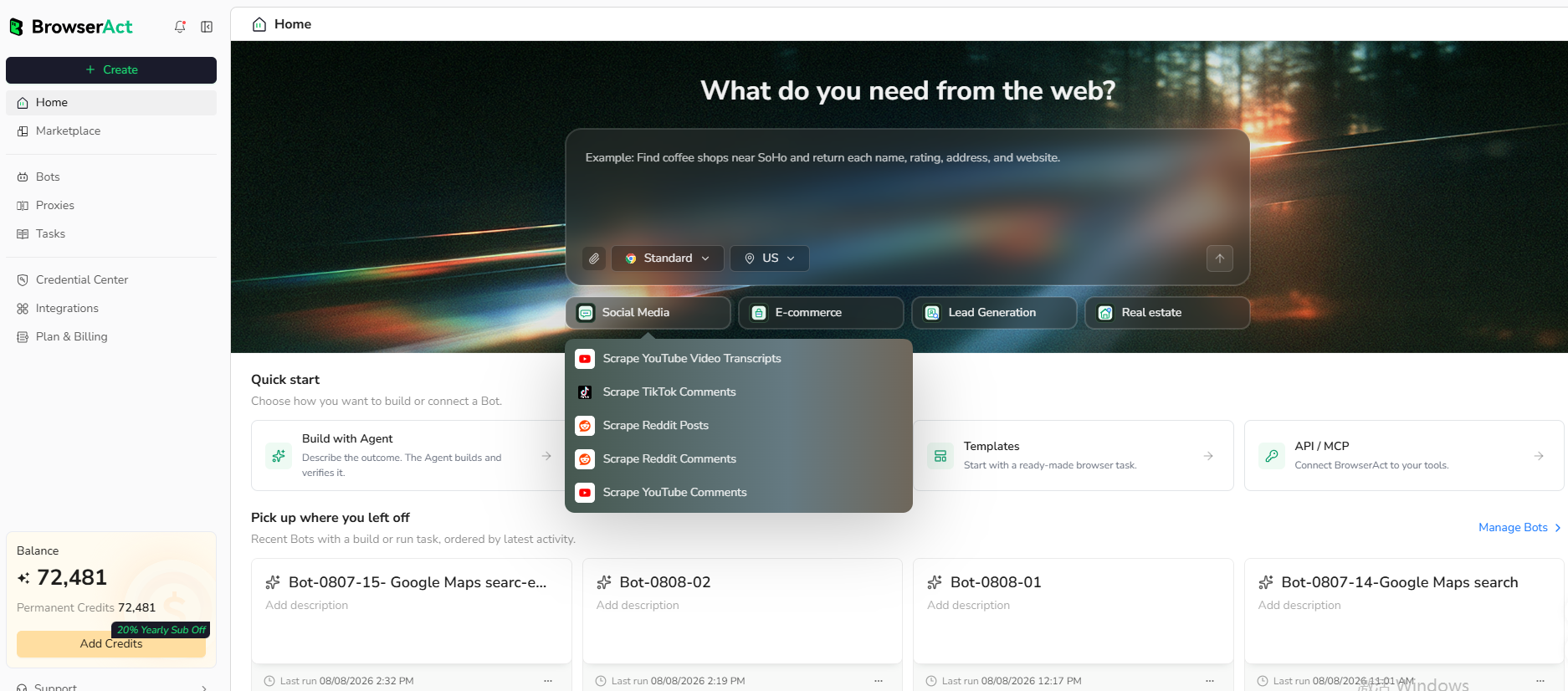
Step 2: Let BrowserAct Build and Test the Bot
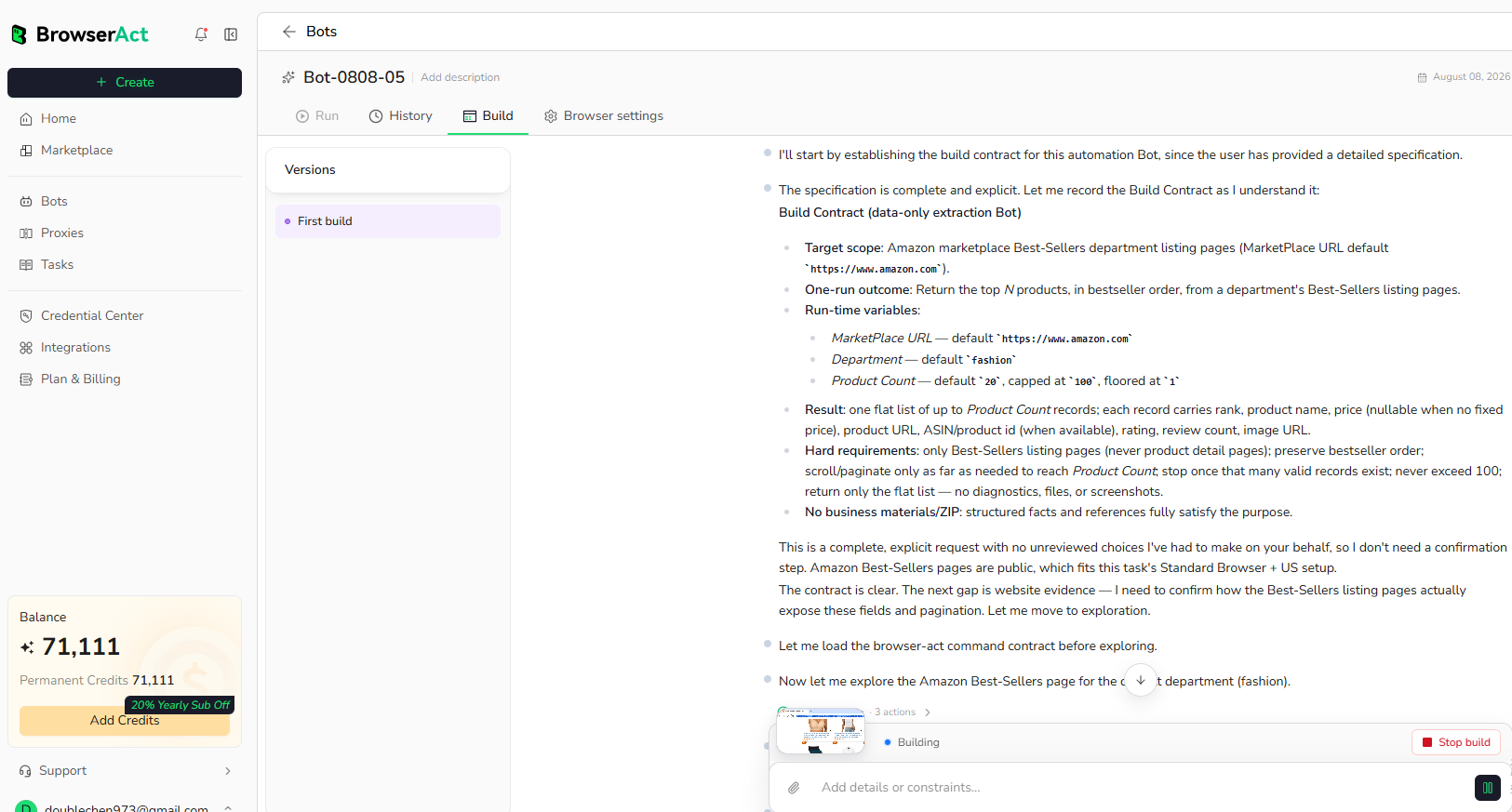
BrowserAct explores the live website, works out the navigation and extraction path, and validates the result. If BrowserAct asks for clarification, reply in the same build conversation with the missing URL, condition, field, example, or expected output.
Step 3: Run the Bot and Review the Result
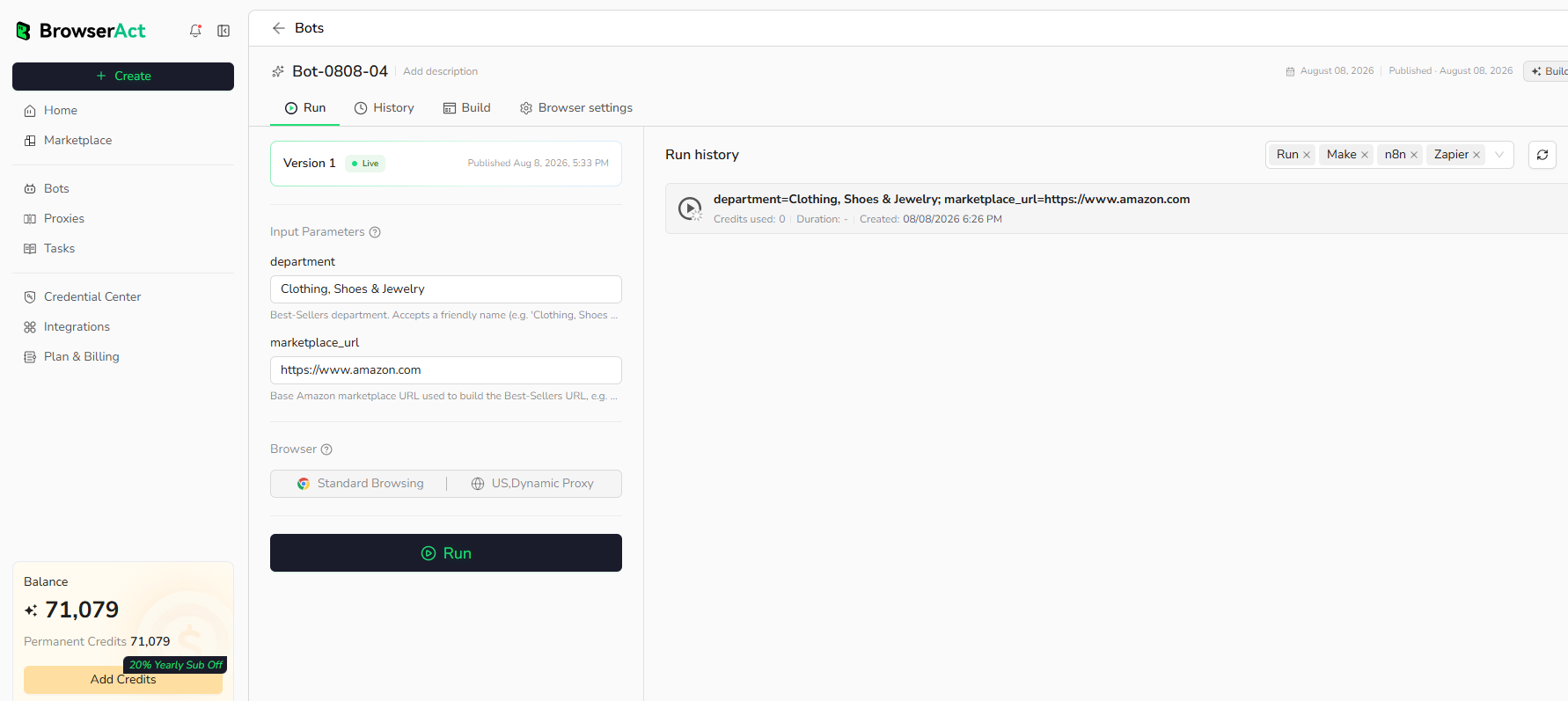
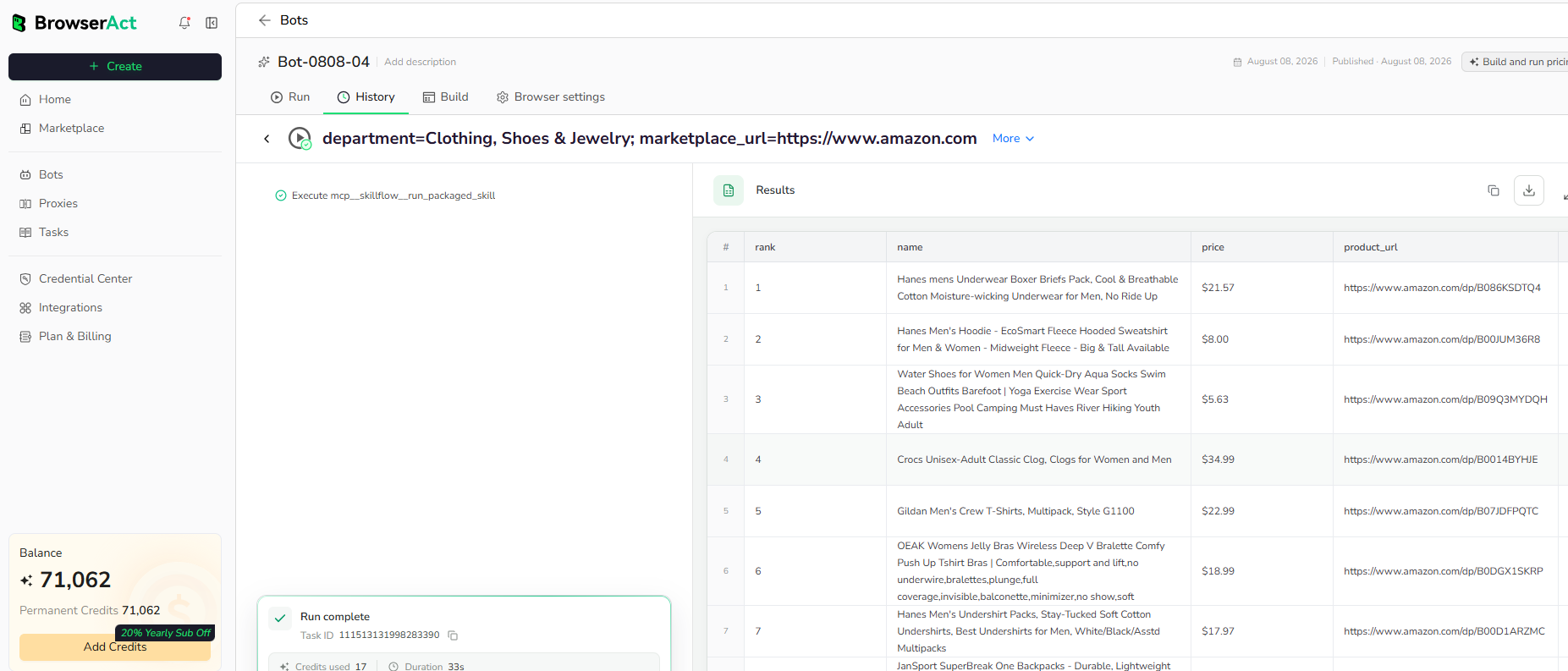
When the build is complete, run the Bot with the default inputs first. Review the structured records, source URLs, missing fields, and row count before reusing the Bot with new inputs or connecting it to another workflow.
Why Use Deep Website Scraper?
Capture useful text from dynamic public pages that require a real browser and page scrolling before their content is complete.
Who Can Use This Template?
- Web researchers.
- Knowledge-base teams.
- Content analysts.
- Automation builders collecting rendered page text.
How Many Results Can You Scrape?
This template extracts the configured webpage in one run. Use a crawl-specific Bot when multiple internal pages must be discovered and followed.
Automation and Export
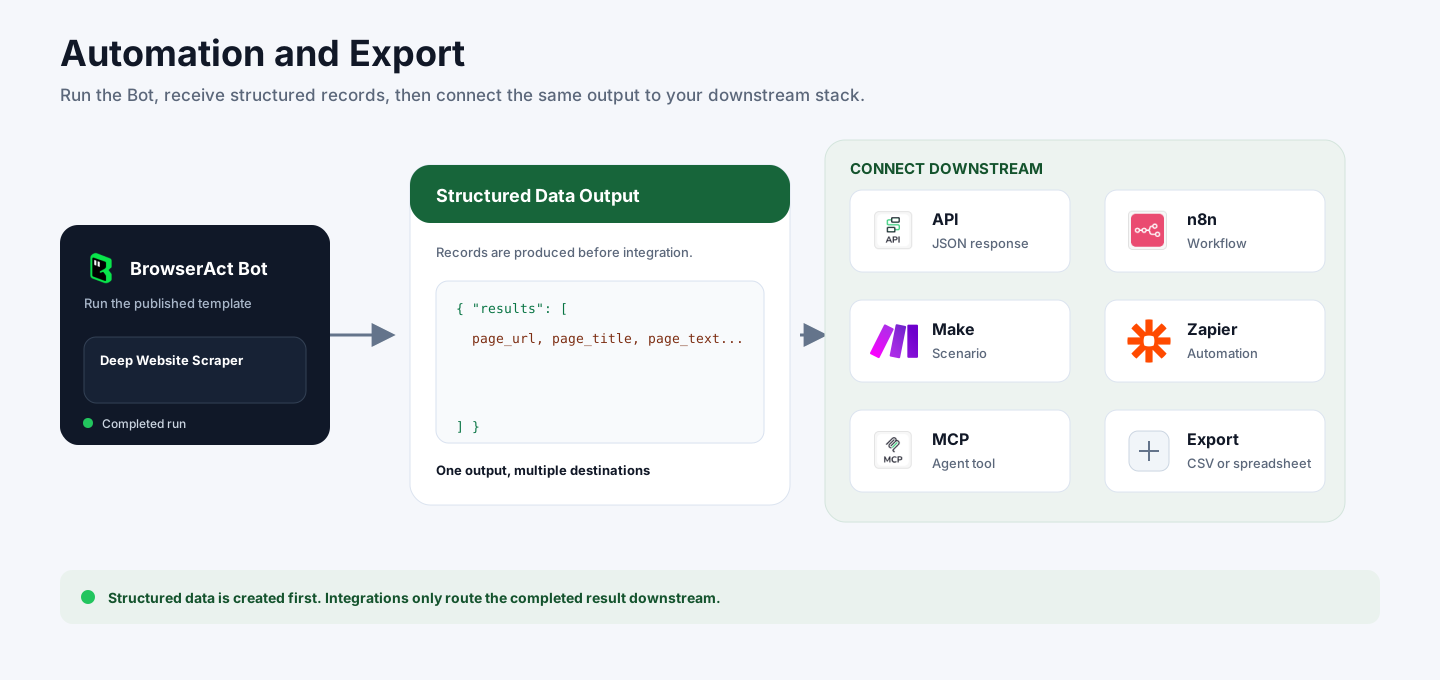
BrowserAct returns structured data first. You can then use the completed output through API JSON responses, n8n workflows, Make scenarios, Zapier automations, MCP-based agent workflows, or manual CSV and spreadsheet review.
Need Help?
Contact us at
Discord: Discord Community
E-mail: service@browseract.com
