

Company Career Page Finder is a reusable BrowserAct template for turning a public company website into a verified careers-page record. Submit the company website and receive the brand name, public descriptions, a careers-page availability flag, the verified careers URL, and the normalized source page. The Bot only reads public company pages and does not require login.
What Does BrowserAct Company Career Page Finder Do?
The Bot opens the submitted public company website, identifies the brand from visible content and metadata, and searches navigation, footer, about, sitemap, and related public links for an official careers destination. If no direct link appears, it can use a public web search and then verify that the result belongs to the company or an official applicant-tracking provider.
Key Features
- Starts from a company website rather than a careers URL.
- Finds careers, jobs, and opportunities landing pages.
- Prefers canonical careers pages over individual job postings.
- Verifies same-company domains and recognized official ATS destinations.
- Excludes unrelated third-party job aggregators.
- Returns exactly one structured company record per run.
What Data Can I Extract from a Company Website?
| Field | Description |
|---|---|
brand_name |
Company or brand name identified from public content. |
description_short |
Concise factual public company description. |
description_long |
Fuller factual description assembled from public website content. |
career_page |
Boolean indicating whether an official careers destination was found. |
career_page_url |
Verified canonical careers URL, or null when none is found. |
page_url |
Normalized public company website inspected by the Bot. |
scraped_at |
UTC timestamp for the record. |
How to Use Company Career Page Finder
- Click Run task.
- Enter the public company website.
- Click
Run. - Review the brand details and verified careers URL.
- Export the record or connect it to a lead, recruiting, or company-research workflow.
Input Parameters
| Parameter | Required | Default | Description |
|---|---|---|---|
company_website |
Yes | https://www.cloudflare.com |
Public company website URL. The https scheme is added when omitted. |
Example Output
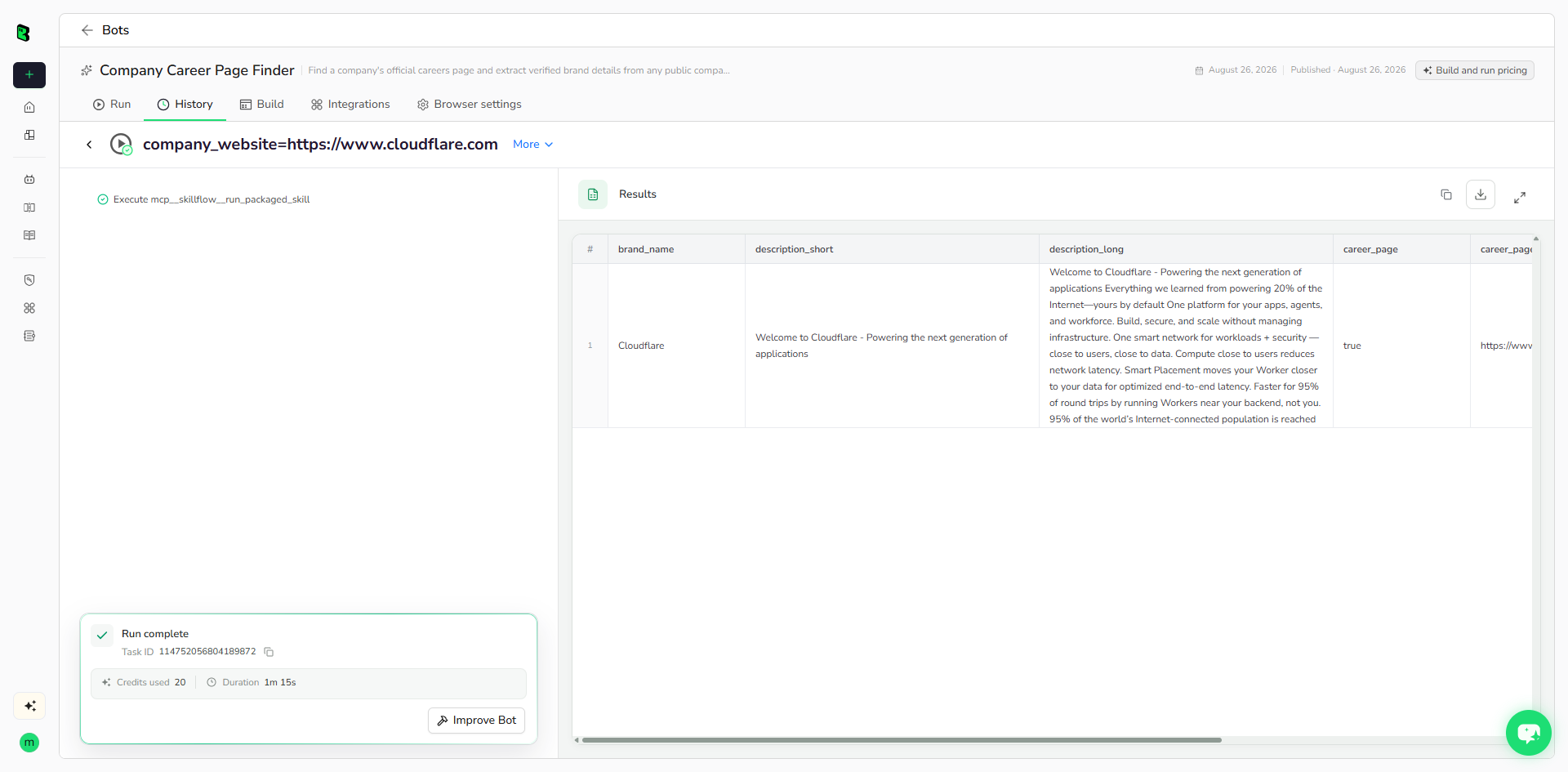
The table below shows up to the first 5 records from the validated run. Long values are shortened in this preview for readability; the completed task keeps the full structured output.
| brand_name | description_short | description_long | career_page | career_page_url | page_url | scraped_at |
|---|---|---|---|---|---|---|
| Cloudflare | Welcome to Cloudflare - Powering the next generation of applications | Welcome to Cloudflare - Powering the next generation of applications Everything we learned from powering 20% of the Internet—yours by default One platform for your apps, agents, a... | true | https://www.cloudflare.com/careers/ | https://www.cloudflare.com/ | 2026-08-26T07:28:36.149650+00:00 |
How Does it Work?
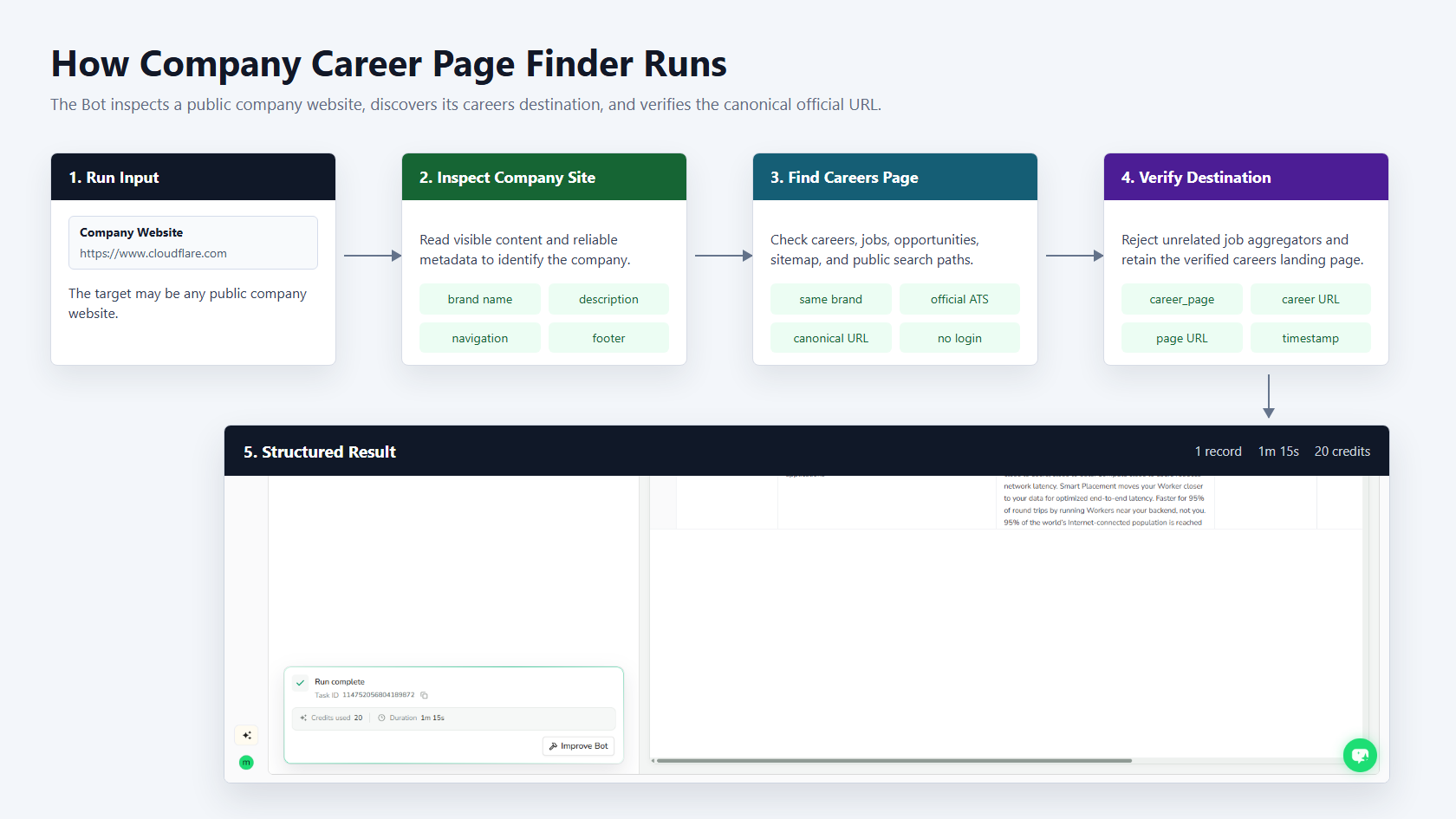
- Normalize and open the public company website.
- Identify the brand and collect factual public description text.
- Search navigation, footer, about pages, sitemaps, and public search results for careers links.
- Verify company-domain or official ATS ownership and prefer the canonical careers landing page.
- Return one structured company and careers-page record.
How to Build a New Scraper Bot with Agent Built
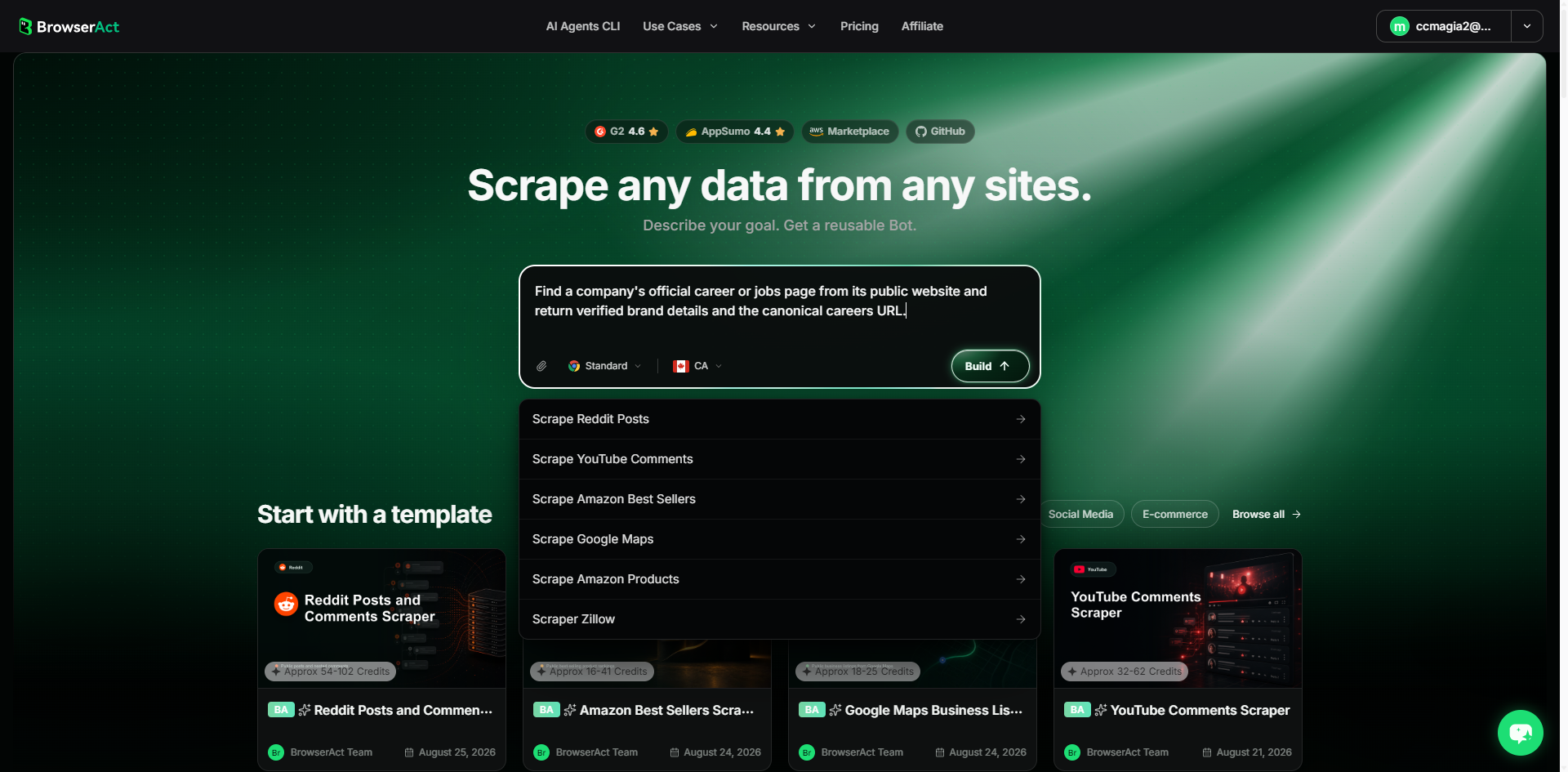
Step 1: Describe the Data You Need
Open BrowserAct and start Agent Built from the Home prompt box or from Create -> Build with Agent. Describe the public website, records, reusable inputs, output fields, and expected result.
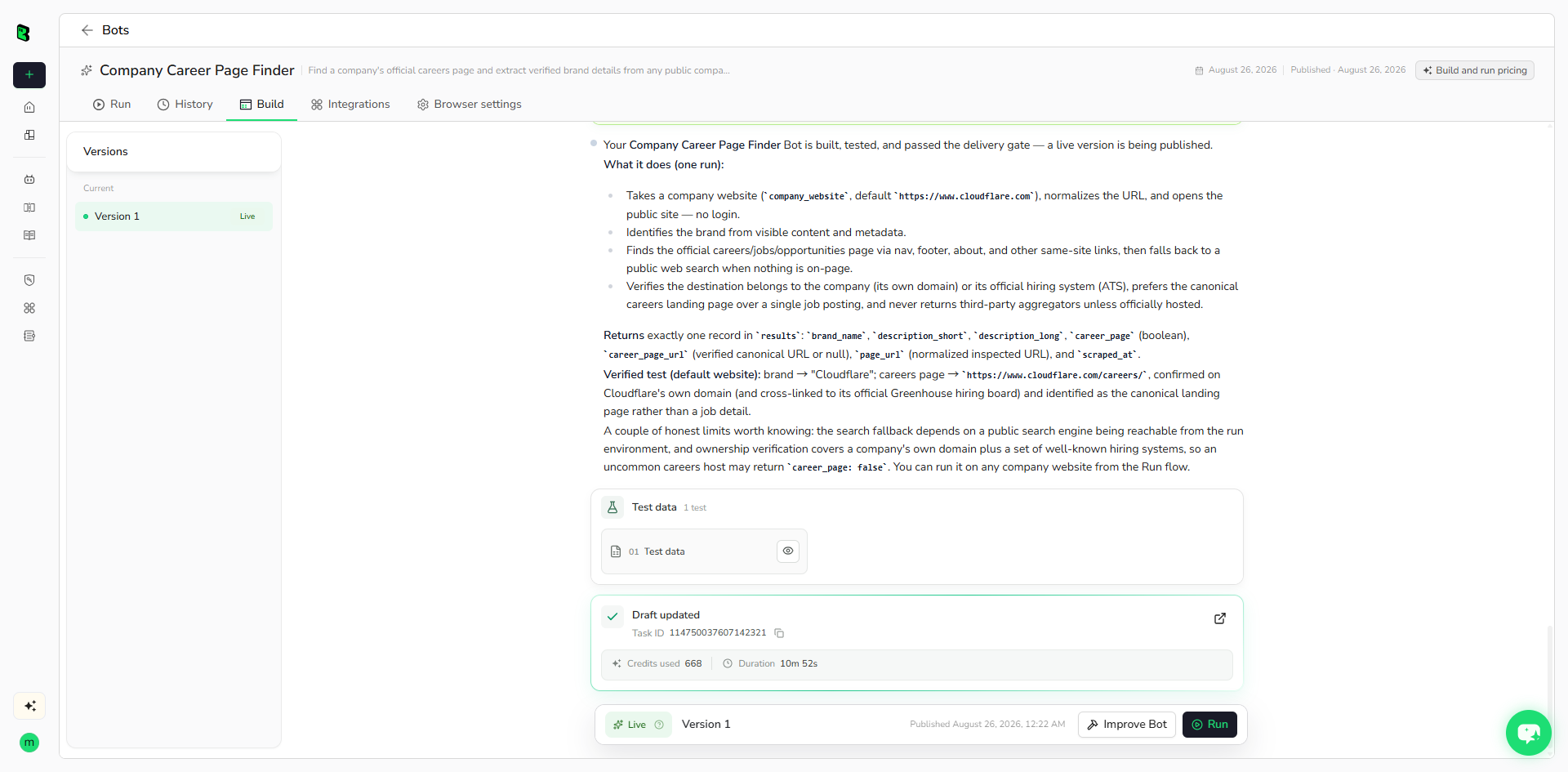
Step 2: Let BrowserAct Build and Test the Bot
BrowserAct explores the live website, determines the navigation and extraction path, and validates the structured result. Add missing constraints in the same build conversation when needed.
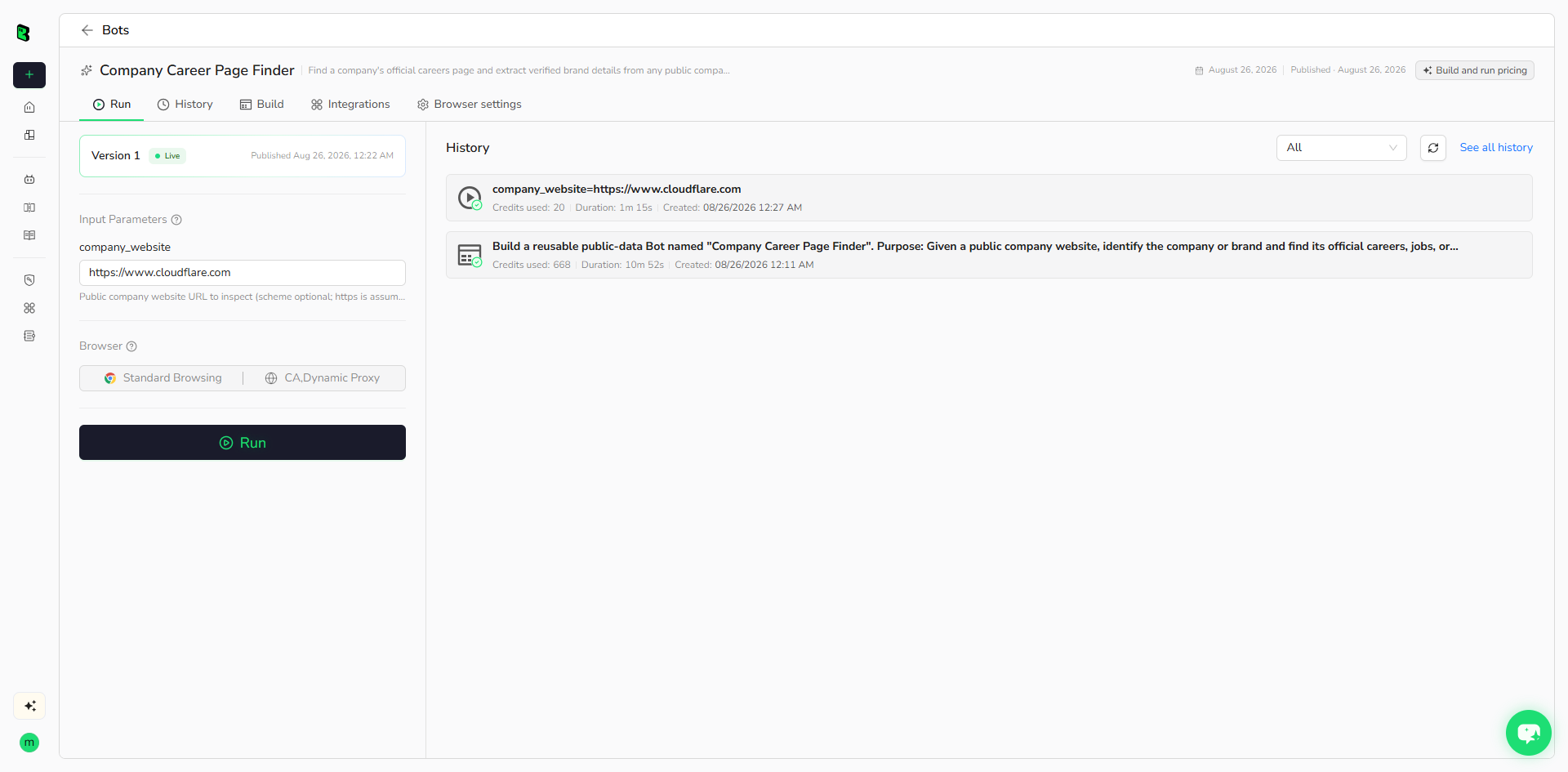
Step 3: Run the Bot and Review the Result
Run the published Bot with its default input. Check the source website, brand details, careers flag, and URL ownership before reusing it with another company.
Why Use Company Career Page Finder?
- Discover official careers destinations without manually searching each company site.
- Build recruiting, talent intelligence, and company research datasets.
- Verify careers URLs before handing them to a job-listing scraper.
- Enrich account and lead records with public company descriptions.
Who Can Use This Template?
- Recruiting and talent intelligence teams.
- Sales and lead-generation teams.
- Company and competitive researchers.
- Automation builders enriching company records.
Automation and Export
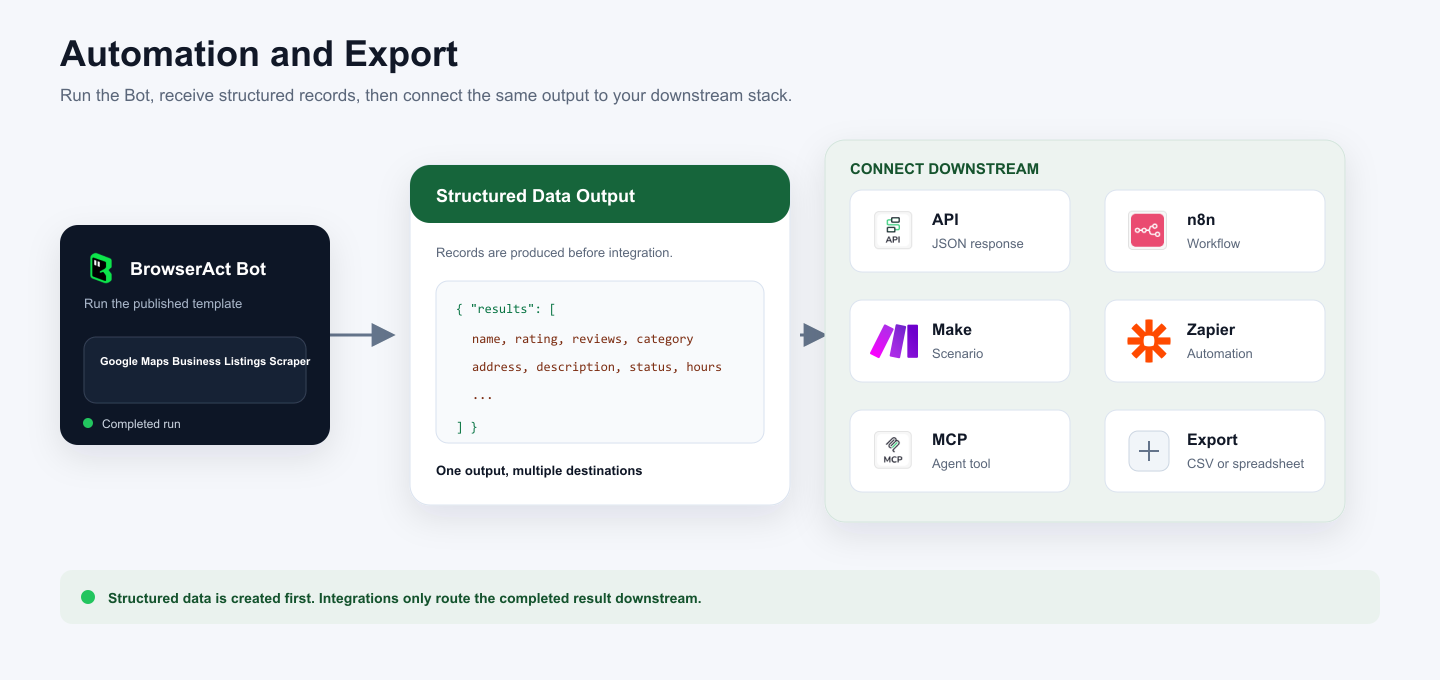
BrowserAct returns structured records first. You can then use the output through API JSON responses, n8n workflows, Make scenarios, Zapier automations, MCP-based agent workflows configured from the Bot's Integrations tab, or manual spreadsheet export.
Need Help?
Discord: Discord Community
E-mail: service@browseract.com