

Career Site Job Listings Scraper is a BrowserAct Bot template for collecting structured job listings from public company career pages. Configure the company career URL and count, then run the Bot to return clean job records for hiring research, talent market mapping, sales prospecting, recruiting operations, or downstream automation.
What Does BrowserAct Career Site Job Listings Scraper Do?
This template opens a public careers page, finds the listed jobs or embedded job board, follows pagination, load-more, or scrolling patterns when needed, and returns one structured record per job. It is designed for non-login use cases and only collects information available on public pages.
Key Features
- Start from any configurable public company career URL.
- Extract job title, department, location, employment type, job URL, posted date, and description snippet.
- Use the default OpenAI careers page as a tested example input.
- Open job detail pages when list cards do not expose enough fields.
- Return optional fields as empty when a career site does not publicly show them.
- Keep one flat record per job for easy export and workflow automation.
What Data Can I Extract from Career Sites?
| Field | Description |
|---|---|
job_title |
Job title shown on the career site or job detail page. |
department |
Team, function, or department when visible. |
location |
Job location or set of visible locations. |
employment_type |
Employment type such as full time, part time, contract, or internship when shown. |
job_url |
Public URL for the job listing or detail page. |
posted_date |
Published or posted date when available. |
description_snippet |
Short visible job description or detail-page excerpt when available. |
How to Use Career Site Job Listings Scraper
- Click Run task.
- Enter the public company career URL and the count of jobs to collect.
- Run the Bot and review the structured job records.
- Export the result or connect it to an API, workflow builder, or agent workflow.
Input Parameters
| Parameter | Required | Default | Description |
|---|---|---|---|
company_career_url |
Yes | https://openai.com/careers |
Public company career page or embedded job board URL. |
count |
Yes | 20 |
Maximum number of job listings to return. |
Example Output
The table below uses records preserved from the validated Bot run. Up to the first 5 records are shown, and long values are shortened in this documentation preview.
| job_title | department | location | employment_type | job_url | posted_date | description_snippet |
|---|---|---|---|---|---|---|
| Account Associate - EMEA | Go To Market | Dublin, Ireland | Full Time | https://openai.com/careers/account-associate-emea-dublin-ireland/ | 2026-07-21 | This role is designed as a launchpad for future sellers... |
How Does it Work?
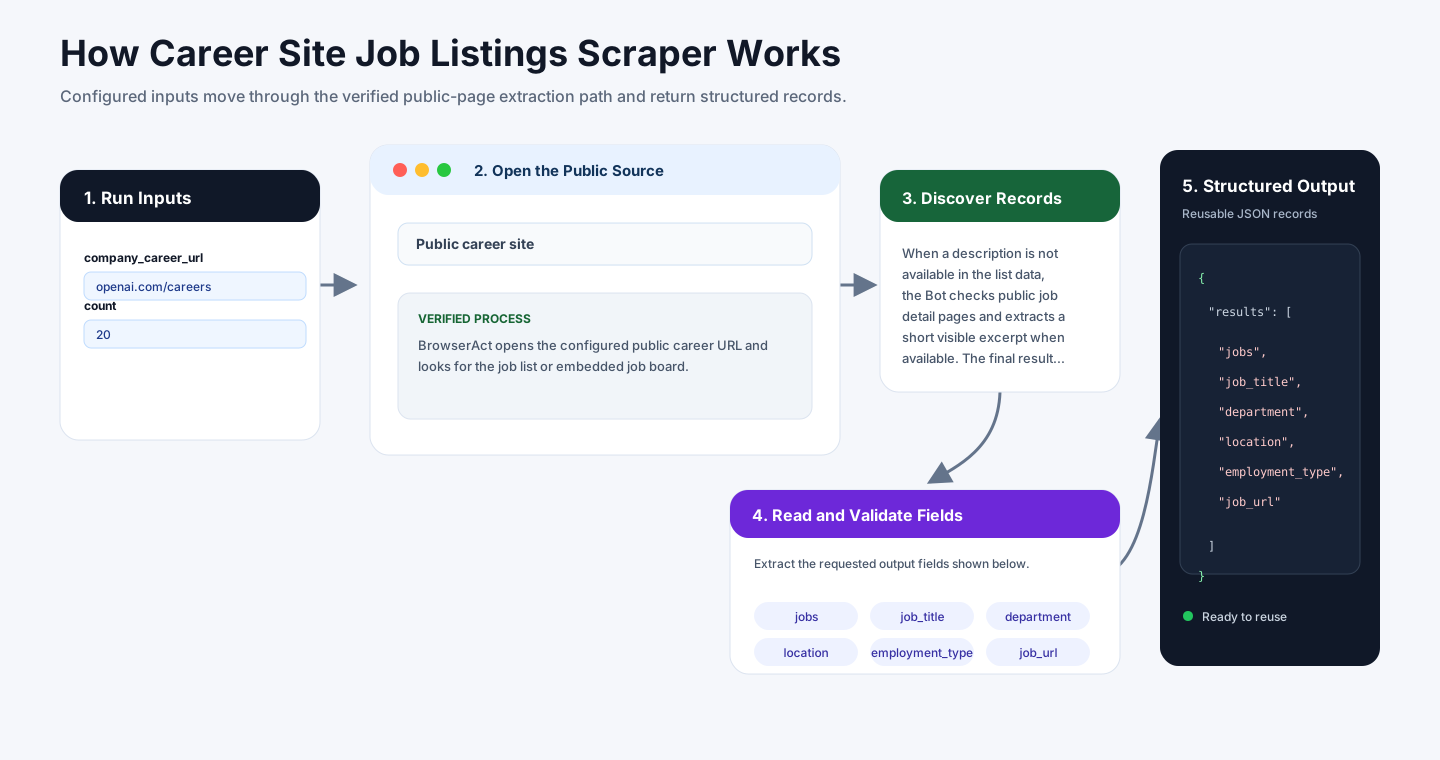
BrowserAct opens the configured public career URL and looks for the job list or embedded job board. In the validated default run, the Bot followed the OpenAI careers page to the public search page, detected the same-origin careers data source, and used it to collect job titles, departments, locations, employment types, posted dates, slugs, and job URLs.
When a description is not available in the list data, the Bot checks public job detail pages and extracts a short visible excerpt when available. The final result is returned as a structured jobs array. For other company career sites, the Bot uses public page structure, pagination, load-more buttons, and scrolling as needed, with optional fields left empty when the site does not expose them.
How to Build a New Scraper Bot with Agent Built
Step 1: Describe the Data You Need
Open BrowserAct and start Agent Built from the Home prompt box or from Create -> Build with Agent. Paste a clear request that includes the website, the records to collect, the filters or search conditions, the fields to return, the result limit, and the inputs you want to reuse later.
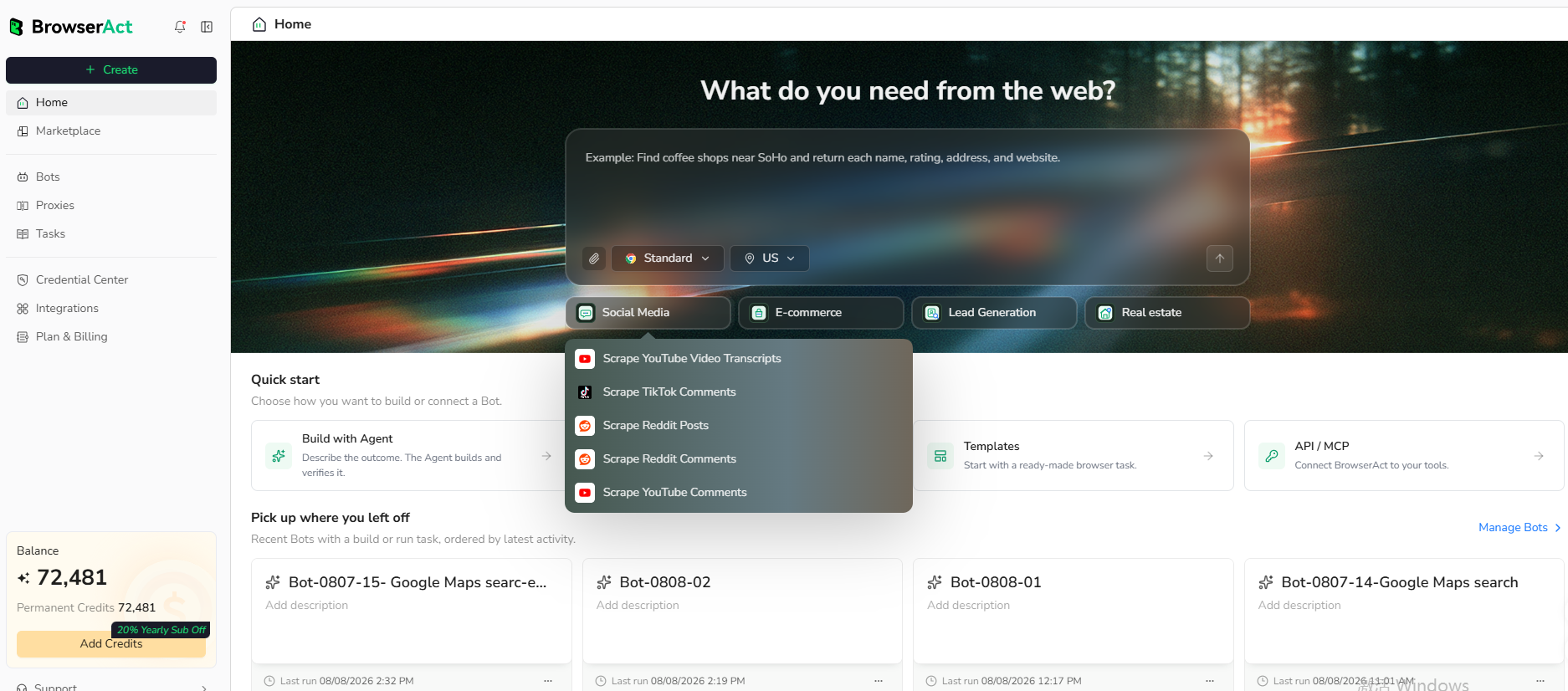
Step 2: Let BrowserAct Build and Test the Bot
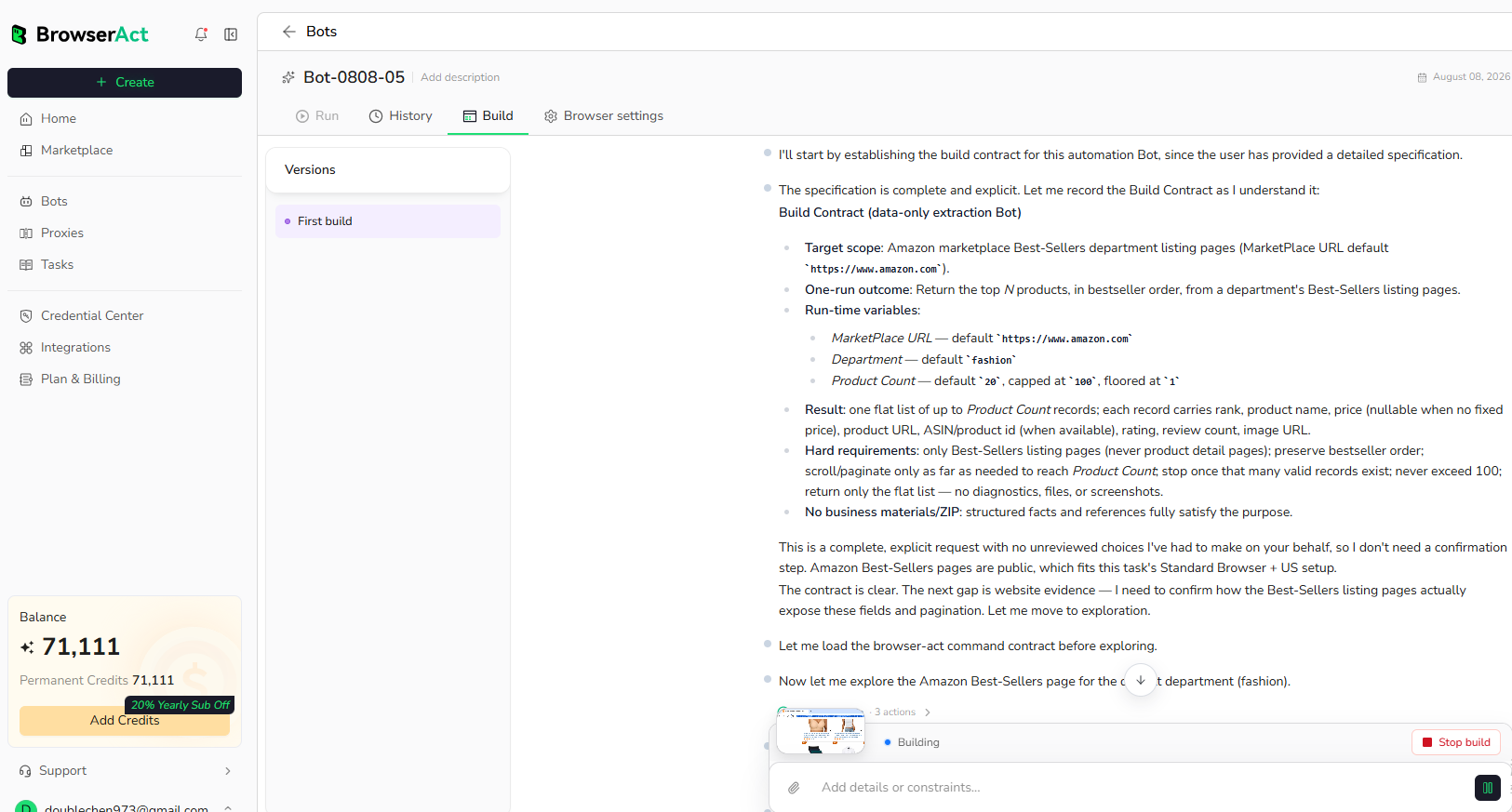
BrowserAct explores the live website, works out the navigation and extraction path, and validates the result. If BrowserAct asks for clarification, reply in the same build conversation with the missing URL, condition, field, example, or expected output.
Step 3: Run the Bot and Review the Result
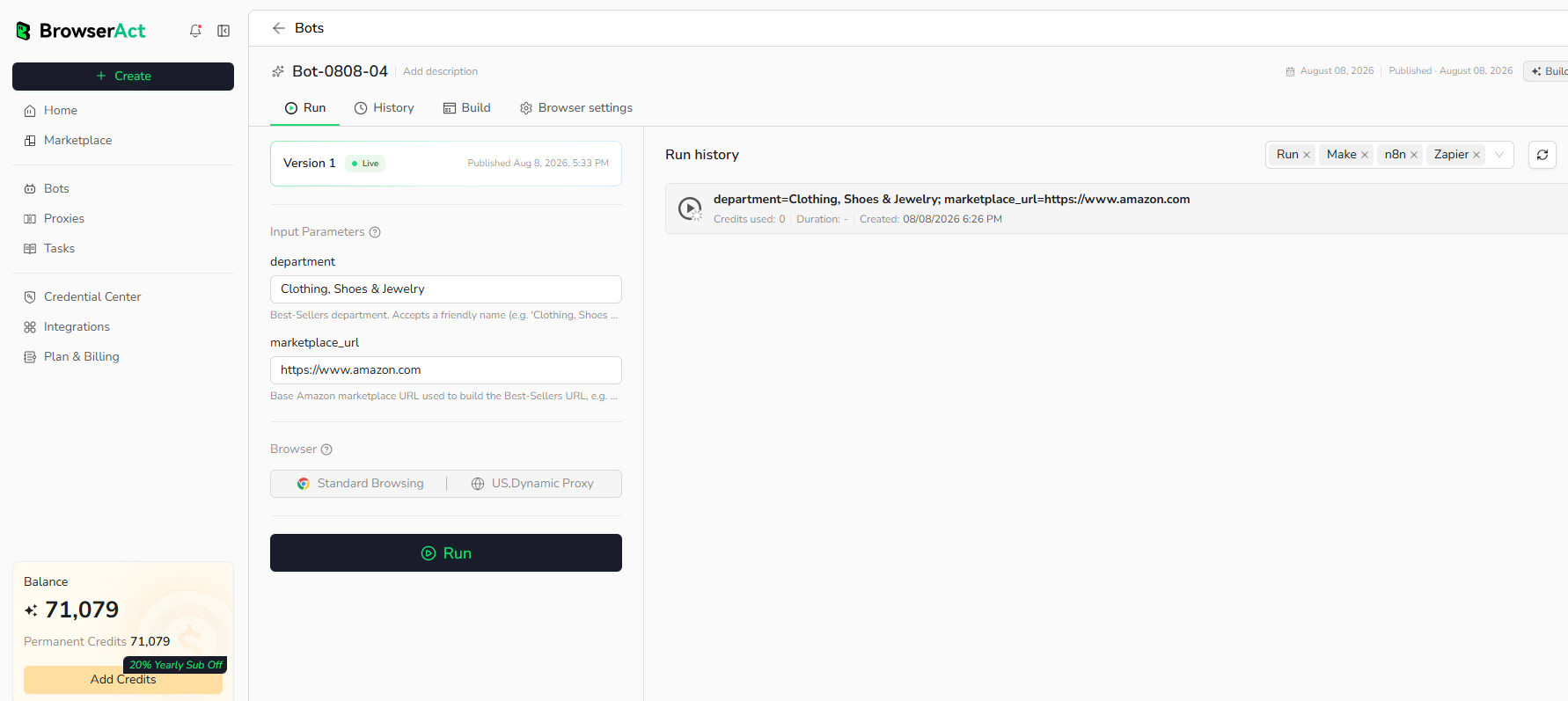
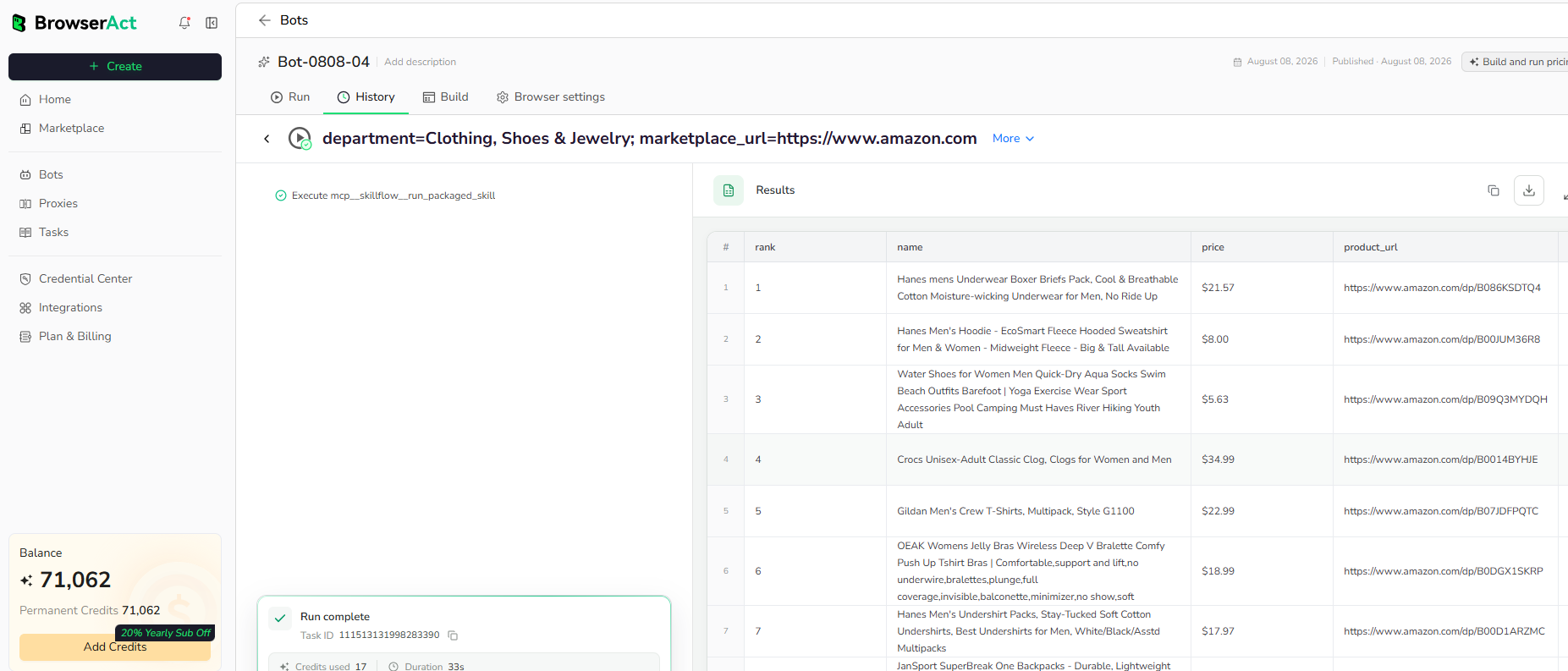
When the build is complete, run the Bot with the default inputs first. Review the structured records, source URLs, missing fields, and row count before reusing the Bot with new inputs or connecting it to another workflow.
Why Scrape Career Site Job Listings?
Public job listings help teams understand hiring priorities, new market expansion, department growth, role requirements, and competitor hiring patterns. A reusable BrowserAct Bot makes this workflow repeatable without writing selectors, maintaining a custom scraper, or manually checking career pages.
Who Can Use This Template?
- Recruiters tracking open roles across target companies.
- Talent intelligence teams mapping hiring demand.
- Sales teams identifying account expansion signals.
- Market researchers monitoring company growth.
- Automation builders routing job data into spreadsheets, CRMs, dashboards, or agents.
How Many Results Can You Scrape?
Use count to control the number of jobs returned. If fewer public jobs are available than requested, the Bot returns the available records. Some career sites expose hundreds of public roles, while others only show a small number of openings.
Automation and Export
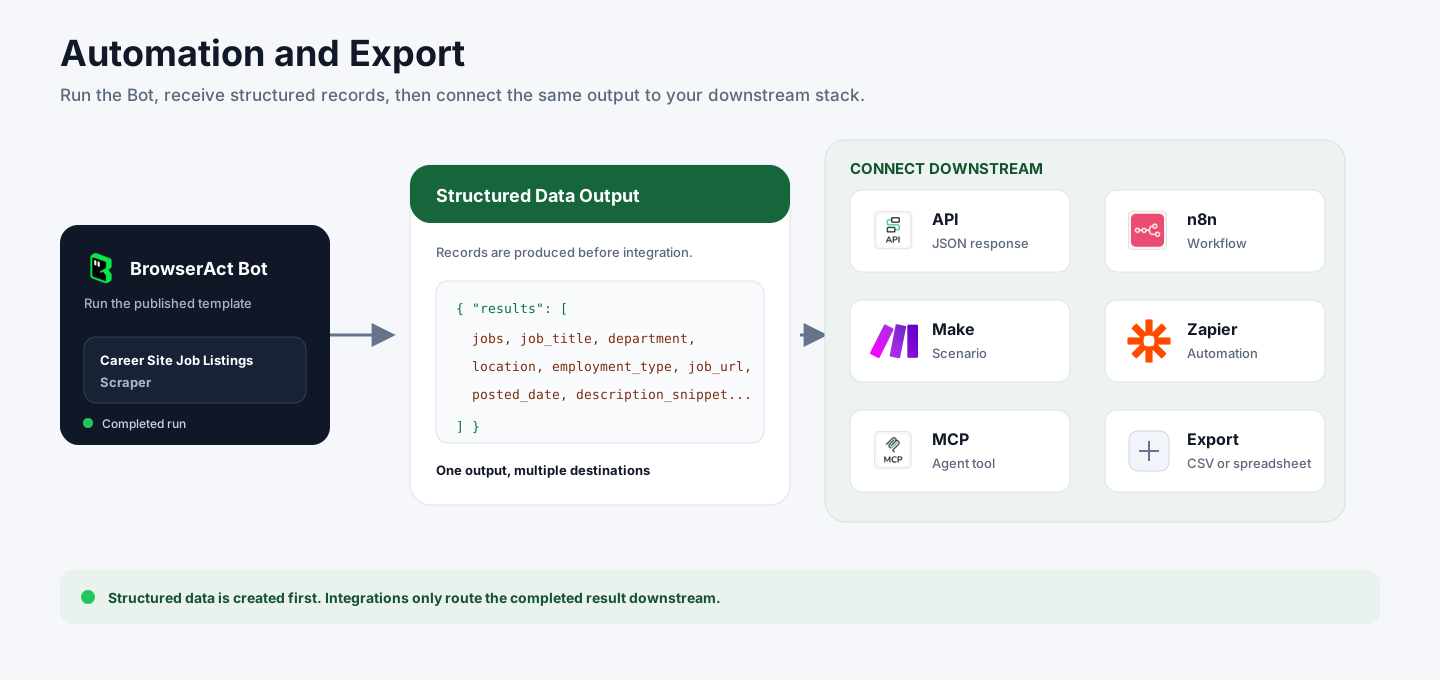
BrowserAct returns structured job data first. You can then use the output through API JSON responses, n8n workflows, Make scenarios, Zapier automations, MCP-based agent workflows, or manual CSV review depending on your downstream system.
Need Help?
Contact us at
Discord: Discord Community
E-mail: service@browseract.com
