

Find public social media profiles that use a supplied username and return one structured record for every username-platform check. The Bot supports 49 social, content, developer, creator, and personal-page platforms through five platform groups. The default group checks seven core social platforms.
The coverage includes major networks such as Instagram, Facebook, X, TikTok, LinkedIn, Reddit, and YouTube; developer platforms such as GitHub, GitLab, Gitee, Docker Hub, npm, PyPI, Kaggle, and Hugging Face; and creator destinations such as Product Hunt, Behance, Dribbble, ArtStation, Linktree, Gumroad, and Open Collective. Directly verified pages are separated from search-discovered candidates, blocked pages, and genuine no-match results.
The default selection is Core Social Platforms: Instagram, Facebook, X, TikTok, LinkedIn, Reddit, and YouTube. Broader groups may increase run time and credits.
What Does BrowserAct Social Media Username Profile Finder Do?
The Bot normalizes up to 20 usernames, checks every enabled platform, and returns one row for each username-platform pair. It opens canonical public profile pages first. When direct access is unavailable or ambiguous, it can use a targeted public Google search; LinkedIn uses this search-first path because anonymous profile access is restricted.
The Bot never claims that profiles on different platforms belong to the same person. A directly verified profile is labeled confirmed_direct, while a search-discovered result remains candidate_google until the user reviews it.
Key Features
- Checks up to 20 usernames in one run.
- Supports 49 platforms through five single-select platform groups.
- Defaults to seven core social platforms for a faster first run.
- Opens public profile pages directly whenever possible.
- Uses targeted Google discovery when direct access is blocked or ambiguous.
- Returns one independent record for every username-platform check.
- Distinguishes confirmed profiles, candidates, missing profiles, blocked pages, and errors.
- Requires no target-platform login and does not access private data.
What Data Can I Extract?
| Field | Description |
|---|---|
input_username |
Username exactly as supplied for the check. |
normalized_username |
Username after whitespace and a leading @ are removed. |
platform |
Human-readable platform name. |
platform_domain |
Public domain checked for the selected platform. |
search_mode |
Whether the check started directly or with a Google search. |
discovery_method |
Method that produced the returned profile or status. |
profile_found |
Whether the check produced a usable profile result. |
profile_url |
Canonical or search-discovered public profile URL. |
profile_username |
Username visible in the returned profile URL or page. |
display_name |
Public display name when the source shows one. |
bio_or_snippet |
Public profile bio or search-result snippet. |
avatar_url |
Public avatar image URL when available. |
verification_status |
confirmed_direct, candidate_google, not_found, blocked, or error. |
verification_evidence |
Short public evidence supporting the status. |
match_confidence |
Confidence assigned to the username-platform match. |
search_completed |
Whether the platform check reached a terminal result. |
partial_failure |
Whether part of the check failed while another path produced a result. |
error_message |
Public-facing error detail when the check cannot complete. |
username_total_found |
Number of profile results found for the same input username. |
How to Use Social Media Username Profile Finder
Quick Start Guide
- Open Run task.
- Enter one or more usernames, separated by commas or new lines.
- Keep the default core social group or choose a broader platform group. Broader groups can increase run time and credits.
- Run the Bot and review the structured records.
- Filter by
verification_statusbefore sending records to research or automation workflows.
Input Parameters
| Parameter | Configuration |
|---|---|
| usernames | Type: string. Required: Yes. Default: "openai". One or more values to look up, separated by commas or new lines (1-20). Each value may be a single handle or a name-style search phrase such as Amy Femmer. A leading @ is ignored; profile URLs, e-mail addresses and phone numbers are rejected and duplicates are removed. |
| platform_scope | Type: string. Required: Yes. Default: "Core Social Platforms (Instagram, Facebook, X, TikTok)". Choose a platform group. Broader groups may increase run time and credits. Options: Core Social Platforms (Instagram, Facebook, X, TikTok), Social & Content (Reddit, YouTube, Medium, Twitch), Developer Platforms (GitHub, GitLab, npm, PyPI), Creator & Personal Pages (Product Hunt, Behance, Dribbble, Linktree), All 49 Platforms (All supported platforms). |
Result Handling
Each username-platform check occupies its own row in the result and CSV export. Multiple records are not combined into one cell.
If extraction fails for every target, the task fails instead of returning a successful error-only result. When a batch has usable results alongside failed checks, the usable rows are retained and incomplete work is identified. Missing optional values do not by themselves mean that extraction failed.
Example Output
This preview shows one example record. Long values are shortened for readability; the downloadable result keeps the full values.
| Field | Result |
|---|---|
| input_username | openai |
| normalized_username | openai |
| platform | |
| platform_domain | instagram.com |
| search_mode | direct |
| discovery_method | direct_profile_page |
| profile_found | true |
| profile_url | https://www.instagram.com/openai/ |
| profile_username | openai |
| display_name | OpenAI |
| bio_or_snippet | 7M Followers, 8 Following, 1,900 Posts - See Instagram photos and videos from OpenAI (@openai) |
| avatar_url | https://scontent-yyz1-1.cdninstagram.com/v/t51.82787-19/788716177_18115256264517701_8401817653356104064_n.jpg?stp=dst-jpg_s100x100_tt6&_nc_cat=1&ccb=7-5&_nc_sid=bf7eb4&efg=eyJ2ZW5jb2RlX3RhZyI6InByb2ZpbGVfcGljLnd3dy4zMjAuQzMifQ%3D%3D&_nc_ohc=C76vtSBjivIQ7kNvwHOuxIl&_nc_oc=Adpmh-5H89oYy25Dr5b76qVeUXNzMp1v7Lyk5j3T0z_YNykH_rIm8QQZQwGtuYlpBh0&_nc_zt=24&_nc_ht=... |
| verification_status | confirmed_direct |
| verification_evidence | Instagram served the public profile page |
| match_confidence | high |
| search_completed | true |
| partial_failure | false |
| error_message | null |
| username_total_found | 7 |
How Does It Work?
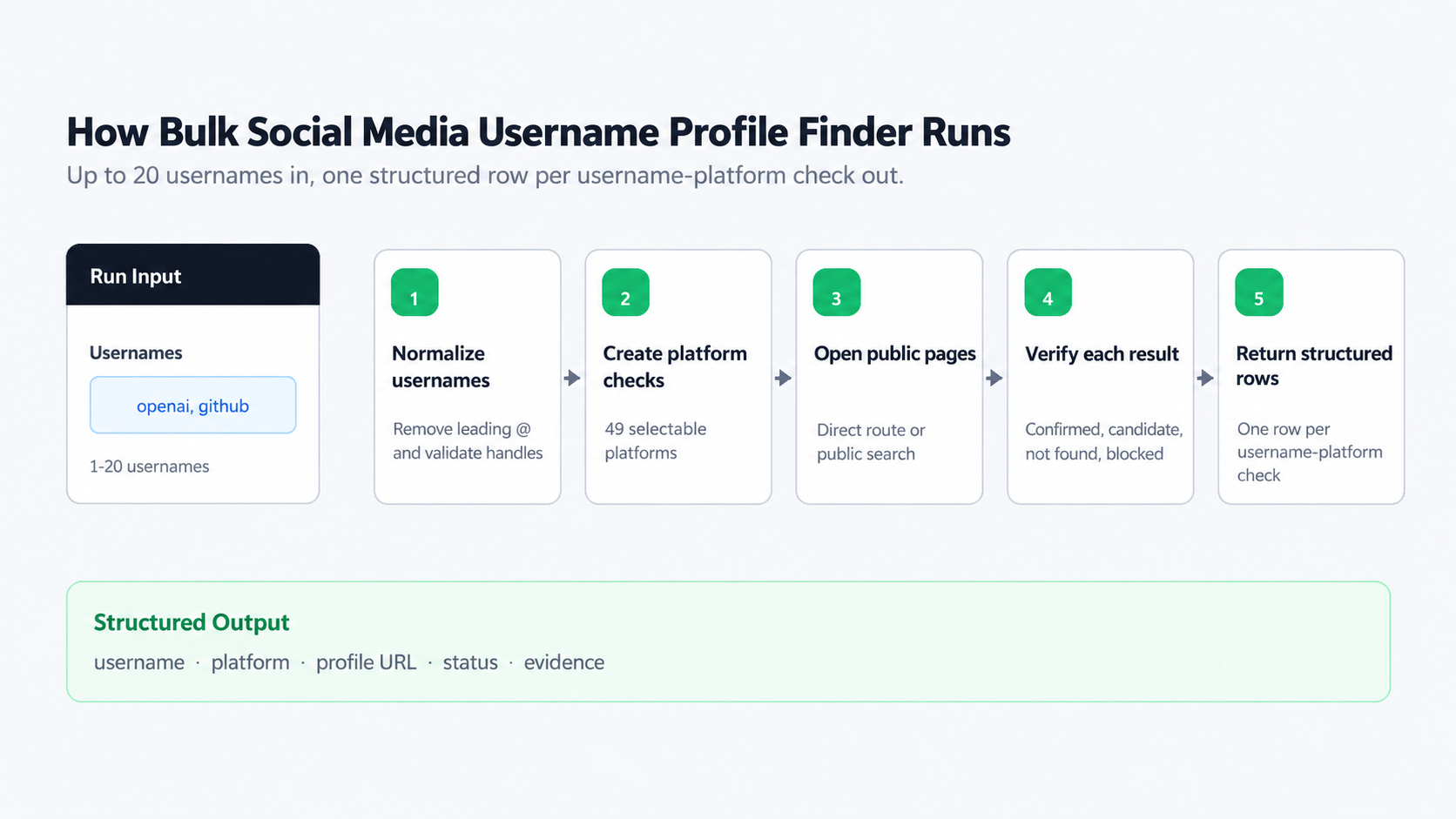
- BrowserAct splits the supplied value into usernames, removes whitespace and a leading
@, rejects non-username values, and removes duplicates. - The Bot creates one check for every normalized username and enabled platform.
- For most platforms, it constructs the canonical public profile URL and opens that page directly.
- When the direct page is blocked or ambiguous, it searches Google for the username on that platform. LinkedIn starts with this search-first path.
- It reads the public profile URL, username, display name, bio or snippet, avatar when available, and the evidence needed to classify the result.
- The run returns one flat record per username-platform check with an explicit verification status.
How to Build a New Scraper Bot with Agent Built
Step 1: Describe the data you need
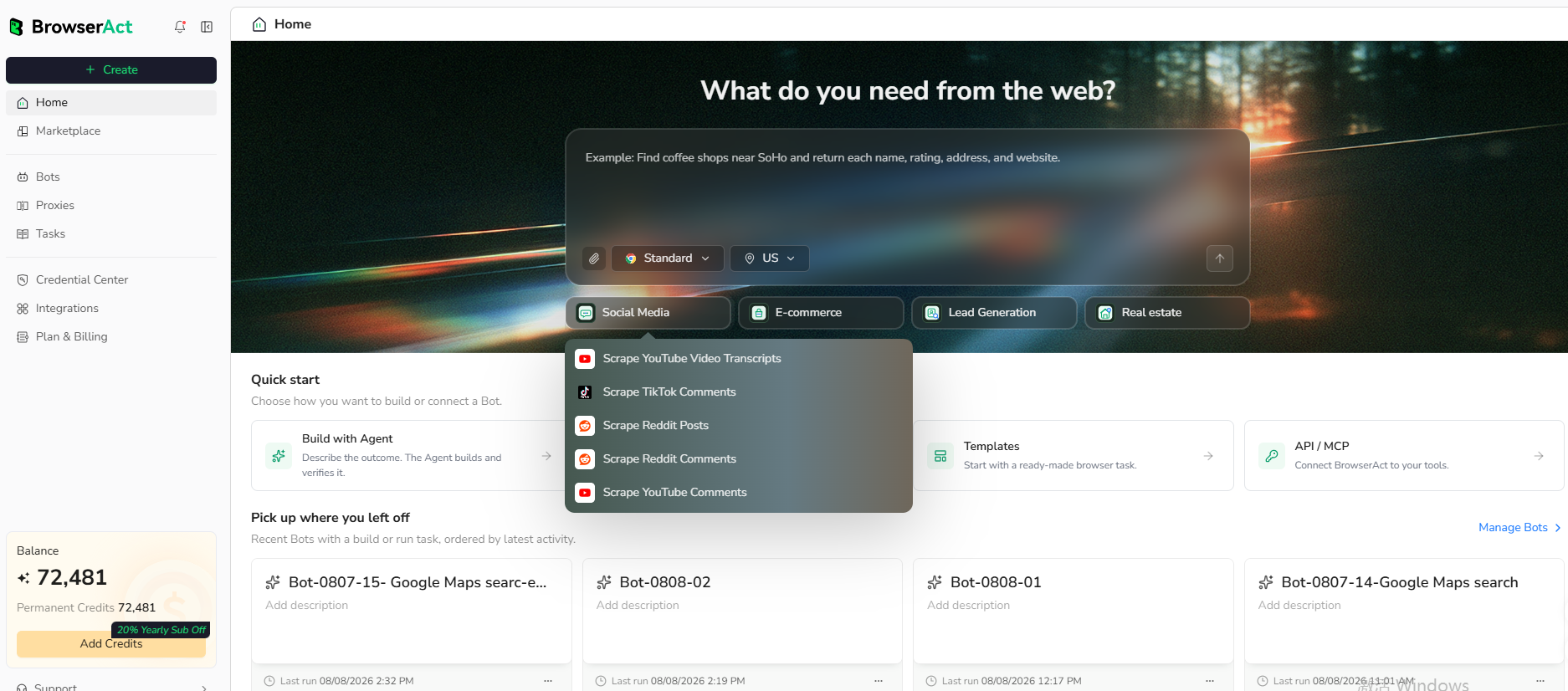
Open BrowserAct and start Agent Built from the Home prompt box or from Create > Build with Agent. Describe the public website, records, search conditions, output fields, and reusable inputs you need.
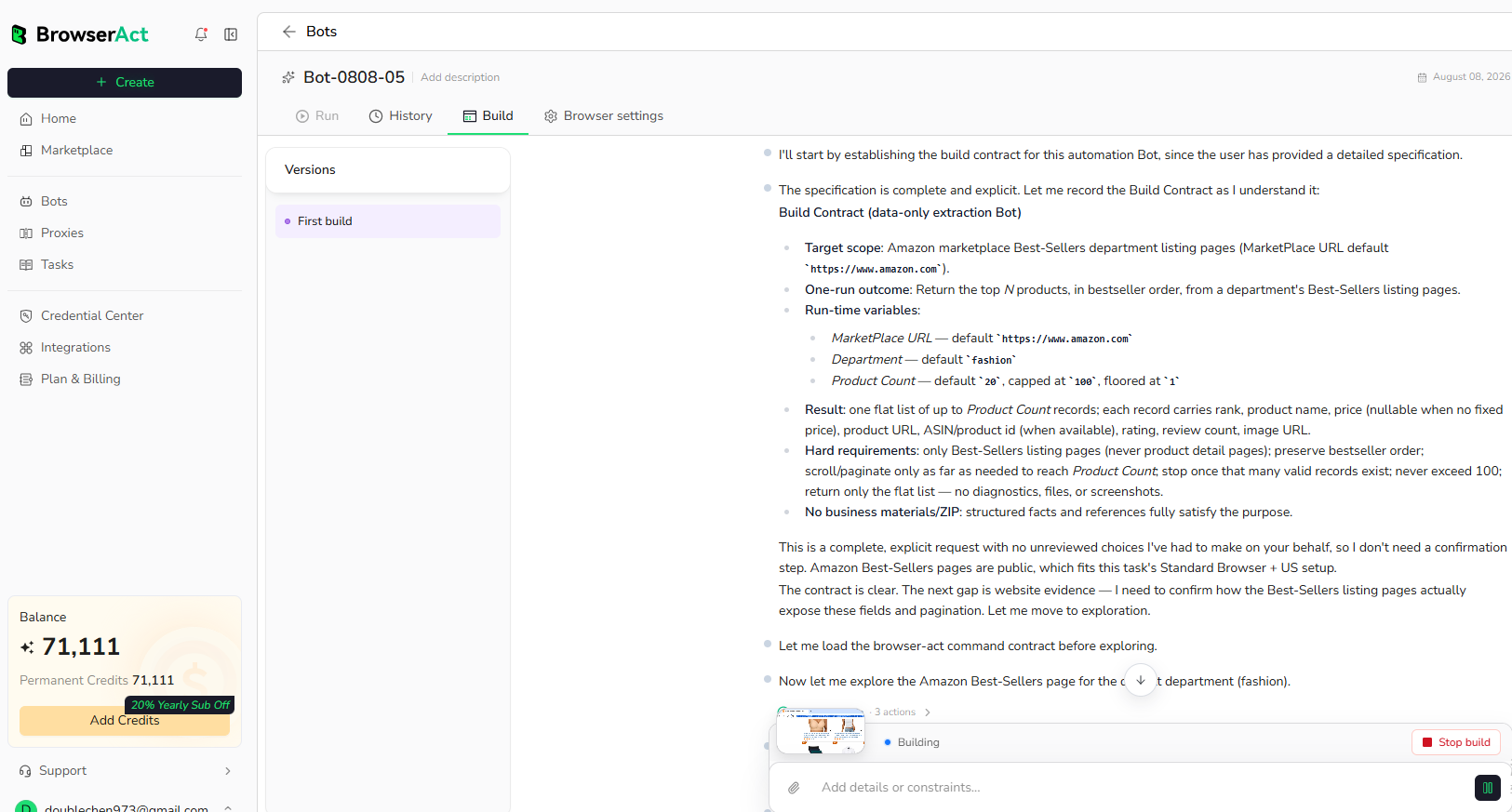
Step 2: Let BrowserAct build and test the Bot
BrowserAct explores the live website, creates the navigation and extraction workflow, and tests the resulting Bot. Add any missing target, condition, field, or expected-output detail in the same build conversation.
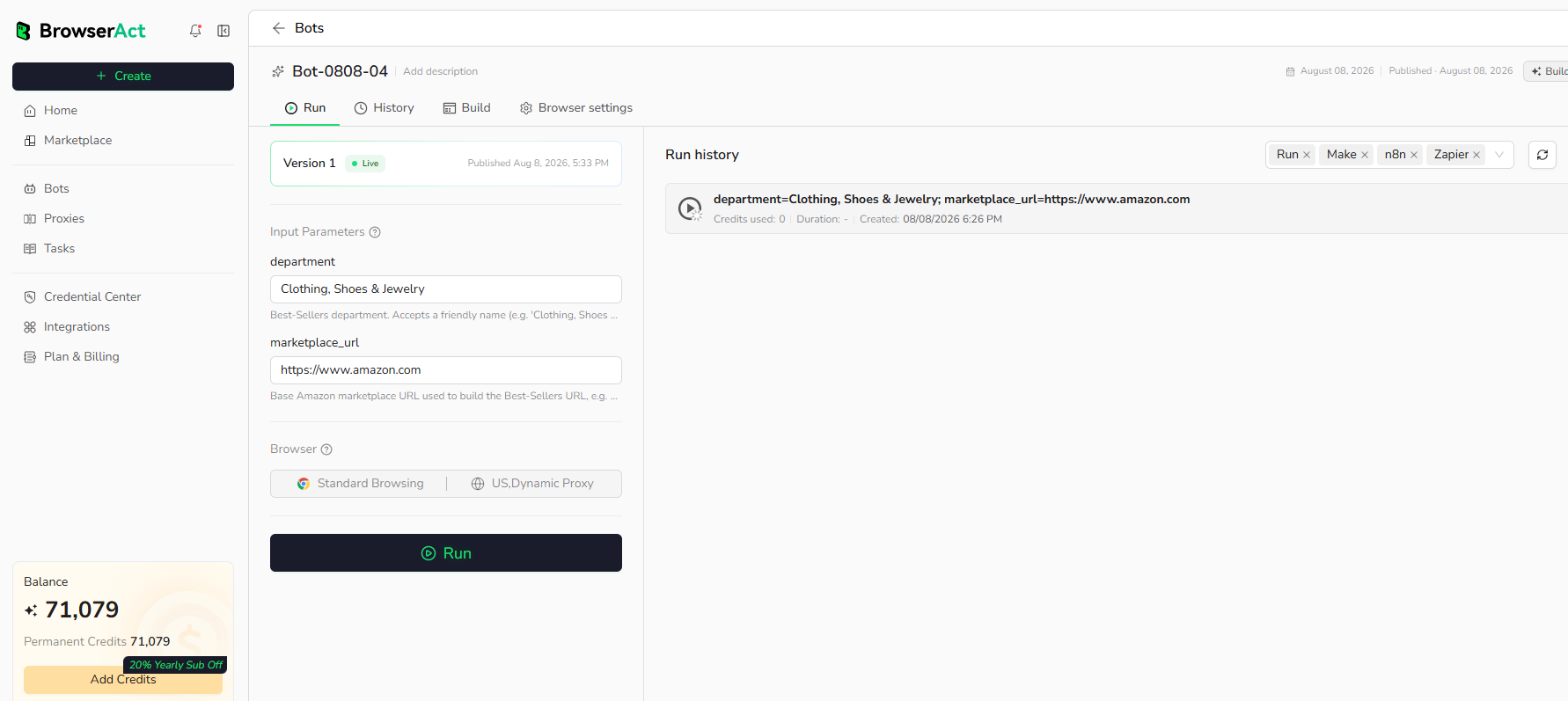
Step 3: Run the Bot and review the result
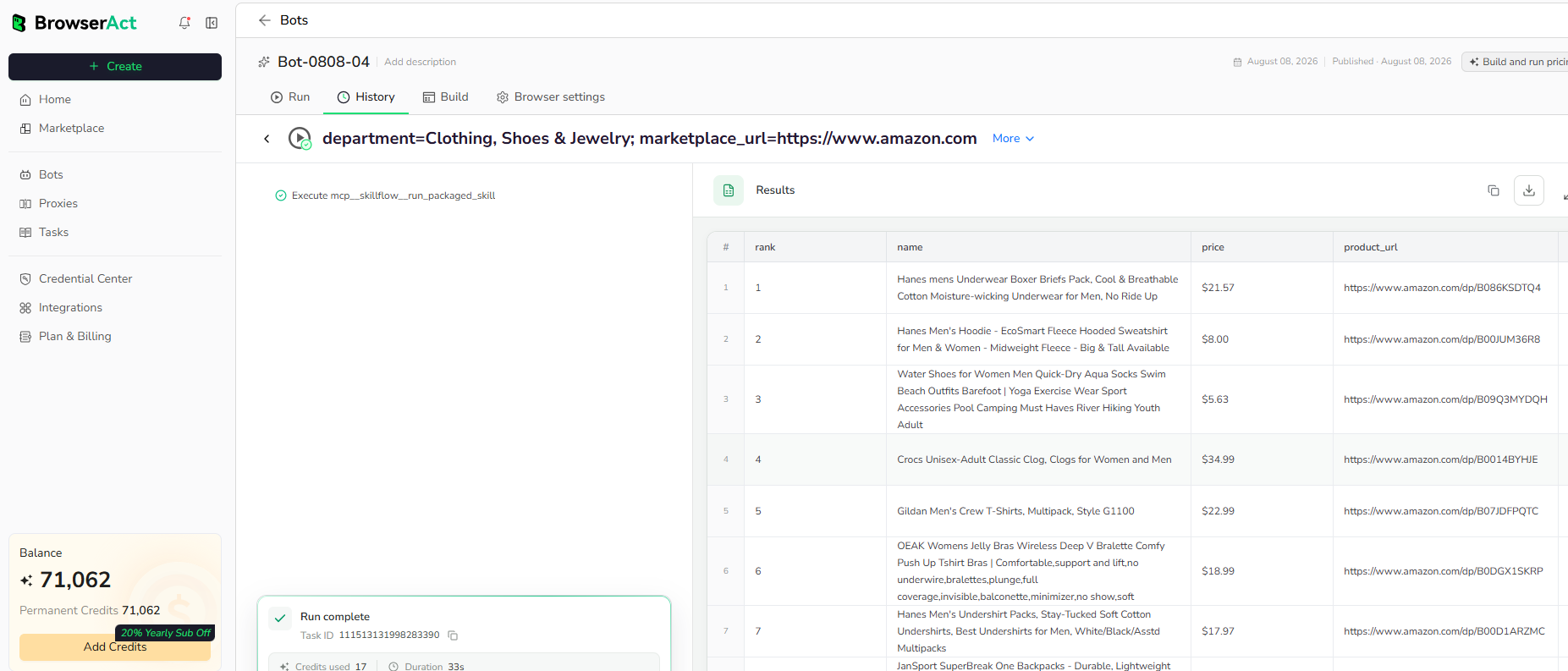
Run the completed Bot with its populated default inputs. Review the structured records, source URLs, verification statuses, optional empty values, and result count before reusing the Bot or connecting it to another workflow.
Use Cases
- Audit whether a brand username is represented across public platforms.
- Discover public creator, company, or project profiles from known handles.
- Review possible profile candidates before lead enrichment or outreach.
- Monitor username coverage during brand launches or migrations.
- Send verified public profile records to a CRM, spreadsheet, or research workflow.
Why Use Social Media Username Profile Finder?
- Check many platforms from one reusable workflow instead of opening each site manually.
- Keep directly confirmed profiles separate from search-discovered candidates.
- Preserve evidence and status fields for review before downstream use.
- Choose the platform group that matches each research task.
Who Can Use Social Media Username Profile Finder?
- Brand and reputation teams auditing official handles.
- Lead research teams locating public contact paths.
- Creator and partnership teams reviewing public profiles.
- Trust and safety teams checking possible username reuse.
- Developers and automation teams connecting public web data to downstream systems.
How Many Results Can You Find?
Each run accepts up to 20 usernames and returns one record for every username-platform check in the selected group. The default seven-platform group can return up to 140 records; the all-platform group can return up to 980. The number marked as found depends on public availability and whether the username exists. Broader platform groups can take longer. Choose a focused group when speed matters.
Automation and Export
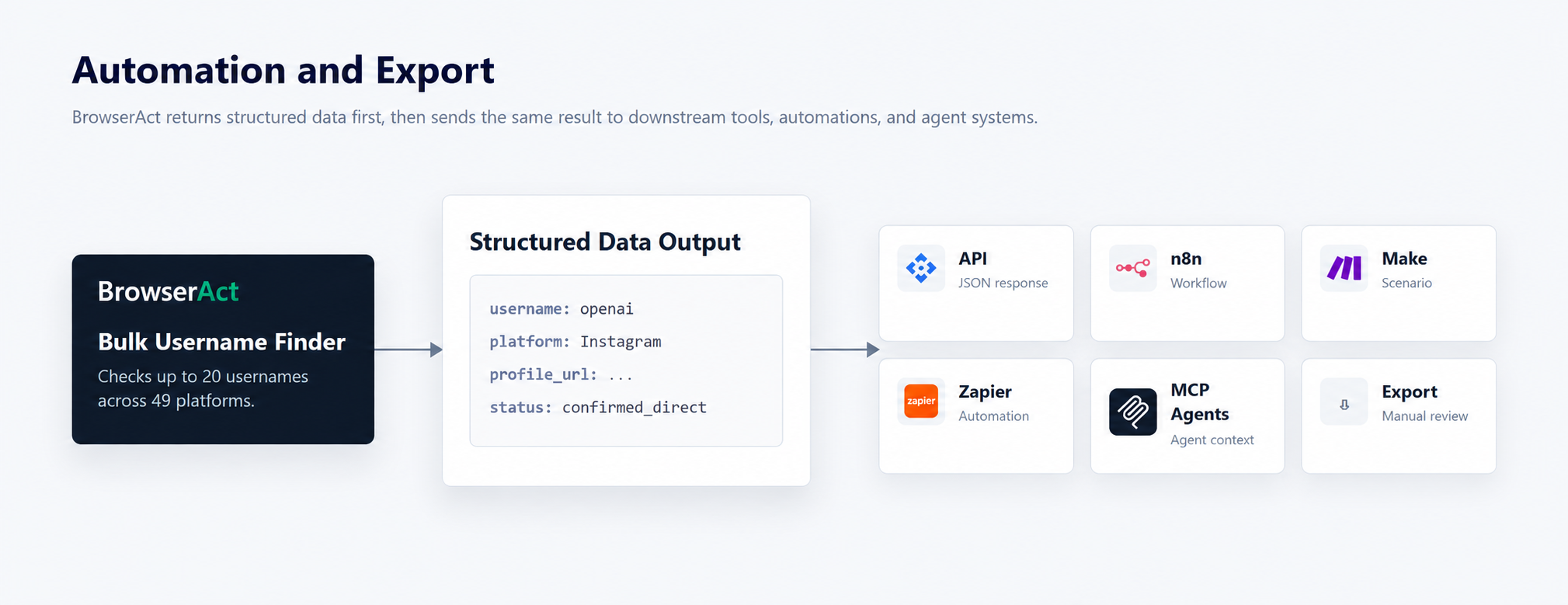
BrowserAct produces structured data first. Use the result through Run Task, the JSON API, n8n, Make, Zapier, MCP-based agents, or an available manual export flow.
Need Help?
Cannot find the exact capability you need, or need help composing several Bots?
