

BBB Lead Scraper searches the public Better Business Bureau directory and returns structured business leads in visible result order. Each record can include BBB ratings, accreditation details, categories, public contact information, addresses, and traceable BBB URLs.
What Does BrowserAct BBB Lead Scraper Do?
The Bot searches BBB by business keyword and location, discovers matching businesses, and opens each public business profile to collect the requested details. It combines structured page data with visible BBB fields and returns optional values as null when a profile does not display them.
Key Features of BBB Lead Scraper
- Search BBB by business type, service, or keyword.
- Target a city, state, ZIP code, or supported location.
- Preserve the visible result order with a
rankfield. - Collect BBB ratings and accreditation status.
- Capture full public categories, business dates, phone numbers, websites, and addresses.
- Keep BBB profile, source-search, and evidence URLs for review.
- Continue across result pages until
Countis reached.
What Data Can I Extract from BBB?
| Field | Description |
|---|---|
rank |
Position in the collected BBB result order. |
business_name |
Public business name. |
business_categories |
Full BBB category list visible on the profile. |
bbb_rating |
Displayed BBB rating, such as A+. |
is_bbb_accredited |
Whether BBB marks the business as accredited. |
accreditation_date |
Accreditation date when displayed. |
business_start_date |
Business start date when displayed. |
years_in_business |
Displayed years-in-business value. |
phone_number |
Public business phone number when available. |
website_url |
Public business website. |
full_address |
Full address displayed by BBB. |
city |
Address city. |
state |
Address state or region. |
postal_code |
Address postal code. |
country |
Address country. |
bbb_profile_url |
Public BBB business profile URL. |
source_search_url |
BBB search URL used for discovery. |
evidence_url |
Public profile page used for the detailed record. |
How to Use BBB Lead Scraper
Quick Start Guide
- Click Run task.
- Enter a business
Keyword, aLocation, and aCount. - Click
Run. - Review the business order, BBB fields, public contact details, and source URLs.
- Export the records or connect them to another workflow.
Input Parameters
| Parameter | Required | Default | Description |
|---|---|---|---|
Keyword |
Yes | digital marketing agency |
Business category, service, or search phrase. |
Location |
Yes | Los Angeles, CA |
City, state, ZIP code, or other supported BBB location. |
Count |
Yes | 5 |
Maximum number of matching businesses to return. |
Example Output
The table below shows up to the first 5 records from the validated run. Long values are shortened in this preview for readability; the completed task keeps the full structured output.
| rank | business_name | business_categories | bbb_rating | is_bbb_accredited | accreditation_date | business_start_date | years_in_business | phone_number | website_url | full_address | city | state | postal_code | country | bbb_profile_url | source_search_url | evidence_url |
|---|---|---|---|---|---|---|---|---|---|---|---|---|---|---|---|---|---|
| 1 | DASH TWO | Advertising, Advertising Agencies, Digital Advertising, Outdoor Advertising, Transit Advertising, Advertising Agencies & Counselors | A+ | true | 7/21/2026 | 1/1/2009 | 17 | null | https://dashtwo.com/ | Inglewood, CA, 90301-2304, USA | Inglewood | CA | 90301-2304 | USA | https://www.bbb.org/us/ca/inglewood/profile/advertising/dash-two-1216-471920 | https://www.bbb.org/search?find_country=USA&find_text=digital+marketing+agency&find_loc=Los+Angeles%2C+CA&page=1 | https://www.bbb.org/us/ca/inglewood/profile/advertising/dash-two-1216-471920 |
| 2 | Melleka Marketing | Business Services, Internet Marketing Services, Marketing Programs, Digital Marketing, Search Engine Marketing, Social Media Marketing | A+ | true | 4/20/2022 | 1/6/2021 | 5 | (818) 599-2696 | https://melleka.com/ | 6742 Van Nuys Blvd #206, Van Nuys, CA, 91405-4641, USA | Van Nuys | CA | 91405-4641 | USA | https://www.bbb.org/us/ca/van-nuys/profile/business-services/melleka-marketing-1216-1636173 | https://www.bbb.org/search?find_country=USA&find_text=digital+marketing+agency&find_loc=Los+Angeles%2C+CA&page=1 | https://www.bbb.org/us/ca/van-nuys/profile/business-services/melleka-marketing-1216-1636173 |
| 3 | TLK Fusion Inc. | Advertising Agencies, Marketing Consultant, Marketing Programs, Digital Marketing, Advertising Agencies & Counselors | A+ | true | 9/22/2017 | 1/1/2011 | 15 | (818) 208-4582 | https://tlkfusion.com/ | 27651 Lincoln Pl #200, Santa Clarita, CA, 91387-8816, USA | Santa Clarita | CA | 91387-8816 | USA | https://www.bbb.org/us/ca/santa-clarita/profile/advertising-agencies/tlk-fusion-inc-1216-100120138 | https://www.bbb.org/search?find_country=USA&find_text=digital+marketing+agency&find_loc=Los+Angeles%2C+CA&page=1 | https://www.bbb.org/us/ca/santa-clarita/profile/advertising-agencies/tlk-fusion-inc-1216-100120138 |
| 4 | WebServ | Digital Marketing, Internet Marketing Services, Marketing Consultant, Web Design, SEO Services, Advertising Agencies, Search Engine Marketing, Social Media Marketing, Ecommerce, D... | A+ | true | 1/15/2021 | 9/5/2017 | 8 | (949) 317-1889 | https://webserv.io/ | 18650 MacArthur Blvd Ste 360, Irvine, CA, 92612-1269, USA | Irvine | CA | 92612-1269 | USA | https://www.bbb.org/us/ca/irvine/profile/digital-marketing/webserv-1126-1000080606 | https://www.bbb.org/search?find_country=USA&find_text=digital+marketing+agency&find_loc=Los+Angeles%2C+CA&page=1 | https://www.bbb.org/us/ca/irvine/profile/digital-marketing/webserv-1126-1000080606 |
| 5 | The Shipyard | Advertising Agencies, Internet Marketing Services, Marketing Consultant, SEO Services, Digital Marketing, Search Engine Marketing, Social Media Marketing, Advertising Specialties,... | A+ | true | 7/18/2022 | 8/31/2017 | 8 | (760) 635-2100 | https://www.theshipyard.com/ | 5000 Birch St Ste 9000, Newport Beach, CA, 92660-2176, USA | Newport Beach | CA | 92660-2176 | USA | https://www.bbb.org/us/ca/newport-beach/profile/advertising-agencies/the-shipyard-1126-1000098852/addressId/430579 | https://www.bbb.org/search?find_country=USA&find_text=digital+marketing+agency&find_loc=Los+Angeles%2C+CA&page=1 | https://www.bbb.org/us/ca/newport-beach/profile/advertising-agencies/the-shipyard-1126-1000098852/addressId/430579 |
How Does it Work?
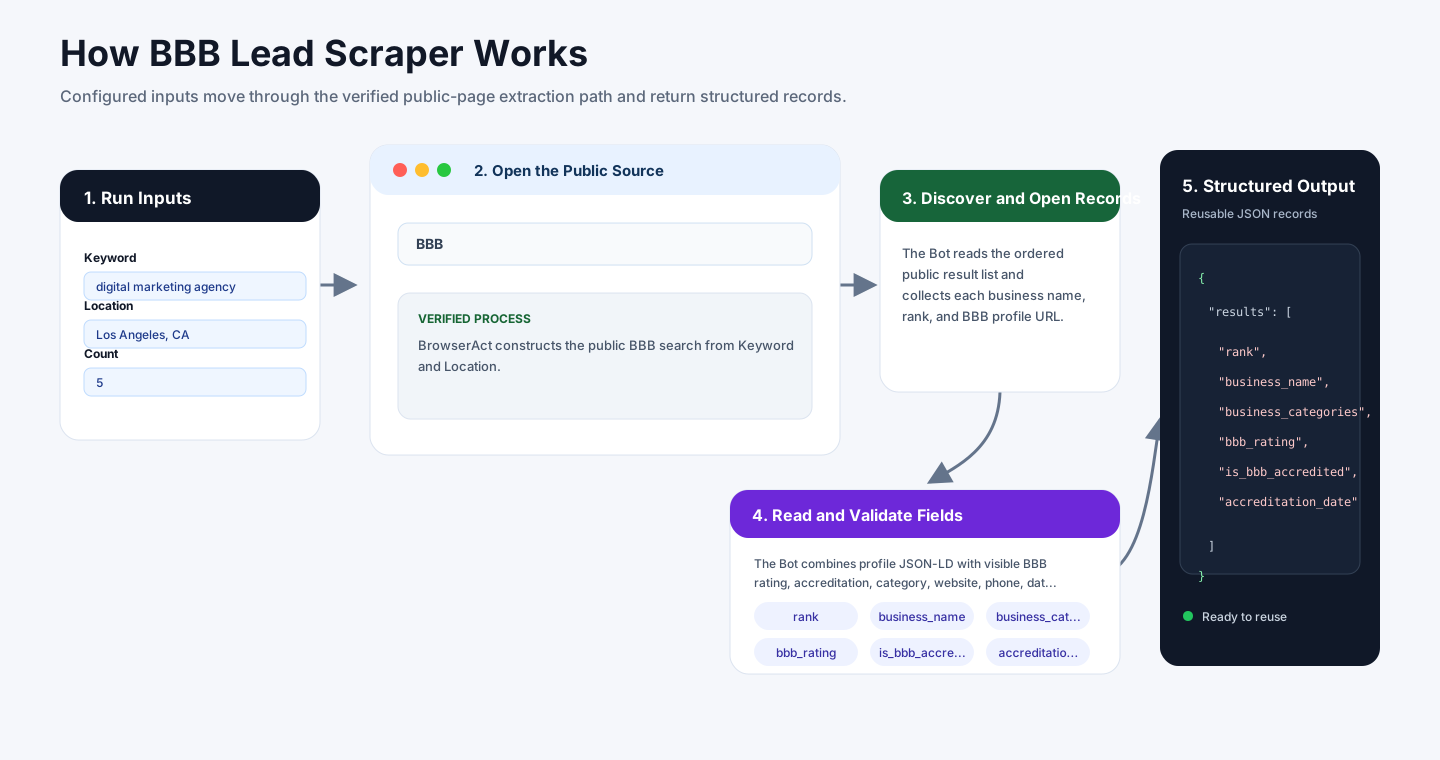
- BrowserAct constructs the public BBB search from
KeywordandLocation. - The Bot reads the ordered public result list and collects each business name, rank, and BBB profile URL.
- It opens each public business profile and waits for BBB's automatic security interstitial to clear when it appears.
- The Bot combines profile JSON-LD with visible BBB rating, accreditation, category, website, phone, date, and address fields.
- It continues through pagination until
Countis reached, then returns structured records with search and evidence URLs.
How to Build a New Scraper Bot with Agent Built
Step 1: Describe the Data You Need
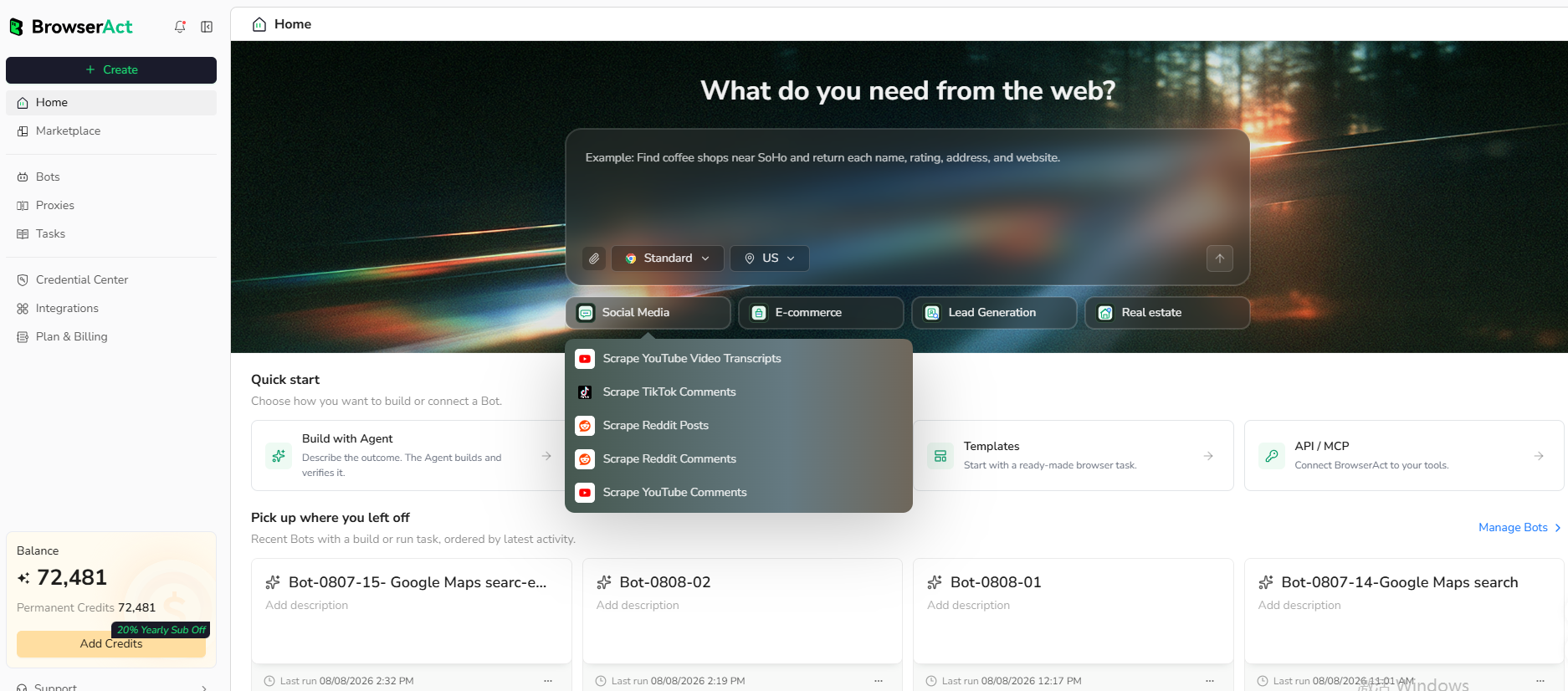
Open BrowserAct and start Agent Built from the Home prompt box or from Create -> Build with Agent. Describe the public source, reusable inputs, records to collect, fields to return, and result limit.
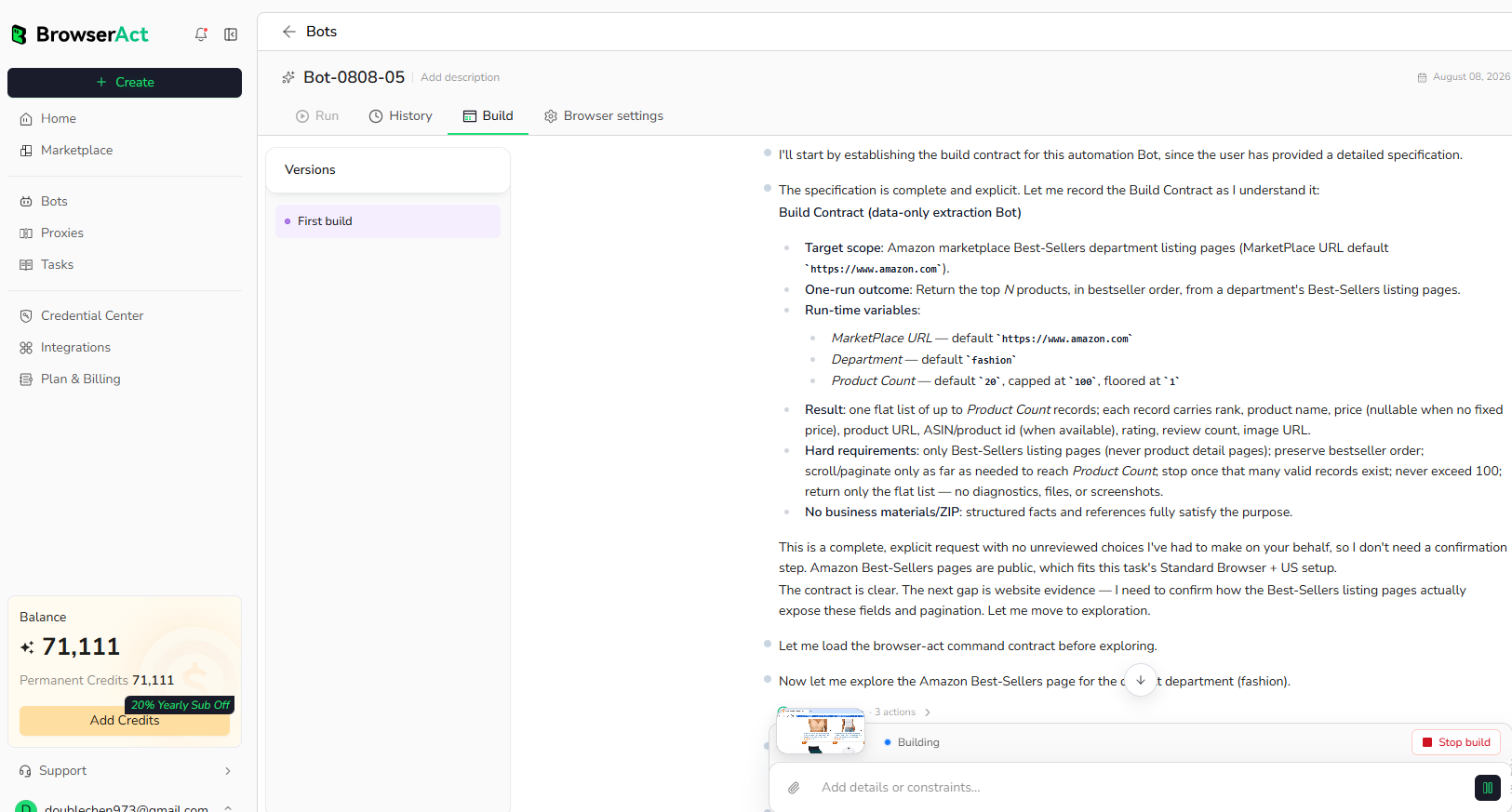
Step 2: Let BrowserAct Build and Test the Bot
BrowserAct explores the live website, determines the navigation and extraction path, and validates the result. Reply in the same build conversation when a public URL, field rule, or expected output needs clarification.
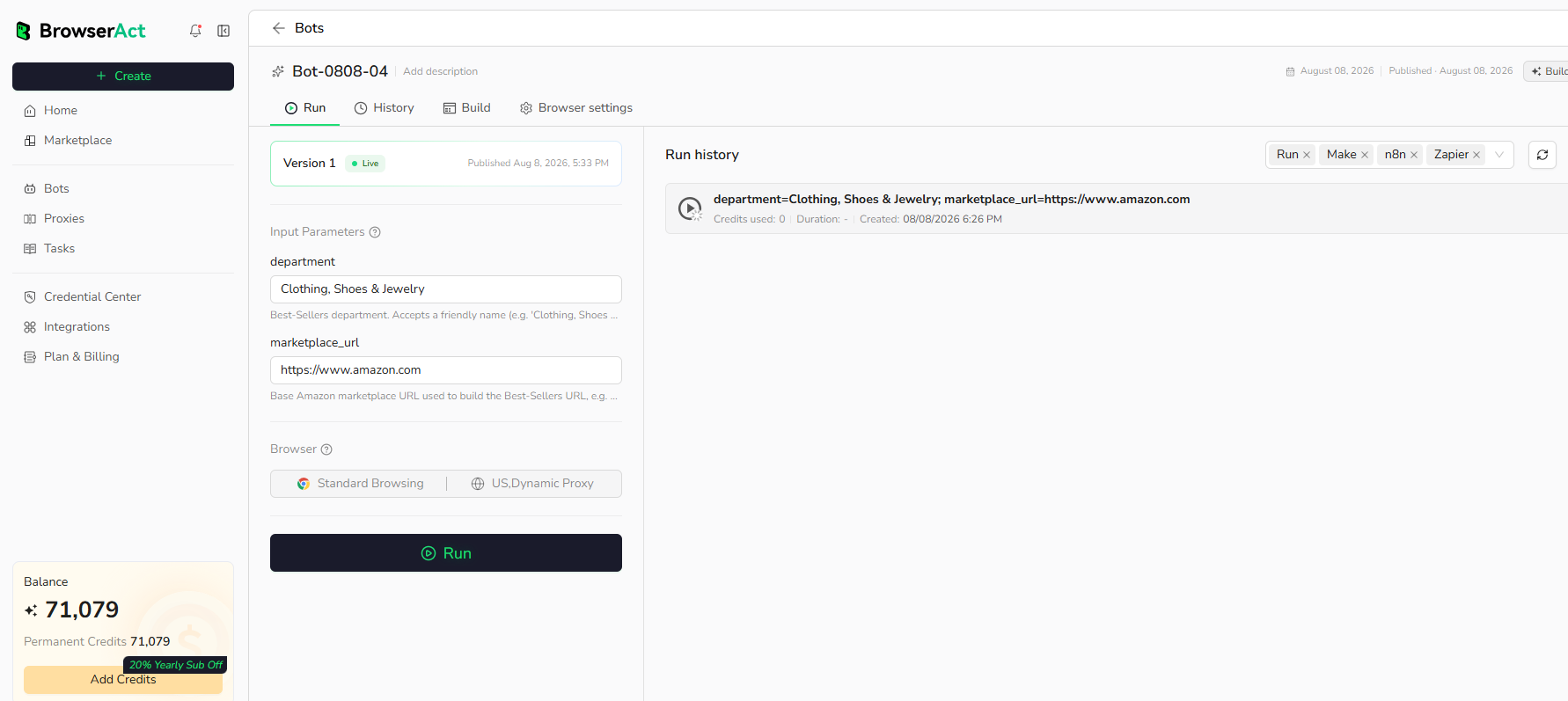
Step 3: Run the Bot and Review the Result
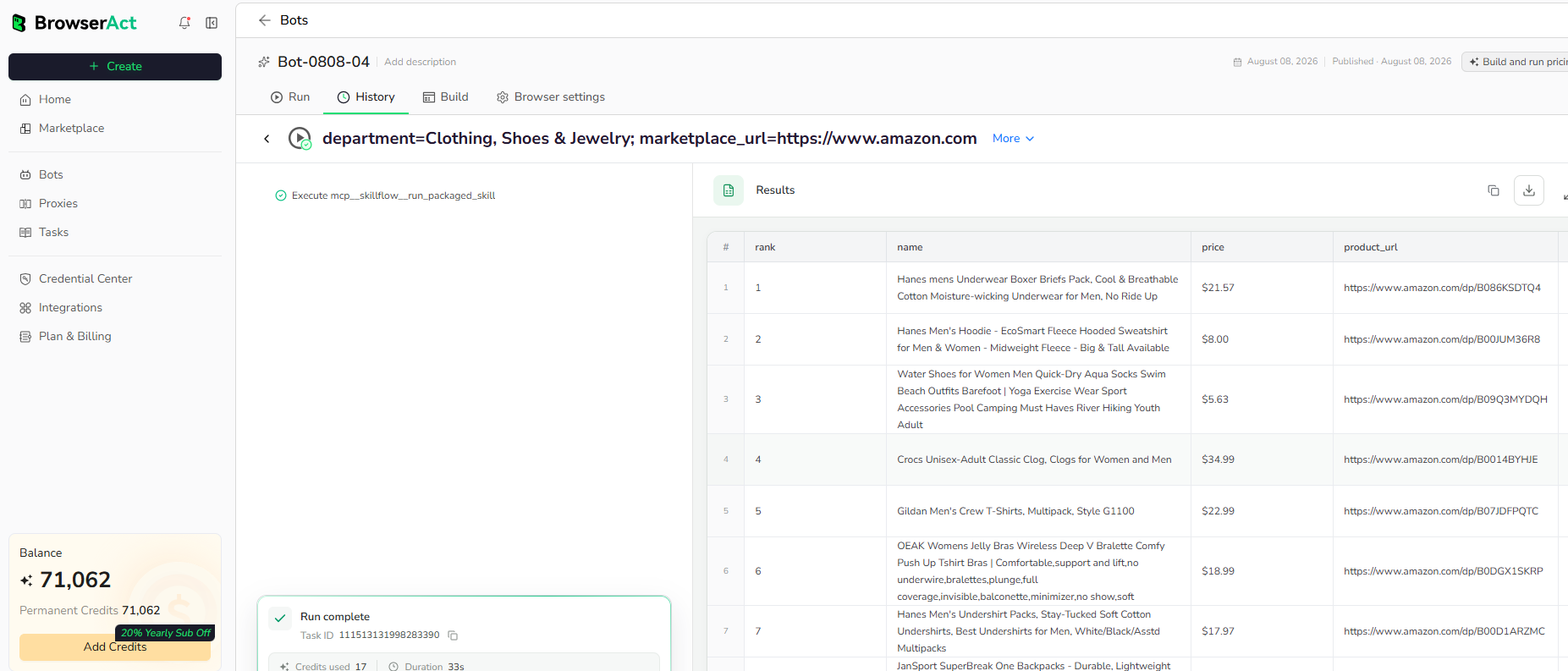
Run the completed Bot with default inputs. Check result order, optional missing values, source URLs, and the requested row count before reusing the Bot.
Why Use BBB Lead Scraper?
- Build location-specific B2B prospect lists from public BBB records.
- Add ratings and accreditation signals to lead qualification.
- Verify business websites, phone numbers, addresses, and operating history.
- Prepare structured records for market research, vendor review, or CRM enrichment.
Who Can Use BBB Lead Scraper?
- Sales and business-development teams.
- Marketing agencies and local-market researchers.
- Vendor, procurement, and risk-research teams.
- Automation builders maintaining business datasets.
How Many Results Can You Scrape?
Use Count to control the maximum businesses returned. Each business may require a public BBB profile visit, so larger counts take longer than listing-only templates. Start with the default value and increase gradually.
Automation and Export
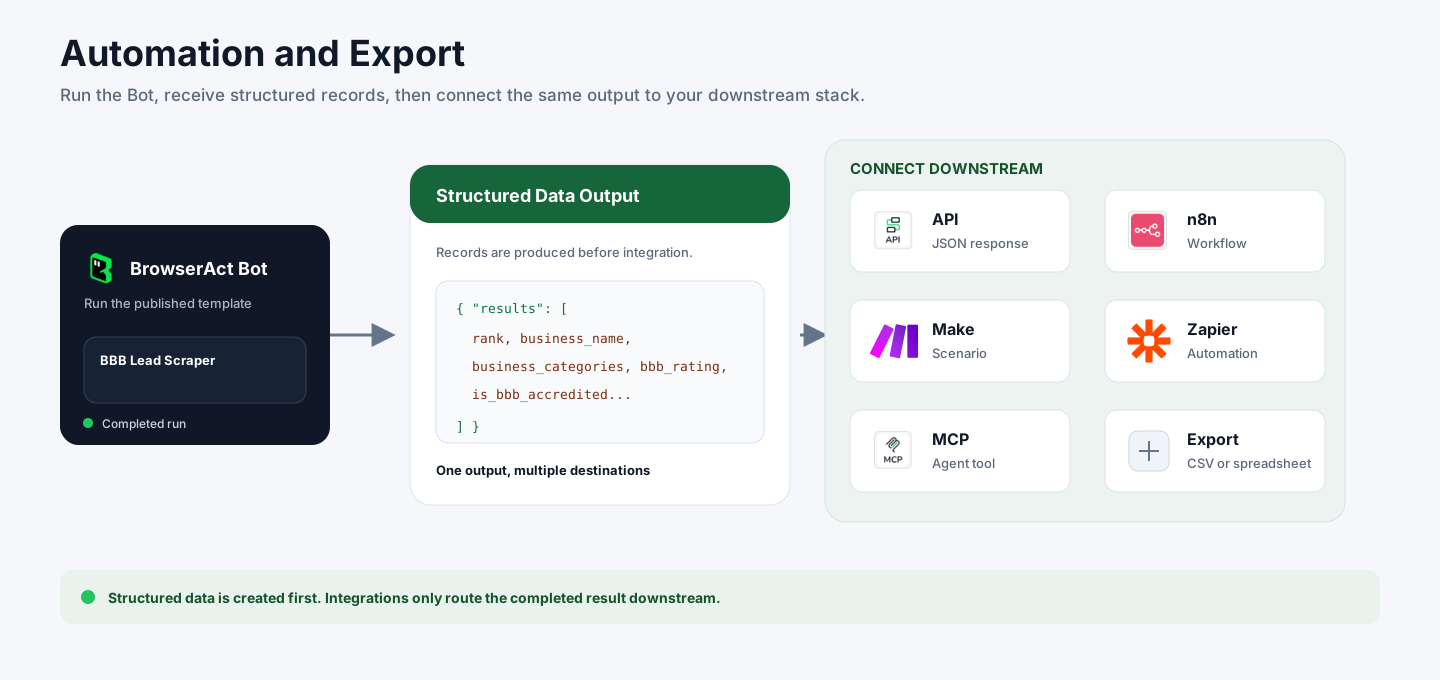
BrowserAct returns structured BBB records first. You can then send them through API JSON responses, n8n workflows, Make scenarios, Zapier automations, MCP-based agent workflows, or manual spreadsheet export.
Need Help?
Contact us at
Discord: Discord Community
E-mail: service@browseract.com
