
Appsumo Q&A scraper
Published by
je
jett
January 19, 2026
Approx.Credits
40-50 Credits
Categories
BA
Competitor AnalysisMarket IntelligenceContent CollectionAppsumo
Template ID
75078717436632100

Brief
This BrowserAct workflow automatically scrapes Q&A data from AppSumo product pages, including questions, answers, timestamps, and engagement metrics, and exports the results as a structured CSV file for analysis or automation.
What Does AppSumo Q&A Scraper Do?
AppSumo Q&A Scraper automatically extracts question-and-answer data from AppSumo product Q&A pages and converts it into structured, analysis-ready datasets.
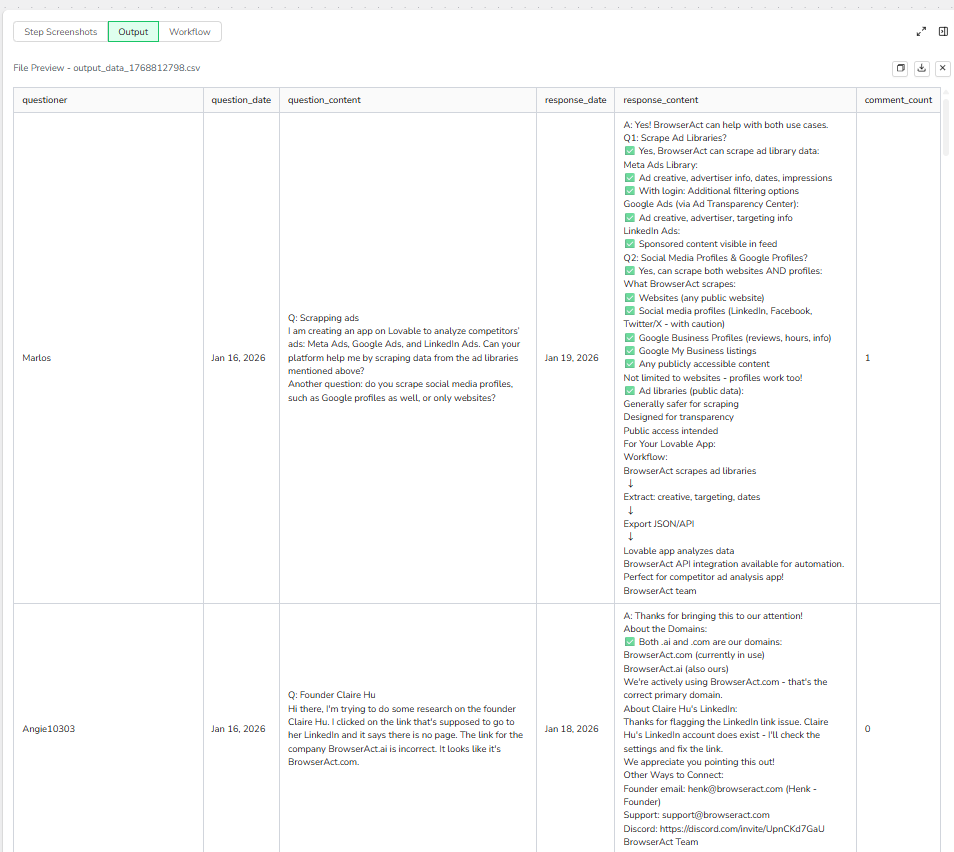
This workflow captures complete Q&A discussions, including who asked the question, when it was posted, the full question content, official team responses, response dates, and comment counts. It is designed for product research, customer insight analysis, competitor monitoring, and documentation use—no coding required.
The scraper runs directly in the browser and supports seamless integration with automation platforms like Make.com and n8n, making it ideal for ongoing monitoring and data collection workflows.
Key Features of AppSumo Q&A Scraper
- Customizable Extraction Limit: Control how many questions are collected using the
data-limitparameter (e.g., 10, 20). - Full Q&A Capture: Extracts both user questions and official team responses for complete context.
- Structured Data Output: Preserves clear question–answer relationships in a clean tabular format.
- Pagination & Scrolling Support: Automatically scrolls and navigates across multiple Q&A pages.
- No-Code & Browser-Based: Runs directly in your browser with no installation or coding required.
- Reliable Data Collection: Designed to handle dynamic content loading on AppSumo pages.
- Automation Integration: Works seamlessly with Make.com and n8n for scheduling, syncing, and storage.
- Flexible Data Export: Export collected data in CSV format for further analysis or reporting.
What Data Can You Scrape from AppSumo Q&A?
With BrowserAct’s AppSumo Q&A Scraper, you can extract the following publicly available data fields:
Questions
- Questioner name
- Question publication date
- Complete question content (title + description)
Answers
- Response date
- Full response content from the team
Engagement
- Comment count per question
All extracted data is structured and ready for analysis or automation use.
How to Use AppSumo Q&A Scraper in One Click
If you want to quickly start scraping AppSumo Q&A data, simply use the pre-built AppSumo Q&A Scraper workflow.
- Register Account
Create a free BrowserAct account using your email. - Configure Input Parameters
target_url: Enter the AppSumo product Q&A page URLdata-limit: Set the maximum number of questions to collect
- Start Execution
Click Start to run the workflow. - Download Data
Once completed, download the extracted Q&A data as a CSV file.
Why Scrape AppSumo Q&A?
Scraping AppSumo Q&A allows you to systematically analyze real user questions and official responses around digital products. This data is valuable for:
- Product Research: Understand common user concerns, feature requests, and usage questions.
- Customer Insight Analysis: Identify recurring pain points and expectations directly from buyers.
- Competitor Monitoring: Compare how different products respond to user questions.
- Market Validation: Validate demand, objections, and positioning for similar tools or startups.
- Content & Documentation: Build FAQs, onboarding materials, or knowledge bases from real questions.
Automating this process saves time and ensures consistent, up-to-date insight collection.
How to Build an AppSumo Q&A Scraper Workflow: Step by Step
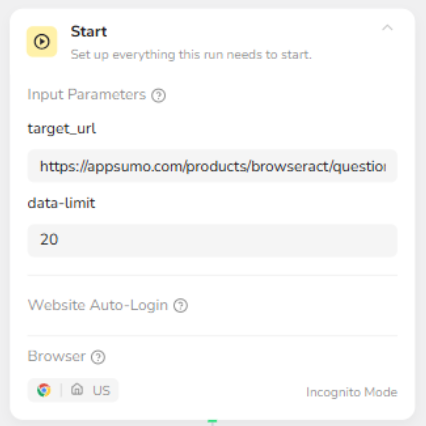
Step 1: Configure Start Node (Input Parameters)
Set up the core input parameters that control the scraping scope.
target_url: AppSumo product Q&A page URLdata-limit: Maximum number of questions to collect (e.g., 10, 20)
These parameters define where the scraper runs and when the workflow should stop collecting data.
Step 2: Visit the AppSumo Q&A Page
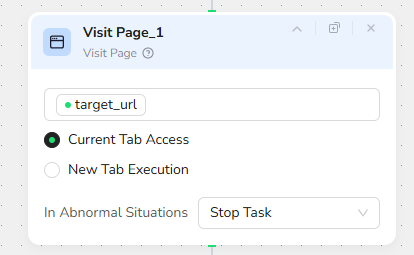
The workflow opens the target AppSumo Q&A page in the browser using the provided URL.
This ensures all subsequent actions (scrolling, extraction, pagination) are executed on the correct page.
Step 3: Loop Until Data Limit Is Reached
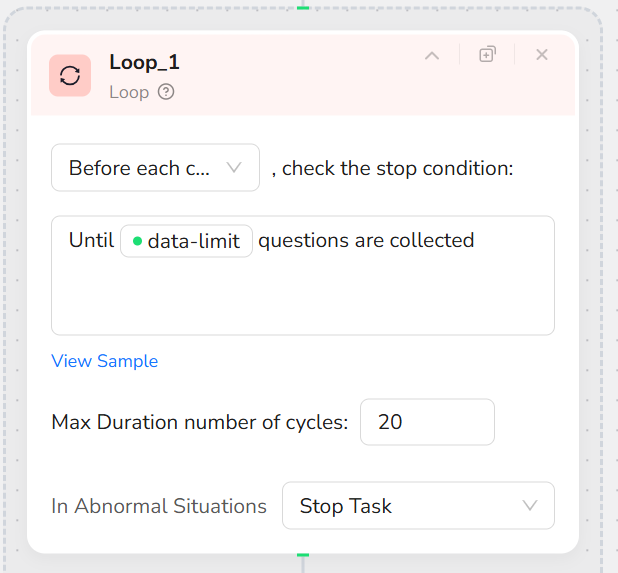
A loop node controls the execution flow and repeatedly runs the scraping steps until the specified data-limit number of questions is collected.
This prevents unnecessary execution and avoids over-scraping.
Step 4: Scroll Page to Load Q&A Content
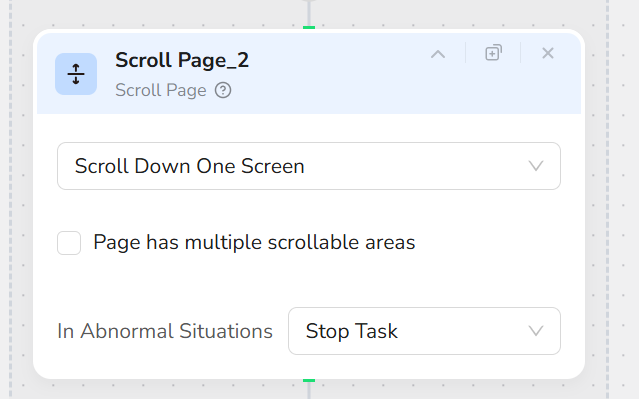
Inside each loop cycle, the workflow scrolls down the page to trigger dynamic loading of Q&A content.
This ensures that all visible questions and answers are fully rendered before data extraction.
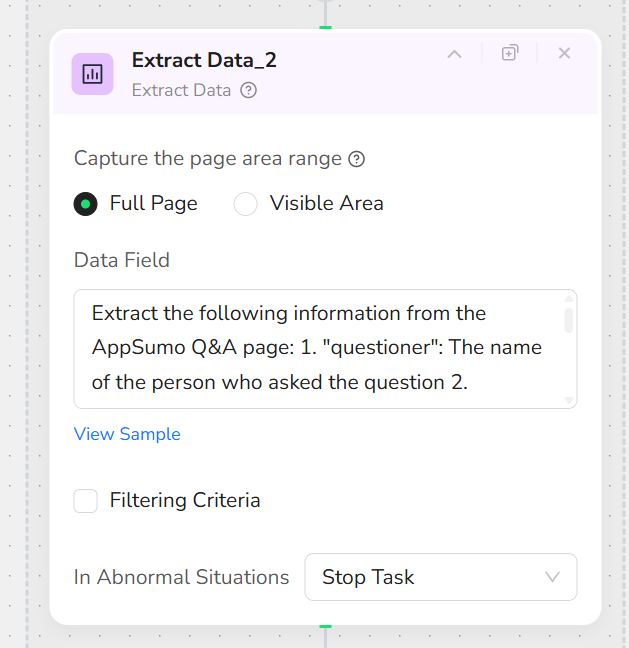
Step 5: Extract Structured Q&A Data
The Extract Data node captures structured Q&A information from the full page, including:
- Questioner name
- Question date
- Full question content
- Response date
- Full response content
- Comment count
The extraction is performed on the full page to avoid missing partially loaded content.
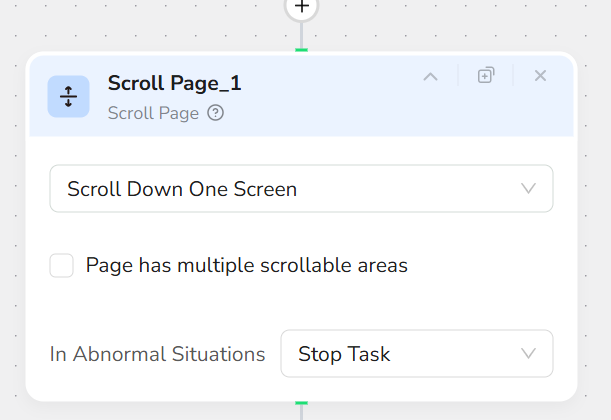
Step 6: Additional Scrolling for Content Stability
After extraction, the workflow performs an additional scroll to ensure content consistency and reduce the risk of missing dynamically loaded elements.
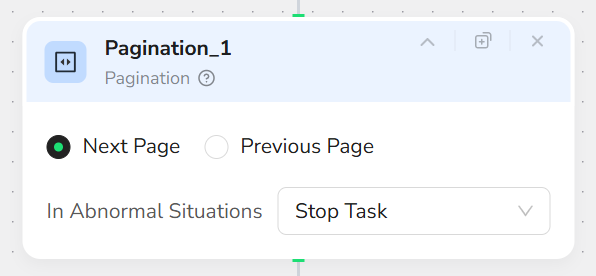
Step 7: Navigate to the Next Q&A Page
If more questions are needed and additional pages are available, the workflow automatically moves to the next Q&A page.
This allows continuous data collection across multiple pages.
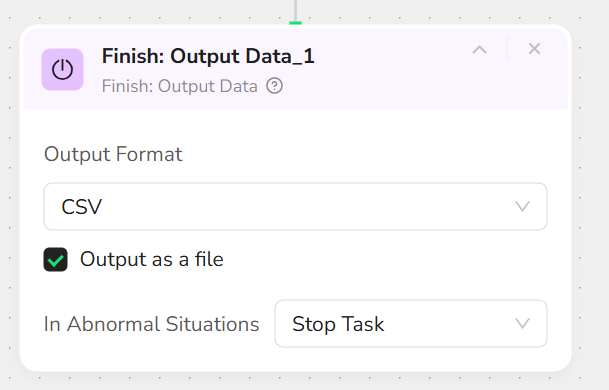
Step 8: Export the Final Data
Once the loop condition is met, the workflow stops and exports all collected Q&A data as a CSV file.
The output file is ready for analysis, reporting, or automation workflows.
Who Can Use AppSumo Q&A Scraper?
This workflow is suitable for a wide range of users, including:
- Product Managers & Founders: Analyze user feedback and objections.
- Market Researchers & Analysts: Study buyer behavior and question patterns.
- Growth & Marketing Teams: Identify messaging gaps and positioning opportunities.
- Customer Support Teams: Build better FAQs and support documentation.
- Automation Builders: Integrate AppSumo Q&A data into Make.com or n8n workflows.
- Solo Builders & Indie Hackers: Validate ideas using real customer questions.
No matter your background, this scraper provides a simple, reliable way to turn AppSumo Q&A discussions into actionable data.