
Amazon Product Price Scraper (URL-Based)
Published by
je
jett
March 04, 2026
Approx.Credits
35-50 Credits
Categories
BA
Content CollectionProduct InfoPrice MonitorAmazon
Template ID
83058309017567085

Brief
Amazon Product Price Scraper (URL-Based) is a BrowserAct workflow that extracts key product information directly from an Amazon product page using a single URL.
It automatically opens the page, handles pop-ups if needed, and captures structured data such as the product title, brand, product URL, and current price.
The extracted data is returned in JSON format, making it easy to use for price monitoring, product research, and automation workflows.
What Does Amazon Product Price Scraper (URL-Based) Do?
Amazon Product Price Scraper (URL-Based) automatically extracts structured product data directly from an Amazon product page using a simple product URL.
By entering a product URL, the workflow opens the product page, handles potential pop-ups or page gates, scrolls to the product information section, expands hidden details if necessary, and extracts key product information such as product title, brand, product link, and the current price.
This scraper enables fast and reliable product data collection for e-commerce monitoring, price tracking, and product research. The extracted information is returned in structured JSON format, making it easy to integrate with automation platforms like n8n, Make, or data tools such as Google Sheets and databases.
Key Features of Amazon Product Price Scraper (URL-Based)
• URL-Based Extraction: Simply provide an Amazon product URL to retrieve structured product information.
• Automated Page Navigation: Automatically opens the product page and waits for full page loading before data extraction.
• Pop-Up Handling: Detects and handles page pop-ups or verification prompts to ensure uninterrupted scraping.
• Smart Page Scrolling: Automatically scrolls to the “About this item” section to access complete product details.
• Expandable Content Detection: Clicks “See more” buttons to reveal hidden product information when necessary.
• Structured Data Output: Extracts product information and returns it in clean JSON format.
• Automation Integration: Easily integrates with automation platforms such as n8n or Make.com for scheduled monitoring and workflows.
• Flexible Data Export: Export product data in standard formats like JSON for analysis or database storage.
What Data Can You Extract from Amazon?
With Amazon Product Price Scraper (URL-Based), you can extract essential product information from Amazon product pages.
Product Information
• Product title
• Product URL
• Brand name
• Current product price
This structured data allows users to track product prices, analyze competitors, or build e-commerce datasets.
How to Use Amazon Product Price Scraper (URL-Based) in One Click
If you want to quickly start extracting Amazon product data, simply use the Amazon Product Price Scraper (URL-Based) template for fast setup.
Register Account
Create a free BrowserAct account.
Configure Input Parameter
Enter the Amazon product URL in the product_url input parameter.
Example:
https://www.amazon.com/dp/B0XXXXXXX
Start Execution
Click Start to run the workflow.
Get Extracted Data
Once the workflow completes, the scraper will output structured product information in JSON format.
Why Scrape Amazon Product Data?
Extracting Amazon product data enables businesses and researchers to collect valuable market information for analysis and decision-making.
• Price Monitoring: Track product price changes over time for market insights.
• Competitor Analysis: Compare pricing and brand positioning across similar products.
• Product Research: Collect structured product information for market research.
• E-commerce Intelligence: Monitor product listings and price fluctuations automatically.
• Dataset Creation: Build structured datasets for analytics, automation, or machine learning.
Automated scraping enables efficient large-scale product data collection without manual effort.
How to Build an Amazon Product Price Scraper Workflow: Step by Step
This workflow uses BrowserAct’s visual automation system to scrape product data without coding.
Step 1: Determine Your Target Product
Choose the Amazon product page you want to extract data from.
Example:
https://www.amazon.com/dp/PRODUCT_ID
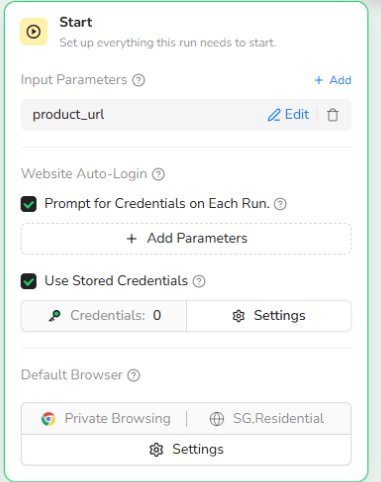
Step 2: Start Node Parameter Settings
product_url
Enter the Amazon product URL that you want to scrape.
Example:
https://www.amazon.com/dp/B0XXXXXXX
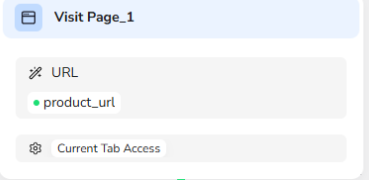
Step 3: Visit Product Page
The workflow opens the provided product URL and loads the product page.
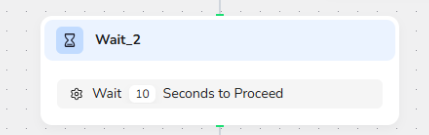
Step 4: Wait for Page Loading
The system waits several seconds to ensure all page elements fully load before extraction begins.
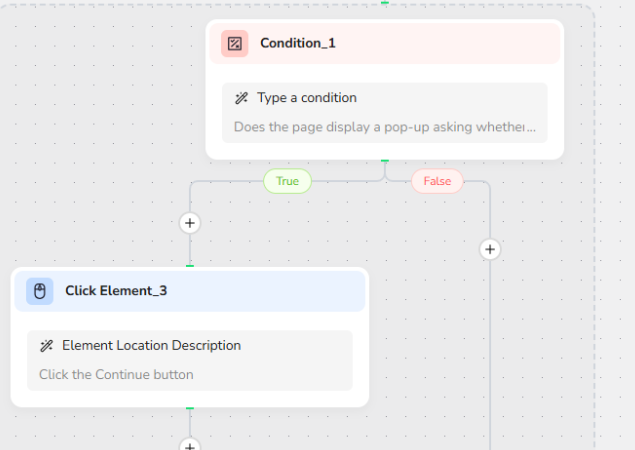
Step 5: Handle Pop-Ups
If Amazon displays location verification or other pop-ups, the workflow automatically clicks Continue to proceed.
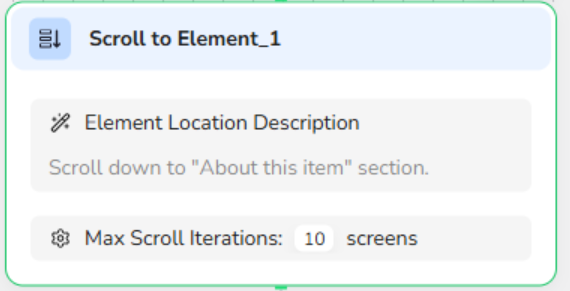
Step 6: Navigate to Product Information Section
The workflow scrolls down to the “About this item” section where product details are displayed.
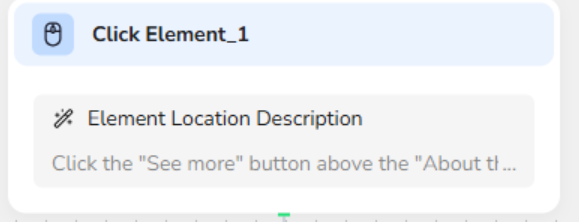
Step 7: Expand Hidden Content
If the product description is partially hidden, the workflow clicks “See more” to reveal the full content.
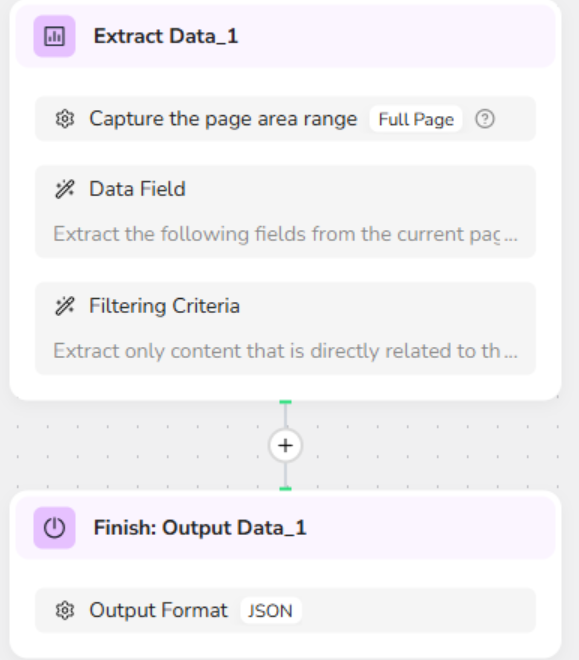
Step 8: Extract Product Data
The scraper captures key product information from the page and structures it into data fields.
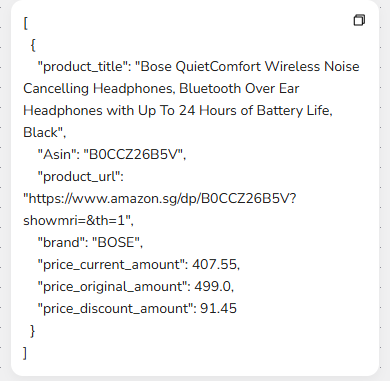
Step 9: Output JSON Data
The workflow returns the extracted product data in JSON format for further processing.
Who Can Use Amazon Product Price Scraper (URL-Based)?
This tool is designed for anyone who needs structured Amazon product data quickly and reliably.
• E-commerce Sellers: Monitor competitor prices and product listings.
• Market Researchers: Collect product information for pricing and brand analysis.
• Product Managers: Analyze product positioning and pricing strategies.
• Data Analysts: Build structured product datasets for analysis.
• Automation Builders: Integrate product data extraction into automated workflows.
• Startups and Businesses: Conduct affordable product intelligence research without coding.