
Software Migration Assistant
Published by
je
jett
December 19, 2025
Approx.Credits
40-80 Credits
Categories
BA
Competitor AnalysisMarket IntelligenceProduct InfoCapterra
Template ID
66751011967992277

Brief
📌 Detail
🎯 Core Function: Software Alternatives Finder via Telegram (BrowserAct Scraping + AI Formatting)
This workflow turns a Telegram bot into an intelligent software recommendation assistant. When a user types a software name, the system searches Capterra, extracts the top alternatives, enriches the results with AI, and replies with a clean, structured list directly inside Telegram. The BrowserAct workflow provides the core navigation and extraction logic, while Make.com handles the lightweight orchestration.
🧠 Part 1: BrowserAct Workflow Description
This BrowserAct workflow performs all steps required to locate the correct product page on Capterra and extract both “Top Alternatives” and “All Alternatives” sections.
Dynamic Input Parameters
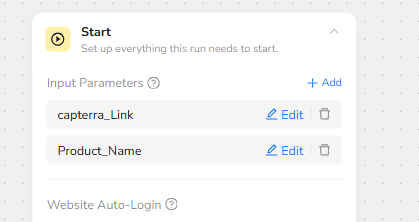
The workflow begins with a Start node containing two parameters:
capterra_Link
Product_Name
These values are injected at runtime by the automation platform, allowing the workflow to search any product dynamically.
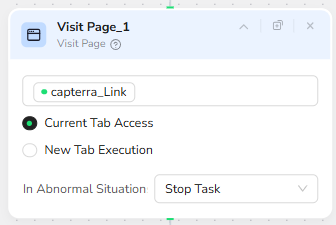
Visit Capterra
The Visit Page node loads the base Capterra link provided by Make. This is the entry point where the product search begins.
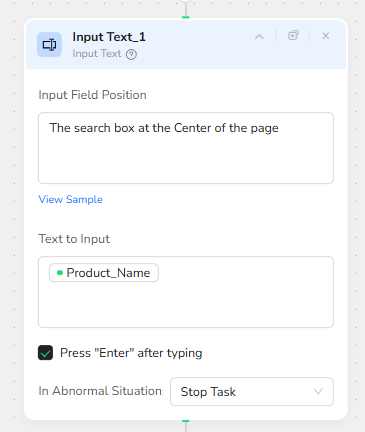
Search for the Product
The Input Text node targets the main search bar on the page (“The search box at the Center of the page”). The Product_Name parameter is typed into the field, and the workflow automatically presses Enter to trigger the search.
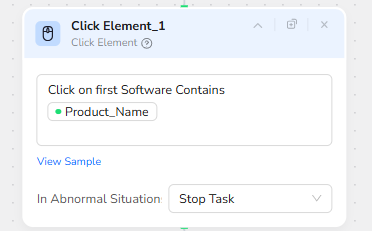
Select the Correct Result
After the results load, the Click Element node identifies the first software entry containing the Product_Name text and clicks it. This ensures the workflow consistently lands on the relevant product page.
Scroll to the Alternatives Section
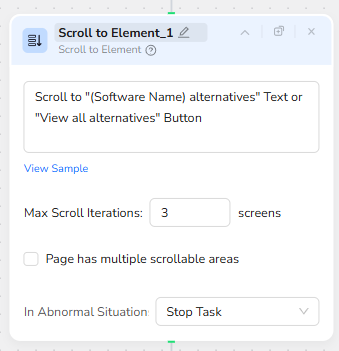
On the product detail page, the Scroll to Element node searches for either the “(Software Name) alternatives” text or the “View all alternatives” button. The workflow scrolls up to three screens to ensure the section becomes visible.
Extract Alternatives Data
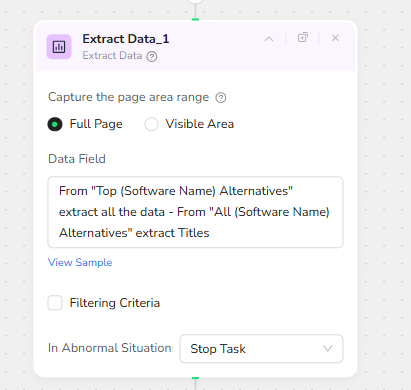
The Extract Data node captures the content of both alternatives sections:
Top Alternatives → Full details (price, rating, satisfaction, free trial availability)
All Alternatives → Titles list
The extraction uses a full-page scan to ensure all relevant entries are captured, and the result is returned as a structured JSON string.
⚙️ Part 2: Make.com Automation (Simplified Overview)
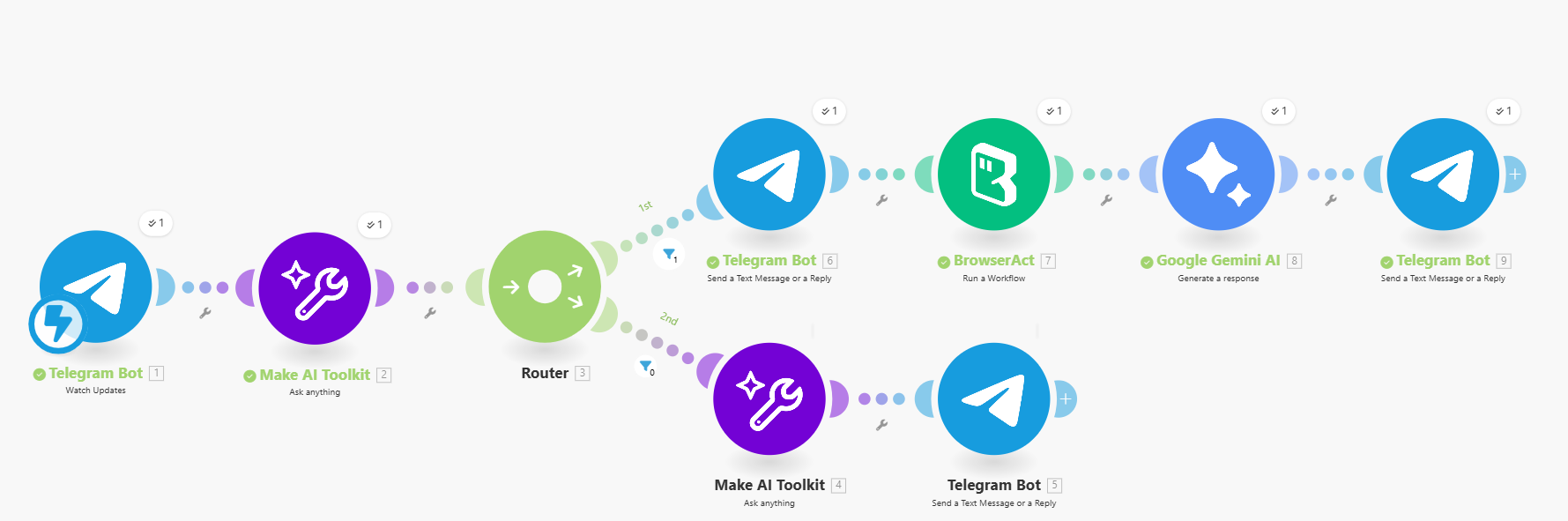
The Make.com scenario acts as the lightweight orchestration layer for this solution.
Core Steps
- A Telegram Bot module receives incoming user messages.
- An AI classifier identifies whether the message contains a software name.
- If a software name is detected, Make sends the product to the BrowserAct workflow using the two input parameters.
- BrowserAct returns structured alternatives data.
- A Gemini AI module reformats the data into a polished HTML message.
- Telegram sends the formatted result back to the user.
This keeps Make’s role simple: receive → classify → call BrowserAct → format → reply, with BrowserAct performing all critical scraping and extraction logic.
✨ Applicable Scenarios (Use Cases)
Software Migration Support
Instantly generate alternative software suggestions without browsing manually.
IT Helpdesk Bots
Allow employees to ask “alternatives to X” inside company Telegram groups.
Product Evaluation
Quickly compare SaaS tools when making purchasing decisions.
Customer Advisory Tools
Ideal for consultants or agencies helping clients evaluate and replace software.