
Automated Job Posting to Niche Job Site (Custom Site)
BrowserAct’s no-code tool enables automated job posting to niche job sites or custom sites—skip manual work, publish positions efficiently without programming skills!
Published by
Yi
Yiruo
January 12, 2026
Approx.Credits
50-60 Credits
Categories
BA
Content Collection
Template ID
60001295058267536

Brief
BrowserAct Job Board Posting Automation is a no-code workflow that automatically publishes job listings to a custom job board by simulating real browser actions.
The workflow opens the target job board page, triggers the job submission popup, fills in structured job data such as job title, company, location, tags, and job description, then submits the listing and verifies whether the job was successfully posted.
This workflow is ideal for testing form automation, building recruitment pipelines, and serving as a reusable template for posting jobs to other job boards without relying on APIs.
What Does BrowserAct Job Board Posting Automation Do?
BrowserAct Job Board Posting Automation is a no-code workflow that automatically publishes job listings to a custom job board website by simulating real human browser actions.
The workflow takes structured job data (job title, company, location, tags, and job description) as input, opens the target job board page, fills out the job submission form step by step, submits the listing, and verifies whether the job was successfully posted.
This workflow is designed as a reliable job-posting automation template, suitable for testing, demonstrations, and real-world migration to other job boards or recruitment platforms.
Key Features of Job Board Posting Automation
- Automated job posting via real browser interaction (no API required)
- Supports structured job fields (title, company, location, tags, description)
- Popup-based form handling with precise input targeting
- Built-in success verification logic after submission
- Easily extensible to other job boards or posting websites
- No-code implementation using BrowserAct
What Data Can You Post with This Workflow?
This workflow automatically posts the following job information:
Job Listing Fields
- Job Title
- Company Name
- Job Location / Address
- Job Tags (comma-separated)
- Job Description
All fields are mapped directly from workflow input parameters and injected into the job submission form.
How to Use Job Board Posting Automation in One Click
- Provide the target job board URL
- Fill in job-related input parameters
- Run the workflow
- BrowserAct opens the job board, submits the job, and confirms success
No manual interaction is required once the workflow starts.
Why Automate Job Posting?
- Save time when posting jobs repeatedly
- Reduce human error in form filling
- Ensure consistent job listing structure
- Enable batch posting or future integration with Google Sheets or Make.com
- Create reusable automation templates for recruitment workflows
How to Build a Job Board Posting Workflow: Step by Step
Step 1: Determine Your Scope
Decide which job board page you want to post jobs to and identify the required job fields.
In this workflow, the target is a custom AI Job Board with a popup-based submission form.
Step 2: Start Node Parameter Settings
Configure the workflow input parameters, including:
- Target_Site
- Job_Title
- Company
- Address
- tags
- Job_Description
These parameters will be reused across all BrowserAct input steps.
Step 3: Visit Page
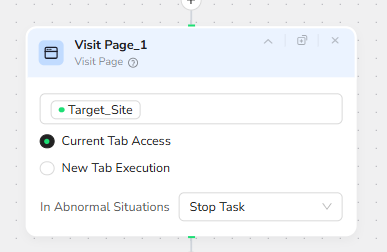
BrowserAct opens the provided Target_Site URL using a real browser session to ensure accurate page rendering and interaction.
Step 4: Wait for Page Stability
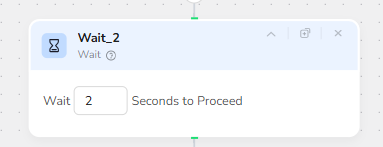
A short wait step ensures that the page is fully loaded before any interaction begins.
Step 5: Click “Submit a Job” Button
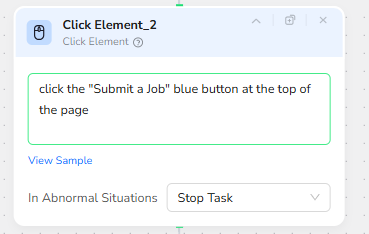
BrowserAct clicks the “Submit a Job” button at the top of the page to open the job submission popup.
Step 6: Fill Job Title Field
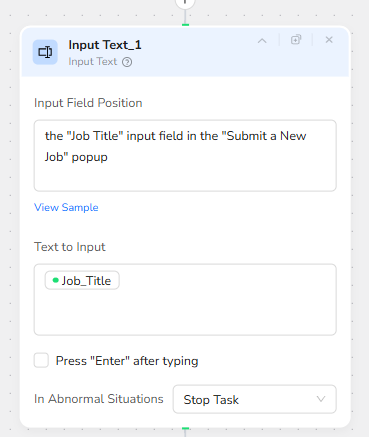
BrowserAct locates the Job Title input field inside the “Submit a New Job” popup and inserts the provided Job_Title parameter.
Step 7: Fill Company Field
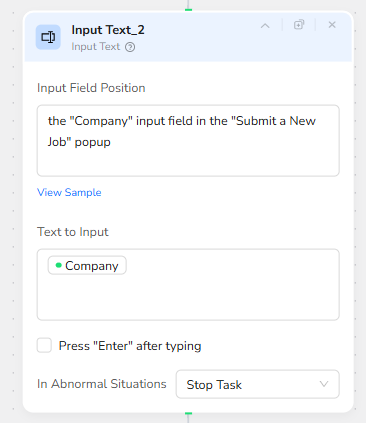
BrowserAct fills the Company input field inside the popup.
This field is required to prevent submission failure.
Step 8: Fill Job Location Field
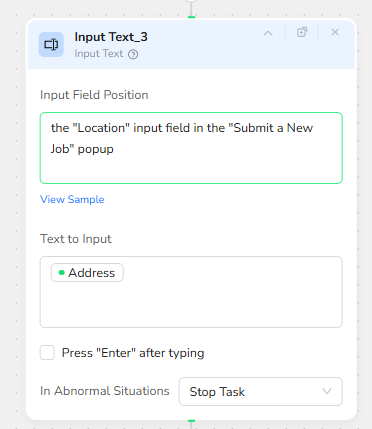
BrowserAct fills the Location / Address input field using the Address parameter.
Step 9: Fill Job Tags Field
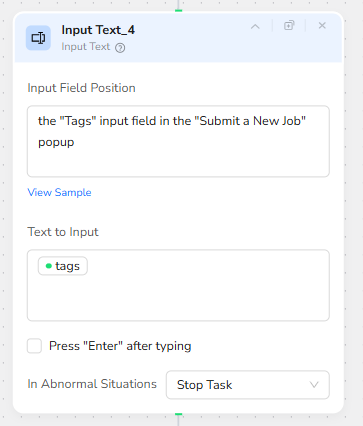
BrowserAct fills the Tags input field using comma-separated tag values.
Step 10: Fill Job Description Field
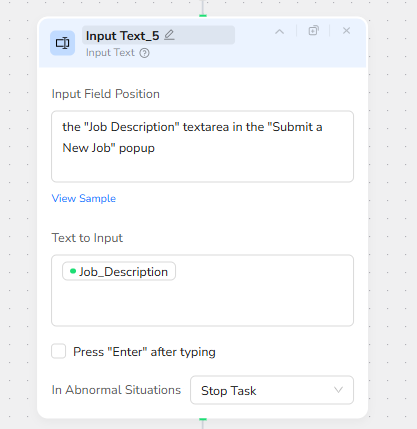
BrowserAct inserts the full Job Description text into the textarea field inside the popup.
Step 11: Submit Job Listing
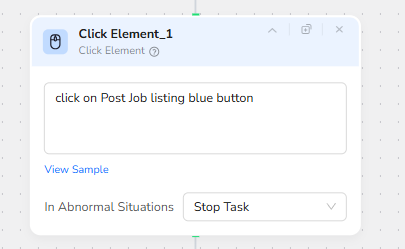
BrowserAct clicks the “Post Job Listing” button to submit the job.
Step 12: Verify Submission Result
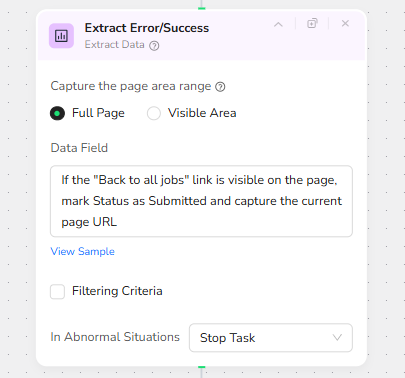
After submission, BrowserAct checks whether the “Back to all jobs” link is visible on the page to confirm that the job was successfully posted.
Step 13: Output Data
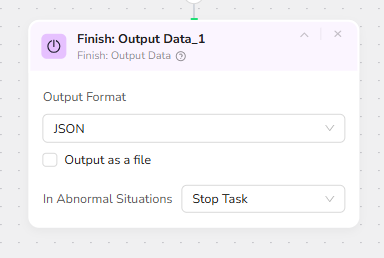
The workflow outputs the submission status and the current page URL for logging or further processing.
Who Can Use This Job Board Posting Automation?
- Recruitment teams
- HR automation builders
- No-code developers
- BrowserAct template creators
- Product teams testing automated form submissions
- Anyone building job distribution workflows
 What can we do for you